Style transforms
Stained Glass Art that turns photos into glowing windows
Convert a photo into luminous stained glass with leaded lines and jewel-toned light.
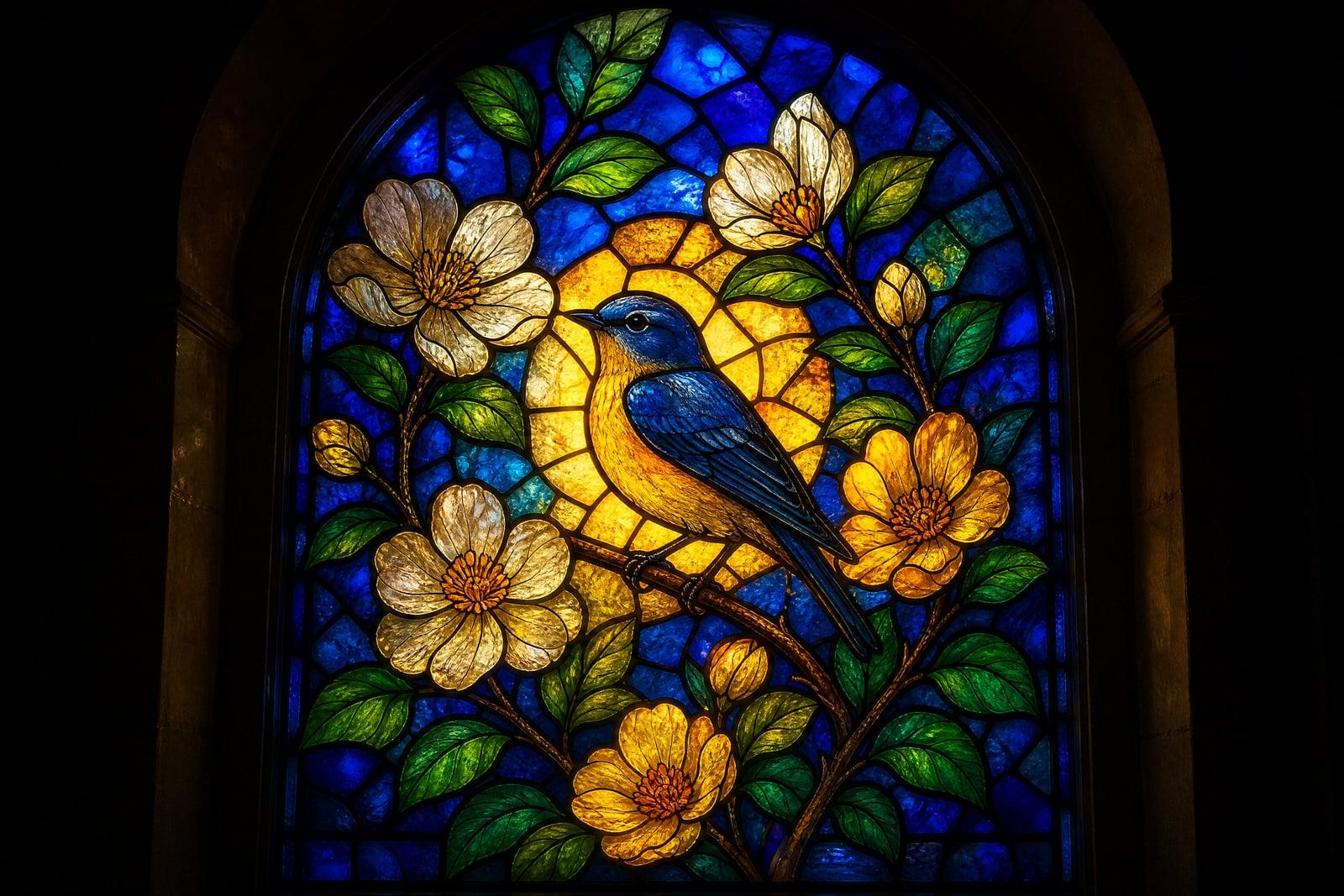
Stained Glass Art converts a photo you upload into a glowing stained-glass window. The image gets divided into colored glass panes separated by dark leading, with light appearing to pour through from behind. Upload one photo, generate, and a portrait, pet, or garden shot becomes something that belongs in a chapel or a very good craft fair. It also works as a pattern reference for real glasswork.
What is the Stained Glass Art?
The tool takes one photo and re-imagines it as leaded glass. Shapes simplify into panes, colors deepen into jewel tones, and every pane appears backlit, which is where the glow comes from. You can request flowing organic panes or stricter geometric panels, and mention a palette if you have one in mind. Finished windows save to your library at print-friendly size.
Designing stained glass from a photo is a real craft problem: every shape must be a cuttable piece, lead lines have to flow with the image rather than fight it, and color has to carry the detail that the leading removes. The generator makes those trade-offs plausibly, keeping faces readable with surprisingly few panes and letting backgrounds break into decorative patterned glass.
Stained Glass Art features
Backlit glow
Panes look genuinely lit from behind, with brighter cores and color that saturates toward the edges the way real glass does in afternoon sun. The glow is the whole magic of the style.
Leading that flows
The dark lines between panes follow the forms of your subject, curving with a jawline or a petal instead of gridding across the image like a net thrown over a photo.
Jewel-tone color
Colors shift toward deep glass hues: ruby, cobalt, amber, emerald. You can steer the palette warmer or cooler, or anchor it to the colors already present in your original photo.
Pattern-friendly output
Hobby glass artists use the generated windows as design references for real projects. The pane divisions are clear enough to trace, adapt, and simplify into an actual cut list for the workbench.
How to use the Stained Glass Art
- 1
Upload your photo
Bold subjects with clean silhouettes convert best: a face, a flower, a bird, a pet in profile. Fine textures like fur and grass will simplify into panes, so lead with shape.
- 2
Choose the treatment
Ask for flowing organic panes or geometric panels, and name a palette if you want one. Warm ambers and cool cobalts change the mood of the same photo completely.
- 3
Generate
The window renders fast. Look for readable leading around the subject and a convincing backlit glow; if the panes got too busy, request fewer, larger pieces.
- 4
Download or refine
Save the window or run more variations. The same portrait as a warm sunset window and a cool blue one is a hard choice people enjoy having.
Stained Glass Art details
| Best for | Crafters and gift-makers who want luminous glass art from photos |
|---|---|
| Category | Style transforms |
| Powered by | Nano Banana (Google) |
| Credits per image | 20 credits at 1K |
| Photos you upload | Your photo |
| Aspect ratios | Follows the input image |
| Adjustable options | None, one-click result |
| Included in plans | Standard, Premium, Pro |
What people make with the Stained Glass Art
Memorial and tribute pieces
A stained-glass rendering of a loved one or a beloved pet has a reverence a plain photo cannot manage. Families print them for memorial services and quiet corners of the house.
Real glasswork references
Hobbyists and studio artists generate a window from a customer photo, then use the pane layout as the starting pattern for a commissioned physical piece, saving hours of design sketching.
Church and community projects
Committees mock up how a proposed window might look from a reference photo before any fundraising begins. A convincing preview, printed and passed around, does more persuading than any written proposal.
Window and wall decor
Printed on translucent film and applied to a real window, a generated design gives a rental bathroom or studio actual character without a permanent change the landlord would ever notice.
Stained Glass Art FAQ
How does Stained Glass Art handle faces?
Faces simplify into a modest number of panes, with the leading placed along natural feature lines: brow, nose, jaw. The likeness stays surprisingly strong because color and silhouette do the identification work. Very small faces in wide shots lose the most, so crop close.
Can I use the design to build a real stained-glass window?
Yes, many glass artists do. The pane divisions are clear enough to trace into a working pattern, though you will likely merge some small pieces for cuttability. Treat it as a strong first draft of the design rather than a finished cut list.
What colors can I choose?
Any glass-plausible palette: classic jewel tones, warm ambers and reds, cool blues and violets, or panes matched to your photo's own colors. Describe the mood and the generator assigns colors pane by pane. Warm palettes read devotional, cool ones read modern.
What photos work best?
Photos with a strong, simple subject: portraits, pets, flowers, birds, landmarks with clear outlines. High contrast between subject and background helps the leading find sensible boundaries. Cluttered scenes turn into busy, confusing panes, so crop tight before you upload.
Can I sell the stained-glass designs?
Yes. Generated images are yours to use commercially, as printed art, as window film, or as the design basis of a physical commission you sell to a client. Use source photos you have permission to work from and you are covered.
Related tools
Pricing
Choose the perfect plan to unlock more creativity with premium AI-powered image generation.
Standard
Perfect for creators and content makers
- 1,500 Credits per month
- High-quality AI image generation
- Text-to-image & image-to-image
- Premium templates library
- Priority support
Premium
For professionals and power creators
- 4,000 Credits per month
- Ultra high-quality generations
- Advanced AI models & styles
- Priority processing & support
- Commercial usage rights
Pro
Most advanced models for premium visuals
- 10,000 Credits per month
- All models incl. Nano Banana PRO
- All resolutions (1K, 2K & 4K)
- Premium-quality generation & smart edits
- Priority processing & support
Need more credits?
All plans include the option to purchase additional credit packs when you need extra generating power. Scale your creativity without limits.
Payments are securely processed by Stripe, our merchant of record. Subscriptions renew automatically at the listed price until you cancel; cancel anytime in your account settings. By continuing you agree to our Terms, Privacy Policy and Refund & Cancellation Policy. Need help? Contact support@nanobananai.ai.