Business & marketing
AI Interior Design: restyle your room from one photo
Upload a photo of your room and preview it redecorated in a style you choose.
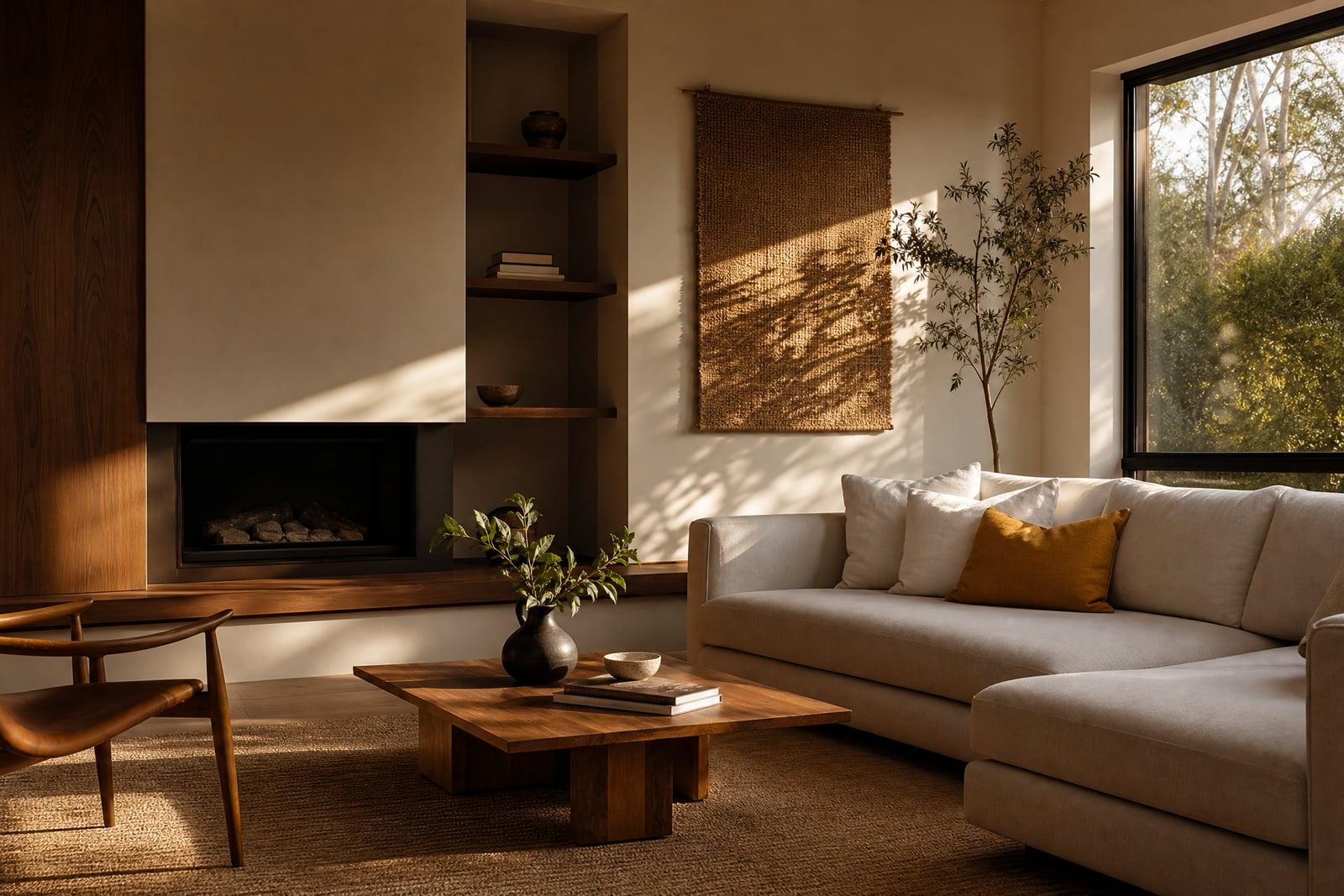
AI Interior Design redecorates a photo of your actual room in a new style. Upload one picture of the space, tell the tool the look you want, Scandinavian, japandi, mid-century, industrial, anything you can name, and generate. The walls and windows stay where they are while furniture, colors, and decor change, so the result is your room, redesigned rather than replaced.
What is the AI Interior Design?
You start with a single room photo, ideally shot from a corner so most of the space is visible. Pick or describe a decor style, then generate. The tool keeps the room's bones, its layout, windows, and ceiling line, and reimagines everything you could actually change: sofas, rugs, wall color, lighting fixtures, shelving, and plants.
Visualizing a redesign by hand means hours in a mood board app that still leaves you guessing how the ideas fit your specific room. The tool answers the real question, what would my room look like, by rendering the new style at your room's proportions with light that matches your windows. Disagreements about paint colors resolve much faster with a picture.
AI Interior Design features
Your room, not a stock room
The redesign happens inside your own four walls. Window positions, room shape, and viewpoint stay true to the photo, so you can judge whether that emerald sofa actually works in your light.
Any named style
Japandi, coastal, dark academia, seventies retro: if you can name or describe the look, you can preview it. Vague briefs work too, like calmer, warmer, or simply less cluttered.
Whole-room changes at once
A single generation updates furniture, wall color, textiles, and lighting together, so the pieces agree with each other. That coherence is what separates a redesign from swapping one chair in a photo editor.
Iterate on the brief
Rerun with adjusted wording as often as you like. Keep the style but ask for lighter floors, or hold the layout steady and try three different palettes across three quick generations.
How to use the AI Interior Design
- 1
Photograph the room
Shoot from a corner at chest height with the lights on. The more of the room in frame, the more the redesign has to work with.
- 2
Describe the style
Name a style or describe the feeling you want. Specifics help: warm minimalist with walnut wood beats just make it nice.
- 3
Generate the redesign
The tool returns your room in the new style within moments. Check the parts you care about, like whether the layout still makes sense for the doorways.
- 4
Refine and save
Adjust the prompt and rerun until it clicks, then download. Many people generate three or four styles and share them with a partner to vote.
AI Interior Design details
| Best for | Homeowners and renters planning a redecoration on a budget. |
|---|---|
| Category | Business & marketing |
| Powered by | Nano Banana (Google) |
| Credits per image | 20 credits at 1K |
| Photos you upload | Room photo |
| Aspect ratios | 4:3, 16:9, 1:1 |
| Adjustable options | Design style, extra instructions |
| Included in plans | Standard, Premium, Pro |
What people make with the AI Interior Design
Before the renovation
A picture settles what a Pinterest board cannot: how the style looks in your actual room. Preview directions before hiring anyone or ordering a sofa with a six-week lead time.
Rental refresh ideas
Renters who cannot repaint can still preview reversible changes, new textiles, lighting, and furniture arrangements, and then shop toward a concrete image instead of a vague idea in their head.
Designers and stagers
Professionals use fast style previews as conversation starters with clients. Showing three rendered directions in the first meeting focuses feedback early, long before detailed design hours get spent on the wrong direction.
Moving into a new place
Just got the keys and the empty echo. Generate a few furnished styles from your walkthrough photos and arrive on moving day already knowing which direction the living room takes.
AI Interior Design FAQ
Does AI Interior Design work with my real room photo?
Yes, that is the whole point. It redesigns the room in your photo rather than generating a generic interior, keeping walls, windows, and proportions in place while restyling furniture and finishes. The output shows your own space in the new look.
Which decor styles can it do?
Any style you can name or describe: Scandinavian, japandi, mid-century modern, industrial, coastal, maximalist, and plenty more. You can also mix ideas, like industrial with warm wood, or describe a mood and let the tool interpret it.
Will the furniture in the image be buyable products?
No, the pieces are generated, not catalog items. Treat the render as a design direction, then shop for similar items. It works well as a reference image to show a furniture store or an interior designer.
How good does my photo need to be?
A normal phone photo in daylight is enough. Shoot wide from a corner, turn the lights on, and tidy major clutter. Very dark or blurry photos give the generator less to work with, and the results get looser.
Can I redesign several rooms?
Yes, run each room as its own generation. Reusing the same style wording across rooms keeps the whole home coherent. Every result saves to your library, so comparing kitchen and bedroom versions side by side is easy.
Related tools
Pricing
Choose the perfect plan to unlock more creativity with premium AI-powered image generation.
Standard
Perfect for creators and content makers
- 1,500 Credits per month
- High-quality AI image generation
- Text-to-image & image-to-image
- Premium templates library
- Priority support
Premium
For professionals and power creators
- 4,000 Credits per month
- Ultra high-quality generations
- Advanced AI models & styles
- Priority processing & support
- Commercial usage rights
Pro
Most advanced models for premium visuals
- 10,000 Credits per month
- All models incl. Nano Banana PRO
- All resolutions (1K, 2K & 4K)
- Premium-quality generation & smart edits
- Priority processing & support
Need more credits?
All plans include the option to purchase additional credit packs when you need extra generating power. Scale your creativity without limits.
Payments are securely processed by Stripe, our merchant of record. Subscriptions renew automatically at the listed price until you cancel; cancel anytime in your account settings. By continuing you agree to our Terms, Privacy Policy and Refund & Cancellation Policy. Need help? Contact support@nanobananai.ai.