Fun & creative
AI Sticker Maker that turns your photos into die-cut stickers
Turn one photo into a glossy die-cut sticker for chats, laptops, and shops.
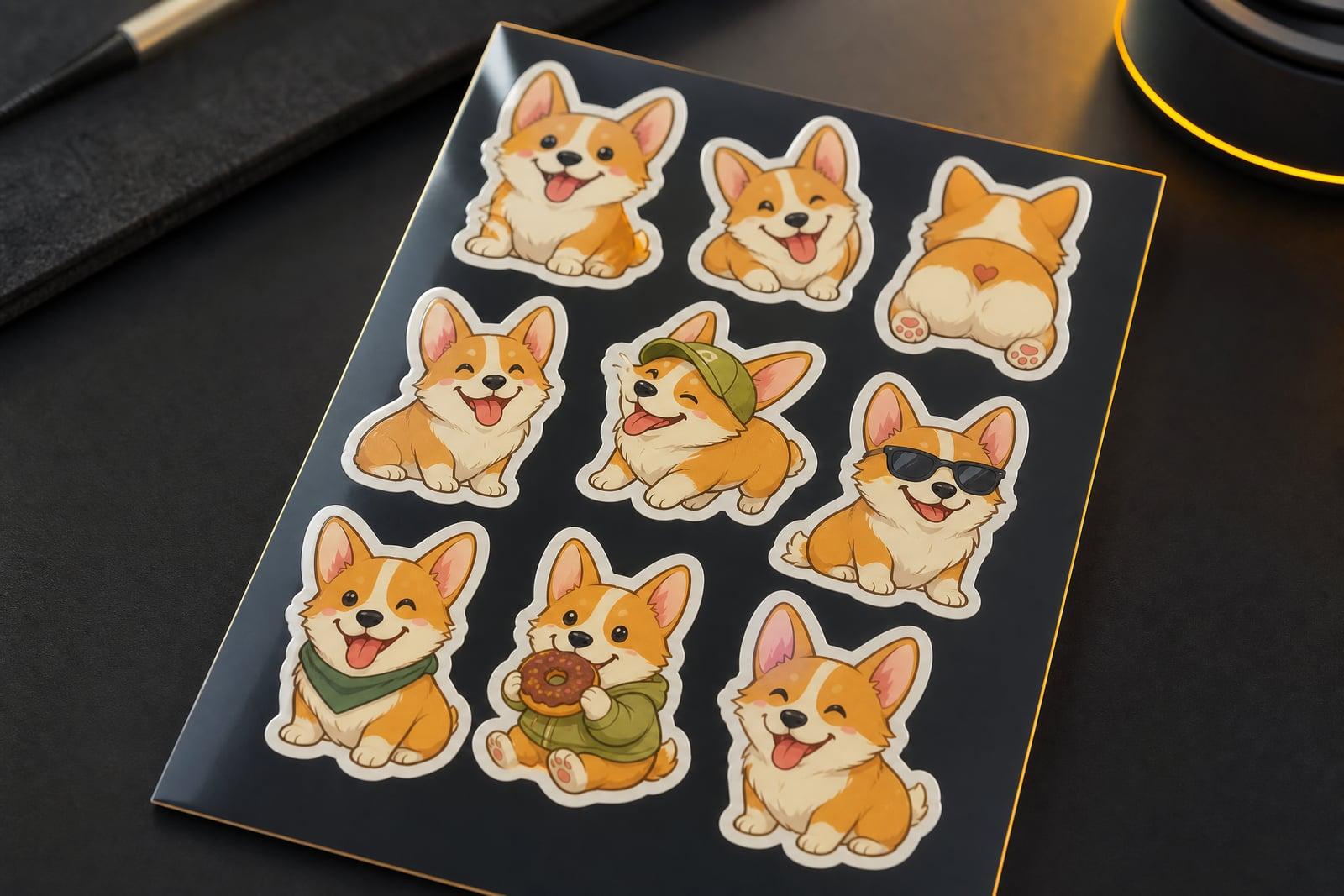
The AI Sticker Maker turns a photo into a glossy die-cut sticker with a clean white border. Upload one picture of your face, your dog, or anything else, pick a look, and generate. You get back a sticker-style graphic with the subject cut out and outlined, ready to print, share in chats, or drop into a shop listing. Regenerating a fresh variation is quick, so trying several looks costs nothing but a minute.
What is the AI Sticker Maker?
The AI Sticker Maker is a web tool on Nano Banana AI that converts an ordinary photo into die-cut sticker art. You upload a single image, the tool isolates the subject, redraws it in a bold sticker style, and adds the thick white border and glossy finish that make stickers read as stickers. The finished graphic lands in your library as a downloadable image you can print or share.
Doing this by hand is fiddly. You would need to cut the subject out pixel by pixel, simplify the shading so it prints well at small sizes, then build an even border that follows every curve of the outline. The tool handles the cutout, the simplification, and the border in one pass, so a quick phone snap of your cat becomes usable sticker art without an afternoon in an editor.
AI Sticker Maker features
Clean die-cut borders
The white outline follows the subject's silhouette evenly, around ears, hair, and other awkward edges. That even border is what separates a proper sticker from a photo that simply had its background deleted.
Faces stay recognizable
Sticker versions of people keep the features that matter. Your friend's grin, glasses, and hairline survive the stylization, so the sticker still reads as them even at tiny thumbnail size in a group chat.
Works on pets and objects
People are only the start. Dogs, cats, sneakers, plants, and coffee mugs all convert well, which makes the tool useful for shop owners building a product sticker sheet or a matching set of pet stickers.
Fast variations
One upload can produce several different sticker treatments. If the first border looks too tight or the style too cartoonish, regenerate and compare. Each attempt takes seconds rather than an evening of manual tracing.
How to use the AI Sticker Maker
- 1
Upload your photo
Pick a shot where the subject is well lit and fully in frame. A plain background helps the cutout, but busy scenes usually work too.
- 2
Choose a sticker style
Glossy cartoon, flat vector, or something closer to the original photo. If you plan to print small, simpler styles hold up better on paper.
- 3
Generate
The tool cuts out the subject, applies the style, and draws the white die-cut border. The finished sticker appears in your library within moments.
- 4
Download or refine
Save the file for printing or messaging apps. Not happy with the border thickness or the expression? Regenerate, since variations are cheap and quick.
AI Sticker Maker details
| Best for | People turning photos of friends, pets, or products into stickers |
|---|---|
| Category | Fun & creative |
| Powered by | Nano Banana (Google) |
| Credits per image | 20 credits at 1K |
| Photos you upload | Your photo |
| Aspect ratios | 1:1 |
| Adjustable options | None, one-click result |
| Included in plans | Standard, Premium, Pro |
What people make with the AI Sticker Maker
Group chat stickers
Turn the funniest photo of each friend into a sticker pack for your group chat. Inside jokes hit harder when the reaction image is an actual picture of the person involved in the incident.
Etsy sticker shops
Sellers can prototype a sticker sheet from product or pet photos before committing to a print run. Test which designs get saves and comments, then print the winners on actual vinyl.
Laptop and bottle decals
A sticker of your own dog beats another mass-produced decal. Convert a photo, print it on vinyl at home or through a print shop, and personalize your laptop, water bottle, or car window.
Small business branding
Coffee carts, barbers, and market stalls can turn a mascot photo or signature product into stickers for packaging and giveaways. Customers keep a good sticker far longer than a paper business card.
AI Sticker Maker FAQ
What photo works best in the AI Sticker Maker?
A sharp, well-lit photo where the whole subject is visible. Faces and pets work best when they fill most of the frame. Busy backgrounds are usually fine because the tool cuts the subject out, but if the edge comes back messy, try a cleaner shot or a tighter crop.
Can I print the stickers it makes?
Yes. Download the generated image and print it on vinyl sticker paper at home, or upload it to a print service. Simpler, bolder styles survive small print sizes best, so run one test sheet before ordering a big batch.
Will the sticker still look like me?
The tool keeps your features recognizable while simplifying them into sticker form. Glasses, hair, and expressions carry over. Stylized means some detail is smoothed away on purpose, so expect a cleaner, bolder version of your face rather than a miniature photograph.
Can I sell stickers I generate?
Yes, images you generate are yours to use, including commercially. Sticker sellers use the tool to design sheets for online shops and market stalls. Just make sure any photo you upload is one you have the right to use in a product.
Is my uploaded photo private?
Your uploaded photo is used only to generate your sticker and is stored in your private library. Nothing is published anywhere. You can delete the upload and every generated image from your account whenever you like.
Related tools
Pricing
Choose the perfect plan to unlock more creativity with premium AI-powered image generation.
Standard
Perfect for creators and content makers
- 1,500 Credits per month
- High-quality AI image generation
- Text-to-image & image-to-image
- Premium templates library
- Priority support
Premium
For professionals and power creators
- 4,000 Credits per month
- Ultra high-quality generations
- Advanced AI models & styles
- Priority processing & support
- Commercial usage rights
Pro
Most advanced models for premium visuals
- 10,000 Credits per month
- All models incl. Nano Banana PRO
- All resolutions (1K, 2K & 4K)
- Premium-quality generation & smart edits
- Priority processing & support
Need more credits?
All plans include the option to purchase additional credit packs when you need extra generating power. Scale your creativity without limits.
Payments are securely processed by Stripe, our merchant of record. Subscriptions renew automatically at the listed price until you cancel; cancel anytime in your account settings. By continuing you agree to our Terms, Privacy Policy and Refund & Cancellation Policy. Need help? Contact support@nanobananai.ai.