Portraits & people
Age Transformation: your face at any age, from one photo
See a younger or older version of yourself, from childhood all the way to your 90s.
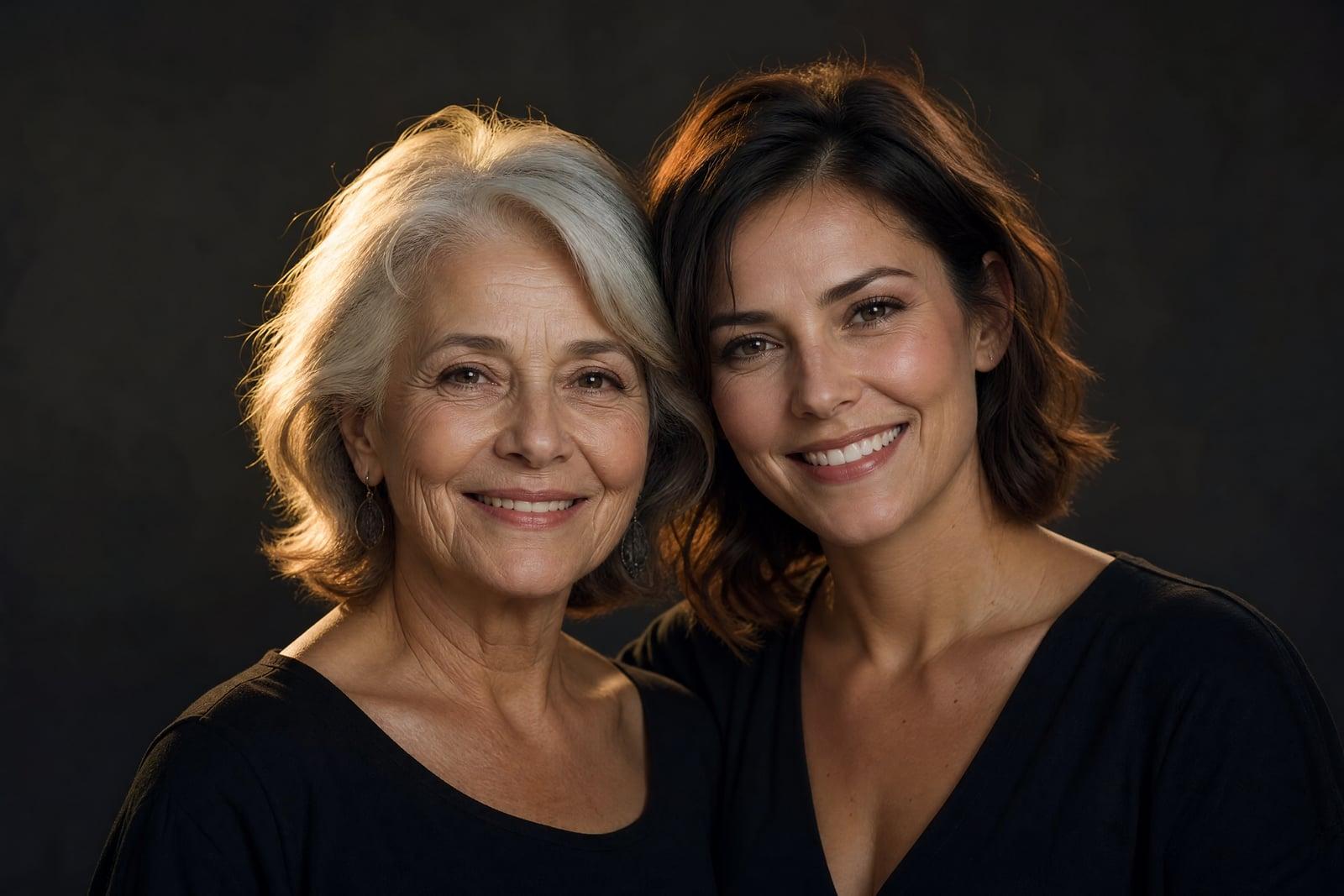
Age Transformation takes one photo of you and shows what you might look like at a different age, anywhere from childhood to your 90s. Upload a clear photo, pick a target age or direction, and generate. The tool ages or de-ages your actual face rather than pasting on a generic old-person mask, and every version is saved in your library.
What is the Age Transformation?
You upload a single photo, choose how far forward or back in time to go, and the generator renders that version of you. Ask for 20 and it smooths and rounds your features toward youth. Ask for 75 and it adds decades of plausible living. Runs finish quickly, so hopping between four different ages in one sitting is the usual way people use it.
Believable aging is more than wrinkles. Faces change structurally over decades: skin loses volume in specific places, hairlines move, ears and noses keep growing, and childhood faces carry different proportions entirely. The tool models those structural shifts while preserving the identity markers that make you recognizable, which is why the 80-year-old version still has your smile.
Age Transformation features
Any age, both directions
Go forward to see yourself at 60, 75 or 90, or backward to a childhood version. The same uploaded photo can anchor an entire timeline of ages generated one after another.
Structural aging, not filters
Hairline, skin volume, face shape and posture cues all shift with the target age. The result reads as a plausible photograph of you at that age rather than a wrinkle overlay.
Still recognizably you
Your eyes, smile and defining features persist across every age. Relatives looking at the 85-year-old version tend to say it resembles your grandmother, which is exactly the point.
A timeline in minutes
Each generation is fast, so producing yourself at 8, 30, 55 and 80 takes a few minutes total. Lining the four up side by side makes the most shared image.
How to use the Age Transformation
- 1
Upload your photo
Use a sharp, front-facing photo with even light and your face unobstructed. Neutral or softly smiling expressions age the most believably.
- 2
Choose the age
Pick a target age or direction, older or younger. Big jumps like 40 years are more dramatic and more fun than small ones.
- 3
Generate
The tool renders that age in a few moments and saves it to your library. Your original photo stays untouched.
- 4
Build the timeline
Rerun at other ages to assemble a life timeline from the same photo. Comparing childhood against your 90s version is the classic finisher.
Age Transformation details
| Best for | Anyone curious about their older or younger self |
|---|---|
| Category | Portraits & people |
| Powered by | Nano Banana (Google) |
| Credits per image | 20 credits at 1K |
| Photos you upload | Your photo |
| Aspect ratios | 1:1, 3:4 |
| Adjustable options | Target age |
| Included in plans | Standard, Premium, Pro |
What people make with the Age Transformation
Family resemblance checks
Age yourself to 70 and hold the result next to a photo of your parent at the same age. Families do this at gatherings and the resemblances get loud reactions.
Milestone birthday cards
For a friend turning 30, a card showing them at 90 with a note about aging gracefully is a cheap joke with a long shelf life on their fridge.
Writers and character work
Novelists and screenwriters can age a reference face across decades to keep a character description consistent through a story that spans a lifetime.
Health and habit motivation
Some people generate their 65-year-old self as a quiet nudge for long-term thinking, sticking it next to savings goals or gym schedules. It is oddly effective.
Age Transformation FAQ
How does Age Transformation decide what I will look like older?
It applies learned patterns of how faces change structurally with age, skin volume, hairline, proportions, to your specific features. It is a plausible rendering rather than a prediction, since real aging depends on genetics and lifestyle, but the results tend to feel eerily believable.
Can it make me younger as well as older?
Yes, both directions work from the same upload. Younger transformations adjust facial proportions toward youth, and going back to childhood is popular for comparing against real childhood photos. Older transformations run all the way into your 90s.
Will the aged version still look like me?
Yes. The tool keeps your identifying features, eyes, smile, face shape, constant while shifting the age-related details around them. If a run loses the likeness, regenerate. Attempts are quick and each lands in your library for comparison.
What photo gives the best transformation?
A sharp, front-facing photo in even light with no sunglasses, hats or heavy makeup. Those extras confuse the aging model. A plain, honest photo produces the most convincing decades in both directions.
Is my photo private, and can I use the results freely?
Your upload and every generated age live in your private library, deletable anytime. The images you generate are yours to use, including in cards, videos and commercial projects.
Related tools
Pricing
Choose the perfect plan to unlock more creativity with premium AI-powered image generation.
Standard
Perfect for creators and content makers
- 1,500 Credits per month
- High-quality AI image generation
- Text-to-image & image-to-image
- Premium templates library
- Priority support
Premium
For professionals and power creators
- 4,000 Credits per month
- Ultra high-quality generations
- Advanced AI models & styles
- Priority processing & support
- Commercial usage rights
Pro
Most advanced models for premium visuals
- 10,000 Credits per month
- All models incl. Nano Banana PRO
- All resolutions (1K, 2K & 4K)
- Premium-quality generation & smart edits
- Priority processing & support
Need more credits?
All plans include the option to purchase additional credit packs when you need extra generating power. Scale your creativity without limits.
Payments are securely processed by Stripe, our merchant of record. Subscriptions renew automatically at the listed price until you cancel; cancel anytime in your account settings. By continuing you agree to our Terms, Privacy Policy and Refund & Cancellation Policy. Need help? Contact support@nanobananai.ai.