Photo fixes
Old Photo Restoration that brings damaged prints back
Repair scratched, torn, and faded prints from a single scan, for anyone with a shoebox of old family photos.
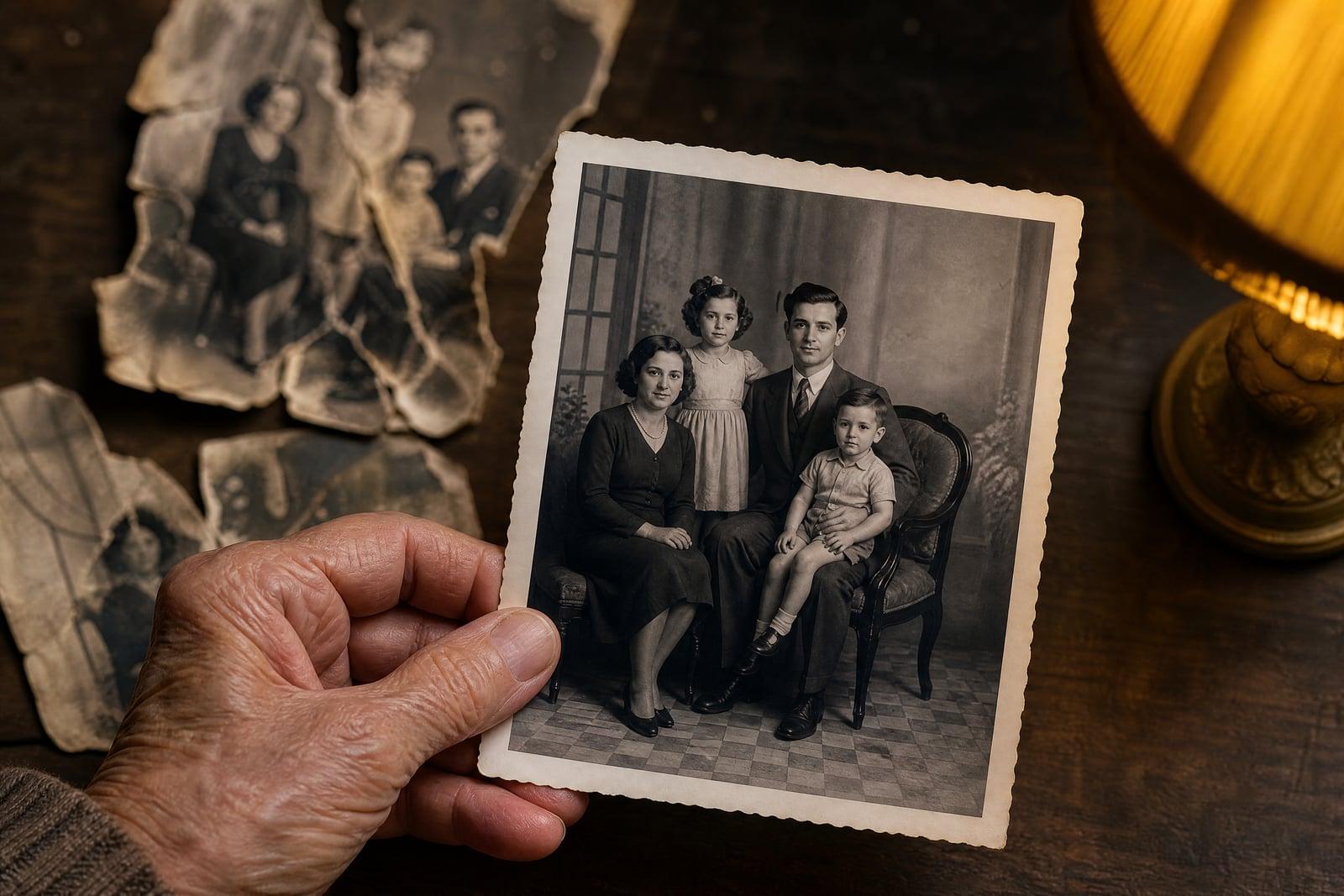
Old Photo Restoration takes a scan of a damaged print and repairs the scratches, tears, creases, and fading that decades put there. Upload one photo, choose whether you want the result colorized or kept as it was, and generate. You get back a clean, sharp version that keeps the original faces and details intact. Most restorations finish in under a minute.
What is the Old Photo Restoration?
Old Photo Restoration is a web tool that rebuilds damaged photographs from a single scan or phone picture of the print. You upload the image, pick between a faithful black and white repair or an optional colorized version, and generate. The tool fills in torn corners, removes dust and scratch marks, evens out water stains, and restores contrast that faded over the years.
Doing this by hand in an editor means hours of clone-stamping across faces, and one wrong stroke changes how a relative looks. That is the hard part: repairing damage without inventing a different person. The tool is built to keep facial features, clothing, and period details recognizable while it reconstructs the missing areas, so grandpa still looks like grandpa.
Old Photo Restoration features
Faces stay true
Repairs run across cheeks, eyes, and hairlines without redrawing the person underneath. Relatives in the restored print stay recognizable, which matters more in a family photo than any amount of sharpening ever could.
Optional colorization
Keep the repaired photo in its original black and white, or add natural period-appropriate color in the same pass. Skin tones, uniforms, and interiors get believable hues rather than a tinted wash.
Handles heavy damage
Tears through the middle, missing corners, mold spots, and deep creases are reconstructed from the surrounding image. Even prints that spent fifty years in a damp attic usually come back readable.
Fast enough to redo
A restoration takes about a minute, so if the first pass misses a stain or softens a detail you care about, you can run it again with a cleaner scan or a tighter crop.
How to use the Old Photo Restoration
- 1
Scan or photograph the print
Flatten the photo and capture it straight on in even light. A flatbed scan works best, but a sharp phone photo without glare is fine.
- 2
Upload the image
Add your scan to the upload slot. Higher resolution scans give the tool more to work with, especially around faces and areas of fine damage.
- 3
Choose repair or repair plus color
Decide whether you want a faithful monochrome restoration or a colorized result. You can generate both versions and compare them side by side.
- 4
Generate and download
The restored photo lands in your library in under a minute. Download it, or regenerate if a specific area needs another pass.
Old Photo Restoration details
| Best for | Families rescuing damaged prints from the shoebox era. |
|---|---|
| Category | Photo fixes |
| Powered by | Nano Banana (Google) |
| Credits per image | 20 credits at 1K |
| Photos you upload | Old photo |
| Aspect ratios | Follows the input image |
| Adjustable options | Color treatment |
| Included in plans | Standard, Premium, Pro |
What people make with the Old Photo Restoration
Family archives
Digitize the shoebox before the prints fade further. Restored scans of grandparents, weddings, and childhood homes become shareable files the whole family can keep and reprint without arguing over who holds the original.
Memorial displays
Families often need a clean portrait from a damaged snapshot on short notice. A restored, optionally colorized print makes a dignified display photo when the only source is fifty years old and creased.
Genealogy projects
Ancestry researchers attach photos to family trees, and a cracked, faded print scans poorly. Restoration makes the faces legible so distant cousins can actually recognize who they are looking at.
Anniversary gifts
A restored and framed wedding photo from 1968 is the kind of gift that gets a real reaction. Repair the original scan, colorize it if that suits the couple, and print it large.
Old Photo Restoration FAQ
What kind of damage can Old Photo Restoration fix?
Scratches, tears, creases, water stains, dust, mold spots, and general fading all respond well. Missing corners and torn sections are rebuilt from the surrounding image. Severely burned or fully missing faces are the main limit, since there is nothing left to reconstruct from.
Will the people in my photo still look like themselves?
Yes, keeping faces recognizable is the core job. The tool repairs damage across a face without redrawing the person. If a result drifts on a specific feature, regenerate from a higher-resolution scan, which gives it more real detail to preserve.
Can Old Photo Restoration colorize the photo too?
Yes, colorization is an option in the same tool. You can generate a faithful black and white repair, a colorized version, or both. Colors are inferred from context, so skin, foliage, and fabric come out natural rather than hand-tinted.
What is the best way to digitize the original print?
A flatbed scanner at a high quality setting is ideal. Without one, lay the photo flat near a window, avoid direct glare, and shoot straight down with your phone. Crop out the table before uploading so the tool works only on the photo itself.
Is the restored photo mine to print and share?
Yes. Images you generate are yours to use, including commercially. Your uploads and results are stored in your private library, where you can download or delete them whenever you want. Plenty of people print restored photos through ordinary photo labs.
Related tools
Pricing
Choose the perfect plan to unlock more creativity with premium AI-powered image generation.
Standard
Perfect for creators and content makers
- 1,500 Credits per month
- High-quality AI image generation
- Text-to-image & image-to-image
- Premium templates library
- Priority support
Premium
For professionals and power creators
- 4,000 Credits per month
- Ultra high-quality generations
- Advanced AI models & styles
- Priority processing & support
- Commercial usage rights
Pro
Most advanced models for premium visuals
- 10,000 Credits per month
- All models incl. Nano Banana PRO
- All resolutions (1K, 2K & 4K)
- Premium-quality generation & smart edits
- Priority processing & support
Need more credits?
All plans include the option to purchase additional credit packs when you need extra generating power. Scale your creativity without limits.
Payments are securely processed by Stripe, our merchant of record. Subscriptions renew automatically at the listed price until you cancel; cancel anytime in your account settings. By continuing you agree to our Terms, Privacy Policy and Refund & Cancellation Policy. Need help? Contact support@nanobananai.ai.