Business & marketing
Virtual Try-On: see any clothing item on your photo before you buy
Upload a photo of yourself and a photo of the garment, and see how the two look together.
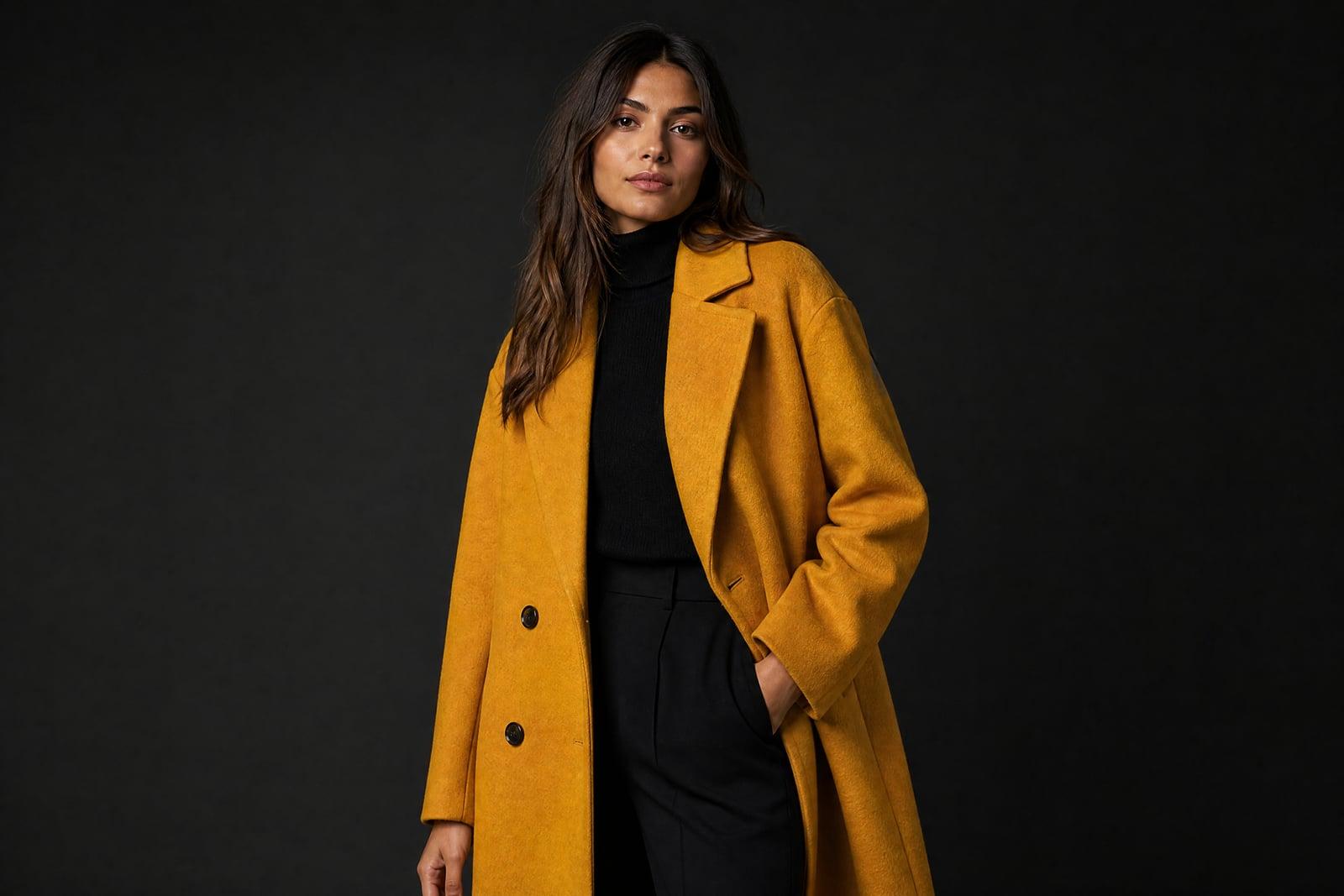
Virtual Try-On puts a clothing item onto a photo of you, so you can see an outfit before buying it or listing it. You upload two photos: one of the person and one of the garment, which can be a shop listing image or a flat-lay. The tool generates you wearing the piece, with your face and pose intact.
What is the Virtual Try-On?
The tool needs exactly two uploads. The person photo should show you roughly straight on, from about the knees up. The clothing photo can come from an online store, a flat-lay on your bed, or a hanger shot. Generate, and the garment is fitted onto your body with fabric folds that follow your actual posture.
Draping fabric convincingly is the hard part. A jacket hangs differently on broad shoulders than narrow ones, and a printed dress has to wrap around a body without the pattern smearing. The generator handles the drape, scales the garment to your frame, and keeps your face, hair, and skin tone the way they appear in your photo.
Virtual Try-On features
You stay you
Your face, hairstyle, and body proportions come from your photo and stay put. The tool changes the clothes, and only the clothes, so the result reads as a photo of you rather than a lookalike model.
Works from listing photos
The garment image does not need to be worn by anyone. A product page screenshot, a flat-lay, or a hanger photo all work, which makes it practical for checking clothes before you order them.
Pattern and texture carry-over
Stripes, florals, denim washes, and knit textures transfer from the garment photo and bend around your pose. Fine prints hold up well when the clothing image is sharp and evenly lit.
Fast outfit comparisons
Swap the clothing upload and rerun to compare candidates. Trying four dresses against the same photo of you takes a couple of minutes and settles the debate better than guessing from a size chart.
How to use the Virtual Try-On
- 1
Upload a photo of yourself
Stand facing the camera in decent light, ideally framed from the knees up. Fitted clothing in your source photo helps the new garment sit naturally on your frame.
- 2
Add the clothing photo
Save the image from the product page or shoot the garment laid flat. Crop away clutter so the item fills most of the frame.
- 3
Generate the try-on
The tool fits the piece to your body and pose. First results are usually close; if the fit reads off, rerun with a sharper garment photo.
- 4
Compare and decide
Generate a couple of variations, put them next to the product listing, and decide with your eyes instead of your imagination. Download keepers straight from your library.
Virtual Try-On details
| Best for | Online shoppers and resellers who want to see clothes worn first. |
|---|---|
| Category | Business & marketing |
| Powered by | Nano Banana 2 (Google) |
| Credits per image | 40 credits at 1K |
| Photos you upload | Person, Clothing item |
| Aspect ratios | 3:4, 1:1 |
| Adjustable options | None, one-click result |
| Included in plans | Premium, Pro |
What people make with the Virtual Try-On
Shopping decisions
That coat in your cart looks great on the model. See it on your own photo before spending the money, and cut down on returns that come from guessing how a piece fits.
Reselling your closet
Depop and Vinted sellers can show a garment actually worn without modeling every piece themselves. One good base photo covers an entire closet of listings, shot in minutes instead of an afternoon.
Boutique customer service
Small shops can send a customer a preview of a dress on the customer's own photo, with their permission, and turn a hesitant maybe into a confident order. It is a personal touch big retailers cannot match.
Event outfit planning
Wedding guest, job interview, reunion: photograph the outfit options and preview each one on yourself the night before, instead of a pile of rejected clothes on the bed the morning of.
Virtual Try-On FAQ
What photos do I need for Virtual Try-On?
Two photos: one of the person and one of the clothing item. The person photo works best facing the camera from the knees up in even light. The garment photo can be a store listing image, a flat-lay, or a hanger shot with the item clearly visible.
Will it change my face or body?
No. The tool swaps the clothing and leaves your face, hair, and proportions as they appear in your upload. It keeps your features recognizable, though as with any generator, extreme angles or heavy shadows in the source photo can reduce accuracy.
How accurate is the fit?
Treat it as a realistic preview of style and color rather than a tailoring measurement. The drape and proportions look right, but it cannot tell you whether a medium or a large fits your shoulders. Check the size chart for that part.
Can I use it on someone else's photo?
Only with their permission. The tool is meant for previewing clothes on yourself or on people who have agreed, like a customer who sent a photo for styling help. Do not generate images of people without their consent.
Are the photos I upload kept private?
Yes, uploads are used only to generate your images and sit in your private library until you delete them. Try-on results are visible to you alone unless you decide to download them or share them somewhere public.
Related tools
Pricing
Choose the perfect plan to unlock more creativity with premium AI-powered image generation.
Standard
Perfect for creators and content makers
- 1,500 Credits per month
- High-quality AI image generation
- Text-to-image & image-to-image
- Premium templates library
- Priority support
Premium
For professionals and power creators
- 4,000 Credits per month
- Ultra high-quality generations
- Advanced AI models & styles
- Priority processing & support
- Commercial usage rights
Pro
Most advanced models for premium visuals
- 10,000 Credits per month
- All models incl. Nano Banana PRO
- All resolutions (1K, 2K & 4K)
- Premium-quality generation & smart edits
- Priority processing & support
Need more credits?
All plans include the option to purchase additional credit packs when you need extra generating power. Scale your creativity without limits.
Payments are securely processed by Stripe, our merchant of record. Subscriptions renew automatically at the listed price until you cancel; cancel anytime in your account settings. By continuing you agree to our Terms, Privacy Policy and Refund & Cancellation Policy. Need help? Contact support@nanobananai.ai.