Business & marketing
On-Model Fashion Photos: turn a flat-lay into a model shot
Upload a garment flat-lay and get a professional photo of a model wearing it.
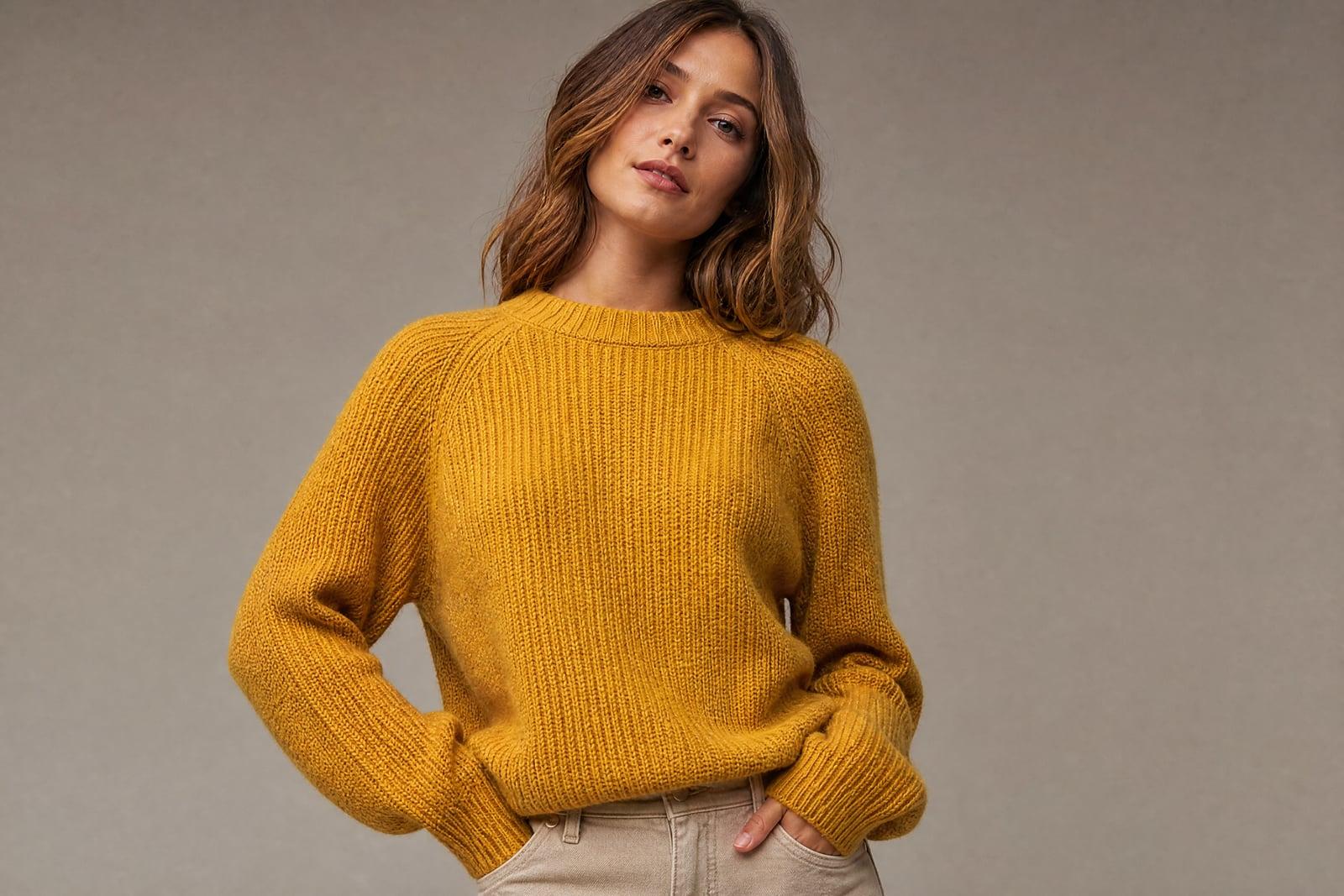
On-Model Fashion Photos turns a flat-lay photo of a garment into a professional shot of a model wearing it. Upload one clear picture of the piece laid flat, choose the kind of model and setting you want, and generate. The fabric, print, and cut carry over onto a believable body. Your store gets worn shots without booking a photographer or a model.
What is the On-Model Fashion Photos?
The input is the photo you already take for inventory: the garment laid flat on a clean surface. Upload it, describe the model and the vibe, studio backdrop or street scene, and generate. The tool dresses a generated model in your exact piece, with the neckline, sleeve length, and print placement matching the flat-lay faithfully.
Shoppers buy from worn photos because flat-lays hide how clothes actually sit on a person. Producing worn shots normally means models, a photographer, steaming, and a studio day per drop. The generator's job is fidelity: keeping the garment's true color and print while draping it over a body with natural folds and believable fit.
On-Model Fashion Photos features
Garment fidelity first
Color, print placement, and construction details like collars and hems transfer from your flat-lay. The piece a customer sees on the model is the piece that arrives in the mail.
Model variety
Generate the same garment on different generated models so your catalog reflects the people who actually buy from you. Reshooting with a new model is one more generation rather than a booking.
Consistent catalog look
Keep the same backdrop and lighting wording across your whole drop and the collection photographs as a set. Consistency is what makes a small shop's product grid look like a brand.
Same-day product pages
New stock can be photographed flat, generated onto a model, and published within the hour it arrives. Fast turnaround matters most for resellers and small drops where timing is the margin.
How to use the On-Model Fashion Photos
- 1
Shoot the flat-lay
Lay the garment flat on a plain, contrasting surface in even light. Smooth the fabric and keep the whole piece inside the frame.
- 2
Describe the model and setting
Specify the model type, pose energy, and backdrop, such as studio grey or city street. Match the setting to where the garment would really be worn.
- 3
Generate the shot
Check print placement and color against the real garment. If a detail drifts, a sharper or flatter source photo usually fixes it on the next run.
- 4
Build the listing set
Generate two or three angles or settings per piece, download, and upload to your store. Keep the flat-lay in the listing too; shoppers like both.
On-Model Fashion Photos details
| Best for | Clothing sellers who need worn shots without booking models. |
|---|---|
| Category | Business & marketing |
| Powered by | Nano Banana 2 (Google) |
| Credits per image | 40 credits at 1K |
| Photos you upload | Garment photo (flat-lay) |
| Aspect ratios | 3:4, 1:1 |
| Adjustable options | Model, Setting |
| Included in plans | Premium, Pro |
What people make with the On-Model Fashion Photos
Small clothing brands
A ten-piece drop no longer needs a shoot day with models and a borrowed studio. Photograph each piece flat in the morning and have on-model product pages live by the afternoon.
Vintage and thrift resellers
One-of-one pieces cannot justify individual shoots, and mannequins photograph stiff. Worn shots lift sell-through on unique inventory where the buyer needs to imagine the fit before committing to a one-off item.
Print-on-demand sellers
POD catalogs all use the same supplier mockups, so every store looks identical. Generating your designs worn by distinct models in real settings gives your storefront photography your competitors do not have.
Lookbooks and socials
Beyond the product page, generate editorial-feeling shots for lookbooks, email banners, and feed posts. The same flat-lay can produce a studio catalog image and a golden-hour street frame for your feed.
On-Model Fashion Photos FAQ
How do On-Model Fashion Photos keep my garment accurate?
The generator treats your flat-lay as the source of truth for color, print, and construction. Sharp, evenly lit source photos transfer best. Check print-heavy pieces closely, and rerun with a flatter, better-lit photo if a graphic drifts.
Do I need a professional flat-lay?
No, a phone photo on a clean floor or table works. Even lighting matters more than gear: shoot near a window, avoid harsh shadows across the fabric, and smooth out major wrinkles before you shoot.
Can I choose what the model looks like?
Yes, describe the model in your prompt, including build, age range, and styling, plus the pose and setting. The models are generated people, not real ones, so there are no likeness rights to clear for your shop.
Can I use the photos on my store and in ads?
Yes, generated images are yours to use commercially on product pages, marketplaces, ads, and social channels. Keep the photos honest to the garment, since accurate representation is what keeps your return rate down and your reviews positive.
What garments work best?
Tops, dresses, outerwear, and knitwear generate reliably from flat-lays. Highly structured pieces like tailored blazers benefit from a second run or a hanger shot as the source. Tiny accessories are better shot with the product photography tool.
Related tools
Pricing
Choose the perfect plan to unlock more creativity with premium AI-powered image generation.
Standard
Perfect for creators and content makers
- 1,500 Credits per month
- High-quality AI image generation
- Text-to-image & image-to-image
- Premium templates library
- Priority support
Premium
For professionals and power creators
- 4,000 Credits per month
- Ultra high-quality generations
- Advanced AI models & styles
- Priority processing & support
- Commercial usage rights
Pro
Most advanced models for premium visuals
- 10,000 Credits per month
- All models incl. Nano Banana PRO
- All resolutions (1K, 2K & 4K)
- Premium-quality generation & smart edits
- Priority processing & support
Need more credits?
All plans include the option to purchase additional credit packs when you need extra generating power. Scale your creativity without limits.
Payments are securely processed by Stripe, our merchant of record. Subscriptions renew automatically at the listed price until you cancel; cancel anytime in your account settings. By continuing you agree to our Terms, Privacy Policy and Refund & Cancellation Policy. Need help? Contact support@nanobananai.ai.