Photo fixes
AI Image Upscaler for bigger, sharper photos
Enlarges small or low-resolution images while adding believable detail, built on a dedicated upscaling engine.
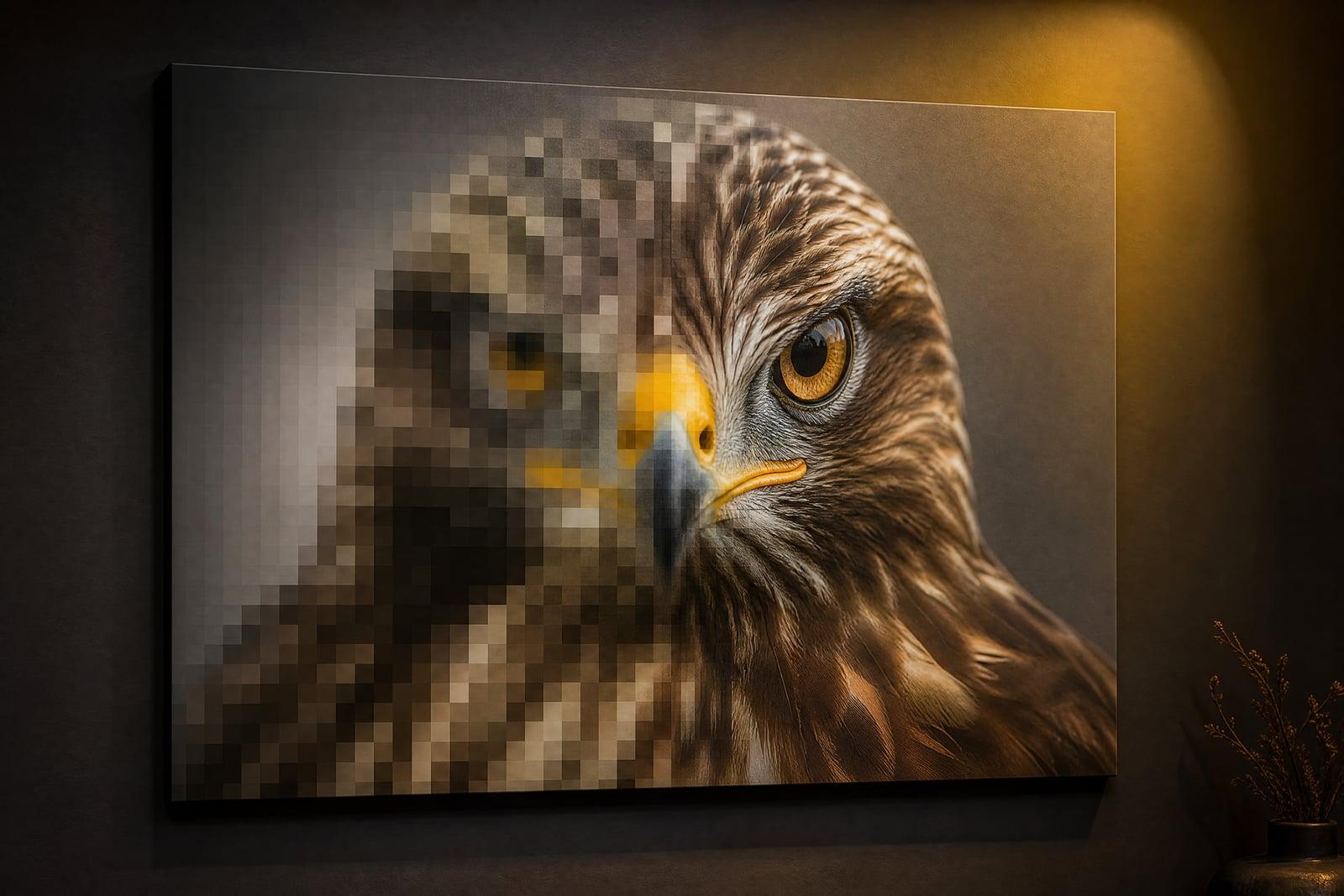
AI Image Upscaler enlarges an image well beyond its original size while keeping edges crisp and textures believable. Upload the small or low-resolution picture, pick how much to enlarge it, and generate. Instead of the soft mush you get from normal resizing, the upscaler reconstructs fine detail, so text edges, hair, and fabric hold up at the new size.
What is the AI Image Upscaler?
AI Image Upscaler is a single-upload tool running on a dedicated upscaling engine rather than a general image model. You add the picture, choose the enlargement factor, and generate. The result is the same image at a much larger size, with detail rebuilt rather than stretched. It suits old downloads, screenshots, small web images, and photos destined for print.
Traditional resizing can only spread existing pixels thinner, which is why enlarged images go soft and blocky. Real upscaling has to invent plausible detail: the individual hairs, pores, and texture grain that the small file never contained, without changing what the image shows. The engine here is trained specifically for that reconstruction, so faces stay faces and lettering stays legible instead of smearing.
AI Image Upscaler features
Detail reconstruction
Edges, textures, and fine patterns are rebuilt at the larger size rather than interpolated. A small portrait gains back skin texture and sharp eyelashes instead of becoming a smooth plastic blur.
Purpose-built engine
This tool runs on a dedicated upscaling model rather than a general-purpose generator, so content is preserved faithfully. It will not redraw or reinterpret your image, only enlarge and sharpen it.
Choose your enlargement
Pick the upscale factor that fits the job, a modest bump for web use or a bigger jump for print. Larger factors work best on inputs that are small but clean.
Print-ready output
Photos that only existed as phone-screen files become large enough for framing, posters, and photo books. The gain is most dramatic on images downloaded from chats and old social media.
How to use the AI Image Upscaler
- 1
Upload the small image
Use the best copy you have, ideally the original file rather than a screenshot of it. Compression artifacts in the input carry through to the output.
- 2
Pick the upscale factor
Choose a smaller enlargement for web and screen use, or the larger one for prints. You can always run a second pass at a different setting.
- 3
Generate
The engine rebuilds the image at the new size. Processing takes around a minute depending on the input.
- 4
Inspect at full size
Zoom to 100 percent and check faces, text, and fine texture. If something looks over-smoothed, retry from a cleaner or less compressed source file.
AI Image Upscaler details
| Best for | People with a small image that needs to be big. |
|---|---|
| Category | Photo fixes |
| Powered by | Topaz Upscale (Topaz Labs) |
| Credits per image | 50 credits at 2K |
| Photos you upload | Image to upscale |
| Aspect ratios | Follows the input image |
| Adjustable options | None, one-click result |
| Included in plans | Premium, Pro |
What people make with the AI Image Upscaler
Printing old files
That one photo of your dog as a puppy only exists as a tiny file from a 2011 phone. Upscaling makes it large enough to frame without visible blockiness.
E-commerce zoom views
Marketplaces show zoomed product detail, and small supplier images fall apart under magnification. Upscaled photos survive the zoom, which keeps a listing looking trustworthy.
Design assets
Designers inherit logos and photos at whatever size the client had. Upscaling turns a small email attachment into an asset usable on a banner or slide without an awkward request back.
Recovered memories
Photos saved from old chats and social feeds arrive heavily compressed and shrunken. Upscaling restores enough size and clarity to make them worth keeping in the family album.
AI Image Upscaler FAQ
How is the AI Image Upscaler different from resizing in an editor?
Resizing spreads the same pixels over more area, which always softens the image. The upscaler generates new, plausible detail as it enlarges, so edges stay sharp and textures stay textured. The difference is obvious on faces, hair, and lettering.
Will it change what is in my image?
No. The engine is built for faithful enlargement, so content, colors, and composition stay as they are. It sharpens and reconstructs detail, but it does not reinterpret the scene or redraw objects.
What images upscale best?
Small but clean images give the best results. Heavy JPEG compression, watermarks, and prior filters limit what can be recovered. If your image is both small and blurry, run Unblur Image first and then upscale the sharpened result.
Can I upscale a photo for a large print?
Yes, print preparation is one of the main uses. Pick the larger enlargement factor and inspect the result at full size before ordering. Most phone photos upscale cleanly to poster sizes for normal viewing distances.
How long does an upscale take?
Around a minute for typical images, a bit longer for the largest factors. Results save to your library so you can compare different settings side by side and download the one you prefer.
Related tools
Pricing
Choose the perfect plan to unlock more creativity with premium AI-powered image generation.
Standard
Perfect for creators and content makers
- 1,500 Credits per month
- High-quality AI image generation
- Text-to-image & image-to-image
- Premium templates library
- Priority support
Premium
For professionals and power creators
- 4,000 Credits per month
- Ultra high-quality generations
- Advanced AI models & styles
- Priority processing & support
- Commercial usage rights
Pro
Most advanced models for premium visuals
- 10,000 Credits per month
- All models incl. Nano Banana PRO
- All resolutions (1K, 2K & 4K)
- Premium-quality generation & smart edits
- Priority processing & support
Need more credits?
All plans include the option to purchase additional credit packs when you need extra generating power. Scale your creativity without limits.
Payments are securely processed by Stripe, our merchant of record. Subscriptions renew automatically at the listed price until you cancel; cancel anytime in your account settings. By continuing you agree to our Terms, Privacy Policy and Refund & Cancellation Policy. Need help? Contact support@nanobananai.ai.