Business & marketing
Virtual Staging: furnish an empty room photo for your listing
Turn bare listing photos into warmly furnished rooms buyers can picture living in.
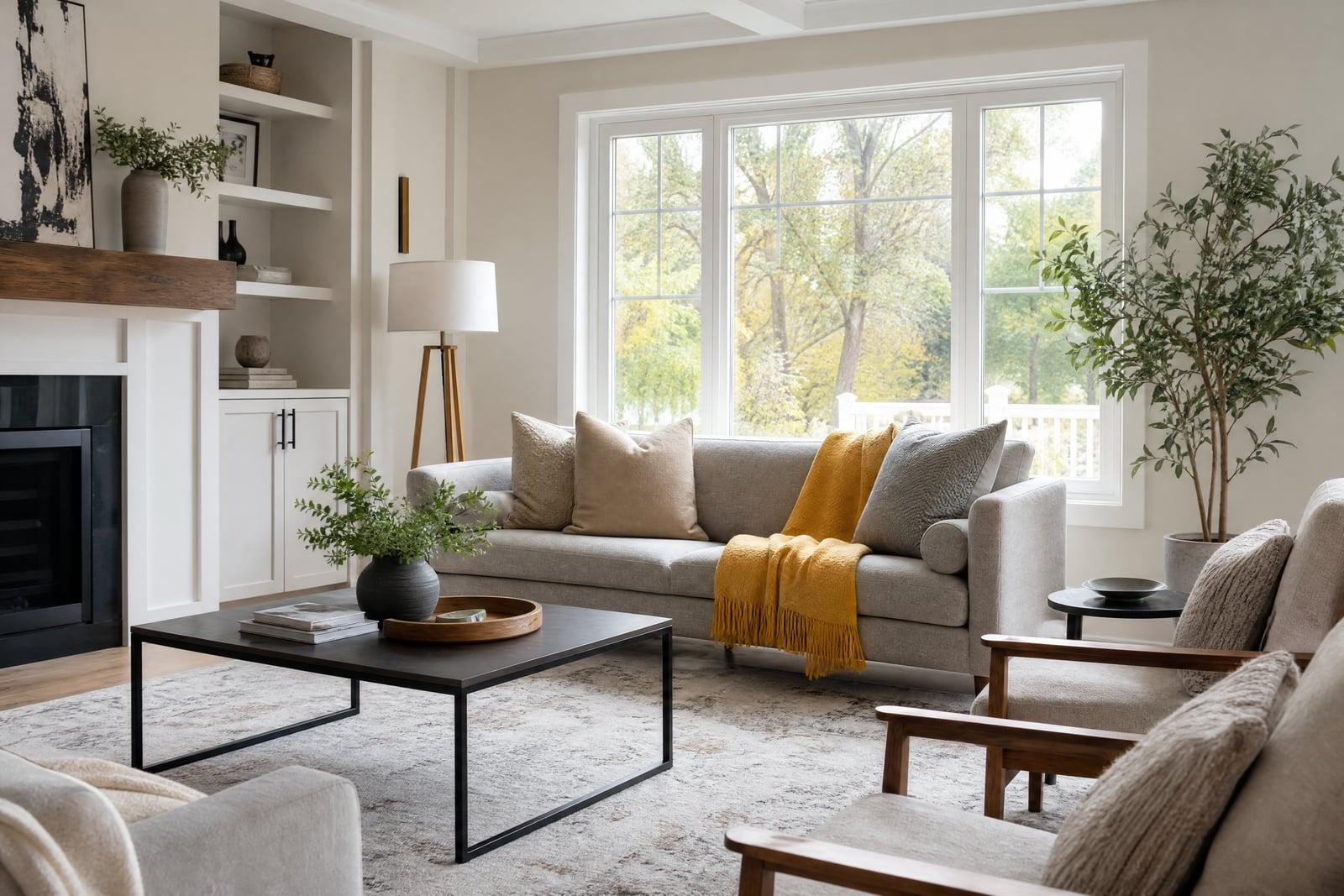
Virtual Staging furnishes a photo of an empty room so a listing shows a home instead of a vacant box. Upload the empty room shot, choose a furniture style, and generate. The architecture stays exactly as photographed while sofas, rugs, lamps, and art appear at believable scale. Agents get staged photos back the same afternoon the photographer delivers the empties.
What is the Virtual Staging?
The tool takes one photo of an unfurnished room and adds furniture and decor matched to the space. You pick the style, modern farmhouse, contemporary, traditional, and the generator places pieces where a stager would: a sofa facing the focal wall, a rug anchoring the seating area, lamps where outlets plausibly live, art hung at eye height.
Physical staging costs thousands per month per home and takes crews and calendars. The craft in faking it digitally is scale and light: a couch that is ten percent too large reads instantly wrong, and shadows have to fall with the window light. The generator handles both, keeping floors, walls, and views untouched so the home itself stays honestly represented.
Virtual Staging features
True to the architecture
Walls, windows, flooring, and fixtures stay exactly as shot. Only furnishings are added, which matters for listings, because the buyer must be able to trust everything structural in the photo.
Style-matched furnishing
Choose the furniture style per listing. A downtown loft stages contemporary, a suburban colonial stages traditional, and the same empty bedroom can be generated both ways for different buyer pools.
Believable scale and shadow
Furniture lands at realistic size with shadows that follow the room's actual light. Those two details are what separate convincing staging from the pasted-in look that makes buyers suspicious.
Same-day turnaround
Photograph at noon, stage after lunch, publish the listing before dinner. Every room in a house can be staged in one sitting, and restaging in a second style is one more generation.
How to use the Virtual Staging
- 1
Upload the empty room photo
Use the wide, straight shot from your listing set, with lights on. Rooms photographed from a corner give the generator the clearest sense of depth.
- 2
Choose a furniture style
Match the style to the home and the buyer you expect. When unsure, neutral contemporary photographs safest and offends nobody at the open house.
- 3
Generate the staging
The furnished version comes back in moments. Check scale against a known reference in the room, like a door or a window, before publishing.
- 4
Stage the rest of the house
Repeat per room, keeping one style throughout the listing. Download finals to your library and drop them into the MLS alongside the originals.
Virtual Staging details
| Best for | Real estate agents listing vacant homes and rentals. |
|---|---|
| Category | Business & marketing |
| Powered by | Nano Banana 2 (Google) |
| Credits per image | 40 credits at 1K |
| Photos you upload | Empty room photo |
| Aspect ratios | 4:3, 16:9, 3:4 |
| Adjustable options | Furnishing style, Room type |
| Included in plans | Premium, Pro |
What people make with the Virtual Staging
Vacant listings
Empty rooms photograph small and cold, and buyers scroll right past them. Staged versions of the same photos give a vacant property the warmth that gets showings booked in the first week.
New construction
Builders can market finished but unfurnished units with staged photos long before a model home exists. A single walkthrough shoot of one spec unit becomes marketing material for the entire floor plan lineup.
Rental listings
Landlords between tenants list empty apartments every year. Staged photos lift a rental listing above the sea of bare-wall competitors on the same street at the exact same price point.
Owners selling themselves
Owners selling without an agent rarely budget for physical staging. Uploading their own photos and staging them digitally closes most of the presentation gap with the agent-listed homes down the street.
Virtual Staging FAQ
What is virtual staging?
Virtual staging adds realistic furniture and decor to photos of empty rooms, usually for real estate listings. The room's structure stays exactly as photographed. It replaces or supplements physical staging at a fraction of the cost and turnaround time.
Do I need to disclose virtually staged photos?
In many markets, yes. MLS rules and local regulations often require labeling virtually staged images, and honest agents do it anyway. A common practice is publishing the staged photo right next to the original empty shot.
Will Virtual Staging change my walls or floors?
No. The tool adds furnishings and leaves architecture, finishes, windows, and views as photographed. That boundary is deliberate: buyers can be inspired by furniture, but they must not be misled about the property they are buying.
What photo works best?
A wide, level shot from a corner or doorway with lights on and blinds open, which is the standard listing photo anyway. Extremely dark rooms or fisheye distortion give the generator trouble with furniture scale.
How does it compare to hiring a physical stager?
Physical staging runs thousands of dollars per month with movers and rental furniture. Generating staged photos uses the same credit balance as every other tool on your plan and finishes the same day, which is why many agents stage digitally first.
Related tools
Pricing
Choose the perfect plan to unlock more creativity with premium AI-powered image generation.
Standard
Perfect for creators and content makers
- 1,500 Credits per month
- High-quality AI image generation
- Text-to-image & image-to-image
- Premium templates library
- Priority support
Premium
For professionals and power creators
- 4,000 Credits per month
- Ultra high-quality generations
- Advanced AI models & styles
- Priority processing & support
- Commercial usage rights
Pro
Most advanced models for premium visuals
- 10,000 Credits per month
- All models incl. Nano Banana PRO
- All resolutions (1K, 2K & 4K)
- Premium-quality generation & smart edits
- Priority processing & support
Need more credits?
All plans include the option to purchase additional credit packs when you need extra generating power. Scale your creativity without limits.
Payments are securely processed by Stripe, our merchant of record. Subscriptions renew automatically at the listed price until you cancel; cancel anytime in your account settings. By continuing you agree to our Terms, Privacy Policy and Refund & Cancellation Policy. Need help? Contact support@nanobananai.ai.