Style transforms
Photo to Anime: see yourself as an anime character
Converts a photo into a clean anime illustration for avatars, banners, and fan art.
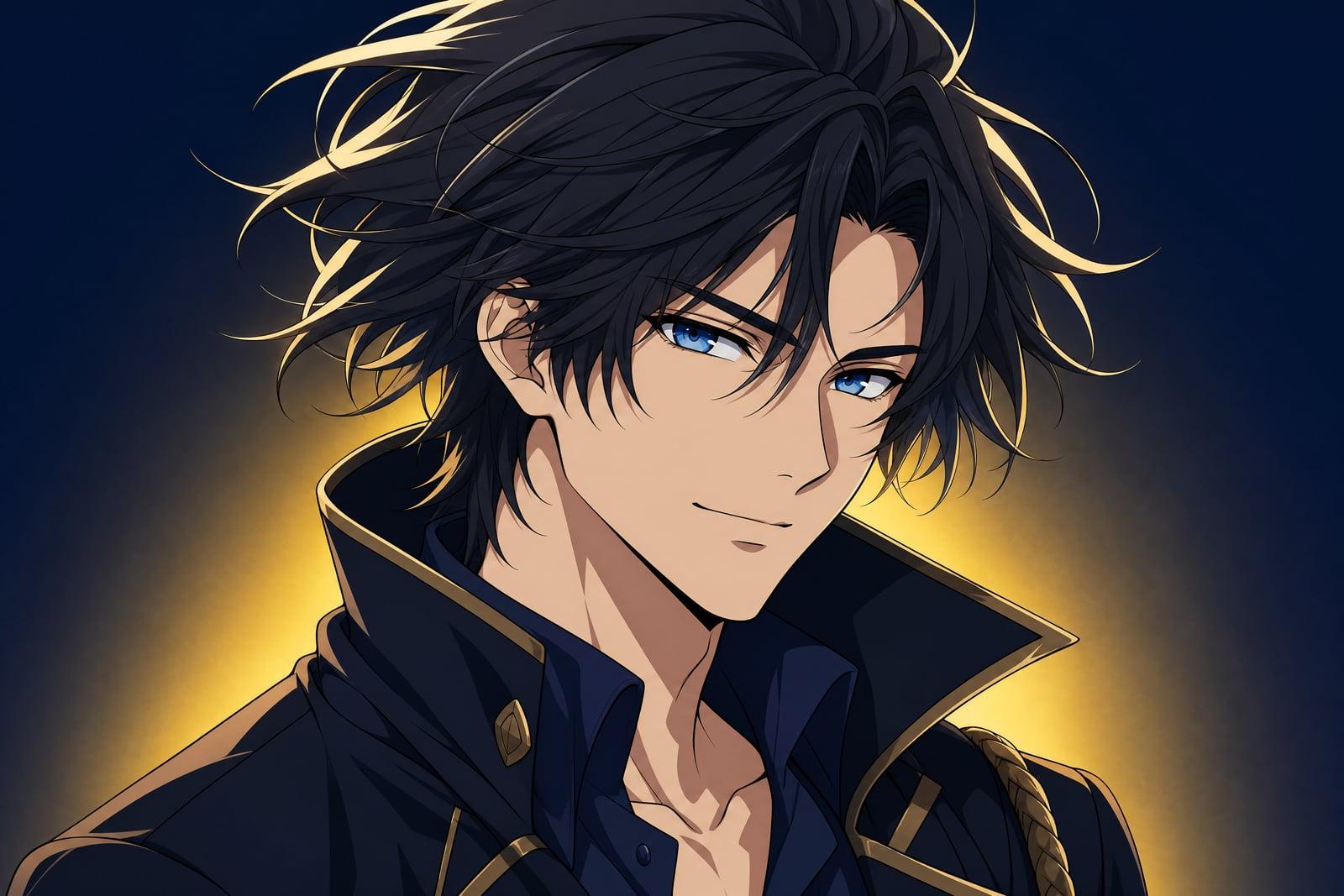
Photo to Anime converts a photo you upload into a clean anime illustration with crisp linework and cel shading. One selfie or portrait is all it needs. Generate, and you get back an anime version of yourself with your hairstyle, expression, and outfit carried over. Results save to your library, and rerunning with a new photo or crop is quick.
What is the Photo to Anime?
The flow is upload, generate, download. You give it one photo, ideally a portrait from the chest up, and the tool redraws it as anime art: flat color regions, defined line art, big expressive eyes, styled hair. There are no sliders to master. If the first pass misses your vibe, regenerate and it will interpret the photo slightly differently.
Translating a real face into anime is a balancing act. Push too far and everyone looks like the same character; stay too literal and it looks like a filter instead of an illustration. The tool holds that middle ground, keeping your hair color, face shape, and expression recognizable while committing fully to the drawn style. Glasses, freckles, and piercings usually survive the conversion.
Photo to Anime features
Your features, drawn
Hairstyle, eye color, skin tone, and accessories carry into the illustration, so the character reads as you. It avoids the generic-anime-face trap that cheap filters fall into. Even small details like earrings tend to make it into the final drawing.
Clean cel shading
Output uses flat shadow shapes and confident line weight, the look of a paused frame from a well-produced series rather than a smudgy photo overlay. The style holds up equally well on a phone screen and a printed poster.
Works beyond selfies
Full-body shots, couples, and even pets convert. Backgrounds get simplified into soft anime scenery instead of being deleted, so the setting stays part of the story. A beach stays a beach, drawn like one.
Iterate freely
Generations are quick and variations are cheap, so you can run the same selfie several times and collect a small wardrobe of anime versions of yourself. A new haircut only costs another upload.
How to use the Photo to Anime
- 1
Upload a portrait
A sharp photo from the chest up with your face clearly lit converts best. Keep the glasses, hat, or headphones on; they become part of the character design.
- 2
Generate
Run the conversion and review the linework, especially the eyes and hair. Those two decide whether an anime portrait feels alive.
- 3
Regenerate for range
Each rerun redraws you a little differently. Collect a few takes and keep the one whose expression matches how you actually smile.
- 4
Download and use
Grab the final image from your library for your avatar, banner, or a print. Rerun any time you change your hair.
Photo to Anime details
| Best for | Gamers and fans who want an avatar that is actually them |
|---|---|
| Category | Style transforms |
| Powered by | Nano Banana (Google) |
| Credits per image | 20 credits at 1K |
| Photos you upload | Your photo |
| Aspect ratios | 1:1, 3:4, 4:3 |
| Adjustable options | Anime style |
| Included in plans | Standard, Premium, Pro |
What people make with the Photo to Anime
Gaming and Discord avatars
An anime portrait of your real face is the avatar sweet spot: personal enough that friends recognize you, stylized enough to fit gaming servers and stream overlays. It also survives being shrunk to a tiny circle.
Couple and friend art
Convert a photo of you and your partner into a shared anime frame. It makes an easy anniversary post and an even easier phone wallpaper. Print a small version for the fridge while you are at it.
VTuber and channel branding
A consistent anime version of yourself gives a channel an identity you can reuse across thumbnails, emotes, and community posts without commissioning art for every occasion. One good conversion can carry a whole season of content.
Gifts for anime fans
Turn a fan's own photo into the art style they love. Printed and framed, it beats another piece of mass-market merch they already own. Include the original photo alongside it for the reveal moment.
Photo to Anime FAQ
How do I turn my photo into anime art?
Upload one clear portrait to Photo to Anime and generate. The tool redraws your face and outfit as a cel-shaded illustration within moments. No drawing skill or software is involved, and you can regenerate until the style suits you.
Will the anime version still look like me?
Yes, recognizably so. Your hair, face shape, expression, and accessories carry over, translated into anime proportions. It is a stylized drawing rather than a photo edit, so expect bigger eyes and cleaner skin with your identity intact.
Can I convert pictures of two people at once?
Yes. Couple photos and small group shots convert into a single illustrated scene, and everyone keeps their own look. Very large groups lose per-face detail, so for six or more people, convert individual crops instead.
Can I use anime art of myself commercially?
Yes. Images you generate belong to you, including for commercial use, so channel art, merch for your own brand, and paid content are all fine. Just use your own photos or photos you have permission to use.
Is Photo to Anime the same as an anime filter?
It goes further than a filter. Filters overlay effects on your pixels; this tool redraws the whole image as original line art, so hair strands, clothing folds, and backgrounds become drawn elements rather than blurred photo remnants.
Related tools
Pricing
Choose the perfect plan to unlock more creativity with premium AI-powered image generation.
Standard
Perfect for creators and content makers
- 1,500 Credits per month
- High-quality AI image generation
- Text-to-image & image-to-image
- Premium templates library
- Priority support
Premium
For professionals and power creators
- 4,000 Credits per month
- Ultra high-quality generations
- Advanced AI models & styles
- Priority processing & support
- Commercial usage rights
Pro
Most advanced models for premium visuals
- 10,000 Credits per month
- All models incl. Nano Banana PRO
- All resolutions (1K, 2K & 4K)
- Premium-quality generation & smart edits
- Priority processing & support
Need more credits?
All plans include the option to purchase additional credit packs when you need extra generating power. Scale your creativity without limits.
Payments are securely processed by Stripe, our merchant of record. Subscriptions renew automatically at the listed price until you cancel; cancel anytime in your account settings. By continuing you agree to our Terms, Privacy Policy and Refund & Cancellation Policy. Need help? Contact support@nanobananai.ai.