Photo fixes
Photo Colorizer for black and white photos
Turns monochrome scans and images into believable color photos, for family historians and curious archivists.
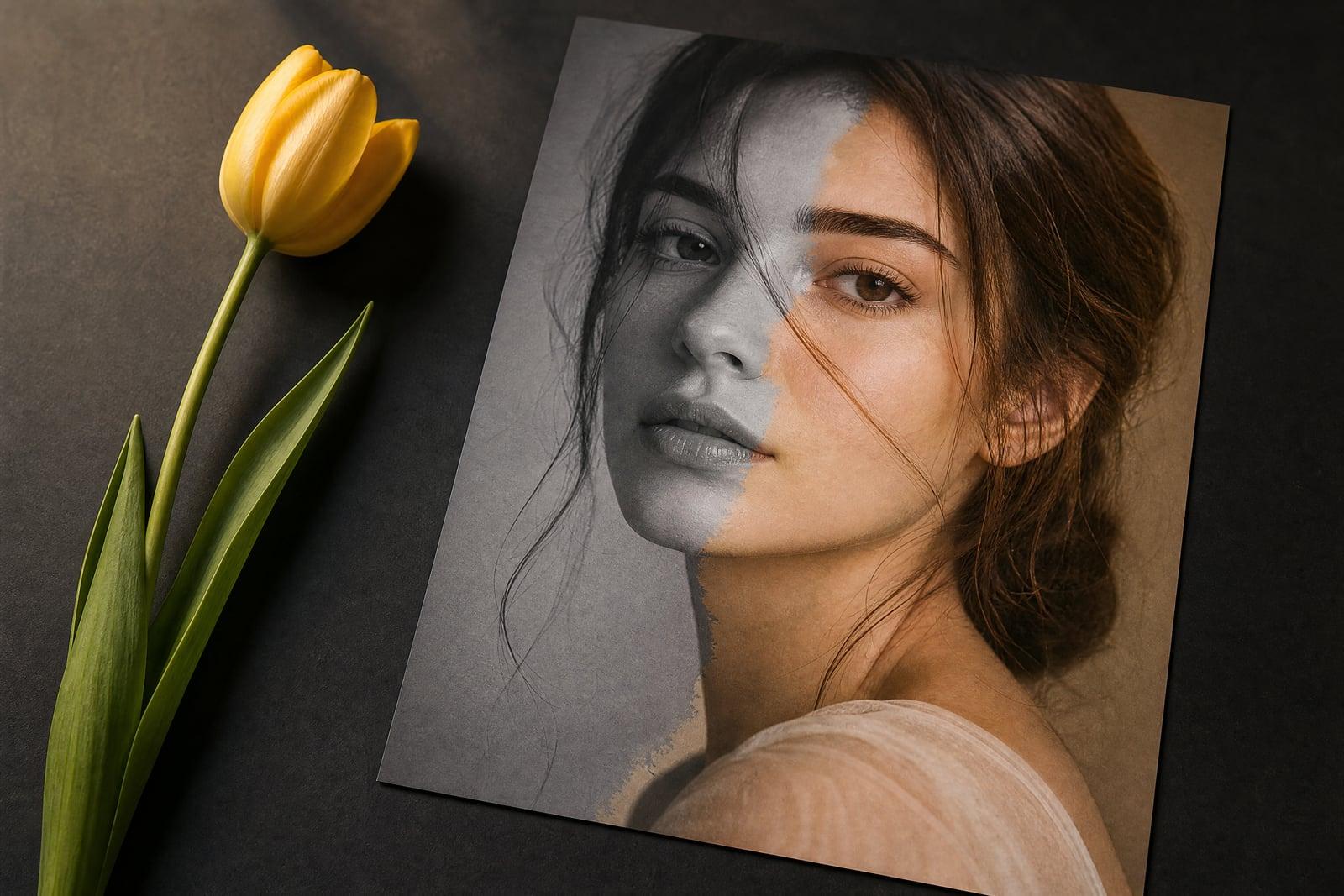
Photo Colorizer turns a black and white photo into a realistic full-color version. Upload a monochrome scan or digital image, generate, and get back the same photo with believable skin tones, skies, fabrics, and foliage. The tool reads the scene to decide what colors fit, so a 1950s street photo comes out looking like it was shot on color film rather than painted over.
What is the Photo Colorizer?
Photo Colorizer is a one-upload tool: give it any black and white image and it produces a full-color version while leaving composition, detail, and faces exactly where they were. It works on scanned prints, digitized negatives, and born-digital monochrome shots. Results arrive in your library within about a minute, and you can rerun the same photo for alternate color readings.
Hand-colorizing is genuinely difficult. Every surface needs a plausible hue, colors must shift with light and shadow, and skin is unforgiving because a flat tint makes people look waxy. The tool infers color from texture and context, so brick reads as brick and a wool coat does not end up matching the sky. Boundaries between regions stay clean instead of bleeding like a tinted overlay.
Photo Colorizer features
Natural skin tones
Faces get warm, varied skin color that follows the light in the original shot. Cheeks, hands, and shadowed necks each read differently, which is what separates colorization from an old postcard tint.
Scene-aware color
Grass, denim, brick, and chrome each get hues that match their texture and era. A military uniform will not come out lavender, and an overcast sky stays appropriately grey rather than cartoon blue.
Detail preserved
Colorization changes only color. Grain, sharpness, framing, and every face in the crowd stay put, so the result still feels like the same photograph your grandmother kept, just seen in color.
Alternate readings
Not sure the dress was really blue? Regenerate and the tool proposes another plausible palette. Comparing two or three versions takes a couple of minutes and costs little.
How to use the Photo Colorizer
- 1
Upload your black and white photo
A scan or a clear phone shot of the print both work. Sharper input helps the tool separate skin from clothing and background.
- 2
Crop distractions
Trim borders, album pages, or scanner edges first. The tool colorizes everything in frame, and a white border can throw off its read of the scene.
- 3
Generate
The colorized version appears in your library in about a minute. Faces, skies, and fabric are colored in a single pass with no masks to draw.
- 4
Compare and rerun
Check it against the original side by side. If a jacket or wall color feels off, regenerate for a different plausible palette.
Photo Colorizer details
| Best for | Anyone who wants their black and white photos in color. |
|---|---|
| Category | Photo fixes |
| Powered by | Nano Banana (Google) |
| Credits per image | 20 credits at 1K |
| Photos you upload | Black & white photo |
| Aspect ratios | Follows the input image |
| Adjustable options | None, one-click result |
| Included in plans | Standard, Premium, Pro |
What people make with the Photo Colorizer
Family history
Seeing a great-grandparent in color for the first time changes how a photo feels. Colorized versions of wedding portraits and childhood snapshots make old relatives feel like people instead of artifacts.
Local history posts
Historical societies and town Facebook groups get far more engagement on colorized street scenes. A 1940s main street in color stops the scroll where the grey original would not.
Memorial slideshows
When a service mixes recent color photos with old monochrome ones, the black and white shots can feel distant. Colorizing them gives the whole slideshow one consistent, warm look.
Artist references
Painters and illustrators working from vintage reference photos often have to guess at palettes. A colorized version supplies a plausible starting palette for period clothing, cars, and interiors.
Photo Colorizer FAQ
How accurate are the colors the Photo Colorizer picks?
They are plausible rather than documented. The tool infers likely colors from texture, era, and context, and it gets skin, foliage, and sky right almost every time. Specific items like a dress or a car may differ from the true historical color, so regenerate if you know it was different.
Does colorizing change the detail in my photo?
No. The photo keeps its original sharpness, grain, and composition. Only color is added. If your source print is also scratched or faded, run it through Old Photo Restoration first, then colorize the repaired version.
What input works best?
A clean, well-lit scan with decent contrast. Very dark or badly faded images give the tool less to read, and colors come out muted. Cropping out white borders and album pages before uploading also noticeably improves results.
Can I colorize a photo with many people in it?
Yes. Group shots, class photos, and street scenes all work, and each face gets its own skin tone. Very small faces in large crowds receive simpler treatment, so for a single important person, crop closer before uploading.
Can I use colorized photos commercially?
Yes, images you generate are yours to use, including commercially, provided you have the right to use the original photo. Uploads stay in your private library and you can delete them at any time.
Related tools
Pricing
Choose the perfect plan to unlock more creativity with premium AI-powered image generation.
Standard
Perfect for creators and content makers
- 1,500 Credits per month
- High-quality AI image generation
- Text-to-image & image-to-image
- Premium templates library
- Priority support
Premium
For professionals and power creators
- 4,000 Credits per month
- Ultra high-quality generations
- Advanced AI models & styles
- Priority processing & support
- Commercial usage rights
Pro
Most advanced models for premium visuals
- 10,000 Credits per month
- All models incl. Nano Banana PRO
- All resolutions (1K, 2K & 4K)
- Premium-quality generation & smart edits
- Priority processing & support
Need more credits?
All plans include the option to purchase additional credit packs when you need extra generating power. Scale your creativity without limits.
Payments are securely processed by Stripe, our merchant of record. Subscriptions renew automatically at the listed price until you cancel; cancel anytime in your account settings. By continuing you agree to our Terms, Privacy Policy and Refund & Cancellation Policy. Need help? Contact support@nanobananai.ai.