Photo fixes
Color Splash: one color alive in a monochrome photo
Converts your photo to black and white while the color you pick stays saturated.
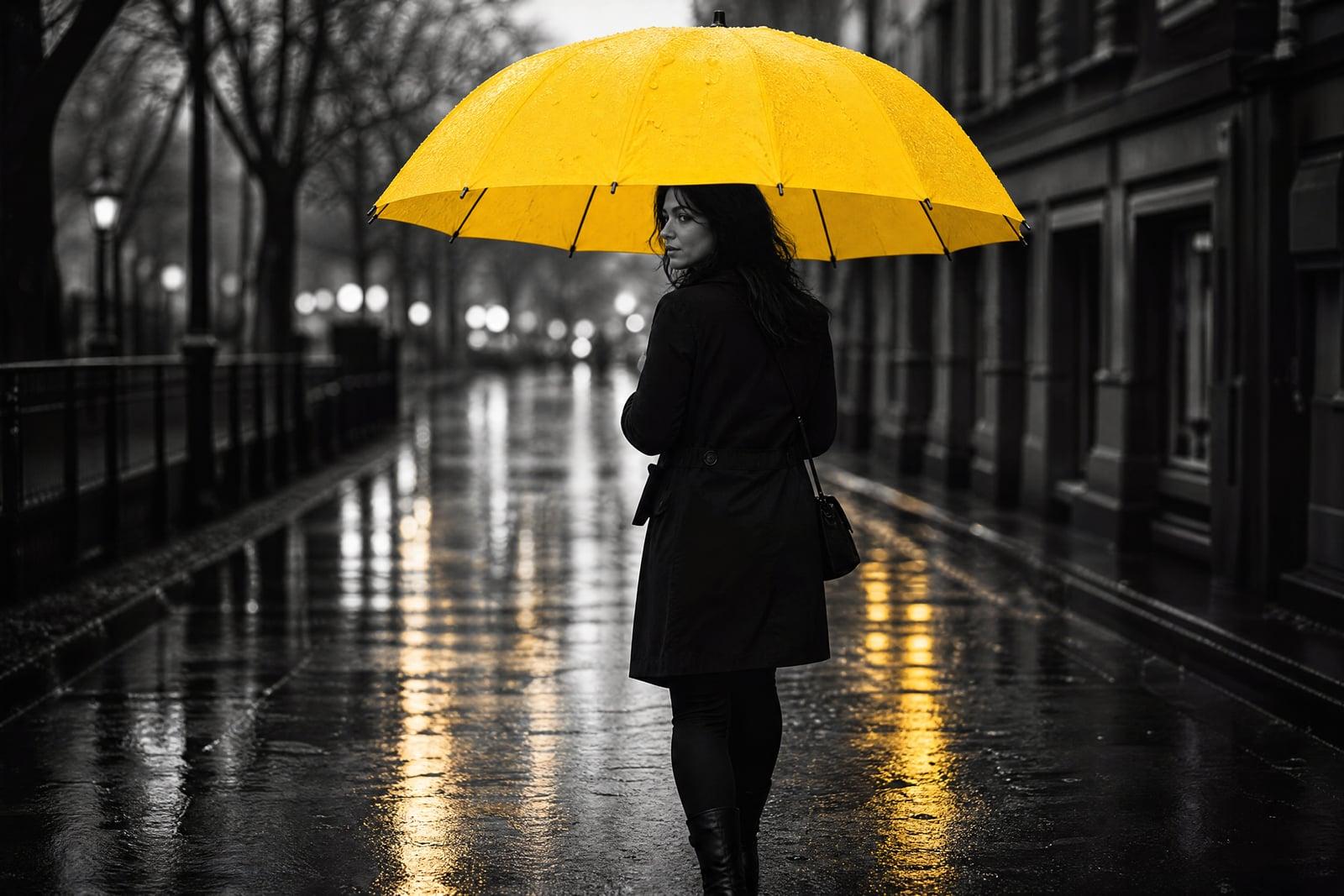
Color Splash converts a photo to black and white while keeping one chosen color fully alive. Upload your shot, say what should stay colored, the red dress, the yellow taxi, the bouquet, and generate. Everything else drops to elegant monochrome while your subject glows. The classic darkroom-style effect, done in one pass with no selections to paint.
What is the Color Splash?
Color Splash is a one-photo, one-instruction tool. You upload an image and name the element or color that should survive the black and white conversion. The tool identifies every region of that color or object, preserves its full saturation, and renders the rest of the frame in rich monochrome. The result saves to your library, and swapping which color survives takes one more pass.
Selective color by hand means masking every pixel boundary where the colored object meets its surroundings: petals against leaves, a coat against a crowd, taillights against wet asphalt. Miss the edges and color halos give the edit away. The tool resolves those boundaries automatically and keeps reflections and partial transparencies consistent, so the color reads as belonging to the scene rather than painted onto it.
Color Splash features
Pick by object or color
Keep the umbrella, or keep everything red. Instructions work either way, so a single subject or a color family scattered across the frame both isolate cleanly.
Edge-true selection
The kept color ends exactly where the object ends, through hair, petals, and fabric folds. No grey bleeding into the rose, and no pink halo leaking onto the pavement.
Rich monochrome base
The black and white conversion carries proper contrast and tonal depth rather than a washed grey. The desaturated frame is what makes the surviving color hit hard.
Swap the star quickly
Run the same street scene keeping red, then blue, then the neon signs. Each variation is a fast, cheap pass, so finding the strongest version is a two-minute experiment.
How to use the Color Splash
- 1
Upload a colorful photo
Shots where the subject's color contrasts with its surroundings splash best: a yellow coat in a grey crowd beats a red flower against red brick.
- 2
Choose what stays colored
Name the object or the color family: keep the blue door, or keep all the yellows. One clear choice per pass works most reliably.
- 3
Generate
The frame converts to monochrome around your surviving color. Inspect the edges of the colored area, where the effect lives or dies.
- 4
Try other survivors
Rerun with a different color kept, or a tighter instruction if stray patches survived. Comparing versions side by side in your library is quick.
Color Splash details
| Best for | Photographers who want one color to carry the frame. |
|---|---|
| Category | Photo fixes |
| Powered by | Nano Banana (Google) |
| Credits per image | 20 credits at 1K |
| Photos you upload | Your photo |
| Aspect ratios | Follows the input image |
| Adjustable options | What stays in color? |
| Included in plans | Standard, Premium, Pro |
What people make with the Color Splash
Wedding details
The bouquet in color while the ceremony goes monochrome is a wedding album classic. Couples run their favorite shots through the effect for prints and thank-you cards.
Street photography
A single red umbrella or yellow cab in a grey city frame is the genre's signature move. The effect turns an ordinary crossing shot into a deliberate composition.
Product highlights
Keeping only the product colored in a lifestyle shot points every eye exactly where the ad wants it. Small brands use the effect for launch posts that read instantly at feed speed.
Baby and pet milestones
First-birthday balloons or a puppy's red collar in color, everything else timeless monochrome. It gives milestone photos a card-worthy treatment in one step.
Color Splash FAQ
How do I tell Color Splash which color to keep?
Describe it in plain words when you generate: keep the red dress in color, or keep all the yellow. You can specify an object or a color family. If unrelated patches of the same color survive, name the object more specifically and rerun.
Can I keep two colors instead of one?
Yes, just name both in the instruction, keep the red scarf and the green bicycle. The effect is usually strongest with a single survivor, but two accents can work when they belong to the same subject or story.
What photos make the strongest color splash?
Photos where the kept color is distinct and belongs to a clear subject: bold clothing, flowers, vehicles, signage. Scenes where the target color also tints the whole background, warm sunset shots for instance, give the selection less to grab onto.
Will the edges of the colored area look clean?
Yes, edge accuracy is the tool's main advantage over manual masking. Color ends where the object ends, including through hair and fabric. If a busy edge misbehaves, regenerating is quicker than any brush-based fix would be.
Can I print and sell images made with this effect?
Yes. Everything you generate is yours to use, commercially included, so cards, prints, and client albums are all fine. Your uploads stay in your private library under your control.
Related tools
Pricing
Choose the perfect plan to unlock more creativity with premium AI-powered image generation.
Standard
Perfect for creators and content makers
- 1,500 Credits per month
- High-quality AI image generation
- Text-to-image & image-to-image
- Premium templates library
- Priority support
Premium
For professionals and power creators
- 4,000 Credits per month
- Ultra high-quality generations
- Advanced AI models & styles
- Priority processing & support
- Commercial usage rights
Pro
Most advanced models for premium visuals
- 10,000 Credits per month
- All models incl. Nano Banana PRO
- All resolutions (1K, 2K & 4K)
- Premium-quality generation & smart edits
- Priority processing & support
Need more credits?
All plans include the option to purchase additional credit packs when you need extra generating power. Scale your creativity without limits.
Payments are securely processed by Stripe, our merchant of record. Subscriptions renew automatically at the listed price until you cancel; cancel anytime in your account settings. By continuing you agree to our Terms, Privacy Policy and Refund & Cancellation Policy. Need help? Contact support@nanobananai.ai.