Style transforms
Ghibli Style Generator: your photo as a hand-painted anime scene
Turns an everyday photo into a soft anime film illustration for fans, gifts, and profile art.
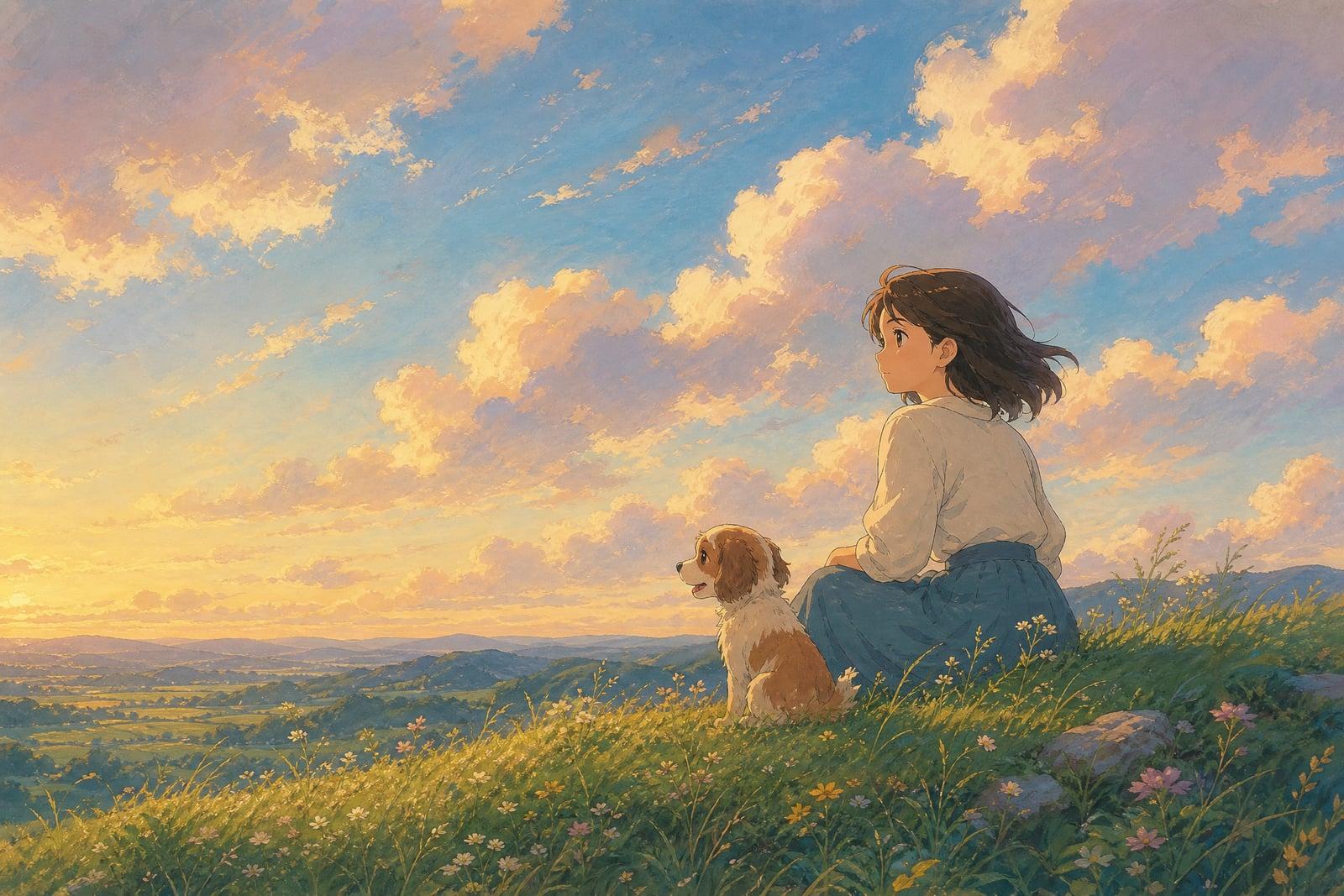
The Ghibli Style Generator turns a photo you upload into a soft, hand-painted anime film illustration. You add one picture, a portrait, a pet, or a street corner, and generate. The tool repaints it with gentle brushwork, pastel skies, and a warm storybook glow. Finished images land in your library, ready to download or rerun with a different mood.
What is the Ghibli Style Generator?
It works like any other Nano Banana AI tool: open the page, upload the photo you want repainted, and generate. There are no brushes or layers to learn. The generator reads the scene, keeps the subjects and layout where they were, and redraws everything as a painted anime frame. Most people run two or three variations and keep the one with the nicest sky.
Painting this style by hand is slow because the charm lives in small decisions: soft cloud edges, grassy texture, rosy cheek shading, light that feels like late afternoon. The tool handles those calls for you while keeping faces recognizable and scenes readable. Busy, cluttered photos can muddy the result, so a clear subject and a simple background give the prettiest frames.
Ghibli Style Generator features
Keeps the scene intact
Your composition survives the repaint. People stay where they stood, the dog stays on the porch, and the horizon line holds, so the result still reads as your memory rendered as animation art.
Painterly light and color
The generator leans into pastel skies, warm greens, and soft rim light on hair and clouds. Dull phone photos often come back looking like a summer afternoon from a film.
Fast variations
Each run takes seconds and every rerun paints the scene a little differently. Try a sunset pass, then a bright morning pass, and keep whichever mood fits the memory best.
Private by default
Uploaded photos are used to generate your images and stored in your private library. Nothing is published anywhere, and you can delete both the upload and the results whenever you like.
How to use the Ghibli Style Generator
- 1
Upload your photo
Pick a shot with a clear subject and decent light. Portraits, pets, gardens, and travel photos all repaint well; heavy motion blur does not.
- 2
Generate the painting
Hit generate and wait a moment. The tool redraws your photo as a hand-painted anime frame with soft skies and warm color.
- 3
Rerun for a new mood
Regenerate if the first sky is not the one. Each pass shifts palette and lighting slightly, so you can chase golden hour or a cooler overcast look.
- 4
Download or refine
Save the frame you love from your library, or upload a different crop of the same photo to change what the painting focuses on.
Ghibli Style Generator details
| Best for | Anime fans turning real memories into painted keepsakes |
|---|---|
| Category | Style transforms |
| Powered by | Nano Banana (Google) |
| Credits per image | 20 credits at 1K |
| Photos you upload | Your photo |
| Aspect ratios | 1:1, 3:4, 4:3, 16:9 |
| Adjustable options | Extra instructions |
| Included in plans | Standard, Premium, Pro |
What people make with the Ghibli Style Generator
Profile art that feels like you
A repainted selfie makes a warm, personal avatar for social accounts and chat apps. It reads as you without putting an actual photograph everywhere online, which matters more each year.
Anniversary and couple gifts
Repaint the photo from a first date or a proposal and print it. An illustrated version of a real moment lands harder than a stock print from a home store.
Pet memorials
A painted frame of a pet who has passed turns a favorite snapshot into something you can hang without tearing up at a raw photo every time you walk by.
Travel journals and blogs
Illustrated versions of trip photos give a travel blog or scrapbook one consistent look, even when the original shots came from three phones and a disposable camera. Readers scroll past photos and stop for paintings.
Ghibli Style Generator FAQ
What photos work best with the Ghibli Style Generator?
Clear, well-lit photos with one obvious subject repaint best. Portraits, pets, houses, and countryside shots are all strong choices. Very dark images or crowds of tiny faces lose detail in the painted style, so crop in on what matters before uploading.
Will my face still look like me?
Yes, within the limits of the style. The generator keeps your features recognizable while simplifying them the way animation does: bigger eyes, softer shading, cleaner lines. Friends will know it is you, though it is a portrait in a style rather than a literal likeness.
Can I use the images commercially?
Yes. Images you generate are yours to use, including commercially, so a repainted photo can go on a blog header, a printed gift, or a shop banner. The style is inspired by classic hand-painted anime films in general and is not tied to any studio.
How long does a generation take?
A single painting usually finishes in seconds. Because reruns are quick and light on credits, most people generate three or four versions and pick their favorite sky and palette rather than stopping at the first result.
Does it work on landscapes without people?
It works very well on them. Empty streets, gardens, kitchens, and countryside views are where this painted look shines, since skies and greenery carry the style. Some of the best results start from photos with no people at all.
Related tools
Pricing
Choose the perfect plan to unlock more creativity with premium AI-powered image generation.
Standard
Perfect for creators and content makers
- 1,500 Credits per month
- High-quality AI image generation
- Text-to-image & image-to-image
- Premium templates library
- Priority support
Premium
For professionals and power creators
- 4,000 Credits per month
- Ultra high-quality generations
- Advanced AI models & styles
- Priority processing & support
- Commercial usage rights
Pro
Most advanced models for premium visuals
- 10,000 Credits per month
- All models incl. Nano Banana PRO
- All resolutions (1K, 2K & 4K)
- Premium-quality generation & smart edits
- Priority processing & support
Need more credits?
All plans include the option to purchase additional credit packs when you need extra generating power. Scale your creativity without limits.
Payments are securely processed by Stripe, our merchant of record. Subscriptions renew automatically at the listed price until you cancel; cancel anytime in your account settings. By continuing you agree to our Terms, Privacy Policy and Refund & Cancellation Policy. Need help? Contact support@nanobananai.ai.