Style transforms
Storybook Illustration: paint your photo like a children's book page
Repaints family photos as warm picture-book illustrations for keepsakes and gifts.
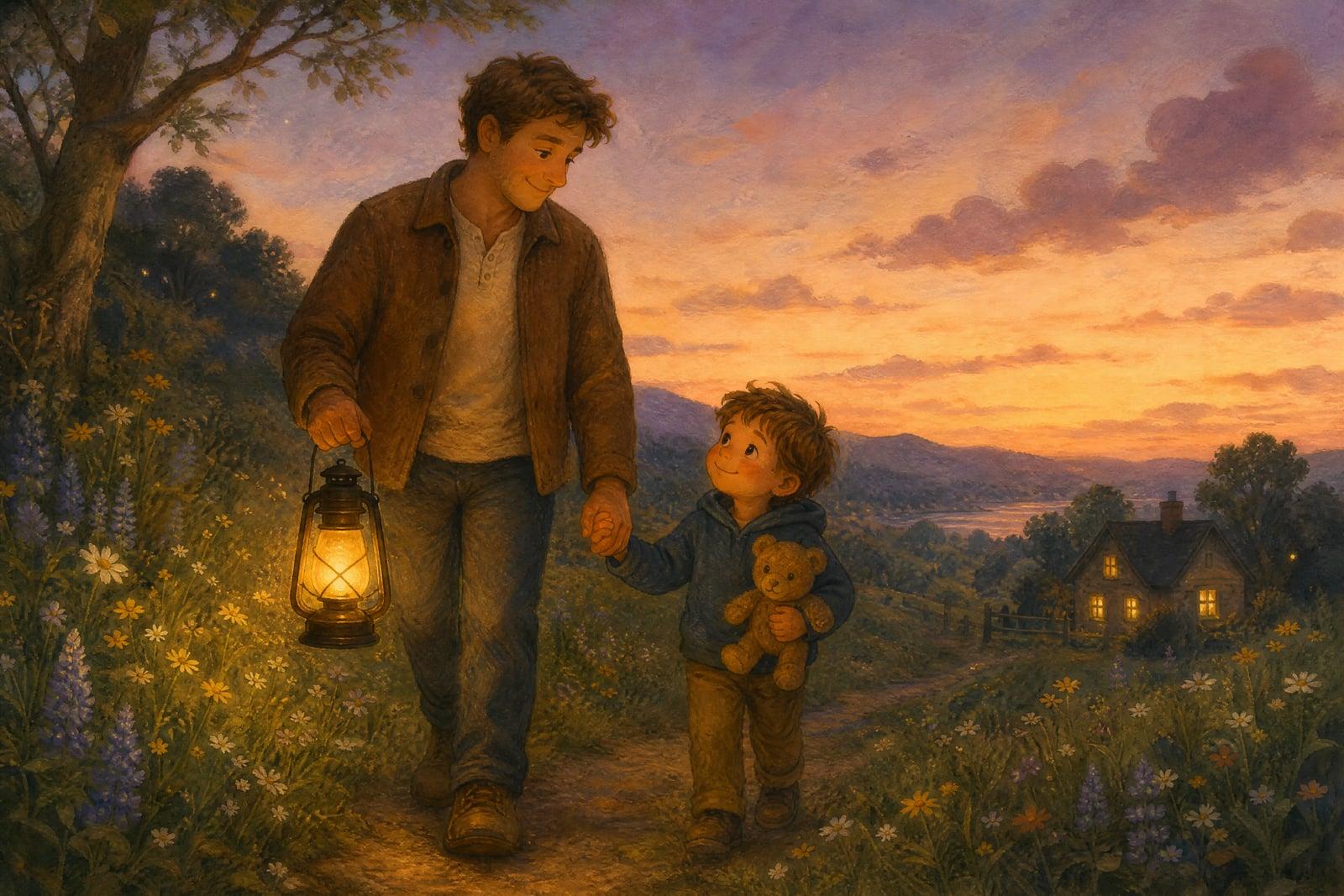
Storybook Illustration repaints your photo as a warm children's picture-book scene, soft brushwork, rounded shapes, and cozy golden light. Upload one photo, usually of a kid, a pet, or the whole family, and generate. What comes back looks like a page from a bedtime story, saved to your library and ready to print, frame, or drop into a custom book project.
What is the Storybook Illustration?
Storybook Illustration is a photo-to-art tool on Nano Banana AI. You upload a single photo and generate, and the tool redraws the scene in classic picture-book style: hand-painted texture, gentle outlines, simplified friendly faces, and a warm palette that leans toward dusk light and soft greens. Everyday snapshots, a toddler on a swing, a dog in the yard, come back looking narrated.
Picture-book art works because of restraint. Illustrators round off sharp angles, warm up shadows, and simplify faces down to the two or three marks that carry emotion, all while keeping the child clearly that child. Getting that balance wrong tips into generic clip art. The tool holds the balance for you and preserves the tilt of a head or a gap-toothed grin inside the softened style.
Storybook Illustration features
Warm painted texture
Output has visible brushwork and paper-like grain, the finish of a printed picture book rather than the plastic smoothness of a typical photo filter. It looks right in a frame on a nursery wall.
Kids stay recognizable
Curls, dimples, and that one stubborn cowlick survive the simplification, so grandparents recognize the grandchild immediately even in painted form. The likeness is softened, never lost, which is the whole assignment.
Whole scenes, not cutouts
Backgrounds get the storybook treatment too. The backyard becomes a rolling meadow and the living room glows like a bedtime scene, so the page stays coherent instead of dropping a painted face onto a raw photo.
Print-friendly output
The soft palette and painted texture hold up beautifully in physical prints, which is where these images usually end up: nursery walls, birthday cards, grandparent fridges, and pages of a custom family photo book.
How to use the Storybook Illustration
- 1
Pick a photo with a moment
A child mid-laugh, a pet mid-nap, a parent reading aloud. Photos with a little story in them make the strongest illustrations.
- 2
Generate the illustration
The tool repaints the scene in picture-book style. Faces soften and the light warms, but the moment you photographed stays intact.
- 3
Rerun for the right mood
Regenerate to shift between brighter daytime pages and cozier dusk tones. Variations are quick, so explore a few moods before you decide which version deserves the frame.
- 4
Download and print
Save your favorite from the library. These print well as nursery art, birthday cards, and pages in a custom family storybook.
Storybook Illustration details
| Best for | Parents turning family photos into picture-book keepsakes and gifts. |
|---|---|
| Category | Style transforms |
| Powered by | Nano Banana (Google) |
| Credits per image | 20 credits at 1K |
| Photos you upload | Your photo |
| Aspect ratios | Follows the input image |
| Adjustable options | None, one-click result |
| Included in plans | Standard, Premium, Pro |
What people make with the Storybook Illustration
Custom bedtime books
Parents illustrate a set of photos and assemble a short bedtime book starring their own kid. The child recognizing themselves on the page is the entire magic trick, and it works every single time.
Nursery and playroom art
A storybook version of a newborn photo or a beloved pet makes gentle wall art that actually matches the room. Soft painted light sits better over a crib than a glossy photographic print does.
Grandparent gifts
An illustrated print of the grandkids mid-adventure lands harder than another framed school photo. Add one new illustration per year and the set quietly becomes a series the whole family looks forward to.
Baby shower and birthday cards
Illustrated invitations made from a real photo of the birthday kid feel personal in a way stock card art never manages. Guests tend to keep them long after the party is over.
Storybook Illustration FAQ
What does Storybook Illustration do with my photo?
It repaints your photo as a children's picture-book scene: soft hand-painted texture, rounded shapes, warm light, and simplified but recognizable faces. The whole scene is redrawn, background included, so the result reads as a coherent illustrated page rather than a face pasted onto art.
Will my child actually be recognizable in the illustration?
Yes, that is the point of the tool. It keeps identifying details, hair, face shape, expression, skin tone, while softening everything into the storybook style. It is stylized art, so expect gentle simplification rather than a photorealistic likeness.
Can I make a whole book this way?
Yes, people do exactly that. Illustrate a series of photos one at a time, keep the versions you love, and lay them out with your own text in any book-printing service. Running all the photos through the same tool keeps the art style consistent page to page.
What photos work best for storybook conversion?
Well-lit photos with one clear subject and a bit of action or emotion. Outdoor golden-hour shots are gold. Dim, blurry, or heavily cropped photos give the tool less to paint with, so choose the sharpest version of the moment you have.
Are photos of my kids kept private?
Uploads are used only to generate your illustrations, and both uploads and results live in your private library. Nothing is shared, published, or shown to anyone else. You can delete individual images or everything at once from your account whenever you choose.
Related tools
Pricing
Choose the perfect plan to unlock more creativity with premium AI-powered image generation.
Standard
Perfect for creators and content makers
- 1,500 Credits per month
- High-quality AI image generation
- Text-to-image & image-to-image
- Premium templates library
- Priority support
Premium
For professionals and power creators
- 4,000 Credits per month
- Ultra high-quality generations
- Advanced AI models & styles
- Priority processing & support
- Commercial usage rights
Pro
Most advanced models for premium visuals
- 10,000 Credits per month
- All models incl. Nano Banana PRO
- All resolutions (1K, 2K & 4K)
- Premium-quality generation & smart edits
- Priority processing & support
Need more credits?
All plans include the option to purchase additional credit packs when you need extra generating power. Scale your creativity without limits.
Payments are securely processed by Stripe, our merchant of record. Subscriptions renew automatically at the listed price until you cancel; cancel anytime in your account settings. By continuing you agree to our Terms, Privacy Policy and Refund & Cancellation Policy. Need help? Contact support@nanobananai.ai.