Style transforms
Paper Craft Style: turn any photo into a layered paper diorama
Rebuilds your photo as stacked paper cutouts with depth, shadow, and handmade charm.
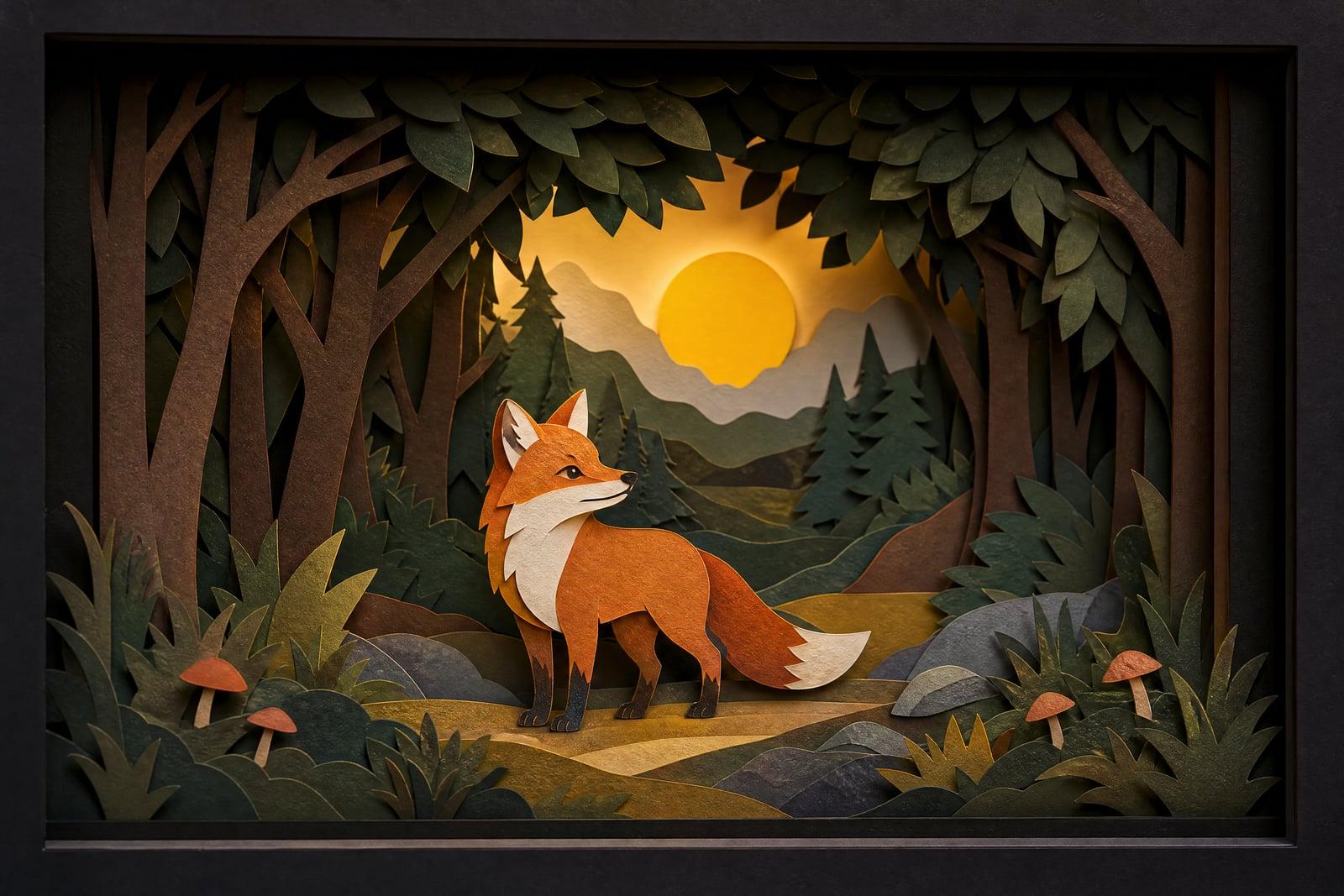
Paper Craft Style remakes your photo as a layered paper-cutout diorama, the kind you would expect to find inside a shadow box. Upload one picture, and the tool rebuilds the scene as stacked cardstock layers with cut edges and soft shadows between them. You get a finished image back in your library, ready to download or regenerate with a different feel.
What is the Paper Craft Style?
Paper Craft Style is a photo-to-art tool on Nano Banana AI. You upload a single photo, a portrait, a pet, a landmark, whatever you like, and generate. The tool separates your scene into foreground, midground, and background, then redraws each plane as a cut sheet of paper. The result reads as a physical craft piece: visible paper grain, clean scissor edges, and small gaps of shadow between layers.
Doing this by hand takes a craft knife, a stack of cardstock, and a weekend. The hard part is deciding where each layer ends and keeping the silhouette of your subject readable once everything is flattened into paper shapes. The tool makes those calls for you. It picks sensible layer breaks, simplifies detail without losing the likeness, and lights the stack so the depth actually shows.
Paper Craft Style features
Real layered depth
Scenes come back as distinct paper planes with shadow gaps between them, so a mountain trail or a birthday portrait reads like a shadow-box diorama rather than a flat filter.
Recognizable subjects
Faces, pets, and landmarks stay identifiable after the paper simplification. Your dog still looks like your dog, just cut from cardstock with rounded scissor edges and a friendly tilt of the head.
Paper texture that holds up
Grain, fiber, and slightly torn edges survive at full size, so nothing goes mushy when enlarged. The output prints cleanly for framed shadow-box wall art, greeting cards, or a phone wallpaper.
Fast variations
Each generation takes seconds, so you can rerun the same photo several times and compare warmer palettes, deeper layer stacks, or simpler silhouettes before you commit to a download or a print.
How to use the Paper Craft Style
- 1
Upload your photo
Pick a photo with a clear main subject. Portraits, pets, and travel shots with an obvious foreground work best; cluttered group scenes lose charm once simplified into paper.
- 2
Generate the diorama
Hit generate and the tool rebuilds your scene as stacked paper layers. The first pass usually lands well, so start with defaults before you tweak anything.
- 3
Compare a few runs
Regenerate once or twice. Layer breaks and palette shift slightly between runs, and the second version is often the one you end up keeping.
- 4
Download or refine
Save the version you like from your library. If the subject got too abstract, crop tighter on your original photo and run it again.
Paper Craft Style details
| Best for | Anyone who wants a handmade papercut look without the craft knife. |
|---|---|
| Category | Style transforms |
| Powered by | Nano Banana (Google) |
| Credits per image | 20 credits at 1K |
| Photos you upload | Your photo |
| Aspect ratios | Follows the input image |
| Adjustable options | None, one-click result |
| Included in plans | Standard, Premium, Pro |
What people make with the Paper Craft Style
Nursery wall art
Turn a favorite photo of your kid or a storybook animal into soft paper-cut wall art for a nursery. The handmade look fits the room better than a glossy print.
Greeting cards
A paper-cut version of a family photo makes a birthday or holiday card that feels genuinely crafted. Print it on textured stock and the layered illusion gets even stronger in the hand.
Etsy and craft shops
Sellers use the diorama look for shop banners and product mockups. A papercut preview of a custom portrait listing tells buyers exactly what style they are ordering before any money changes hands.
Travel keepsakes
That photo of the lighthouse or the temple gate becomes a layered paper scene worth framing. It reads as a souvenir made by hand rather than another phone snapshot lost in the camera roll.
Paper Craft Style FAQ
What does Paper Craft Style actually do to my photo?
It rebuilds your photo as a layered paper-cutout scene. The tool splits the image into depth planes, redraws each one as cut cardstock with visible edges and texture, and adds soft shadows between layers so the result looks like a physical diorama.
What kind of photo works best for the paper cutout effect?
One clear subject with some depth behind it: a person in front of a landscape, a pet on a couch, a building against sky. Very busy scenes with many small overlapping objects get muddy once they are simplified into paper shapes, so crop before uploading.
Will my face still be recognizable as paper art?
Yes, within the limits of the style. The tool keeps your features recognizable while simplifying them into flat paper shapes, so friends will know it is you. It is stylized art, though, not a literal portrait, and fine details like freckles get abstracted away.
Can I print and sell the paper craft images I make?
Yes. Images you generate are yours to use, including commercially. People print them as cards, wall art, and shop graphics. For large prints, generate a few variations and pick the one with the cleanest layer edges before sending it to the printer.
Is my uploaded photo kept private?
Your upload is used to generate your image and the results are stored in your private library. Nothing is published anywhere, and you can delete both the upload and the generated images from your account whenever you want.
Related tools
Pricing
Choose the perfect plan to unlock more creativity with premium AI-powered image generation.
Standard
Perfect for creators and content makers
- 1,500 Credits per month
- High-quality AI image generation
- Text-to-image & image-to-image
- Premium templates library
- Priority support
Premium
For professionals and power creators
- 4,000 Credits per month
- Ultra high-quality generations
- Advanced AI models & styles
- Priority processing & support
- Commercial usage rights
Pro
Most advanced models for premium visuals
- 10,000 Credits per month
- All models incl. Nano Banana PRO
- All resolutions (1K, 2K & 4K)
- Premium-quality generation & smart edits
- Priority processing & support
Need more credits?
All plans include the option to purchase additional credit packs when you need extra generating power. Scale your creativity without limits.
Payments are securely processed by Stripe, our merchant of record. Subscriptions renew automatically at the listed price until you cancel; cancel anytime in your account settings. By continuing you agree to our Terms, Privacy Policy and Refund & Cancellation Policy. Need help? Contact support@nanobananai.ai.