Photo fixes
Background Remover with clean, precise cutouts
Isolates the subject of any photo onto a plain background, for sellers, designers, and anyone who needs a cutout.
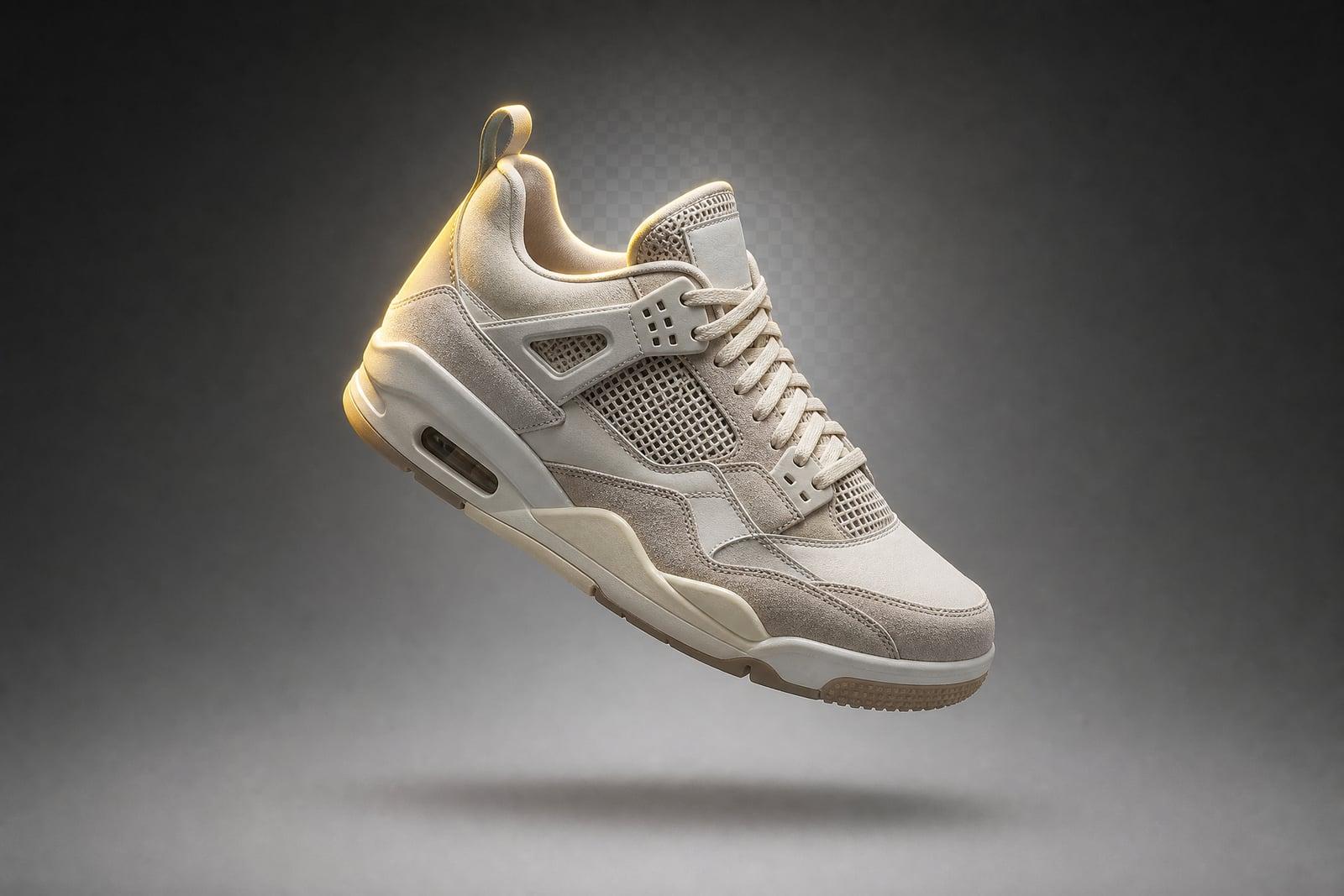
Background Remover cuts the subject out of a photo and places it on a clean, plain background. Upload any image, generate, and download a version where the person, product, or pet is isolated with tidy edges. It handles hair strands, fur, and glass edges, the parts that make manual selection painful, and the whole thing takes under a minute.
What is the Background Remover?
Background Remover is a single-upload tool that separates your subject from everything behind it. You add a photo, generate, and receive the subject on a plain backdrop, ready for listings, thumbnails, or compositing. There are no brushes or paths to draw. It identifies the main subject on its own, and it works on people, products, pets, vehicles, and food.
Clean cutouts are the part of photo editing most people give up on. Flyaway hair, semi-transparent fabric, fur, bicycle spokes, and reflective edges all defeat quick selection tools and demand slow manual masking. This tool resolves those boundary pixels for you, so the edge follows individual hairs instead of cutting a helmet-shaped outline around someone's head.
Background Remover features
Hair and fur edges
Flyaway strands, pet fur, and fuzzy sweaters keep their soft boundaries instead of getting the hard sticker outline. This is the difference between a cutout that composites well and one that screams edited.
Any subject type
People, sneakers, ceramics, plants, cars, and dogs all cut out cleanly. The tool finds the main subject itself, so a product on a cluttered kitchen counter still comes out isolated.
Ready for reuse
The isolated subject sits on a plain backdrop, which drops straight into marketplace listings, slide decks, and thumbnails. Pair it with Background Changer when you want a specific new scene instead.
No selection skills needed
There is nothing to trace and no pen tool to learn. Upload, generate, download. If an edge or shadow bothers you, regenerating takes another few seconds and usually resolves it.
How to use the Background Remover
- 1
Upload your image
Any photo with a clear main subject works. Decent contrast between subject and background helps, but busy backgrounds are usually handled fine.
- 2
Generate the cutout
The tool identifies the subject and removes everything behind it. No tracing, no masks, no green screen required on your end.
- 3
Check the edges
Zoom in on hair, fingers, and anything semi-transparent. If a spot looks off, regenerate. Each pass is fast and cheap enough to iterate freely.
- 4
Download and use
Grab the finished cutout from your library and drop it into your listing, thumbnail, or design. The original upload stays saved if you need to rerun it.
Background Remover details
| Best for | Sellers and creators who need clean cutouts without masking work. |
|---|---|
| Category | Photo fixes |
| Powered by | Nano Banana (Google) |
| Credits per image | 20 credits at 1K |
| Photos you upload | Your image |
| Aspect ratios | Follows the input image |
| Adjustable options | New background |
| Included in plans | Standard, Premium, Pro |
What people make with the Background Remover
Marketplace listings
eBay, Etsy, and Amazon photos convert better on clean, uniform backgrounds. Shoot your product on the kitchen table, cut it out, and every listing in your shop suddenly looks like the same studio.
YouTube thumbnails
Creators cut themselves out of webcam frames to build the classic big-face thumbnail. Clean hair edges matter at thumbnail size, where a rough outline reads as amateur even at a glance.
Team page headshots
Company sites want every employee photo on the same backdrop, but the photos come from ten different offices. Cutting each person out gives the page a consistent look without a reshoot.
School and craft projects
Collages, party invitations, and printed decorations need subjects without their original surroundings. Parents cut kids out of vacation photos for birthday banners without learning any editing software.
Background Remover FAQ
Does the Background Remover work on hair and fur?
Yes, and that is its main advantage over quick selection tools. Individual strands, pet fur, and fuzzy textures keep soft natural edges. Extremely fine detail against a background of nearly the same color is the hardest case, and a regenerate usually cleans it up.
What happens if my photo has several people or objects in it?
The tool keeps what it judges to be the main subject, which is normally the largest, most central element. If you want one specific person from a group, crop the photo around them first so the intent is unambiguous.
Can I put a new background behind the cutout?
That is a separate tool on the same site. Background Changer keeps your subject and generates any scene you describe behind it, with matched lighting. Use the remover when you want a plain isolated subject, and the changer when you want a new environment.
How long does it take?
Under a minute per image, usually much less. Since regeneration is quick, most people run a photo two or three times and keep the cleanest edge rather than fixing anything by hand.
Are my uploaded photos private?
Yes. Uploads are used to generate your images and are stored in your private library alongside the results. Nobody else sees them, and you can delete both uploads and outputs whenever you like.
Related tools
Pricing
Choose the perfect plan to unlock more creativity with premium AI-powered image generation.
Standard
Perfect for creators and content makers
- 1,500 Credits per month
- High-quality AI image generation
- Text-to-image & image-to-image
- Premium templates library
- Priority support
Premium
For professionals and power creators
- 4,000 Credits per month
- Ultra high-quality generations
- Advanced AI models & styles
- Priority processing & support
- Commercial usage rights
Pro
Most advanced models for premium visuals
- 10,000 Credits per month
- All models incl. Nano Banana PRO
- All resolutions (1K, 2K & 4K)
- Premium-quality generation & smart edits
- Priority processing & support
Need more credits?
All plans include the option to purchase additional credit packs when you need extra generating power. Scale your creativity without limits.
Payments are securely processed by Stripe, our merchant of record. Subscriptions renew automatically at the listed price until you cancel; cancel anytime in your account settings. By continuing you agree to our Terms, Privacy Policy and Refund & Cancellation Policy. Need help? Contact support@nanobananai.ai.