Photo fixes
Unblur Image: sharpen shaky and out-of-focus photos
Recovers legible detail from motion blur, camera shake, and missed focus in one upload.
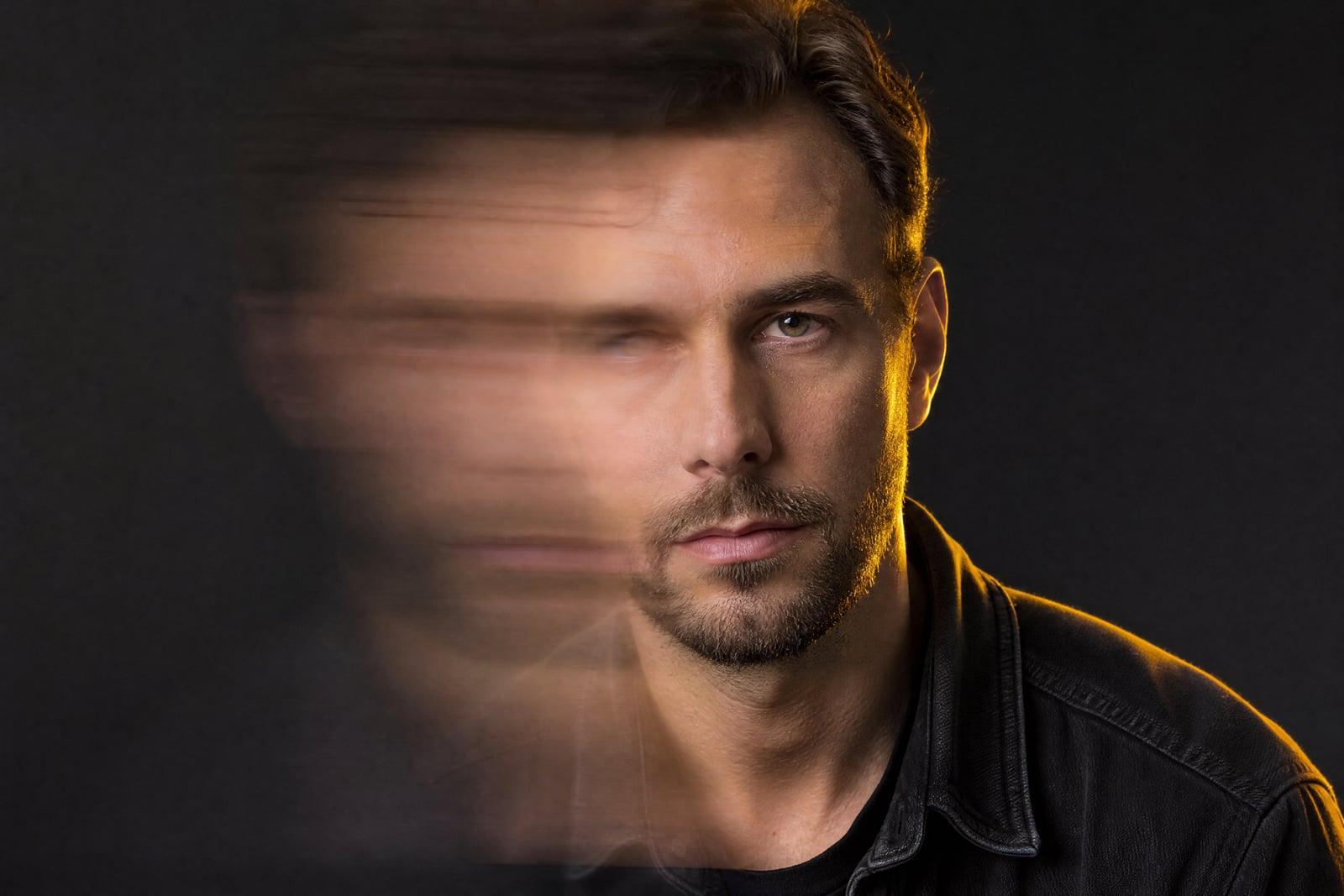
Unblur Image sharpens blurry photos, whether the problem is camera shake, subject movement, or focus that landed on the wrong thing. Upload the soft photo, generate, and the tool reconstructs the edges and detail the blur smeared away. Faces firm up, text becomes readable, and the shot you almost deleted becomes the one you keep.
What is the Unblur Image?
Unblur Image is a recovery tool for the photos that mattered but did not come out. You upload one blurry picture and it returns a sharpened version, with facial features, edges, and textures rebuilt to match what the blur suggests was there. It handles the classic failures: low-light handshake, a toddler who moved, a lens that focused on the fence instead of the dog.
Blur is not noise you can simply filter off. The information is smeared across neighboring pixels, and naive sharpening just adds harsh halos around the smear. Recovering the image means estimating what the sharp original looked like and redrawing it plausibly, which is delicate around faces where small errors read as a different person. This tool is tuned to keep identities and letterforms honest while it works.
Unblur Image features
Motion and shake recovery
Handheld night shots and moving subjects produce directional smear, the hardest blur to fix. The tool untangles it and restores clean edges where sharpening filters would only add glow.
Faces come back honest
Eyes, mouths, and hairlines are rebuilt conservatively so the sharpened person still looks like themselves. That restraint is the difference between recovery and accidentally generating a stranger.
Readable text again
Blurry photos of documents, whiteboards, signs, and receipts often sharpen back to legibility. Handy when the photo was the only record of something you needed.
Quick second chances
Each pass takes well under a minute, so you can rerun a stubborn photo, or crop tighter to the important area and try again for a stronger result.
How to use the Unblur Image
- 1
Upload the blurry photo
Use the original file, not a screenshot or a re-save. Every extra compression step destroys clues the tool uses to reconstruct sharpness.
- 2
Crop to what matters
If only one face or region is important, crop to it first. Concentrating the tool on a smaller area consistently gives crisper results.
- 3
Generate
The deblurred version arrives in your library shortly. Compare it against the original at full zoom, especially around eyes and any text.
- 4
Rerun if needed
Severe blur sometimes needs a second attempt. Regenerate, or try the pass on a tighter crop, and keep whichever version reads most natural.
Unblur Image details
| Best for | People holding one blurry photo of a moment that mattered. |
|---|---|
| Category | Photo fixes |
| Powered by | Nano Banana (Google) |
| Credits per image | 20 credits at 1K |
| Photos you upload | Blurry photo |
| Aspect ratios | Follows the input image |
| Adjustable options | None, one-click result |
| Included in plans | Standard, Premium, Pro |
What people make with the Unblur Image
Once-in-a-lifetime shots
The blowing-out-the-candles photo, the graduation walk, the proposal someone caught on a phone. When the only frame of a moment is soft, recovery is worth far more than the shot deserved technically.
Low-light phone photos
Concerts, restaurants, and evening gatherings produce handshake blur by the dozen. Deblurring rescues the two or three frames from a night out that were nearly good.
Documents and boards
A rushed photo of a whiteboard, contract, or serial number often comes out unreadable. Sharpening frequently recovers the text, saving a trip back or an awkward ask.
Old digital photos
Early digital cameras and first-generation phones produced soft images by default. A deblur pass gives those 2006-era files a clarity they never actually had.
Unblur Image FAQ
Can Unblur Image fix any level of blur?
It recovers a lot, but not everything. Mild to moderate blur from shake, movement, or missed focus responds best. When a photo is blurred to the point that shapes are ambiguous, reconstruction becomes guesswork, and results get less reliable. It costs little to try, so borderline photos are worth a pass.
Will sharpened faces still look like the real person?
That is the priority. The tool rebuilds facial detail conservatively, staying close to what the blurred pixels support rather than inventing features. For important portraits, run a couple of generations and keep the one that matches your memory of the person best.
What is the difference between this and the AI Photo Enhancer?
Unblur Image is a specialist: it targets blur specifically and works hardest on edge reconstruction. The enhancer is a generalist for lighting, color, and mild softness. A badly shaken photo wants this tool first, with the enhancer as an optional second pass.
Does it work on screenshots or compressed images?
It works, but compression eats into the recoverable detail, so start from the least-processed copy you have. A photo sent through a chat app twice will recover less than the original file from the camera roll.
How long does deblurring take?
Typically under a minute per photo, and every plan includes the tool. Regeneration is quick, so trying a photo two or three ways, full frame, cropped, then enhanced, is a normal workflow.
Related tools
Pricing
Choose the perfect plan to unlock more creativity with premium AI-powered image generation.
Standard
Perfect for creators and content makers
- 1,500 Credits per month
- High-quality AI image generation
- Text-to-image & image-to-image
- Premium templates library
- Priority support
Premium
For professionals and power creators
- 4,000 Credits per month
- Ultra high-quality generations
- Advanced AI models & styles
- Priority processing & support
- Commercial usage rights
Pro
Most advanced models for premium visuals
- 10,000 Credits per month
- All models incl. Nano Banana PRO
- All resolutions (1K, 2K & 4K)
- Premium-quality generation & smart edits
- Priority processing & support
Need more credits?
All plans include the option to purchase additional credit packs when you need extra generating power. Scale your creativity without limits.
Payments are securely processed by Stripe, our merchant of record. Subscriptions renew automatically at the listed price until you cancel; cancel anytime in your account settings. By continuing you agree to our Terms, Privacy Policy and Refund & Cancellation Policy. Need help? Contact support@nanobananai.ai.