Photo fixes
AI Face Enhancer for blurry and low-quality portraits
Rebuilds sharp, natural facial detail in soft, grainy, or low-resolution photos.
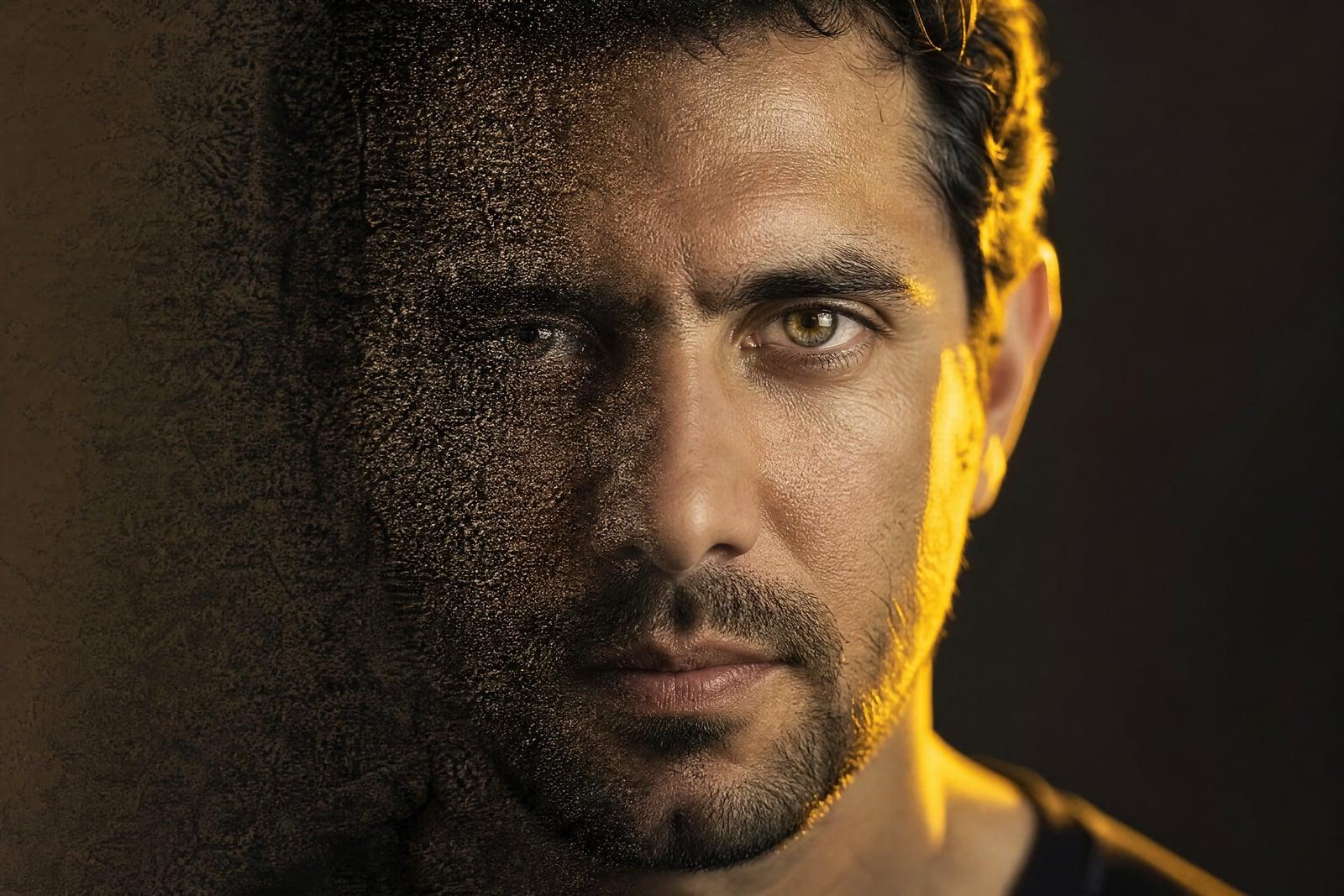
AI Face Enhancer recovers sharp, natural faces in blurry or low-quality photos. Upload a picture where the face is soft, grainy, or too small, and generate. The tool rebuilds eyes, skin texture, and hair detail while keeping the person recognizable. It is the specialist to reach for when the face is the problem, not the photo as a whole.
What is the AI Face Enhancer?
AI Face Enhancer is a one-upload tool focused entirely on faces. It finds the face in your photo and reconstructs its fine detail: crisp eyes, defined lashes and brows, real skin texture, individual hair strands. The rest of the image is left alone. It works on old low-resolution photos, faces that are small in a wide group shot, and portraits softened by noise or compression.
Faces are where generic sharpening fails hardest. Humans read faces with extreme sensitivity, so an eye rebuilt one millimeter off, or skin smoothed into plastic, immediately reads as fake or as somebody else. The enhancer is tuned for that sensitivity: it strengthens detail the blurred pixels actually support and resists inventing features, keeping the recovered face honest to the person in the photo.
AI Face Enhancer features
Identity-first recovery
The rebuild stays anchored to the actual face in the photo. Eye shape, nose line, and smile come back sharper without drifting toward a generic or different-looking person.
Real skin texture
Recovered skin keeps pores and natural variation instead of the airbrushed plastic that cheap enhancers produce. Sharp but real is the target, especially on close portraits.
Small faces in big photos
Group shots and wide frames leave each face only a handful of pixels. The enhancer rebuilds those tiny faces so everyone in the reunion photo is actually identifiable.
Leaves the scene alone
Only facial regions get the treatment. Background, clothing, and composition stay exactly as shot, so the photo keeps its character while the face gains clarity.
How to use the AI Face Enhancer
- 1
Upload the photo
Portraits, group shots, and old scans all work. Use the least-compressed copy you have, since every re-save through a chat app costs recoverable detail.
- 2
Generate
The tool locates faces and reconstructs their detail while leaving the rest of the frame untouched. Processing takes under a minute.
- 3
Check the likeness
Compare against the original and against your memory of the person. Eyes and teeth are where recovery quality shows first.
- 4
Rerun or combine
Regenerate if a feature drifted. For photos that are also small or dim, follow with the upscaler or enhancer for a full rescue.
AI Face Enhancer details
| Best for | Anyone whose photo failed exactly where the face is. |
|---|---|
| Category | Photo fixes |
| Powered by | Nano Banana (Google) |
| Credits per image | 20 credits at 1K |
| Photos you upload | Your photo |
| Aspect ratios | Follows the input image |
| Adjustable options | None, one-click result |
| Included in plans | Standard, Premium, Pro |
What people make with the AI Face Enhancer
Old family photos
Faces in decades-old snapshots and early digital photos are often soft mush. Enhancement brings back the expressions, which is the part of an old photo people actually care about.
Group photo rescue
In the full-wedding-party shot, every individual face is tiny. Enhancing makes each one crisp enough to crop out and share with the person in it.
Profile pictures
The photo with your best expression is slightly out of focus. Sharpening the face turns an unusable favorite into a legitimate option for LinkedIn or a dating profile.
Memorial portraits
Sometimes the only photo of a late relative is a small, grainy print. Recovering their face clearly enough to frame is one of the most meaningful uses this tool gets.
AI Face Enhancer FAQ
Will the AI Face Enhancer keep the person looking like themselves?
That is its central design goal. The reconstruction stays close to what the existing pixels support rather than inventing features, so the enhanced face reads as a clearer photo of the same person. On severely degraded faces, generate a couple of versions and keep the truest one.
How is this different from Unblur Image?
Unblur Image treats the whole photo and targets blur specifically. The face enhancer concentrates entirely on facial detail and also handles low resolution, noise, and compression damage. When the face is what matters, start here; for an overall shaky photo, start with unblur.
Does it work when the face is very small in the frame?
Yes, small faces in group shots and wide scenes are a core case. The tool rebuilds them at higher detail in place. For a single person you plan to crop out anyway, cropping before enhancing usually squeezes out a little more quality.
Can it fix faces in screenshots or heavily compressed images?
Usually, yes. Compression blocks and noise around facial features are exactly what it cleans up. Recovery depth depends on how much survives in the file, so start from the earliest, least re-shared copy you can find.
Are the enhanced photos private and mine to use?
Yes on both counts. Uploads and results sit in your private library, deletable whenever you choose, and generated images are yours to use, including commercially.
Related tools
Pricing
Choose the perfect plan to unlock more creativity with premium AI-powered image generation.
Standard
Perfect for creators and content makers
- 1,500 Credits per month
- High-quality AI image generation
- Text-to-image & image-to-image
- Premium templates library
- Priority support
Premium
For professionals and power creators
- 4,000 Credits per month
- Ultra high-quality generations
- Advanced AI models & styles
- Priority processing & support
- Commercial usage rights
Pro
Most advanced models for premium visuals
- 10,000 Credits per month
- All models incl. Nano Banana PRO
- All resolutions (1K, 2K & 4K)
- Premium-quality generation & smart edits
- Priority processing & support
Need more credits?
All plans include the option to purchase additional credit packs when you need extra generating power. Scale your creativity without limits.
Payments are securely processed by Stripe, our merchant of record. Subscriptions renew automatically at the listed price until you cancel; cancel anytime in your account settings. By continuing you agree to our Terms, Privacy Policy and Refund & Cancellation Policy. Need help? Contact support@nanobananai.ai.