Photo fixes
Skin Retouch that keeps skin looking like skin
Removes blemishes and evens tone the way a careful editor would, without the plastic finish.
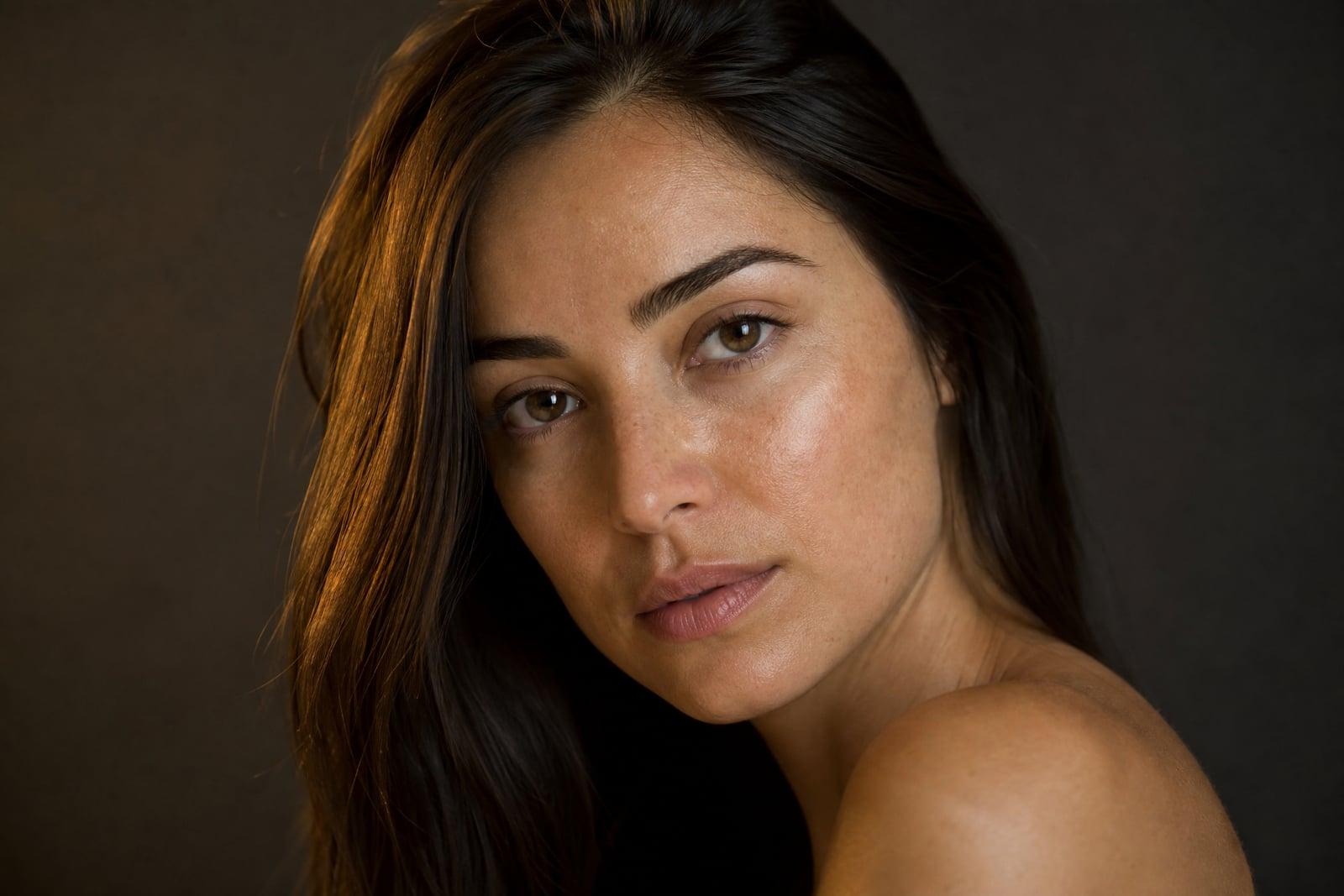
Skin Retouch removes blemishes and smooths skin naturally in any photo. Upload a portrait, generate, and temporary problems disappear: the breakout, the redness, the shaving irritation, the shine. What stays is everything that makes the face yours, including pores, freckles, and texture. The result looks like you on a good skin day, not like a rendering of you.
What is the Skin Retouch?
Skin Retouch is a single-upload portrait tool. It finds skin in the photo and performs an editor's cleanup pass: blemishes removed, redness and blotchiness evened, under-eye shadows softened, oily shine reduced. Structural features are deliberately left alone. Your freckles, smile lines, moles you have always had, and overall skin texture survive, because removing those turns a retouch into a different face.
The failure mode of automatic skin filters is well known: skin blurred into plastic, and a face that looks poured rather than born. Good retouching distinguishes temporary blemishes from permanent character, and that judgment is the hard part. This tool makes the distinction for you, treating a pimple differently from a freckle and shine differently from bone structure, which is what keeps results credible at full zoom.
Skin Retouch features
Blemish removal
Breakouts, individual spots, razor irritation, and small scratches are cleared from the skin. Each fix blends with surrounding texture instead of leaving the telltale smooth patch.
Texture survives
Pores, fine lines, and freckles are preserved on purpose. The retouch reads as clear skin in a good photo, and it holds up when someone zooms in on the result.
Tone evening
Redness around the nose, blotchy cheeks from cold or heat, and mild under-eye darkness get gently balanced. Overall complexion evens out without the face going a single flat color.
Shine control
Oily highlights on the forehead, nose, and chin, the curse of flash photos and warm rooms, are toned down to a natural finish rather than erased into matte nothing.
How to use the Skin Retouch
- 1
Upload a portrait
Face-forward photos with reasonable sharpness retouch best. The tool needs to see the skin clearly to separate blemishes from texture.
- 2
Generate the retouch
Skin is cleaned and evened in one pass while features, hair, and background stay untouched. Results arrive within a minute.
- 3
Zoom in and judge
Check cheeks and forehead at full size. Good retouching should be hard to detect, so compare against the original to see what changed.
- 4
Regenerate if needed
If a mark you wanted kept was removed, or a spot survived, rerun the photo. Passes are quick, and two candidates give you a choice.
Skin Retouch details
| Best for | People who want clear skin in photos, not plastic skin. |
|---|---|
| Category | Photo fixes |
| Powered by | Nano Banana (Google) |
| Credits per image | 20 credits at 1K |
| Photos you upload | Your photo |
| Aspect ratios | Follows the input image |
| Adjustable options | None, one-click result |
| Included in plans | Standard, Premium, Pro |
What people make with the Skin Retouch
Headshot day breakout
The company photo shoot never checks your skin's schedule. Retouching removes the temporary breakout from an otherwise strong headshot before it goes on the website for years.
Dating profile photos
You want to look like yourself, since you will eventually show up in person. Natural retouching clears the distractions while keeping the face your date will actually recognize.
Event photos
Graduations, weddings, and reunions get photographed at close range under harsh light. A retouch pass on the keepers removes the shine and redness the flash exaggerated.
Content creators
Thumbnail faces get viewed at both tiny and full size. Creators retouch stills so skin looks clean in the thumbnail without the uncanny smoothness viewers screenshot and mock.
Skin Retouch FAQ
Will Skin Retouch make me look airbrushed or fake?
No, avoiding that look is the design brief. Texture, pores, and freckles are preserved while temporary blemishes and redness are removed. The intended reading is you, well rested, in good light. If a result feels too clean, regenerate and pick the more natural pass.
Does it remove freckles, moles, or scars?
Permanent features are kept by default, since they are part of how you look. Temporary marks like breakouts and irritation are what get removed. If it errs on something you care about in either direction, a rerun usually resolves it.
Can I retouch photos of other people?
Yes, it works on any clear portrait, and parents commonly clean up teenagers' school photos during breakout years. Use good judgment and consent with photos of others, as you would with any edit of someone's face.
Does it change face shape or slim anything?
No. Skin Retouch is strictly a skin-surface tool: blemishes, tone, and shine. Face geometry, features, and body shape are never altered, which is exactly why results still look like the person.
What photo quality do I need?
Any reasonably sharp portrait works, from phone selfies to studio shots. Very blurry photos should visit Unblur Image or the face enhancer first, since retouching needs visible skin detail to do its careful work.
Related tools
Pricing
Choose the perfect plan to unlock more creativity with premium AI-powered image generation.
Standard
Perfect for creators and content makers
- 1,500 Credits per month
- High-quality AI image generation
- Text-to-image & image-to-image
- Premium templates library
- Priority support
Premium
For professionals and power creators
- 4,000 Credits per month
- Ultra high-quality generations
- Advanced AI models & styles
- Priority processing & support
- Commercial usage rights
Pro
Most advanced models for premium visuals
- 10,000 Credits per month
- All models incl. Nano Banana PRO
- All resolutions (1K, 2K & 4K)
- Premium-quality generation & smart edits
- Priority processing & support
Need more credits?
All plans include the option to purchase additional credit packs when you need extra generating power. Scale your creativity without limits.
Payments are securely processed by Stripe, our merchant of record. Subscriptions renew automatically at the listed price until you cancel; cancel anytime in your account settings. By continuing you agree to our Terms, Privacy Policy and Refund & Cancellation Policy. Need help? Contact support@nanobananai.ai.