Photo fixes
AI Photo Enhancer that fixes light and color in one click
A single-pass fix for dull, flat, or slightly off photos, for people who do not want to learn sliders.
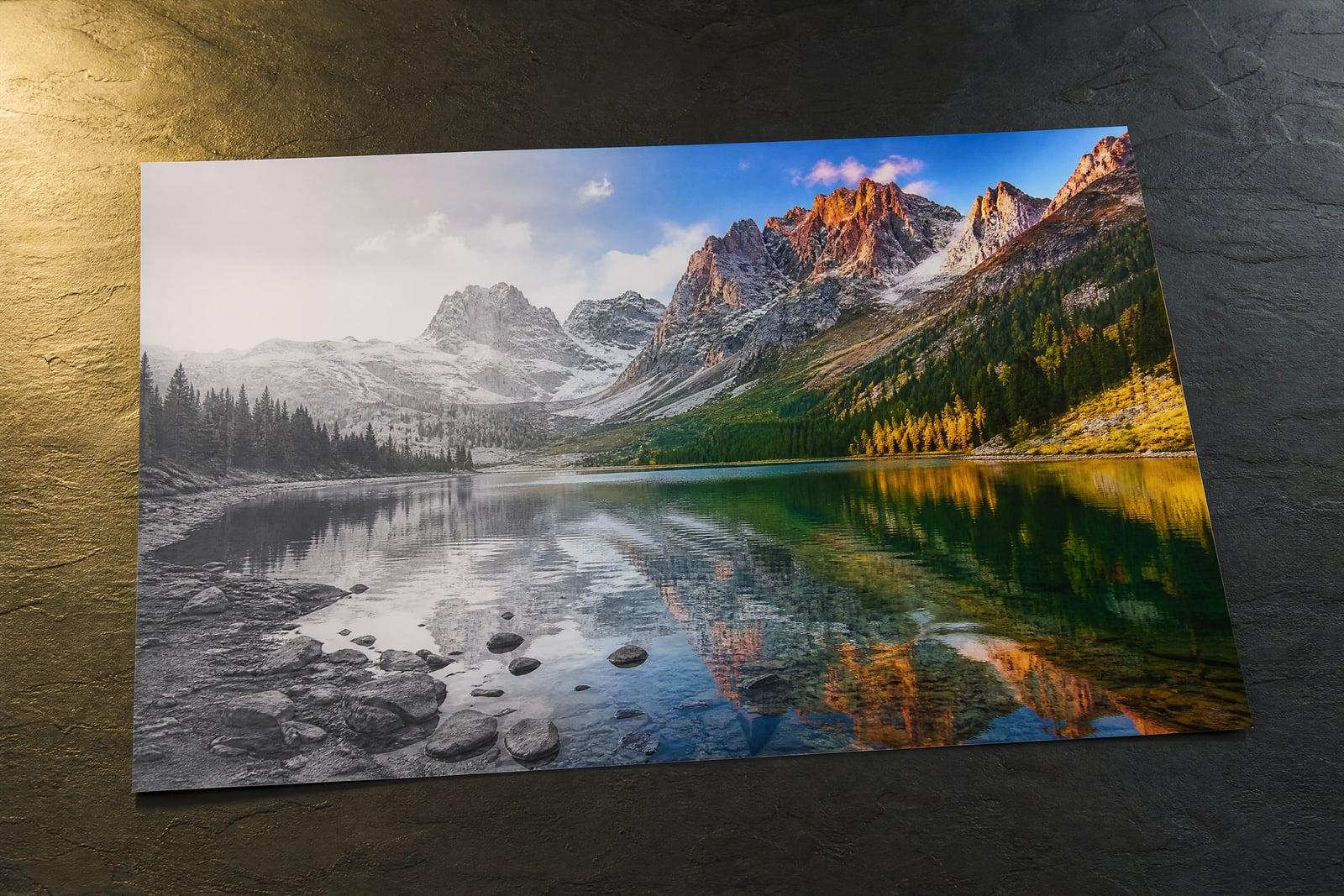
AI Photo Enhancer fixes lighting, color, contrast, and sharpness in a single pass. Upload any photo that looks duller than the moment felt, generate, and get back a balanced, crisp version. There are no sliders to learn and no presets to audition. The tool reads what the photo needs, lifts murky shadows, corrects color casts, and sharpens softly focused areas.
What is the AI Photo Enhancer?
AI Photo Enhancer is the general fix-it tool: one upload, one generate, and the photo comes back corrected across the board. Exposure gets balanced, washed-out color returns, hazy contrast firms up, and soft detail sharpens. It suits the everyday photo that is almost good, the restaurant shot that came out orange, the beach photo that came out grey.
Manual correction is a chain of judgment calls: how much to lift shadows before they turn grey, how far to push saturation before skin goes orange, where sharpening starts to add halos. Each adjustment interacts with the others. The enhancer makes those calls together, in proportion, the way a photo editor would, which is why one pass here beats twenty minutes of nudging sliders for most photos.
AI Photo Enhancer features
Balanced exposure
Dark interiors, backlit faces, and blown-out windows get pulled toward a natural balance. Shadows open up without turning muddy, and bright areas keep their detail instead of clipping to white.
True-to-life color
Color casts from indoor bulbs, cloudy skies, and phone auto-settings get corrected. Skin looks like skin and whites read white, without the oversaturated Instagram-filter look.
Gentle sharpening
Soft focus and slight blur tighten up while grain and noise are held down. The result reads as a well-shot photo, not an over-processed one with crunchy halos around every edge.
Zero learning curve
There is one decision: upload the photo. Everything else is handled in the pass, and if you want a different balance, regenerating gives you an alternate take within a minute.
How to use the AI Photo Enhancer
- 1
Upload the photo
Any format of everyday photo works: phone shots, old downloads, scans. Upload the highest quality copy you have for the cleanest result.
- 2
Generate
The enhancer evaluates exposure, color, contrast, and sharpness together and corrects them in a single balanced pass.
- 3
Compare with the original
Flip between the two in your library. Good enhancement is often subtle, so check faces and shadow areas where the difference shows most.
- 4
Rerun or move on
Happy? Download. Want a different interpretation? Regenerate. Stacking the enhancer with other tools, like the upscaler, is a common finishing combo.
AI Photo Enhancer details
| Best for | Anyone whose photos look duller than the real moment. |
|---|---|
| Category | Photo fixes |
| Powered by | Nano Banana (Google) |
| Credits per image | 20 credits at 1K |
| Photos you upload | Your photo |
| Aspect ratios | Follows the input image |
| Adjustable options | None, one-click result |
| Included in plans | Standard, Premium, Pro |
What people make with the AI Photo Enhancer
Everyday phone photos
Dinner shots under orange restaurant light, kids in a dim living room, an overcast day at the park. These are the photos people actually take, and the enhancer is built for exactly them.
Selling secondhand
A dim, yellowish photo makes a clean sofa look grimy. Enhancing listing photos costs a minute and visibly changes how quickly furniture, clothes, and gear sell.
Social posting
The travel photo you want to post is flatter than the view deserved. One pass restores the color and depth you remember, without the obviously filtered look that invites comments.
Pre-print polish
Photos headed for frames, calendars, or photo books deserve a check first. Enhancement catches the dull exposure and mild color cast that become permanent once printed.
AI Photo Enhancer FAQ
What exactly does the AI Photo Enhancer change?
Exposure, color balance, contrast, and sharpness, adjusted together in proportion. It brightens murky shadows, fixes color casts, restores punch to flat images, and tightens soft focus. Composition and content stay untouched, so it is a correction, never a reinterpretation.
Will it make my photo look over-edited?
It aims for the natural end of the spectrum: balanced rather than punchy. Skin tones stay realistic and skies stay plausible. If a result feels too strong or too mild for your taste, regenerating produces an alternate grade to choose from.
Can it fix very dark or badly blurry photos?
It recovers a lot from dark shots, though extreme underexposure has limits since detail lost to black cannot be fully invented. For serious blur, Unblur Image is the better tool, and for tiny files, pair the enhancer with the upscaler.
Does it work on old scanned photos?
Yes, scans with dull contrast and shifted color respond well. If the print itself is damaged with scratches or tears, run Old Photo Restoration first, then enhance the repaired version for the final polish.
How many photos can I enhance?
As many as your plan's credits cover, and every plan includes this tool. Each enhancement is a quick, low-cost generation, so batch-fixing a whole album from a trip is a realistic evening job.
Related tools
Pricing
Choose the perfect plan to unlock more creativity with premium AI-powered image generation.
Standard
Perfect for creators and content makers
- 1,500 Credits per month
- High-quality AI image generation
- Text-to-image & image-to-image
- Premium templates library
- Priority support
Premium
For professionals and power creators
- 4,000 Credits per month
- Ultra high-quality generations
- Advanced AI models & styles
- Priority processing & support
- Commercial usage rights
Pro
Most advanced models for premium visuals
- 10,000 Credits per month
- All models incl. Nano Banana PRO
- All resolutions (1K, 2K & 4K)
- Premium-quality generation & smart edits
- Priority processing & support
Need more credits?
All plans include the option to purchase additional credit packs when you need extra generating power. Scale your creativity without limits.
Payments are securely processed by Stripe, our merchant of record. Subscriptions renew automatically at the listed price until you cancel; cancel anytime in your account settings. By continuing you agree to our Terms, Privacy Policy and Refund & Cancellation Policy. Need help? Contact support@nanobananai.ai.