Business & marketing
Food Photography: turn a phone snap into a menu shot
One phone photo of the dish in, one photo that sells the dish out, for menus and delivery apps.
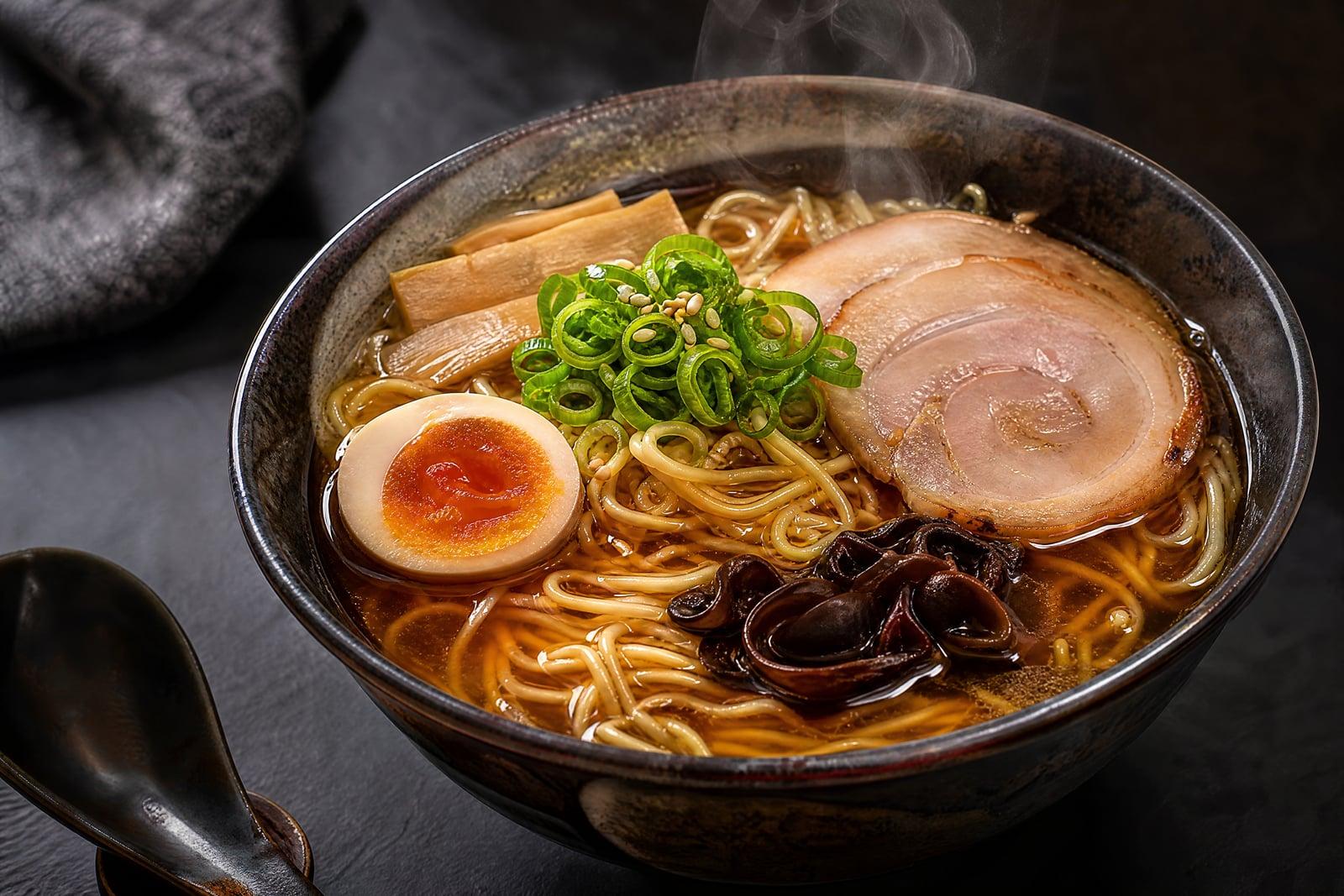
Food Photography takes a single phone snapshot of a dish and rebuilds it as a menu-ready photo. Upload the shot straight from the pass, pick a look like bright cafe daylight or dark moody slate, and generate. The dish stays your dish; the light, styling, and backdrop get the treatment a food stylist would charge a day rate for. Shoot at lunch and the new menu photos are ready before dinner service.
What is the Food Photography?
Food Photography is an upload-first tool for restaurants, cafes, and home food businesses. You photograph the actual plate you serve, upload it, and choose a style that matches your brand: airy brunch table, rustic wood, dramatic dark stone. The generator relights the dish, cleans up the surroundings, and frames it the way food magazines do, while keeping the plating recognizably yours.
Food is the hardest everyday subject to photograph. Kitchen light is harsh and yellow, steam fogs the lens, and a dish only looks fresh for about four minutes. Professional food shoots solve this with lighting rigs and a stylist repositioning every garnish, which is exactly the layer this tool replaces. It fixes the light and the setting; you only have to plate the food the way you normally would.
Food Photography features
Your actual dish
The photo is built from your plate, so the portion, plating, and ingredients customers see match what arrives at the table. Menus that overpromise earn refunds; this keeps the shot honest.
Light that flatters food
Harsh fluorescent kitchen light turns rice grey and sauce muddy. The tool relights with soft directional light that brings back the gloss on a broth and the char on a crust.
Looks for every menu
A bright, airy style suits a brunch cafe while dark slate suits a steakhouse. Pick the mood per dish, or keep one style across the menu so the delivery listing feels coherent.
Whole menu in one sitting
Each dish takes one upload and a short wait, so a twenty-item menu can be photographed during prep. Regenerate any dish that comes out too styled or not styled enough.
How to use the Food Photography
- 1
Upload a food photo
Shoot from slightly above, fill the frame with the plate, and wipe stray sauce off the rim. Window light helps, but the tool can rescue a dim kitchen shot.
- 2
Pick a look
Choose the backdrop and mood that fits your restaurant. If you sell on delivery apps, brighter styles tend to read better at the small card size customers scroll.
- 3
Generate
Review the result next to your original. Check that the plating and portions still look like what you serve, then regenerate with a different style if the mood is off.
- 4
Download and publish
Download the finished shot for your menu, website, or delivery listing. Everything stays in your library, so reshooting a seasonal special later takes a minute.
Food Photography details
| Best for | Restaurants and food sellers who need menu photos without a photographer. |
|---|---|
| Category | Business & marketing |
| Powered by | Nano Banana 2 (Google) |
| Credits per image | 40 credits at 1K |
| Photos you upload | Food photo |
| Aspect ratios | 1:1, 4:3, 3:4 |
| Adjustable options | Style |
| Included in plans | Premium, Pro |
What people make with the Food Photography
Delivery app menus
A takeaway competing on a delivery platform lives or dies by its thumbnails. Replacing dim counter snapshots with lit, styled photos is the single fastest upgrade to a listing.
Cafe social feeds
A cafe posting specials every morning cannot book a photographer weekly. The barista shoots the plate at open, and the post goes up with photography that matches the pastry.
Food trucks
A truck with no natural light and a stainless-steel everything backdrop can still get warm, market-style photos for its menu board and street-food festival applications.
Home bakers
A home baker selling celebration cakes on Instagram needs photos that justify the price. A phone shot on the kitchen counter becomes a picture worth the deposit.
Food Photography FAQ
What makes a good input photo for Food Photography?
A sharp, close shot of the plate with the whole dish in frame. Shoot from a slight angle or overhead, avoid flash, and clear clutter from the edges. The better the plating in your photo, the better the final shot.
Will the dish still look like what I actually serve?
Yes, that is the point. The generator restyles light, backdrop, and framing while keeping your plating and ingredients recognizable. Always compare against the original before publishing, and regenerate if a garnish drifted.
Can I use the photos on delivery platforms and printed menus?
Yes. Images you generate are yours to use commercially, including on delivery listings, menus, websites, and ads. Platforms may have their own photo guidelines about accuracy, which is another reason the tool keeps your real dish.
How long does one dish take?
Generation takes seconds, so the slow part is plating and shooting. Most kitchens batch it: photograph everything during prep, upload one by one, and finish a full menu in under an hour.
Are my uploaded photos private?
Uploads are used only to generate your images and are stored in your private library, where you can delete them whenever you want. Nobody else browses your kitchen photos.
Related tools
Pricing
Choose the perfect plan to unlock more creativity with premium AI-powered image generation.
Standard
Perfect for creators and content makers
- 1,500 Credits per month
- High-quality AI image generation
- Text-to-image & image-to-image
- Premium templates library
- Priority support
Premium
For professionals and power creators
- 4,000 Credits per month
- Ultra high-quality generations
- Advanced AI models & styles
- Priority processing & support
- Commercial usage rights
Pro
Most advanced models for premium visuals
- 10,000 Credits per month
- All models incl. Nano Banana PRO
- All resolutions (1K, 2K & 4K)
- Premium-quality generation & smart edits
- Priority processing & support
Need more credits?
All plans include the option to purchase additional credit packs when you need extra generating power. Scale your creativity without limits.
Payments are securely processed by Stripe, our merchant of record. Subscriptions renew automatically at the listed price until you cancel; cancel anytime in your account settings. By continuing you agree to our Terms, Privacy Policy and Refund & Cancellation Policy. Need help? Contact support@nanobananai.ai.