Business & marketing
Jewelry Photography: luxury shots from a single photo
Upload one photo of your piece and get catalog-grade product shots for rings, necklaces, and watches.
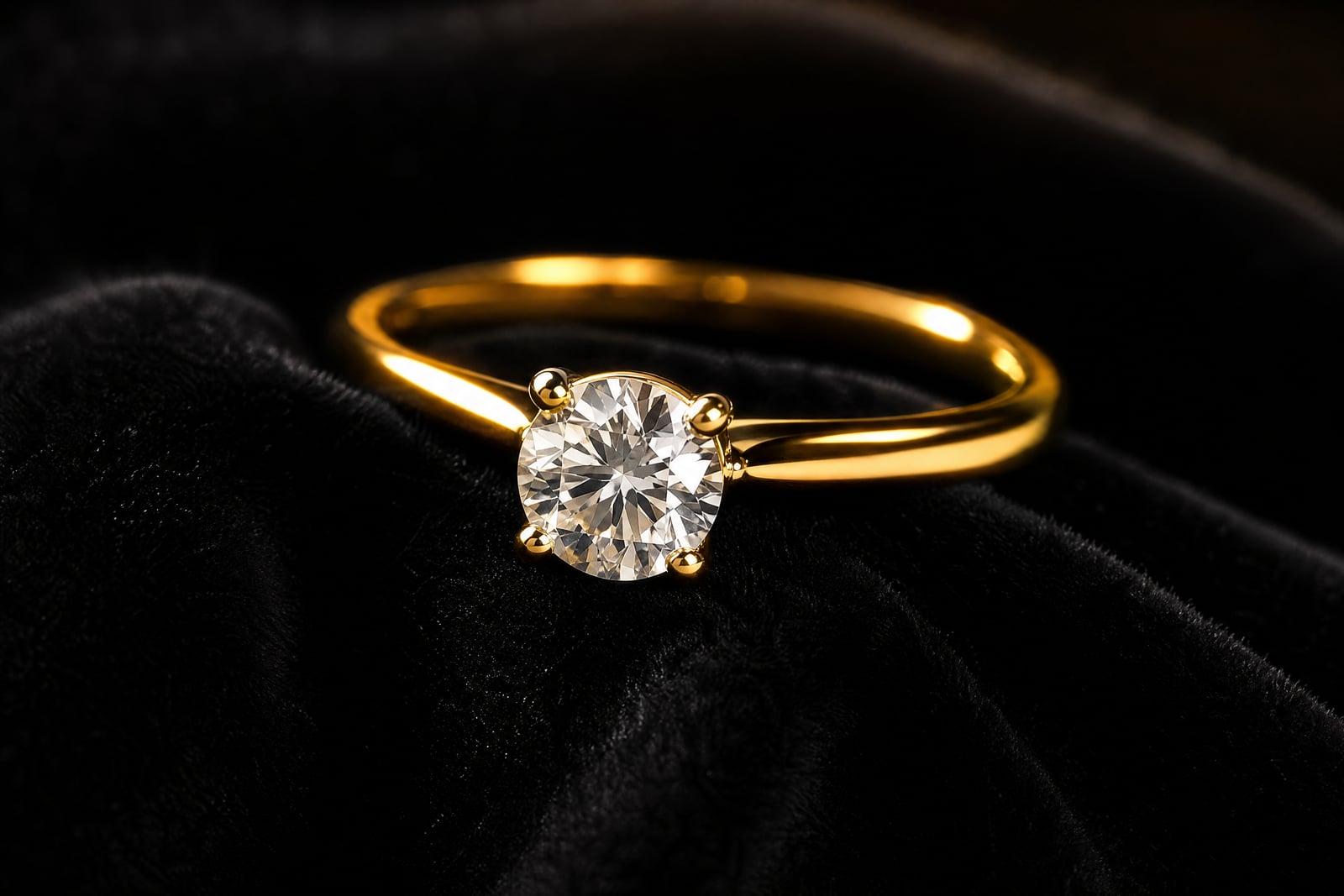
Jewelry Photography turns one photo of a ring, necklace, bracelet, or watch into a luxury product shot. Upload a clear picture of the piece, choose a setting like dark velvet, pale marble, or soft gradient, and generate. The metal gets clean reflections, the stones get their sparkle back, and the background stops looking like your kitchen table. What you receive is the kind of image buyers expect from an established brand.
What is the Jewelry Photography?
Jewelry Photography is a product-shot tool built around one upload: your piece. You photograph the item as clearly as you can, pick a backdrop and mood, and generate. The tool handles the relighting, reflection cleanup, and staging that jewelry normally demands, and returns an image where the piece itself, its stone shape, setting, and metal tone, stays true to what you photographed.
Jewelry is famously the hardest product category to shoot. Polished metal mirrors everything around it, including the photographer, and small stones need macro focus that phone cameras fake poorly. Professional jewelers solve this with light tents, focus stacking, and hours of dust retouching per piece. The tool absorbs all of that. Your job shrinks to wiping fingerprints off the band and taking one honest, well-lit photo.
Jewelry Photography features
True to the piece
Stone cut, prong count, engraving, and metal color stay faithful to your upload, because a listing photo that misrepresents a ring creates returns. Zoom in and verify the clasp details before you publish.
Reflections handled
Polished gold and silver mirror the room around them, which is why home jewelry shots look chaotic. The generator rebuilds reflections as clean, soft gradients the way a light tent would.
Backdrops that sell
Dark velvet for drama, pale stone for minimalist brands, warm silk for vintage pieces. Match the backdrop to your shop identity and keep it consistent across the whole collection.
Catalog in an afternoon
One upload per piece, one style choice, and each shot is done in moments. A fifty-item shop that would cost thousands to photograph professionally gets covered in a single sitting.
How to use the Jewelry Photography
- 1
Upload a jewelry photo
Clean the piece first; dust and fingerprints are the top spoilers. Shoot close, in daylight, on any plain surface. Sharpness matters more than the background you shoot on.
- 2
Choose a setting
Pick the backdrop and lighting mood. Dark backgrounds flatter diamonds and gold; lighter ones suit silver and delicate chains. Try both for a hero piece.
- 3
Generate
Inspect the result zoomed in. Confirm the stone shape, setting, and any engraving match your piece exactly, and rerun if a detail drifted.
- 4
Download or restyle
Download the shot for your listing, or regenerate with another backdrop for a second angle on the same product page. Both versions stay in your library.
Jewelry Photography details
| Best for | Jewelry sellers who need catalog-grade shots without studio gear. |
|---|---|
| Category | Business & marketing |
| Powered by | Nano Banana 2 (Google) |
| Credits per image | 40 credits at 1K |
| Photos you upload | Jewelry photo |
| Aspect ratios | 1:1, 4:3 |
| Adjustable options | Setting |
| Included in plans | Premium, Pro |
What people make with the Jewelry Photography
Etsy shops
A handmade jeweler with two hundred listings cannot photograph each one professionally. Consistent, catalog-grade shots across the whole shop make it read as a brand rather than a hobby.
Watch resellers
Someone flipping vintage watches needs shots that justify collector prices. A wrist-shot on a hotel desk becomes a moody macro photo that highlights the dial and bezel condition.
Custom commission previews
A bench jeweler delivering a custom engagement ring can send the client a luxury reveal image alongside the plain workshop photo, which turns into shareable social proof.
Brand lookbooks
A small jewelry label preparing a wholesale lookbook can shoot the entire seasonal line in-house and still hand buyers a document that looks agency-produced.
Jewelry Photography FAQ
Does Jewelry Photography keep my exact piece accurate?
It keeps the piece recognizable, including stone shape, metal tone, and setting style, but always inspect the output zoomed in. Very fine engraving or unusual clasps can shift slightly, and a quick regenerate usually fixes it.
What photo should I upload?
A sharp, close, daylight photo of the cleaned piece on any plain surface. Blur is the one thing the tool cannot recover, so steady your phone or rest it on a cup while shooting.
Can I use these shots in my shop listings and ads?
Yes. Generated images are yours to use commercially on marketplaces, your own store, and paid ads. Since the photo is based on your real piece, it also stays on the right side of listing-accuracy rules.
Do I need a light tent or a macro lens?
No. Replacing that equipment is the point of the tool. A recent phone camera in daylight captures enough detail; the generator supplies the studio lighting, the clean reflections, and the backdrop.
Can I get several backgrounds for the same piece?
Yes. Upload once and regenerate with different settings to build a full product page: a dark hero shot, a light detail shot, and a lifestyle-toned variant. Each run is quick and lands in your library.
Related tools
Pricing
Choose the perfect plan to unlock more creativity with premium AI-powered image generation.
Standard
Perfect for creators and content makers
- 1,500 Credits per month
- High-quality AI image generation
- Text-to-image & image-to-image
- Premium templates library
- Priority support
Premium
For professionals and power creators
- 4,000 Credits per month
- Ultra high-quality generations
- Advanced AI models & styles
- Priority processing & support
- Commercial usage rights
Pro
Most advanced models for premium visuals
- 10,000 Credits per month
- All models incl. Nano Banana PRO
- All resolutions (1K, 2K & 4K)
- Premium-quality generation & smart edits
- Priority processing & support
Need more credits?
All plans include the option to purchase additional credit packs when you need extra generating power. Scale your creativity without limits.
Payments are securely processed by Stripe, our merchant of record. Subscriptions renew automatically at the listed price until you cancel; cancel anytime in your account settings. By continuing you agree to our Terms, Privacy Policy and Refund & Cancellation Policy. Need help? Contact support@nanobananai.ai.