Fun & creative
AI Wallpaper Generator for phone and desktop backgrounds
Custom phone and desktop wallpapers generated from whatever scene you can describe.
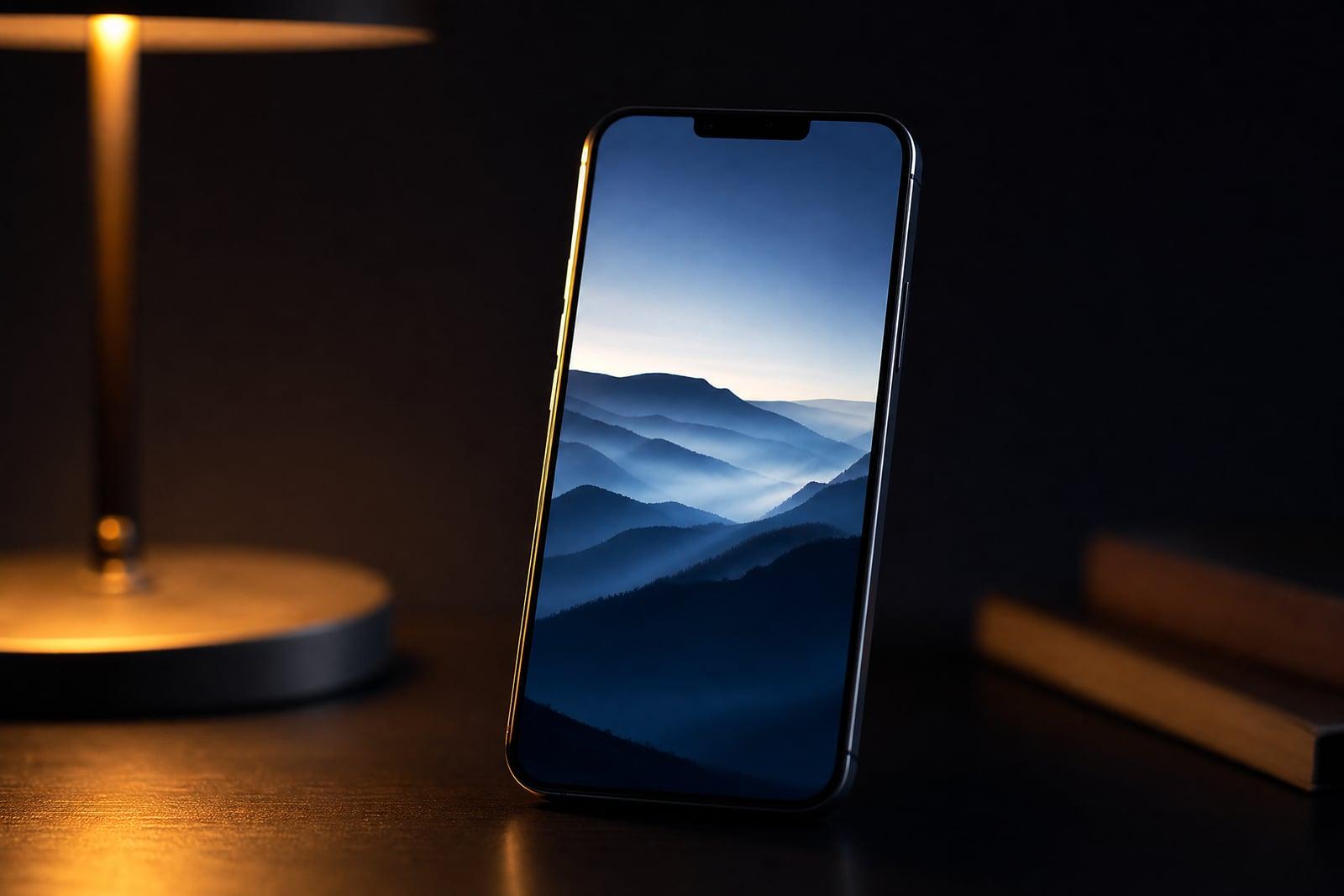
The AI Wallpaper Generator creates phone and desktop wallpapers from a text description. Type the scene you want, a misty forest at dawn, a minimal geometric gradient, a neon night city, choose the orientation, and generate. The result is a background composed for screens rather than a random image you have to crop. Everything saves to your library, so you can rotate wallpapers whenever you get bored.
What is the AI Wallpaper Generator?
The AI Wallpaper Generator is a text-to-image tool tuned for backgrounds. You describe a mood or scene, pick portrait for phones or widescreen for desktops, and generate. Because you start from words instead of a search box, you are not scrolling through the same wallpaper sites everyone else uses. The image that comes back exists nowhere else, and it matches your taste instead of approximating it.
Good wallpapers have constraints that normal images ignore. Phone wallpapers need vertical composition and calm zones where the clock and icons sit. Desktop backgrounds need detail that does not fight with open windows. The generator composes with screens in mind and keeps focal points away from the areas your interface covers, so the result still works once icons and widgets land on top of it.
AI Wallpaper Generator features
Any style you can describe
Minimal gradients, anime skies, oil-paint landscapes, dark academia libraries, sci-fi cityscapes. If you can put the mood into a sentence, the generator can draw it as a clean, screen-friendly background.
Phone and desktop formats
Choose vertical for lock screens or widescreen for monitors before you generate. The composition adapts to the shape, so a phone wallpaper is designed tall rather than awkwardly cropped from a horizontal image.
Matching set potential
Generate the same scene in both orientations for a phone and desktop pair, or run one prompt several times for a rotating collection that shares a single palette and mood.
Endless refresh
A new wallpaper costs a sentence and a short wait. Regenerate until the colors feel right, then come back next month when you want the lock screen to feel new again.
How to use the AI Wallpaper Generator
- 1
Describe the wallpaper
Write the scene, the color mood, and the vibe: "dark teal mountain ridge under stars, minimal, calm". Color words steer results more than most people expect.
- 2
Pick the orientation
Vertical for phone lock screens, widescreen for desktops and laptops. Decide first, because a composition designed for the right shape beats cropping every time.
- 3
Generate
Your wallpaper renders in moments and lands in your library. If the focal point sits where your clock lives, regenerate; each run gives a fresh composition.
- 4
Download and set it
Save the image to your device and set it as your background. Generate a second version in the other orientation if you want your phone and desktop to match.
AI Wallpaper Generator details
| Best for | Anyone who wants a phone or desktop background nobody else has |
|---|---|
| Category | Fun & creative |
| Powered by | Nano Banana (Google) |
| Credits per image | 20 credits at 1K |
| Photos you upload | None, this tool works from your text idea |
| Aspect ratios | 9:16, 16:9 |
| Adjustable options | Describe the wallpaper, Mood |
| Included in plans | Standard, Premium, Pro |
What people make with the AI Wallpaper Generator
Personal phone aesthetics
Build a lock screen that matches your exact taste instead of settling for the closest search result. One good prompt produces a wallpaper nobody else on the planet is currently using.
Desktop setups
PC builders can generate backgrounds that match a keyboard, lighting, and case theme. A background in the same palette ties the whole setup together, which matters when you photograph it for setup forums.
Seasonal rotations
Swap wallpapers with the seasons: rainy window scenes in autumn, snow fields in winter, wildflower meadows in spring. Generating each one takes less time than hunting it down on a wallpaper site.
Gifts and shared moods
Make a custom wallpaper for a friend built around their favorite animal, city, or color. It is a small gift, but a personal one they will see fifty times a day.
AI Wallpaper Generator FAQ
What sizes does the AI Wallpaper Generator support?
You pick the orientation before generating: vertical for phones, widescreen for desktops. The page shows the exact output options next to the generator. If you need both, run the same prompt twice, once per orientation, and the results stay stylistically close to each other.
How do I write a good wallpaper prompt?
Name the subject, the palette, and the mood in one sentence. "Foggy pine forest, muted green and charcoal, minimal, moody" works better than a paragraph. Mention "clean composition" if you plan to keep icons on top, and regenerate freely until it feels right.
Are the wallpapers unique?
Each generation is created fresh from your prompt, so you are not downloading a file thousands of other people already use. Two runs of the same prompt produce related but different images, which is handy for building a matching collection.
Can I use generated wallpapers commercially?
Yes. Images you generate are yours to use, including commercially, so creators can sell wallpaper packs or bundle backgrounds with digital products. For a personal lock screen there is nothing extra to do: download the image and set it.
How long does a wallpaper take to generate?
A few seconds per image, depending on the model you pick. That speed changes how you use the tool: instead of agonizing over one prompt, generate five variations, keep the best, and delete the rest from your library.
Related tools
Pricing
Choose the perfect plan to unlock more creativity with premium AI-powered image generation.
Standard
Perfect for creators and content makers
- 1,500 Credits per month
- High-quality AI image generation
- Text-to-image & image-to-image
- Premium templates library
- Priority support
Premium
For professionals and power creators
- 4,000 Credits per month
- Ultra high-quality generations
- Advanced AI models & styles
- Priority processing & support
- Commercial usage rights
Pro
Most advanced models for premium visuals
- 10,000 Credits per month
- All models incl. Nano Banana PRO
- All resolutions (1K, 2K & 4K)
- Premium-quality generation & smart edits
- Priority processing & support
Need more credits?
All plans include the option to purchase additional credit packs when you need extra generating power. Scale your creativity without limits.
Payments are securely processed by Stripe, our merchant of record. Subscriptions renew automatically at the listed price until you cancel; cancel anytime in your account settings. By continuing you agree to our Terms, Privacy Policy and Refund & Cancellation Policy. Need help? Contact support@nanobananai.ai.