Style transforms
Manga Style: redraw your photo as black-and-white manga art
Converts photos into inked manga panels with screentones for fans and artists.
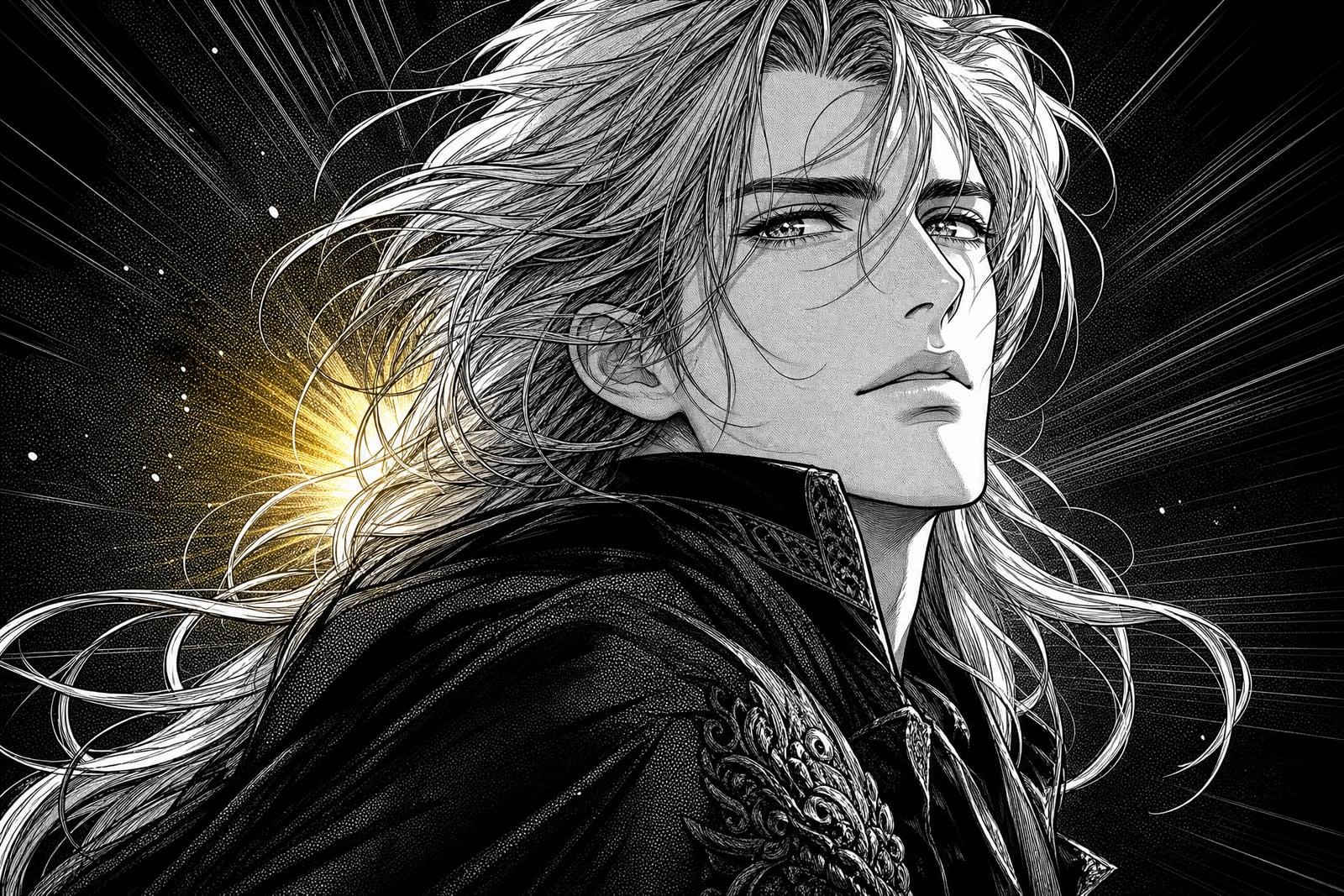
Manga Style converts your photo into black-and-white manga panel art. Upload one picture and the tool redraws it with fine ink linework, screentone shading, expressive eyes, and the dramatic framing of a printed manga page. The finished panel is saved to your library, and regenerating gives you alternate takes with different tone patterns and energy.
What is the Manga Style?
Manga Style is a photo converter on Nano Banana AI built around the visual language of Japanese comics. You upload a photo of yourself, a friend, or a pet, generate, and receive a monochrome panel: clean ink outlines, dot and hatch screentones for shadow, glossy highlighted eyes, and sometimes speed lines when the pose calls for drama. No drawing skill is involved on your end.
Manga shading is its own discipline. Artists build every gray from printed tone sheets, dots, gradients, crosshatch, and choosing where tone ends and white paper begins is what makes a panel breathe. The converter applies those tone decisions to your photo, keeps the line weights consistent, and translates your expression into manga conventions without letting the likeness slip away.
Manga Style features
Authentic screentones
Shadows are built from dot and hatch tone patterns rather than gray smudges, so the finished panel looks printed on real paper instead of run through a quick desaturation filter on a phone.
Expressive translation
Your smirk, glare, or laugh gets translated into manga expression language, bigger eyes and sharper brows, while the face underneath stays recognizably yours to anyone who knows you in real life.
Panel-ready framing
Compositions lean into manga staging: tight face crops, angled shoulders, and deliberate negative space where a dialogue bubble would naturally sit if you decided to letter the panel yourself later.
Quick tone variations
Each rerun shifts tone density and line energy, so you can compare a soft shoujo-leaning panel against a heavy high-contrast seinen one in under a minute and keep whichever suits your mood.
How to use the Manga Style
- 1
Upload a clear photo
Face-forward shots with even light convert best. Strong expressions translate beautifully into manga, so pick the photo where you are actually emoting.
- 2
Generate the panel
The tool inks your photo and lays down screentones. Check the eyes and hair first; they carry most of the manga character.
- 3
Try alternate tones
Regenerate to explore lighter or heavier toning. A denser tone pass reads moodier, a sparse one reads brighter and younger.
- 4
Download or refine
Save the panel you like. If the linework looks cluttered, upload a tighter crop with a cleaner background and run it again.
Manga Style details
| Best for | Manga readers who want themselves or their pets in panels. |
|---|---|
| Category | Style transforms |
| Powered by | Nano Banana (Google) |
| Credits per image | 20 credits at 1K |
| Photos you upload | Your photo |
| Aspect ratios | 3:4, 1:1, 4:3 |
| Adjustable options | None, one-click result |
| Included in plans | Standard, Premium, Pro |
What people make with the Manga Style
Manga fan avatars
A monochrome manga portrait is an instantly readable profile picture on Discord, X, or MyAnimeList. It tells people what you are into without spending a single word of your bio on it.
Webtoon and comic mockups
Aspiring comic writers convert reference photos of friends into manga panels to storyboard scenes and test compositions before committing to hand-drawn pages. It is a cheap way to see whether a layout works.
Gifts for manga readers
Turn a photo of your partner or sibling into a manga panel and print it small. For a lifelong reader, seeing themselves drawn in that style beats another bookmark or volume they already own.
Pet manga panels
Cats in particular are born manga characters. A screentoned panel of your cat mid-glare, complete with speed lines, makes a phone wallpaper you will never feel the urge to replace.
Manga Style FAQ
What makes Manga Style different from a regular anime filter?
Anime filters usually output colorful, painted-looking images. Manga Style is monochrome and print-focused: ink outlines, screentone dots and hatching, white-paper highlights, and panel-style framing. It imitates the look of a printed manga page rather than an animation still.
Do manga versions of my photo still look like me?
Yes, the tool keeps your features recognizable while translating them into manga conventions. Expect larger, glossier eyes and simplified noses, since that is the style, but face shape, hair, glasses, and expression stay clearly yours.
Can I turn my pet into a manga character?
Absolutely, pets convert wonderfully. Fur becomes flowing linework and screentone, and animal expressions read surprisingly well in manga language. A clear, well-lit photo of the face gives the strongest panel, and a dramatic pet glare is honestly the ideal input.
Is the output in color or black and white?
Black and white, in the tradition of printed manga. Shading comes from screentones rather than grayscale gradients. If you want a colorful Japanese-animation look instead, the photo-to-anime tool on the site is the better pick.
Who owns the manga panels I generate?
You do. Images you generate are yours to use, commercially included, so prints, avatars, and zine pages are all fine. The only thing to mind is your input: upload photos you took yourself or have permission to use, and you are set.
Related tools
Pricing
Choose the perfect plan to unlock more creativity with premium AI-powered image generation.
Standard
Perfect for creators and content makers
- 1,500 Credits per month
- High-quality AI image generation
- Text-to-image & image-to-image
- Premium templates library
- Priority support
Premium
For professionals and power creators
- 4,000 Credits per month
- Ultra high-quality generations
- Advanced AI models & styles
- Priority processing & support
- Commercial usage rights
Pro
Most advanced models for premium visuals
- 10,000 Credits per month
- All models incl. Nano Banana PRO
- All resolutions (1K, 2K & 4K)
- Premium-quality generation & smart edits
- Priority processing & support
Need more credits?
All plans include the option to purchase additional credit packs when you need extra generating power. Scale your creativity without limits.
Payments are securely processed by Stripe, our merchant of record. Subscriptions renew automatically at the listed price until you cancel; cancel anytime in your account settings. By continuing you agree to our Terms, Privacy Policy and Refund & Cancellation Policy. Need help? Contact support@nanobananai.ai.