Style transforms
Comic Book Generator: turn your photo into a dramatic comic panel
Redraws your photo as an inked, halftone comic panel complete with a caption.
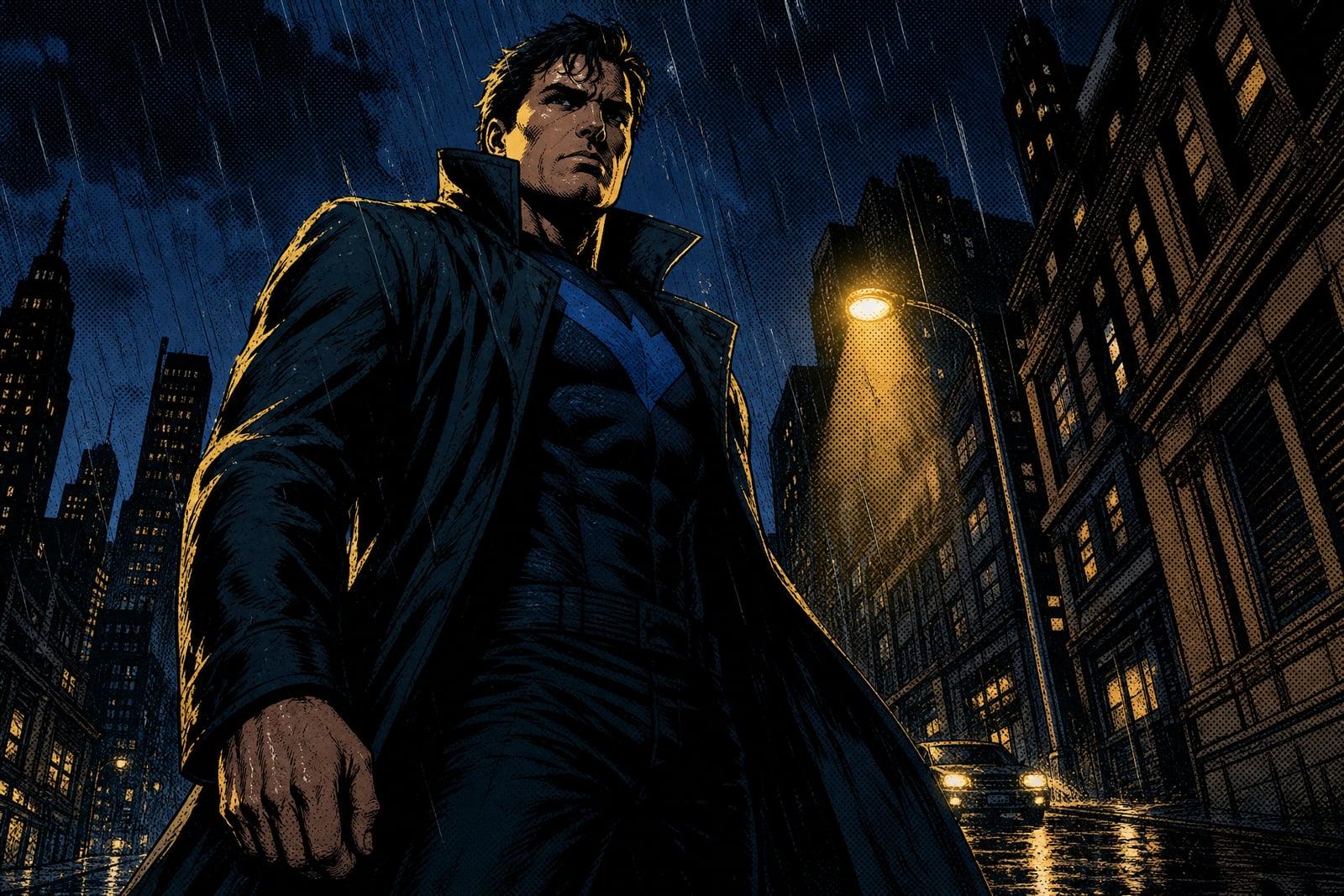
Comic Book Generator turns a photo of you, a friend, or your pet into a full comic-book panel: heavy ink outlines, halftone dot shading, dramatic lighting, and a caption box to set the scene. Upload one photo and generate. You get a finished panel in your library that looks pulled from a printed issue, and rerunning it gives you a fresh take on the same moment.
What is the Comic Book Generator?
Comic Book Generator is a style tool on Nano Banana AI that redraws photos as classic comic panels. Upload a single photo, hit generate, and the tool re-stages your image with bold inked linework, screen-print halftones, saturated color blocking, and a short caption in the panel. The framing gets more dramatic too, tighter angles and stronger shadows than the original snapshot.
Comic art is more than a line filter. A real panel needs confident ink weights, halftone dots that follow the light, and colors laid down in flat printed blocks, plus composition choices that give an ordinary photo some stakes. The generator handles all of that at once, so a phone picture of your buddy holding a coffee comes back looking like the opening panel of issue one.
Comic Book Generator features
Full panel treatment
You get inked outlines, halftone shading, printed-color blocking, and a caption box in one pass. The finished panel reads as a page torn from a comic, not a photo with its edges traced.
Drama built in
The generator pushes lighting and angle toward proper comic-book staging, so a plain selfie becomes a low-angle hero shot with shadows that mean something and a sky that looks ready for trouble.
Faces stay yours
Under all that ink, your features remain recognizable. Friends spot themselves in the panel instantly, which is the whole fun of putting real people into comics instead of inventing characters from scratch.
Endless retakes
Every regeneration re-stages the panel with new framing, lighting, and caption energy. Run it a few times, line the versions up in your library, and pick the panel that tells your story best.
How to use the Comic Book Generator
- 1
Upload your photo
A clear shot of one or two people with visible faces works best. Action poses, props, and expressive faces give the panel something to dramatize.
- 2
Generate the panel
The tool inks, shades, and stages your scene, then adds a caption. Expect the composition to get punchier than your original photo.
- 3
Rerun for a new take
Not feeling the caption or the angle? Regenerate. Each pass reinterprets the moment, and comparing two or three panels takes under a minute.
- 4
Download and share
Save your favorite panel from the library. Square-ish crops post well, and a short series of panels makes a great birthday message or story recap.
Comic Book Generator details
| Best for | Friends, couples, and creators who want their photos as comic panels. |
|---|---|
| Category | Style transforms |
| Powered by | Nano Banana 2 (Google) |
| Credits per image | 40 credits at 1K |
| Photos you upload | Your photo |
| Aspect ratios | 1:1, 3:4, 4:3 |
| Adjustable options | Caption text (optional) |
| Included in plans | Premium, Pro |
What people make with the Comic Book Generator
Birthday roasts
Turn an embarrassing photo of your best friend into a dramatic panel with a deadpan caption. It is the group-chat birthday post that actually gets screenshots instead of a polite row of thumbs up.
Couple and proposal stories
Re-tell how you met as a short run of comic panels, one photo per story beat. Printed and framed as a sequence, it beats a generic engagement gift by a comfortable mile.
Streamer and creator content
Streamers panel-ify their best reaction faces for thumbnails, emotes, and channel banners. The heavy inked style pops on a crowded subscriptions page where softer art simply disappears into the scroll.
D&D session recaps
Snap the table mid-chaos and turn the moment into a comic panel for the campaign log. Your barbarian player finally gets the dramatic cover treatment they have been demanding since session one.
Comic Book Generator FAQ
How does the Comic Book Generator turn a photo into a panel?
It redraws your uploaded photo with inked outlines, halftone dot shading, and flat printed-style colors, then re-stages the composition with more dramatic lighting and adds a caption box. The output is a single finished panel image saved to your library.
Can I choose or change the caption text in the panel?
The caption is generated as part of the panel, and each regeneration produces a new take on it. If the wording is not right, rerun the generation until a caption lands. Many people also crop the caption off and add their own text in any editor.
Will I still be recognizable under the comic ink?
Yes. The generator keeps your features recognizable through the stylization, so face shape, hair, and expression carry over. It is drawn art rather than a photograph, so expect bolder jawlines and punchier shadows than real life.
Can I make a multi-panel comic strip?
The tool produces one panel per photo, so make a strip by running several photos and arranging the panels in any layout app. One photo per story beat works well, and the consistent ink style ties the sequence together.
Can I use my comic panels commercially?
Yes, images you generate are yours to use, including for merch, thumbnails, and client work. Just use photos you have the right to upload, ideally your own shots of people who are okay with being panel-ified.
Related tools
Pricing
Choose the perfect plan to unlock more creativity with premium AI-powered image generation.
Standard
Perfect for creators and content makers
- 1,500 Credits per month
- High-quality AI image generation
- Text-to-image & image-to-image
- Premium templates library
- Priority support
Premium
For professionals and power creators
- 4,000 Credits per month
- Ultra high-quality generations
- Advanced AI models & styles
- Priority processing & support
- Commercial usage rights
Pro
Most advanced models for premium visuals
- 10,000 Credits per month
- All models incl. Nano Banana PRO
- All resolutions (1K, 2K & 4K)
- Premium-quality generation & smart edits
- Priority processing & support
Need more credits?
All plans include the option to purchase additional credit packs when you need extra generating power. Scale your creativity without limits.
Payments are securely processed by Stripe, our merchant of record. Subscriptions renew automatically at the listed price until you cancel; cancel anytime in your account settings. By continuing you agree to our Terms, Privacy Policy and Refund & Cancellation Policy. Need help? Contact support@nanobananai.ai.