Style transforms
Photo to Cartoon: turn yourself into a 3D animated character
Renders your photo as a polished 3D animation-style character for profile pictures, cards, and family keepsakes.
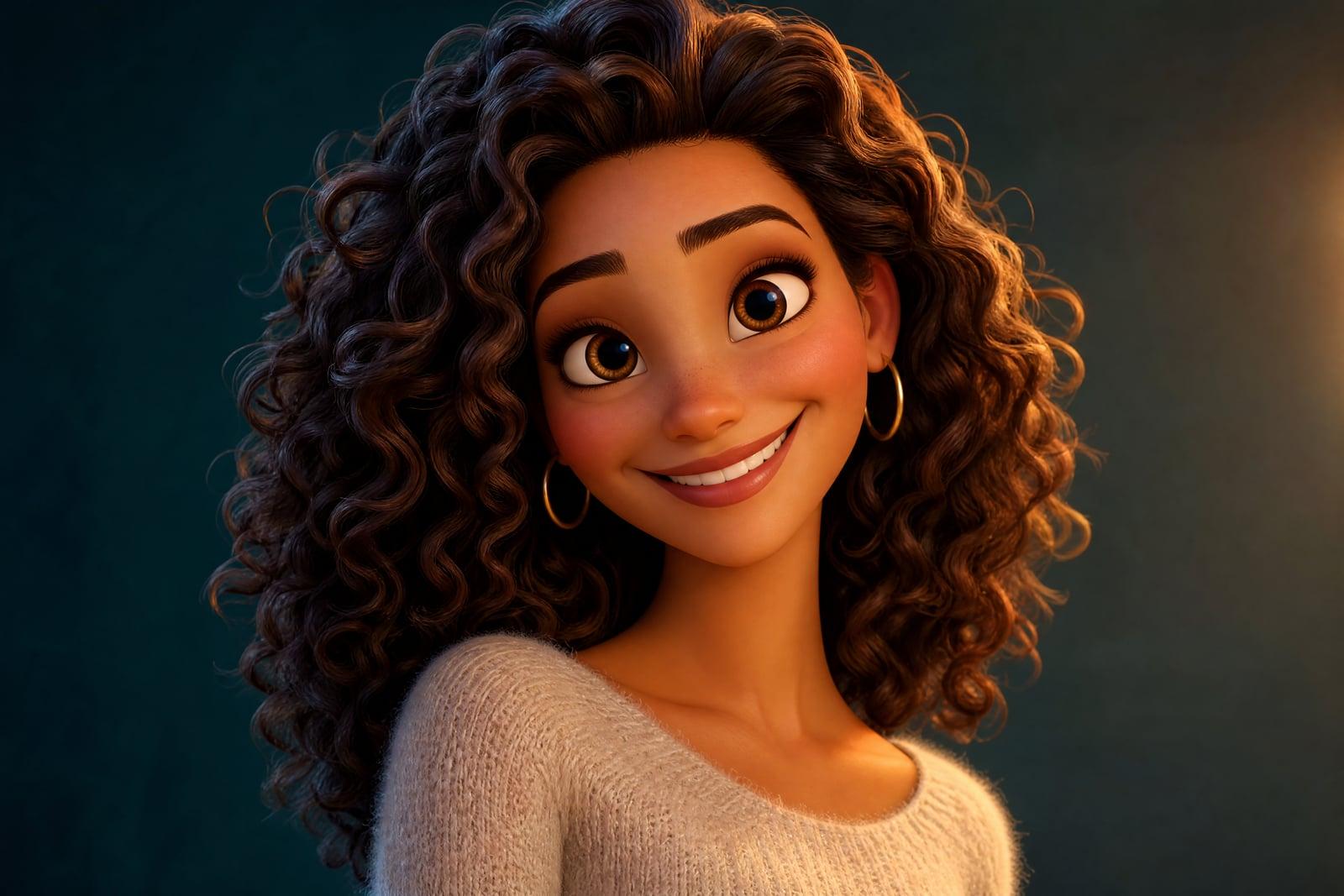
Photo to Cartoon turns a photo you upload into a polished 3D animated-movie style character. Upload one portrait and generate; the tool rebuilds you with the rounded features, glossy eyes, and soft lighting of a big-budget animated film, while your hairstyle, skin tone, and smile stay yours. Everything lands in your library, where rerunning a new take costs one click.
What is the Photo to Cartoon?
You upload a photo, hit generate, and get back a rendered character portrait, the kind of frame a feature animation studio would produce after weeks of modeling. It suits solo portraits, kids, couples, and pets alike. If the grin came out too wide or the eyes too glossy, a rerun takes seconds and reads the photo fresh.
The 3D look is hard to fake with filters because it is geometry, not color grading: rounded cheek volumes, soft skin glow, oversized eyes that still match yours, hair rebuilt as sculpted strands. The tool constructs all of that from a flat photo while keeping the person recognizable. Straight-on, well-lit portraits translate best; extreme side angles can distort the rebuilt face.
Photo to Cartoon features
True 3D movie look
This is the rendered animation aesthetic with volume and studio lighting, not a posterized photo. Skin gets a soft glow and hair becomes sculpted strands with highlights. The render quality holds up on large prints.
Family friendly results
It flatters everyone. Kids become instant movie protagonists and grandparents get kind, characterful faces. Pets convert too, keeping their real markings. The style is gentle with wrinkles and baby cheeks alike, so nobody in the family photo gets shortchanged.
Identity preserved
Your face shape, brows, and smile survive the cartoon exaggeration, so the character reads as you rather than a stock template with your hair color. Even side by side with your photo, the mapping is obvious.
Quick variations
Each run is fast and slightly different. Generate a few takes and pick the one where the expression matches your actual personality. Small changes in the source photo, a new angle or smile, also steer the result.
How to use the Photo to Cartoon
- 1
Upload a portrait
Choose a front-facing photo with soft, even light. Big expressions convert wonderfully here, so a real laugh beats a stiff ID-style photo.
- 2
Generate your character
One click renders the 3D-style portrait. Look at the eyes first; when they land, the whole character works. Then check the hair volume and skin tone.
- 3
Try another take
Regenerate to adjust how stylized the result feels. Some passes lean cuter, some more realistic, and picking between takes is the actual fun of it.
- 4
Download and share
Save your favorite from your library. It prints cleanly for cards and holds up as a crisp profile picture on any platform you use.
Photo to Cartoon details
| Best for | Families and anyone who wants a friendly animated portrait |
|---|---|
| Category | Style transforms |
| Powered by | Nano Banana (Google) |
| Credits per image | 20 credits at 1K |
| Photos you upload | Your photo |
| Aspect ratios | 1:1, 3:4, 4:3 |
| Adjustable options | None, one-click result |
| Included in plans | Standard, Premium, Pro |
What people make with the Photo to Cartoon
Family portrait upgrades
Cartoon the whole family one photo at a time and print the set for a hallway wall or holiday card. Relatives will ask where you had them made. Grandparents in particular never see it coming.
Kids' room art
A child as their own animated-movie hero makes bedroom wall art they genuinely care about. Pair it with a cartooned pet for a matched set. Swap the art out each year as they grow.
Friendly profile pictures
A 3D cartoon portrait is warm and approachable in places where a suit-and-tie headshot feels stiff: community forums, mentoring platforms, personal sites. It says approachable where a selfie can read careless.
Party and event invites
Drop cartooned guests of honor onto birthday or baby-shower invitations. It personalizes the card without hiring an illustrator for a one-day event. Guests recognize the birthday kid before reading a single word.
Photo to Cartoon FAQ
How does Photo to Cartoon work?
Upload one photo and generate. The tool rebuilds the person as a 3D animated-film style character, keeping real features like face shape, hair, and expression while adding the rounded geometry and studio lighting of feature animation. Results are ready in seconds.
Does it work on children's photos?
Yes, and kids are some of the best subjects, since the animated style already leans young and expressive. Photos stay in your private library under your account, and the results make popular birthday-party and bedroom art.
Can it cartoon my pet too?
Yes. Dogs and cats convert into animated-sidekick versions of themselves with their real coat colors and markings. A matched set of cartoon portraits, humans and pets together, is a common way people use this tool.
Will the cartoon still look like me?
It keeps your features recognizable while exaggerating them the way animation does: larger eyes, rounder forms, smoother skin. People who know you will spot you instantly. If a take drifts too far, regenerate; each pass reads the photo again.
Can I use my cartoon commercially?
Yes, images you generate are yours to use, including commercially. Freelancers put cartoon portraits on business cards and websites. If you cartoon someone else, get their permission before using their face in anything public. Consent matters more than copyright here.
Related tools
Pricing
Choose the perfect plan to unlock more creativity with premium AI-powered image generation.
Standard
Perfect for creators and content makers
- 1,500 Credits per month
- High-quality AI image generation
- Text-to-image & image-to-image
- Premium templates library
- Priority support
Premium
For professionals and power creators
- 4,000 Credits per month
- Ultra high-quality generations
- Advanced AI models & styles
- Priority processing & support
- Commercial usage rights
Pro
Most advanced models for premium visuals
- 10,000 Credits per month
- All models incl. Nano Banana PRO
- All resolutions (1K, 2K & 4K)
- Premium-quality generation & smart edits
- Priority processing & support
Need more credits?
All plans include the option to purchase additional credit packs when you need extra generating power. Scale your creativity without limits.
Payments are securely processed by Stripe, our merchant of record. Subscriptions renew automatically at the listed price until you cancel; cancel anytime in your account settings. By continuing you agree to our Terms, Privacy Policy and Refund & Cancellation Policy. Need help? Contact support@nanobananai.ai.