Photo fixes
Object Remover that erases distractions cleanly
Deletes unwanted people, wires, and clutter from a photo and fills in what was behind them.
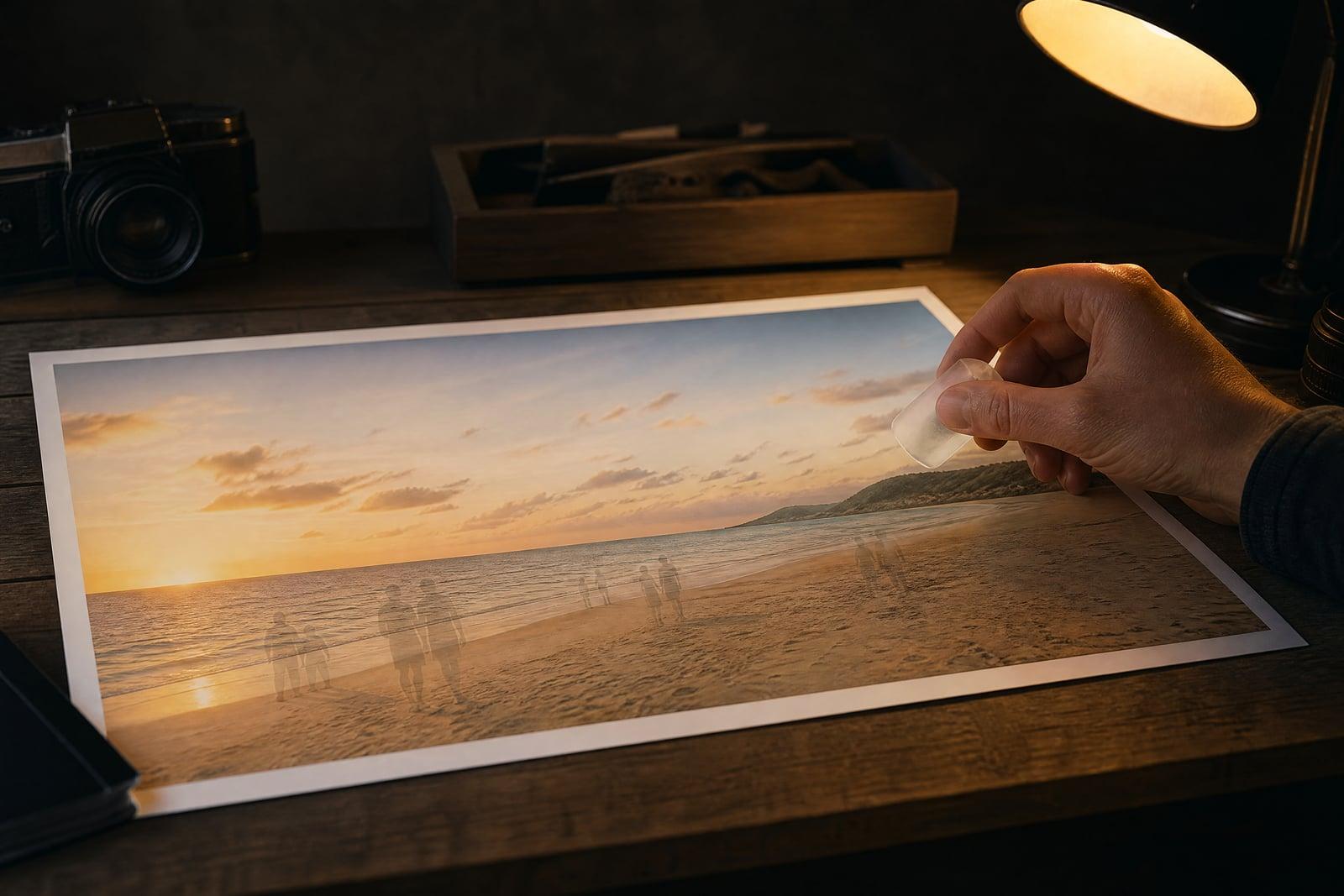
Object Remover erases unwanted objects or people from a photo and reconstructs the background where they stood. Upload the image, tell it what to take out, the stranger on the left, the trash can, the power lines, and generate. What comes back is the same photo with the distraction gone and the scene behind it filled in convincingly.
What is the Object Remover?
Object Remover is a one-photo tool for subtraction. You upload a shot, name what should disappear, and the tool removes it while rebuilding whatever the object was covering: pavement, sky, a hedge, the rest of a building. It works on photobombers, cars, cables, signs, litter, and your own thumb in the corner. The cleaned image saves to your library in under a minute.
The reason removal is hard by hand is the fill. Deleting the object is trivial, but the hole left behind has to be repainted with plausible texture that continues lines, shadows, and patterns from around it. Brick courses need to line up and railings need to keep their rhythm. The tool does that reconstruction in one pass, and the seam is usually impossible to find afterward.
Object Remover features
Convincing fills
Removed areas are rebuilt from the scene around them, so brick patterns continue, horizon lines stay straight, and shadows resolve. The goal is a photo where nobody can point to where the object was.
People and objects alike
Tourists in front of a monument, an ex at a wedding table, a bin next to a listing shot, or cables crossing a sky all come out with the same single step.
Describe, do not paint
You name the thing to remove in plain words instead of brushing a careful mask over it. Remove the red car on the left is a complete instruction.
Iterate freely
Big removals sometimes need two passes, one for the object and one for its shadow or reflection. Each pass is fast, so cleaning a busy street scene stays a minutes-long job.
How to use the Object Remover
- 1
Upload the photo
Use the sharpest version you have. The more surrounding detail the tool can see, the better it reconstructs whatever the object was hiding.
- 2
Say what to remove
Be specific and positional: the man in the blue jacket on the right, the power lines across the sky. One target per pass works most reliably.
- 3
Generate
The object disappears and the background fills in. Check the area at full size, especially repeating patterns like tiles, fences, and windows.
- 4
Rerun for leftovers
If a shadow, reflection, or second object remains, run another pass naming it. Stubborn spots usually clear on the second try.
Object Remover details
| Best for | Anyone with a great photo ruined by one thing in it. |
|---|---|
| Category | Photo fixes |
| Powered by | Nano Banana (Google) |
| Credits per image | 20 credits at 1K |
| Photos you upload | Your image |
| Aspect ratios | Follows the input image |
| Adjustable options | What should be removed? |
| Included in plans | Standard, Premium, Pro |
What people make with the Object Remover
Vacation photos
The one good shot of you at the fountain has six strangers in it. Removing them turns a crowded snapshot into the photo you thought you were taking, and nobody can tell.
Real estate listings
Agents clear bins, garden hoses, cars in driveways, and dated lawn ornaments from exterior shots. A tidy frame photographs a property the way a buyer wants to imagine it.
Resale product shots
Selling a couch means photographing your living room too. Removing the laundry basket and the cat tree keeps the buyer's eye on the actual item.
Landscape cleanup
Power lines, contrails, and distant roadside signs cut through otherwise strong landscape shots. Photographers erase them to get the clean horizon the location never quite offered.
Object Remover FAQ
Can the Object Remover take a person out of a group photo?
Yes. Describe the person by position or clothing and they are removed, with the background rebuilt where they stood. If they overlapped someone else, arm on a shoulder, the tool reconstructs the covered area too, though tight overlaps may take a second pass.
What does the removed area get replaced with?
A continuation of whatever surrounds it. Sky extends, pavement continues, foliage fills in, and patterns like brick or fencing carry through. The fill is generated to match lighting and grain, so it blends with the rest of the frame.
How large an object can I remove?
Small and medium objects are the sweet spot. Removing something that covers half the frame forces the tool to invent a lot of scene, and results get less predictable. For very large removals, expect to regenerate a few times and pick the best fill.
Does it also remove shadows and reflections?
Usually the obvious ones go with the object, but strong shadows or mirror reflections sometimes survive the first pass. Naming them explicitly, and the shadow it casts on the sand, in a follow-up pass clears them.
Is my photo private while I edit it?
Yes. Your upload is used to generate your cleaned image and both are stored in your private library. You can delete them at any time, and the results are yours to use, commercially included.
Related tools
Pricing
Choose the perfect plan to unlock more creativity with premium AI-powered image generation.
Standard
Perfect for creators and content makers
- 1,500 Credits per month
- High-quality AI image generation
- Text-to-image & image-to-image
- Premium templates library
- Priority support
Premium
For professionals and power creators
- 4,000 Credits per month
- Ultra high-quality generations
- Advanced AI models & styles
- Priority processing & support
- Commercial usage rights
Pro
Most advanced models for premium visuals
- 10,000 Credits per month
- All models incl. Nano Banana PRO
- All resolutions (1K, 2K & 4K)
- Premium-quality generation & smart edits
- Priority processing & support
Need more credits?
All plans include the option to purchase additional credit packs when you need extra generating power. Scale your creativity without limits.
Payments are securely processed by Stripe, our merchant of record. Subscriptions renew automatically at the listed price until you cancel; cancel anytime in your account settings. By continuing you agree to our Terms, Privacy Policy and Refund & Cancellation Policy. Need help? Contact support@nanobananai.ai.