Style transforms
Photo to Sketch: pencil drawings and line art from any photo
Converts photos into pencil sketches or clean line art for gifts, portfolios, and craft projects.
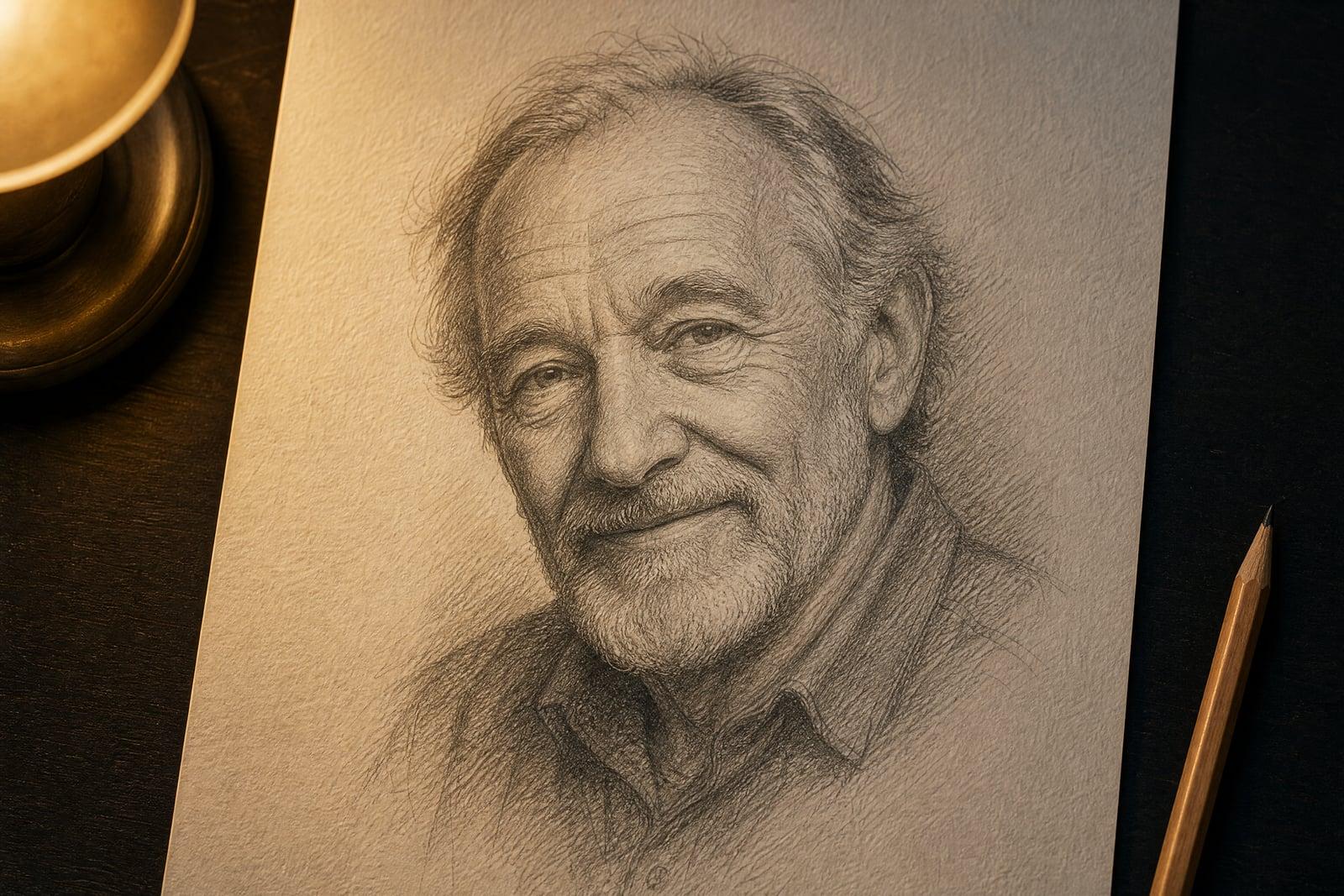
Photo to Sketch converts a photo you upload into a hand-drawn sketch: soft graphite portraits, bold ink lines, or clean minimal line art. Upload one image, choose the direction you want, and generate. Stroke texture, cross-hatching, and paper grain come out looking drawn rather than filtered. Sketches save to your library, and rerunning in a different drawing style is quick.
What is the Photo to Sketch?
The process is simple: upload a photo, pick how sketchy or precise you want the drawing, and generate. Graphite-style output keeps shading and depth, while line-art output strips the image down to confident outlines. People use the first for portrait gifts and the second for coloring pages, craft templates, and reference art to discuss with a tattoo artist.
A convincing sketch is more than a gray filter. Real drawings decide what to leave out, and that selectivity is what the tool reproduces: hair becomes a few hundred directional strokes, skin shading becomes hatching, backgrounds fade to suggestion. It keeps faces accurate underneath the pencil work. High-contrast photos with a clear subject produce the most confident lines.
Photo to Sketch features
Real stroke texture
Output shows pencil pressure, hatching direction, and paper tooth instead of a uniform gray blur. Zoomed in, it reads like a drawing, which is the whole point. The strokes follow form the way a trained hand would.
Portrait accuracy
Faces stay true under the sketching. The likeness in a graphite portrait is what makes it gift-worthy, and the tool protects it while loosening everything else. Eyes and mouths get the most careful treatment.
Line art mode
Ask for clean outlines and you get single-weight line work, ready for coloring books, laser engraving, embroidery patterns, or a tattoo consultation. The outlines come out closed and clean, which cutting machines care about.
Fast experiments
Reruns are quick, so you can take the same photo through loose charcoal, tight graphite, and minimal line treatments before choosing which one to print. Comparing takes side by side makes the choice easy.
How to use the Photo to Sketch
- 1
Upload your photo
High contrast helps. A portrait with directional light, or a pet against a plain wall, gives the sketch strong shapes to work with.
- 2
Pick a drawing style
Start with graphite for portraits and line art for craft projects. The style choice changes the output more than anything else on the page.
- 3
Generate the sketch
Review the strokes around the eyes and hair, where drawings live or die. Regenerate if the shading feels muddy. Graphite hides flaws; line art exposes them.
- 4
Download or go again
Save the version you like, or rerun the same upload in a second style. Many people keep both a shaded and an outline version.
Photo to Sketch details
| Best for | Gift givers and crafters who need drawn versions of photos |
|---|---|
| Category | Style transforms |
| Powered by | Nano Banana (Google) |
| Credits per image | 20 credits at 1K |
| Photos you upload | Your photo |
| Aspect ratios | 1:1, 3:4, 4:3 |
| Adjustable options | Sketch style |
| Included in plans | Standard, Premium, Pro |
What people make with the Photo to Sketch
Memorial and gift portraits
A graphite sketch of a parent, grandparent, or pet is a classic framed gift. Generate it from a favorite photo instead of commissioning weeks in advance. Add the person's name and a date when you frame it.
Custom coloring pages
Turn family photos into line-art coloring pages for kids. A rainy-afternoon activity where they color themselves and the dog is an easy win. Print a stack and the birthday party entertains itself.
Tattoo reference art
Bring your artist a clean line rendering of the photo you want inked. It gives the two of you a concrete starting point instead of a blurry phone picture. Artists appreciate clients who arrive prepared.
Craft and maker projects
Line art from photos feeds directly into vinyl cutters, laser engravers, and embroidery software, which all want simple, confident outlines rather than photographs. Skip the hours of manual tracing in a vector editor.
Photo to Sketch FAQ
How do I convert a photo to a sketch?
Upload the photo to Photo to Sketch, choose a pencil or line-art style, and generate. The drawing is ready in seconds and saves to your library. No drawing ability or desktop software is needed, and reruns in other styles are quick.
What is the difference between sketch and line art output?
Sketch output keeps shading, hatching, and depth, like a graphite portrait. Line art strips the image to clean outlines with no fill, which suits coloring pages, engraving, and stencils. Both start from the same upload, so try each.
Will Photo to Sketch keep the likeness in a portrait?
Yes, likeness is the priority. The tool loosens backgrounds and clothing into gestural strokes but keeps facial proportions accurate, since a portrait sketch that does not look like the person has failed at its one job.
Can I sell prints of the sketches?
Yes. Images you generate are yours to use commercially, so selling prints, using sketches in client work, or putting them on products is fine. For photos of other people, get their permission first. The same applies to sketches of pets and private property.
What photos sketch badly?
Dim, low-contrast, or heavily filtered photos give the tool weak shapes, and the drawing comes out mushy. Busy backgrounds also compete with the subject. Crop close and favor good light, and even a phone snapshot will sketch well.
Related tools
Pricing
Choose the perfect plan to unlock more creativity with premium AI-powered image generation.
Standard
Perfect for creators and content makers
- 1,500 Credits per month
- High-quality AI image generation
- Text-to-image & image-to-image
- Premium templates library
- Priority support
Premium
For professionals and power creators
- 4,000 Credits per month
- Ultra high-quality generations
- Advanced AI models & styles
- Priority processing & support
- Commercial usage rights
Pro
Most advanced models for premium visuals
- 10,000 Credits per month
- All models incl. Nano Banana PRO
- All resolutions (1K, 2K & 4K)
- Premium-quality generation & smart edits
- Priority processing & support
Need more credits?
All plans include the option to purchase additional credit packs when you need extra generating power. Scale your creativity without limits.
Payments are securely processed by Stripe, our merchant of record. Subscriptions renew automatically at the listed price until you cancel; cancel anytime in your account settings. By continuing you agree to our Terms, Privacy Policy and Refund & Cancellation Policy. Need help? Contact support@nanobananai.ai.