Style transforms
Watercolor Painting from any photo, soft and hand-painted
Convert a photo into a delicate watercolor with real pigment blooms and paper texture.
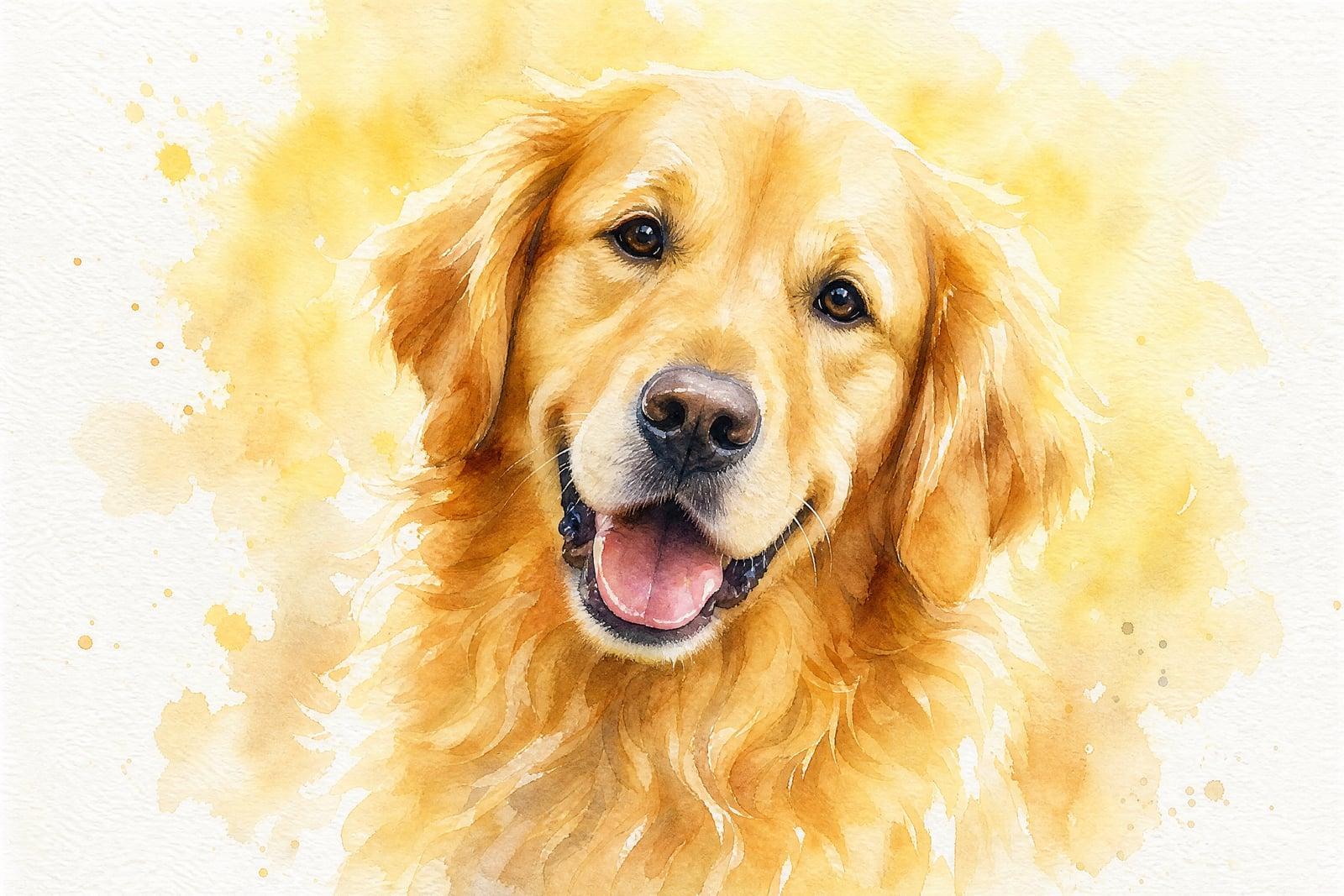
Watercolor Painting converts a photo you upload into a soft, hand-painted watercolor. Pigment blooms where colors meet, edges stay loose, and the white of the paper shows through in the highlights. It suits portraits, pets, houses, and travel shots. Upload one image, generate, and download a painting that looks like it took an afternoon and a very good brush.
What is the Watercolor Painting?
This is a single-photo transform. Upload a portrait, a landscape, or a picture of your childhood home, optionally mention a palette or how loose you want the brushwork, and generate. The result keeps the composition of your photo but rebuilds it in translucent washes with visible paper texture. Everything saves to your library, where you can download it for printing or sharing.
Watercolor is unforgiving to fake. Filters tend to smear a photo and call it painting, but real watercolor has hard and soft edges in deliberate places, granulation in the washes, and untouched paper standing in for light. The tool makes those decisions the way a painter would, simplifying detail where a brush cannot hold it and letting backgrounds dissolve into wash.
Watercolor Painting features
Real watercolor behavior
Blooms, backruns, granulating pigment, and dry-brush edges appear where a painter would leave them. The result reads as paint on cotton paper, not a blur filter dragged over a photograph.
Portraits keep their likeness
Faces come through loose but recognizable. Skin turns into layered washes while the eyes, hairline, and smile stay true, which is what separates a keepsake portrait from a pretty stranger.
Any subject works
People, pets, wedding venues, houses, and holiday landscapes all translate well. Architectural lines stay straight enough to satisfy, while foliage and skies get the loose, luminous treatment watercolor does best.
Iterate on looseness
Ask for tight botanical-style detail or big splashy washes and compare the two. Generations are fast, so finding the sweet spot between accuracy and looseness takes a few minutes rather than a back-and-forth with a commissioned artist.
How to use the Watercolor Painting
- 1
Upload your photo
Choose an image with a clear subject and some contrast. Watercolor simplifies aggressively, so a busy background will dissolve; crop to what matters before uploading.
- 2
Set the style
Mention a palette or mood if you have one: muted earth tones, bright florals, loose and splashy, or tight and detailed. Skipping this gives a balanced default.
- 3
Generate
The painting appears in your library moments later. Look at the edges first; good watercolor lives in the transitions between crisp detail and soft wash.
- 4
Download or refine
Save it, print it, or adjust your description and regenerate. A slightly different prompt often shifts the whole mood of the painting.
Watercolor Painting details
| Best for | Gift-givers and sellers who want real-looking watercolor art from photos |
|---|---|
| Category | Style transforms |
| Powered by | Nano Banana (Google) |
| Credits per image | 20 credits at 1K |
| Photos you upload | Your photo |
| Aspect ratios | Follows the input image |
| Adjustable options | None, one-click result |
| Included in plans | Standard, Premium, Pro |
What people make with the Watercolor Painting
Wedding keepsakes
A watercolor of the venue or the first-dance photo makes a first-anniversary gift with genuine sentiment behind it. Couples also print paintings of the ceremony spot on thank-you cards and invitations.
Pet portraits
Watercolor flatters fur. A painting of a dog or cat, generated from a favorite photo, prints beautifully for a frame above the food bowl or as a gentle memorial piece.
House portraits
A painting of a family home is a classic closing gift from realtors and a sweet way to remember a first apartment. Generate it from a straight-on exterior photo taken in good light.
Shop-ready art prints
Etsy sellers turn travel photos and florals into watercolor prints, cards, and calendar pages. One good source photo becomes a sellable listing without hiring an illustrator for every new design.
Watercolor Painting FAQ
What photos turn into the best watercolor paintings?
Photos with a clear subject, decent light, and some breathing room around the edges. Watercolor thrives on simplification, so a portrait against sky beats a crowd shot. If your photo is cluttered, crop it down to the subject before you upload.
Does the Watercolor Painting tool keep faces accurate?
Yes, within the honesty of the medium. Features stay recognizable while skin and hair loosen into washes. Very small faces in wide shots lose the most detail, so for portraits, upload something where the face has real size in the frame.
Can I choose the colors?
You can steer the palette by describing it: warm autumn tones, muted greys with one red accent, classic botanical greens. The tool balances your request against the colors already in the photo, which usually lands somewhere pleasing.
Can I print and sell the paintings?
Yes. Generated images are yours to use commercially, so prints, cards, and client commissions are all fine. For crisp large prints, download the full-size result and test one print at home before committing to a big order.
How is this different from a watercolor filter?
A filter smudges pixels uniformly across the frame. This rebuilds the image the way a painter would: simplified shapes, deliberate edges, paper left white for highlights. Side by side, the filter looks like a processed photo and this looks like a painting.
Related tools
Pricing
Choose the perfect plan to unlock more creativity with premium AI-powered image generation.
Standard
Perfect for creators and content makers
- 1,500 Credits per month
- High-quality AI image generation
- Text-to-image & image-to-image
- Premium templates library
- Priority support
Premium
For professionals and power creators
- 4,000 Credits per month
- Ultra high-quality generations
- Advanced AI models & styles
- Priority processing & support
- Commercial usage rights
Pro
Most advanced models for premium visuals
- 10,000 Credits per month
- All models incl. Nano Banana PRO
- All resolutions (1K, 2K & 4K)
- Premium-quality generation & smart edits
- Priority processing & support
Need more credits?
All plans include the option to purchase additional credit packs when you need extra generating power. Scale your creativity without limits.
Payments are securely processed by Stripe, our merchant of record. Subscriptions renew automatically at the listed price until you cancel; cancel anytime in your account settings. By continuing you agree to our Terms, Privacy Policy and Refund & Cancellation Policy. Need help? Contact support@nanobananai.ai.