Style transforms
Impressionist Painting: your photo in dappled light
Repaint any photo with loose impressionist brushwork and glowing natural light.
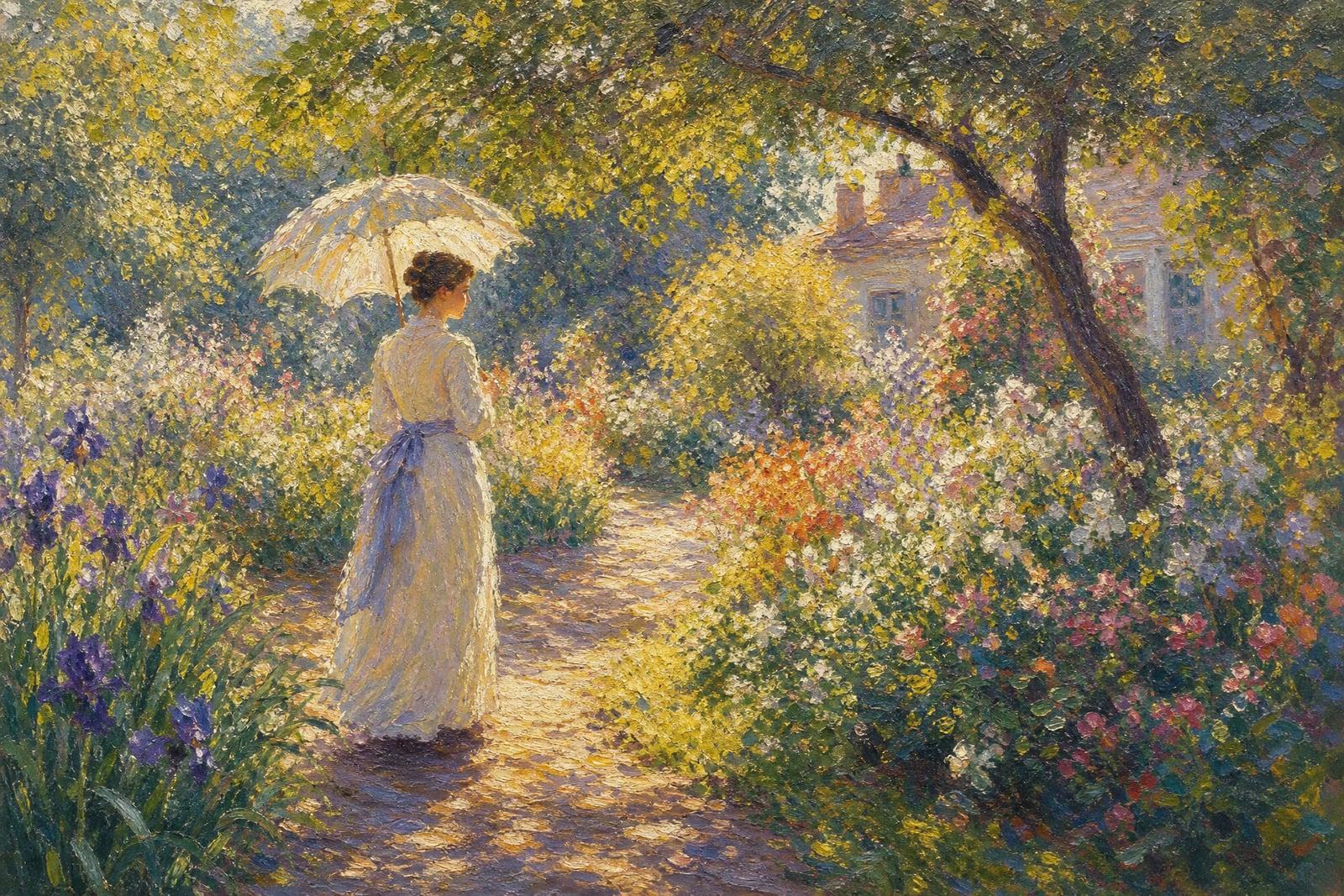
Impressionist Painting repaints a photo you upload in the loose, light-obsessed style of the impressionists: short visible brushstrokes, colors mixed on the canvas rather than the palette, and sunlight treated as the real subject. Upload one photo, generate, and get a painting where a park picnic looks like it belongs in a gilded frame. Gardens, cafes, and outdoor portraits shine in this style.
What is the Impressionist Painting?
The tool takes one photo and rebuilds it stroke by stroke. Edges dissolve, color arrives in small vibrating dabs, and light becomes the organizing idea of the picture. You can nudge it warmer or cooler, or ask for more or less looseness in the handling. The photo choice does the steering: outdoor light, water, foliage, and figures at ease produce the most convincing canvases.
The impressionist look is easy to imitate badly. A brush filter dabs uniformly over everything and loses the drawing underneath. The genuine style keeps a firm structure, faces, posture, perspective, while letting the surface break into color. That balance is what the generator manages: your scene stays legible and the person stays themselves while the paint does its shimmering thing.
Impressionist Painting features
Light as the subject
Dappled sun, hazy afternoons, and reflections on water get amplified into the glowing look the movement is known for. Flat photos gain an atmosphere the original camera never captured, which is most of the charm.
Broken color brushwork
Shading becomes side-by-side dabs of contrasting color instead of smooth gradients. Up close it is a pleasant mess of strokes; at arm's length it snaps into a coherent, glowing scene.
Structure underneath
Faces, posture, and perspective stay correctly drawn beneath the loose surface. Portraits remain recognizably your people rather than colorful smears in hats, which is the usual failure mode of cheap brush effects.
Quick to explore
Run the same photo warm and golden, then cool and misty, and compare the results. Generations take moments, and small changes in the mood you describe swing the entire canvas noticeably.
How to use the Impressionist Painting
- 1
Upload your photo
Outdoor shots with natural light convert best: gardens, beaches, terraces, tree-lined streets. Midday flash photos work, but golden-hour light gives the style much more to say.
- 2
Describe the mood
Optionally steer it: warm late-afternoon glow, cool morning haze, a garden palette heavy on greens and violets. One short phrase is enough to shift the painting.
- 3
Generate
The canvas renders quickly. Step back from the screen, literally, when judging it; impressionist brushwork is built to resolve at a distance.
- 4
Download or refine
Keep the best canvas or regenerate with a new mood. The same photo painted at two times of day makes a lovely printed pair.
Impressionist Painting details
| Best for | People with a sunlit photo that deserves to be a canvas |
|---|---|
| Category | Style transforms |
| Powered by | Nano Banana (Google) |
| Credits per image | 20 credits at 1K |
| Photos you upload | Your photo |
| Aspect ratios | Follows the input image |
| Adjustable options | None, one-click result |
| Included in plans | Standard, Premium, Pro |
What people make with the Impressionist Painting
Travel memories as art
That photo of a Lisbon terrace or a lake at dusk becomes a canvas worth printing large. Travel scenes carry the style naturally and quietly hide tourist clutter in the brushwork.
Garden and home pride
Gardeners repaint their beds at peak bloom and print the result for the hallway. The style flatters flowers more than any photograph, since every petal becomes a confident stroke of color.
Soft family portraits
A kids-in-the-park photo turns into something you would frame in a nursery or gift to grandparents. The loose style keeps the moment while gently dissolving the sippy cups and grass stains.
Calming desktop art
A personal photo rendered as a hazy canvas makes a desktop or tablet wallpaper that stays easy on the eyes through a full workday, and it is yours rather than a stock painting.
Impressionist Painting FAQ
What kind of photo suits an Impressionist Painting best?
Outdoor photos with natural light: parks, gardens, water, street cafes, people at leisure. The style is about light and atmosphere, so a sunlit ordinary moment beats a technically perfect studio shot. Indoor photos work if a window is doing the lighting.
Will people in my photo stay recognizable?
Yes, in the way figures in impressionist portraits are: features simplify into confident strokes but likeness and posture hold. If a face gets too loose, crop closer to the person and regenerate, which tightens the brushwork on the features.
Can I control how loose the brushwork is?
You can. Ask for tighter, more detailed handling or big loose dabs, and the surface follows. The default sits in the middle. Portraits usually deserve a tighter setting, while landscapes take looseness beautifully at almost any scale.
Is this the same as an oil painting effect?
They are cousins. The oil converter aims at classical, studio-lit realism with deep shadow. This one goes for outdoor light, broken color, and dissolved edges. If your photo is about a mood or a place, impressionism usually wins; formal portraits lean toward oil.
Can I print it as a canvas and sell prints?
Yes. Images you generate are yours, commercial use included, and the painterly texture prints especially well on canvas stock. Sellers who offer custom paintings made from customer photos use exactly this kind of workflow every day.
Related tools
Pricing
Choose the perfect plan to unlock more creativity with premium AI-powered image generation.
Standard
Perfect for creators and content makers
- 1,500 Credits per month
- High-quality AI image generation
- Text-to-image & image-to-image
- Premium templates library
- Priority support
Premium
For professionals and power creators
- 4,000 Credits per month
- Ultra high-quality generations
- Advanced AI models & styles
- Priority processing & support
- Commercial usage rights
Pro
Most advanced models for premium visuals
- 10,000 Credits per month
- All models incl. Nano Banana PRO
- All resolutions (1K, 2K & 4K)
- Premium-quality generation & smart edits
- Priority processing & support
Need more credits?
All plans include the option to purchase additional credit packs when you need extra generating power. Scale your creativity without limits.
Payments are securely processed by Stripe, our merchant of record. Subscriptions renew automatically at the listed price until you cancel; cancel anytime in your account settings. By continuing you agree to our Terms, Privacy Policy and Refund & Cancellation Policy. Need help? Contact support@nanobananai.ai.