Style transforms
Ukiyo-e Style art from your photo, woodblock lines and all
Convert any photo into a classic Japanese woodblock print with flat color and flowing lines.
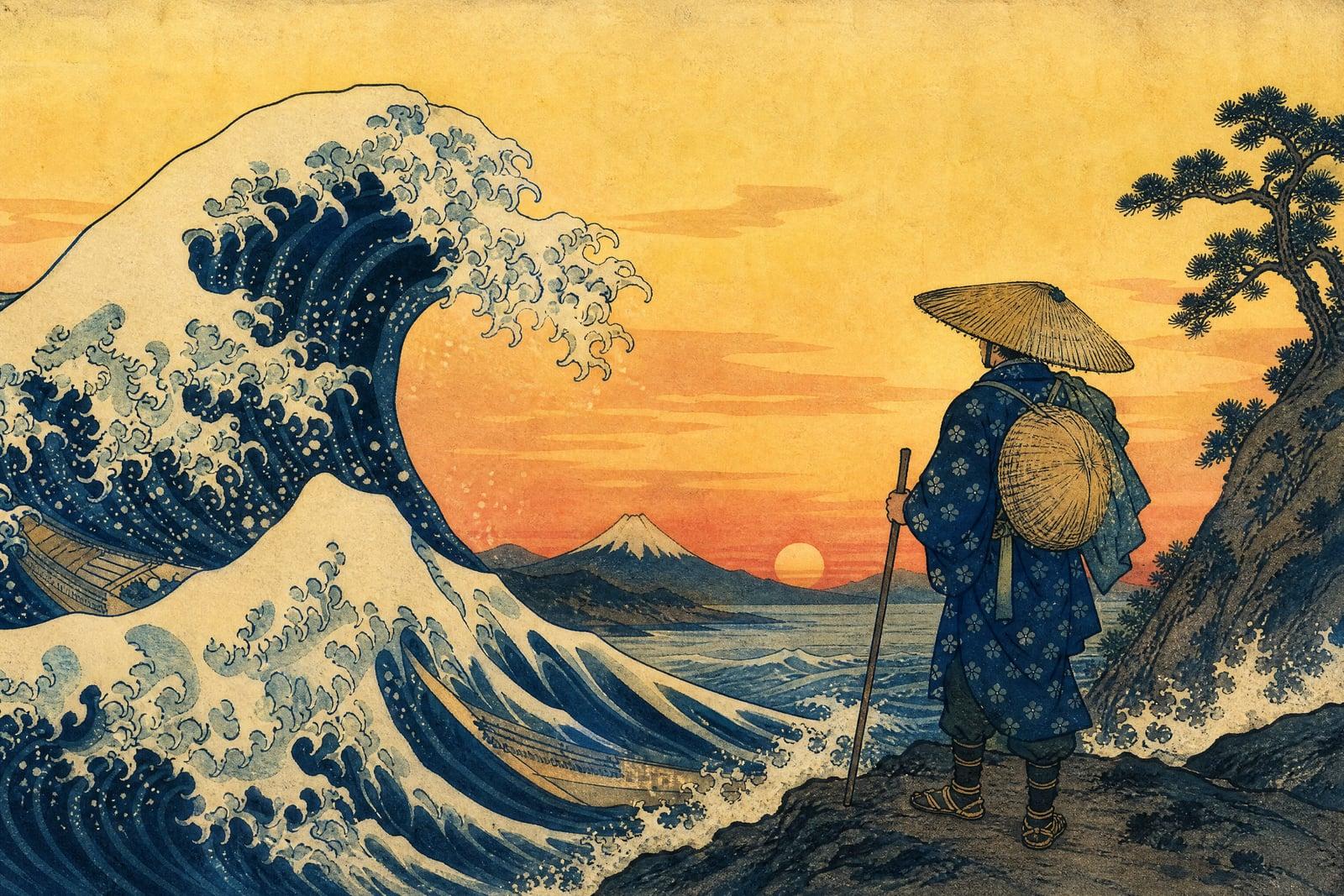
Ukiyo-e Style turns a photo you upload into a Japanese woodblock print in the tradition of the Edo-period masters. Flowing ink outlines, flat planes of color, stylized waves and clouds, and the soft grain of washi paper replace photographic detail. Upload one image, generate, and your portrait, pet, or city street comes back looking like it was carved, inked, and pressed by hand.
What is the Ukiyo-e Style?
The tool needs one photo. It redraws your subject with the visual rules of ukiyo-e: confident contour lines, flattened perspective, limited harmonious color, and decorative treatment of skies, water, and fabric. You can mention a mood or setting, a wave-tossed sea, cherry blossoms, a mountain on the horizon, and the composition adapts around it. Prints save to your library ready for download.
Woodblock style is strict, which is what makes it hard to fake. Gradients are almost absent, shading comes from line and color choice, and every element gets simplified into an elegant shape. A generic anime filter misses all of that. The generator follows the older grammar: soft bokashi-style color fades in the skies, patterned textiles, and faces stylized without losing who they are.
Ukiyo-e Style features
Edo-period visual rules
Flat color planes, carved outline work, stylized natural elements, and washi grain give the output the character of a real print rather than a modern cartoon with a Japanese theme applied.
Full scenery treatment
Skies fade like hand-applied bokashi ink, waves curl into decorative crests, and mountains flatten into layered silhouettes. Backgrounds become part of the artwork instead of leftover photo blur sitting behind the subject.
Stylized but still you
Faces follow ukiyo-e conventions, simplified features and graceful lines, while keeping hair, glasses, and expression recognizable. The balance lands closer to a period portrait of you than to a caricature.
One photo, many prints
Regenerate to vary the palette, season, or backdrop and build a matching series. Three views of the same subject across different seasons make a handsome triptych for a bedroom wall.
How to use the Ukiyo-e Style
- 1
Upload your photo
Photos with a clear subject and a visible silhouette convert best. Strong poses, profile shots, and figures with interesting clothing give the linework something to celebrate.
- 2
Set the scene
Optionally add a setting: a cresting wave offshore, cherry blossoms, snow on a temple roof, a night street with lanterns. Traditional motifs blend in naturally.
- 3
Generate
The print renders in moments. Look at the linework around your subject first; clean, confident contours are the mark of a good conversion.
- 4
Download or refine
Save it or rerun with a different season or palette. Muted earth tones and indigo-heavy schemes both feel authentic, so try each one.
Ukiyo-e Style details
| Best for | Fans of Japanese art who want their photos as woodblock prints |
|---|---|
| Category | Style transforms |
| Powered by | Nano Banana (Google) |
| Credits per image | 20 credits at 1K |
| Photos you upload | Your photo |
| Aspect ratios | Follows the input image |
| Adjustable options | None, one-click result |
| Included in plans | Standard, Premium, Pro |
What people make with the Ukiyo-e Style
Large wall prints
Ukiyo-e conversions print beautifully big. A woodblock version of your city skyline or a favorite coastline holds a living room wall the way few photo enlargements can manage on their own.
Gifts for Japan lovers
A friend who came back from Kyoto obsessed gets their own travel photo as a woodblock print. It is personal and on-theme, and it costs less than a museum-shop poster.
Martial arts and dojo art
Practitioners convert action shots from gradings or competitions into prints for the dojo wall. The style dignifies a mid-throw photo into something that looks almost ceremonial. Clubs also print them as gifts when a member earns a new rank.
Distinct profile art
A woodblock self-portrait reads instantly in a row of avatars. Writers and developers pick the style when they want a profile image with some actual craft behind it instead of another smooth selfie.
Ukiyo-e Style FAQ
What is Ukiyo-e Style and what does the tool make?
Ukiyo-e is the Japanese woodblock print tradition of the Edo period, the style behind the famous wave and Mount Fuji prints. The tool redraws your photo with that grammar: ink outlines, flat color, stylized nature, and paper texture, delivered as a single share-ready image.
Do portraits work, or only landscapes?
Both work. Portraits get graceful stylized features while staying recognizable, and landscapes get the decorative treatment of skies and water the style is famous for. Figure-in-landscape photos, a person walking a shoreline, give you the best of both.
Can I choose traditional elements like waves or blossoms?
Yes. Mention the motif when you generate: cresting waves, cherry blossoms, cranes, lanterns, a mountain on the horizon. The generator weaves it into the composition rather than pasting it behind you. Season cues like snow or maple leaves work the same way.
Will my pet work in Ukiyo-e Style?
Very well. Cats especially have a long history in Japanese prints, and the style suits animal silhouettes. Upload a photo where the pet has its full body and posture visible for the strongest result. Dogs and birds convert just as happily.
Can I sell prints of the results?
Yes, what you generate is yours to use commercially. The style is centuries old and belongs to no one, so prints, posters, and shop listings are fine. As always, work from photos you have the right to use.
Related tools
Pricing
Choose the perfect plan to unlock more creativity with premium AI-powered image generation.
Standard
Perfect for creators and content makers
- 1,500 Credits per month
- High-quality AI image generation
- Text-to-image & image-to-image
- Premium templates library
- Priority support
Premium
For professionals and power creators
- 4,000 Credits per month
- Ultra high-quality generations
- Advanced AI models & styles
- Priority processing & support
- Commercial usage rights
Pro
Most advanced models for premium visuals
- 10,000 Credits per month
- All models incl. Nano Banana PRO
- All resolutions (1K, 2K & 4K)
- Premium-quality generation & smart edits
- Priority processing & support
Need more credits?
All plans include the option to purchase additional credit packs when you need extra generating power. Scale your creativity without limits.
Payments are securely processed by Stripe, our merchant of record. Subscriptions renew automatically at the listed price until you cancel; cancel anytime in your account settings. By continuing you agree to our Terms, Privacy Policy and Refund & Cancellation Policy. Need help? Contact support@nanobananai.ai.