Portraits & people
Wedding Portrait: see your wedding photo before the wedding
Everyday photos become a full wedding portrait, solo or as a couple.
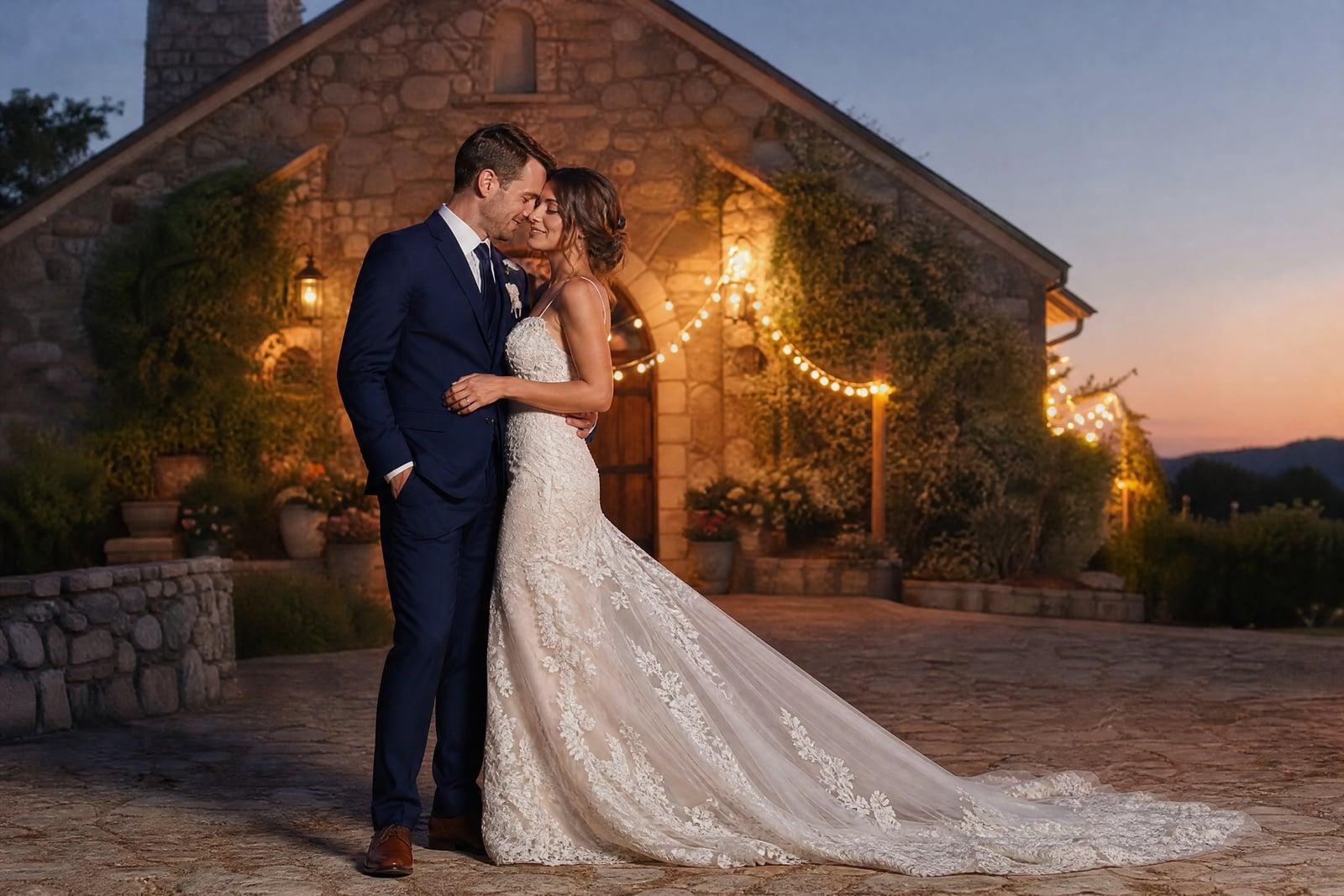
Wedding Portrait generates a complete wedding photo of you, alone or with your partner, from ordinary pictures. Upload one photo (or one of each of you), then describe the wedding: a cathedral ceremony, a beach at dusk, a tiny garden elopement. The tool dresses you, builds the venue, and lights the scene like a wedding photographer would, while keeping your faces true. Preview a dozen weddings before committing to one, or create the portrait of a day that already happened.
What is the Wedding Portrait?
You provide the faces; the tool provides the wedding. Upload a clear photo of yourself, and optionally a second photo of your partner, then set the scene in plain words: the gown style, the venue, the season, the hour. Generate and you get a finished wedding portrait, posed and lit like the real thing. Rerun with a different dress or venue to compare visions side by side.
Wedding imagery is uniquely hard to fake because everyone knows exactly what it should look like. The dress has to drape like real fabric, the venue light has to wrap the couple believably, and two faces have to stay accurate inside all that white. The tool composes the full scene at once, dress, light, setting, and couple, so nothing has the pasted-in look that betrays manual edits at first glance.
Wedding Portrait features
Solo or couple portraits
Generate yourself alone in wedding attire to test dress styles, or upload a second photo and create a full couple portrait with both faces kept true to their sources.
Every venue imaginable
Cliffside vows at sunset, a candlelit stone chapel, a city-hall elopement in the rain. If you can describe the wedding in a sentence, the scene gets built around you.
Dress and suit styling
A-line, mermaid, minimalist slip, three-piece navy suit, traditional attire from your culture: the outfit is generated to your description, so trying five gowns costs five sentences.
True wedding photo light
Results carry the soft, warm, slightly backlit glow of professional wedding photography rather than a flat render. They sit convincingly next to real album pages.
How to use the Wedding Portrait
- 1
Upload your photo
Add one clear, well-lit photo of yourself, and a second one of your partner for a couple portrait. Casual photos are fine; only faces need to be sharp.
- 2
Describe the wedding
Set the scene: venue, time of day, dress or suit style, mood. "Garden ceremony at golden hour, lace A-line gown" is a complete brief.
- 3
Generate the portrait
The tool composes the full scene, attire, venue, and lighting around your faces. Check likenesses first, then judge the dress and setting.
- 4
Compare versions
Rerun with a different gown, venue, or season from the same photos. Comparing generated portraits side by side is how many couples settle style debates.
Wedding Portrait details
| Best for | Couples planning, dreaming, or repairing a wedding album. |
|---|---|
| Category | Portraits & people |
| Powered by | Nano Banana 2 (Google) |
| Credits per image | 40 credits at 1K |
| Photos you upload | Person 1, Person 2 (optional) |
| Aspect ratios | 3:4, 1:1 |
| Adjustable options | Venue |
| Included in plans | Premium, Pro |
What people make with the Wedding Portrait
Previewing wedding visions
Engaged couples torn between a beach ceremony and a ballroom can generate both and react to actual images instead of Pinterest boards. Venue debates end faster with evidence.
Dress style scouting
Before booking boutique appointments, generate yourself in ballgown, mermaid, and slip silhouettes. Walking in knowing which shapes suit you saves whole afternoons of tulle.
The photos you never got
Couples who eloped, married at a registry office, or lost their wedding album can create the formal portraits they skipped or lost, decades later if need be.
Anniversary surprises
Recreate a wedding portrait from your actual wedding era using old photos, or generate the vow-renewal portrait before proposing the renewal itself. Frame it and let it do the asking.
Wedding Portrait FAQ
Can the Wedding Portrait include both me and my partner?
Yes. Upload one photo of each of you and the tool composes a couple portrait with both likenesses preserved. A solo portrait needs just your own photo, which is the mode people use for dress scouting and bridal-style portraits.
Can I choose the exact dress style?
You can describe it in detail: silhouette, neckline, fabric, sleeve length, veil or not. The tool renders attire to your description, so comparing a lace mermaid gown against a minimalist crepe slip takes two generations rather than two boutique visits.
We already had our wedding but the photos were bad. Can this help?
Yes, this is one of the most common uses. Upload clear photos of you both and describe your real venue and attire as closely as you can. The generated portraits will not replay the actual day, but they give you formal portraits worthy of framing.
Will our faces look right in all that styling?
Faces stay recognizable; that is the tool's core job. Big white dresses and dramatic venue lighting are demanding conditions, so occasionally a result needs a rerun. Sharper source photos with even lighting keep likenesses strong across every version.
Can we use these portraits on invitations?
Yes. Images you generate are yours, and generated wedding portraits on save-the-dates and invitations have become a quiet trend. Your uploaded photos remain in your private library and can be deleted whenever you like.
Related tools
Pricing
Choose the perfect plan to unlock more creativity with premium AI-powered image generation.
Standard
Perfect for creators and content makers
- 1,500 Credits per month
- High-quality AI image generation
- Text-to-image & image-to-image
- Premium templates library
- Priority support
Premium
For professionals and power creators
- 4,000 Credits per month
- Ultra high-quality generations
- Advanced AI models & styles
- Priority processing & support
- Commercial usage rights
Pro
Most advanced models for premium visuals
- 10,000 Credits per month
- All models incl. Nano Banana PRO
- All resolutions (1K, 2K & 4K)
- Premium-quality generation & smart edits
- Priority processing & support
Need more credits?
All plans include the option to purchase additional credit packs when you need extra generating power. Scale your creativity without limits.
Payments are securely processed by Stripe, our merchant of record. Subscriptions renew automatically at the listed price until you cancel; cancel anytime in your account settings. By continuing you agree to our Terms, Privacy Policy and Refund & Cancellation Policy. Need help? Contact support@nanobananai.ai.