Portraits & people
AI Photoshoot: a full studio session from a single selfie
Upload one or two photos and get professional-grade portraits in different setups.
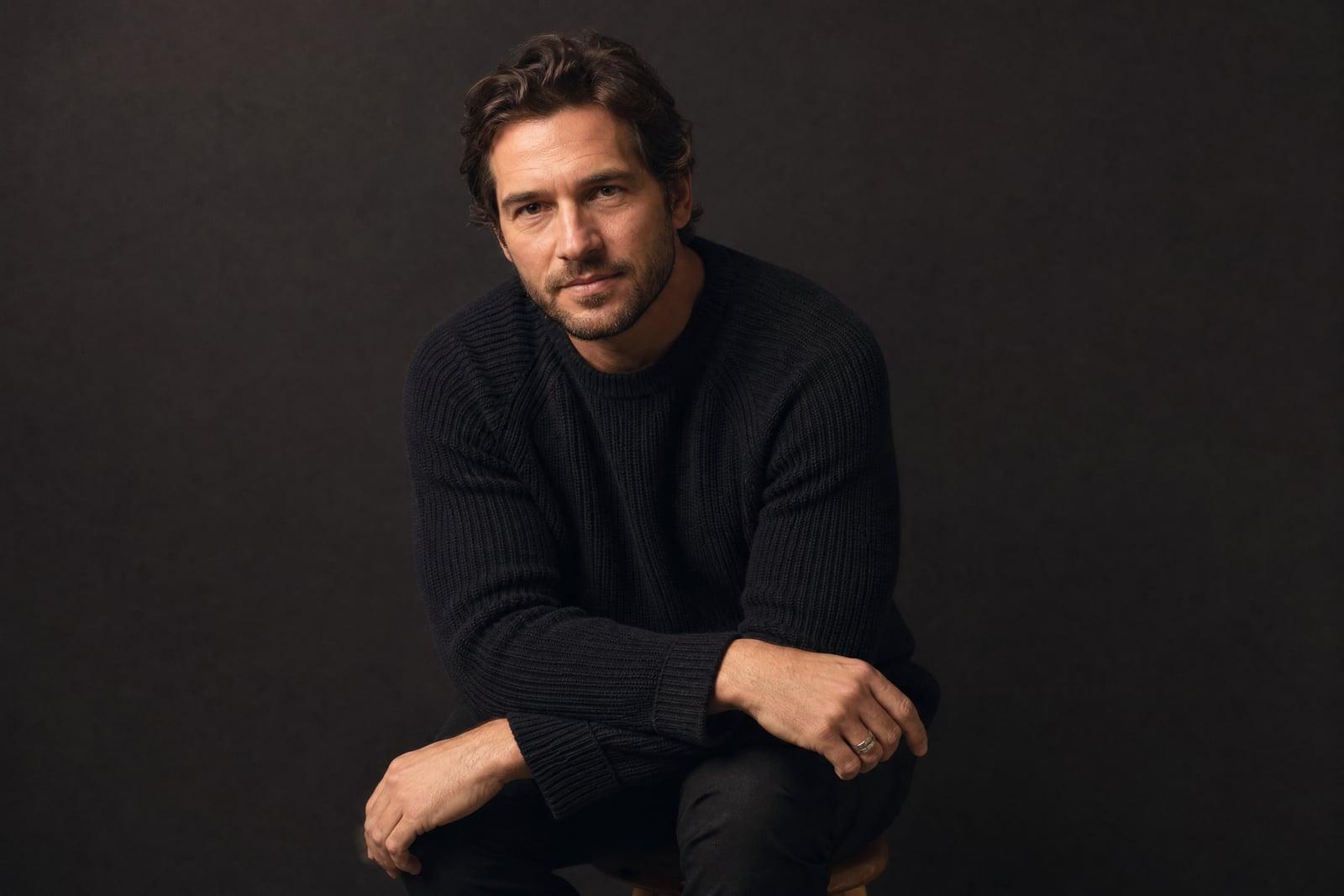
AI Photoshoot produces professional studio portraits of you from a single selfie, with an optional second photo from another angle to sharpen the likeness. Upload, choose the kind of shoot you want (clean studio, editorial, outdoor golden hour, corporate), and generate. You get polished portraits with proper lighting and composition, the kind a session with a photographer would produce, without booking anything. Everything saves to your library for download.
What is the AI Photoshoot?
The tool works like a compressed photo session. Your selfie provides the face; your choices provide the brief. Pick a setting and wardrobe direction, generate, and review the results the way you would review a contact sheet, keeping the frames you like and rerunning the rest. Adding a second photo from a different angle helps the tool understand your features in three dimensions, which improves consistency across the set.
A real studio shoot costs money and, for most people, nerves. Posing feels awkward, lighting is a mystery, and you see the results days later. The tool handles what the photographer normally handles: flattering key light, a considered background, a natural pose. Your face stays recognizably yours across every frame, which is the difference between an AI photoshoot and a generic AI portrait of a stranger.
AI Photoshoot features
Consistent likeness
Every portrait in the set is recognizably you, not a handsome stranger with your haircut. A second reference photo tightens the resemblance further, especially for profile and three-quarter angles.
Any shoot concept
Corporate headshots, moody editorial, cafe candids, golden-hour outdoor frames. Describe the shoot you would have booked and the tool sets the scene, lighting, and wardrobe to match.
Studio-grade lighting
Results have the soft key light, gentle fill, and clean separation from the background that photographers spend an hour of setup on. Skin looks natural rather than filtered.
A whole set, fast
Generate multiple looks in the time a real session spends on the first test frame. Building a set of five different portraits for different platforms is a single evening's work.
How to use the AI Photoshoot
- 1
Upload your photo
Start with a sharp, front-facing selfie in even light, no sunglasses or heavy filters. Add a second photo from another angle if you have one; it improves the set.
- 2
Pick the shoot style
Choose the setting and mood: clean studio grey, warm editorial, outdoor evening light. Corporate, creative, and casual directions all work from the same selfie.
- 3
Generate your set
The tool produces finished portraits with studio lighting and composition. Review them like a contact sheet and note what you would change.
- 4
Refine and download
Rerun with adjustments, different backdrop, different outfit note, and download your keepers. Most people end up with several strong portraits from one session.
AI Photoshoot details
| Best for | People who need professional photos this week, not next month. |
|---|---|
| Category | Portraits & people |
| Powered by | Nano Banana 2 (Google) |
| Credits per image | 40 credits at 1K |
| Photos you upload | Your photo, Second angle (optional) |
| Aspect ratios | 3:4, 1:1 |
| Adjustable options | Photoshoot style, extra instructions |
| Included in plans | Premium, Pro |
What people make with the AI Photoshoot
Freelancer profile kit
A freelancer needs the same face on a website, invoice header, and three platforms. Generate one coherent set and every touchpoint finally matches, without a studio invoice attached.
Speaker and press photos
Conference organizers ask for a high-resolution portrait the day before the deadline. Generate an editorial-style portrait that holds up on a program page next to professionally shot speakers.
Social profile refresh
Your current profile photo is a wedding crop from four years ago. Replace it across platforms with a portrait set shot in consistent light, one look for LinkedIn, a warmer one elsewhere.
Creators between shoots
Musicians, authors, and streamers burn through promo images faster than they can book sessions. New single, new look: generate press-style portraits that match the release's mood.
AI Photoshoot FAQ
What do I need for an AI Photoshoot?
One clear selfie is enough to start, and a second photo from a different angle improves consistency across the set. Even lighting, no sunglasses, and a neutral expression give the tool the best foundation. Everything else, wardrobe, backdrop, lighting, comes from the options you pick.
Will the portraits actually look like me?
Yes. The tool is built to keep your features recognizable across every frame rather than generating an idealized stranger. Small variations happen between generations, and the second reference photo noticeably tightens the likeness, particularly for non-frontal angles.
Can I use the photos on LinkedIn or my website?
Yes. Images you generate are yours to use anywhere, including professional profiles, websites, and press kits. Many users generate one corporate look for LinkedIn and a relaxed one for everything else in the same session.
How is this different from a headshot generator?
A headshot tool produces one kind of image: the tight professional crop. An AI photoshoot generates full scenes and varied compositions, half-body frames, environmental portraits, editorial moods, the range a session with a photographer would cover. Use it when you need more than a single square headshot.
Are my uploaded selfies private?
Your uploads are used only to generate your images and are stored in your private library, which nobody else can browse. You can delete your photos and generated images whenever you want. Nothing you upload is published anywhere by the tool.
Related tools
Pricing
Choose the perfect plan to unlock more creativity with premium AI-powered image generation.
Standard
Perfect for creators and content makers
- 1,500 Credits per month
- High-quality AI image generation
- Text-to-image & image-to-image
- Premium templates library
- Priority support
Premium
For professionals and power creators
- 4,000 Credits per month
- Ultra high-quality generations
- Advanced AI models & styles
- Priority processing & support
- Commercial usage rights
Pro
Most advanced models for premium visuals
- 10,000 Credits per month
- All models incl. Nano Banana PRO
- All resolutions (1K, 2K & 4K)
- Premium-quality generation & smart edits
- Priority processing & support
Need more credits?
All plans include the option to purchase additional credit packs when you need extra generating power. Scale your creativity without limits.
Payments are securely processed by Stripe, our merchant of record. Subscriptions renew automatically at the listed price until you cancel; cancel anytime in your account settings. By continuing you agree to our Terms, Privacy Policy and Refund & Cancellation Policy. Need help? Contact support@nanobananai.ai.