Portraits & people
Family Portrait Maker: everyone in one frame, at last
Combine separate photos of two to four family members into a single portrait.
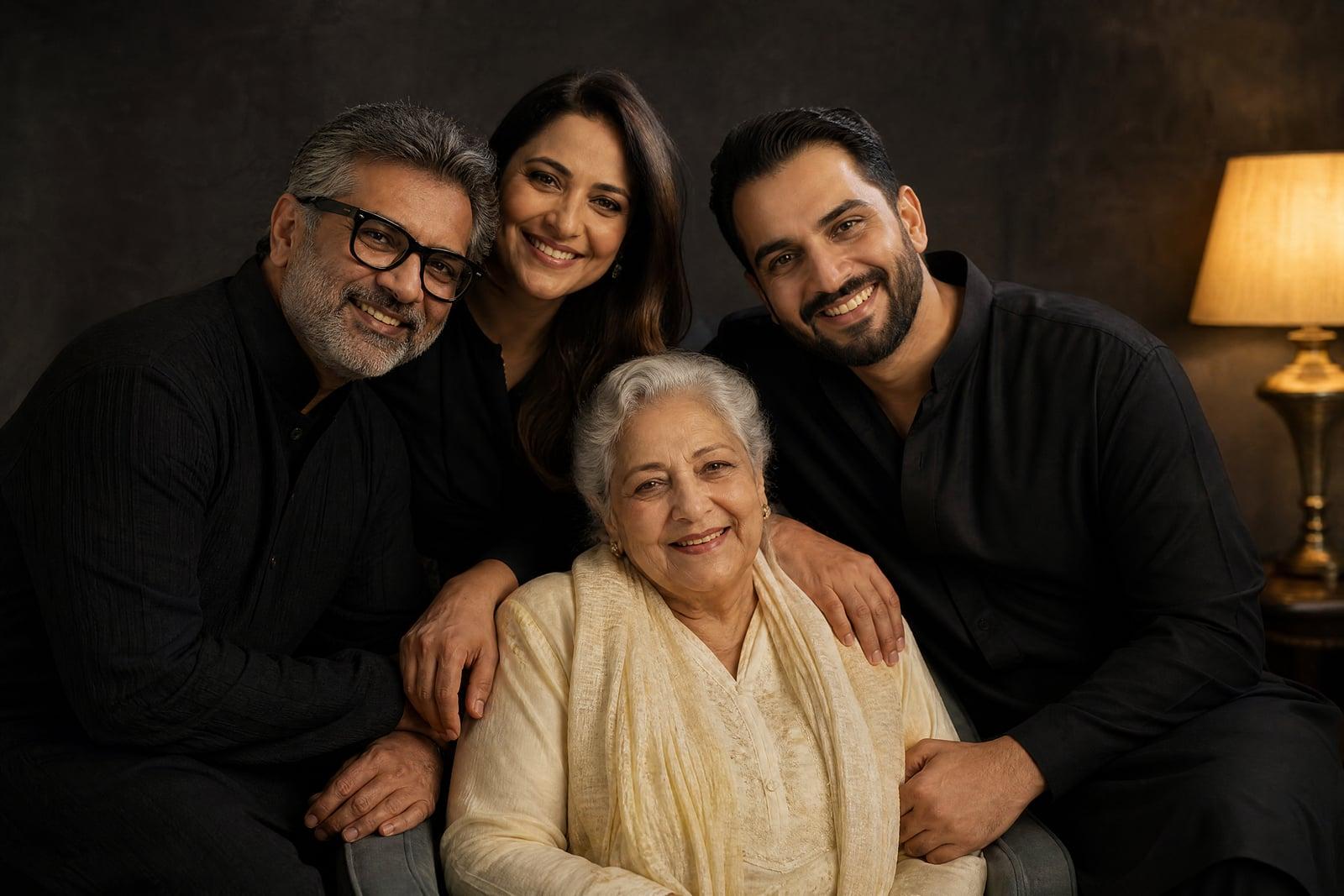
Family Portrait Maker builds one shared family portrait from separate photos of each person. Upload two to four individual pictures, one per family member, pick a setting, and generate. The tool arranges everyone into a natural group composition under one consistent light, with each face kept true to its source photo. It solves the oldest family photo problem: the people you love are rarely in the same room with a camera ready.
What is the Family Portrait Maker?
You gather one clear photo of each family member from wherever they exist, a phone camera roll, a relative's message, a scanned print, and upload up to four of them. Choose the scene, formal living room, garden, studio backdrop, and generate. The tool composes the group with believable spacing and posture, so grandma from a 2019 photo and a nephew from last Tuesday appear to have posed together this morning.
Group composites are where manual editing goes to die. Four photos means four light directions, four color casts, four camera heights, and heads that never quite match in scale. Arranging bodies so nobody floats or overlaps wrongly takes a professional retoucher hours. The tool rebuilds the whole scene instead: one light source, one perspective, natural shoulder overlap, and every face preserved from its own source photo.
Family Portrait Maker features
Up to four faces, all true
Each family member stays recognizable from their own source photo. Preserving several identities in one frame is the hard technical problem here, and it is the one this tool is built around.
Any source, any era
A crisp phone selfie, a cropped group shot, a scanned print from the nineties: mixed sources merge into one coherent portrait because the scene is rebuilt, not collaged.
Believable group arrangement
People stand and sit the way families actually pose, with natural spacing, overlapping shoulders, and consistent heights. No cut-out silhouettes hovering at odd scales.
Settings for every taste
Classic studio backdrop for the hallway wall, a garden scene for something lighter, holiday themes in season. The same four photos can produce all of them.
How to use the Family Portrait Maker
- 1
Collect one photo per person
Ask each family member for a clear, front-facing photo, or pull faces from photos you already have. Two people minimum, four maximum.
- 2
Upload and order them
Add each photo to its slot. Sharp, well-lit faces matter more than matching backgrounds; the original backgrounds are discarded anyway.
- 3
Pick the setting
Choose formal studio, cozy living room, outdoor garden, or describe your own scene. Note any arrangement preference, like grandparents seated in front.
- 4
Generate and refine
Review the portrait, check every face, and rerun if anyone's likeness feels off. Swapping in a clearer source photo for that person usually fixes it.
Family Portrait Maker details
| Best for | Families who can never get everyone in one place. |
|---|---|
| Category | Portraits & people |
| Powered by | Nano Banana 2 (Google) |
| Credits per image | 40 credits at 1K |
| Photos you upload | Family member 1, Family member 2, Family member 3 (optional), Family member 4 (optional) |
| Aspect ratios | 4:3, 3:4, 1:1 |
| Adjustable options | Setting |
| Included in plans | Premium, Pro |
What people make with the Family Portrait Maker
Families across borders
Parents in one country, siblings scattered across two more: a physical reunion photo may be years away. Build the portrait now from four phone photos and print it for everyone.
Gifts for grandparents
A framed portrait of all the grandchildren together is the gift that wins the holiday. Collecting one photo per grandchild over a group chat takes ten minutes.
Including a lost relative
A scanned photo of a parent who has passed can place them gently into a portrait with the family they never met, like a grandchild born after them. Families describe these as quietly precious.
Holiday cards without the chaos
Skip the tripod, the timer, and the seventeen failed attempts where someone blinks. Generate the card photo from everyone's best individual shot and get straight to writing the message.
Family Portrait Maker FAQ
How many people can the Family Portrait Maker combine?
Between two and four family members, one photo per person. For larger families, a common approach is generating the portrait in groups, or picking the four people the occasion is really about. Each person needs their own reasonably clear photo.
Can I use an old or scanned photo for a relative?
Yes, as long as the face is clear and reasonably sharp. Scanned prints and older digital photos work, which is how families include relatives who have passed away or grandparents who never take selfies. Heavy blur or very small faces reduce likeness quality.
Will everyone actually look like themselves?
That is the goal, and each face is preserved from its own source photo. With three or four people, occasionally one likeness comes out weaker; rerunning the generation or substituting a sharper photo of that person almost always resolves it.
What setting should we choose?
For a print above the fireplace, the classic studio backdrop ages best. Garden and beach scenes suit casual prints and cards. You can generate the same family in several settings from one set of uploads and let the group chat vote.
Can I print the portrait or use it on cards?
Yes. Download the image and print it at any size or send it to a card printing service. Images you generate are yours, and the uploaded photos of your family stay in your private library where you can delete them whenever you choose.
Related tools
Pricing
Choose the perfect plan to unlock more creativity with premium AI-powered image generation.
Standard
Perfect for creators and content makers
- 1,500 Credits per month
- High-quality AI image generation
- Text-to-image & image-to-image
- Premium templates library
- Priority support
Premium
For professionals and power creators
- 4,000 Credits per month
- Ultra high-quality generations
- Advanced AI models & styles
- Priority processing & support
- Commercial usage rights
Pro
Most advanced models for premium visuals
- 10,000 Credits per month
- All models incl. Nano Banana PRO
- All resolutions (1K, 2K & 4K)
- Premium-quality generation & smart edits
- Priority processing & support
Need more credits?
All plans include the option to purchase additional credit packs when you need extra generating power. Scale your creativity without limits.
Payments are securely processed by Stripe, our merchant of record. Subscriptions renew automatically at the listed price until you cancel; cancel anytime in your account settings. By continuing you agree to our Terms, Privacy Policy and Refund & Cancellation Policy. Need help? Contact support@nanobananai.ai.