Business & marketing
Invitation Maker: invites that match your event
Describe the celebration and get invitation artwork ready to print at home or send by text.
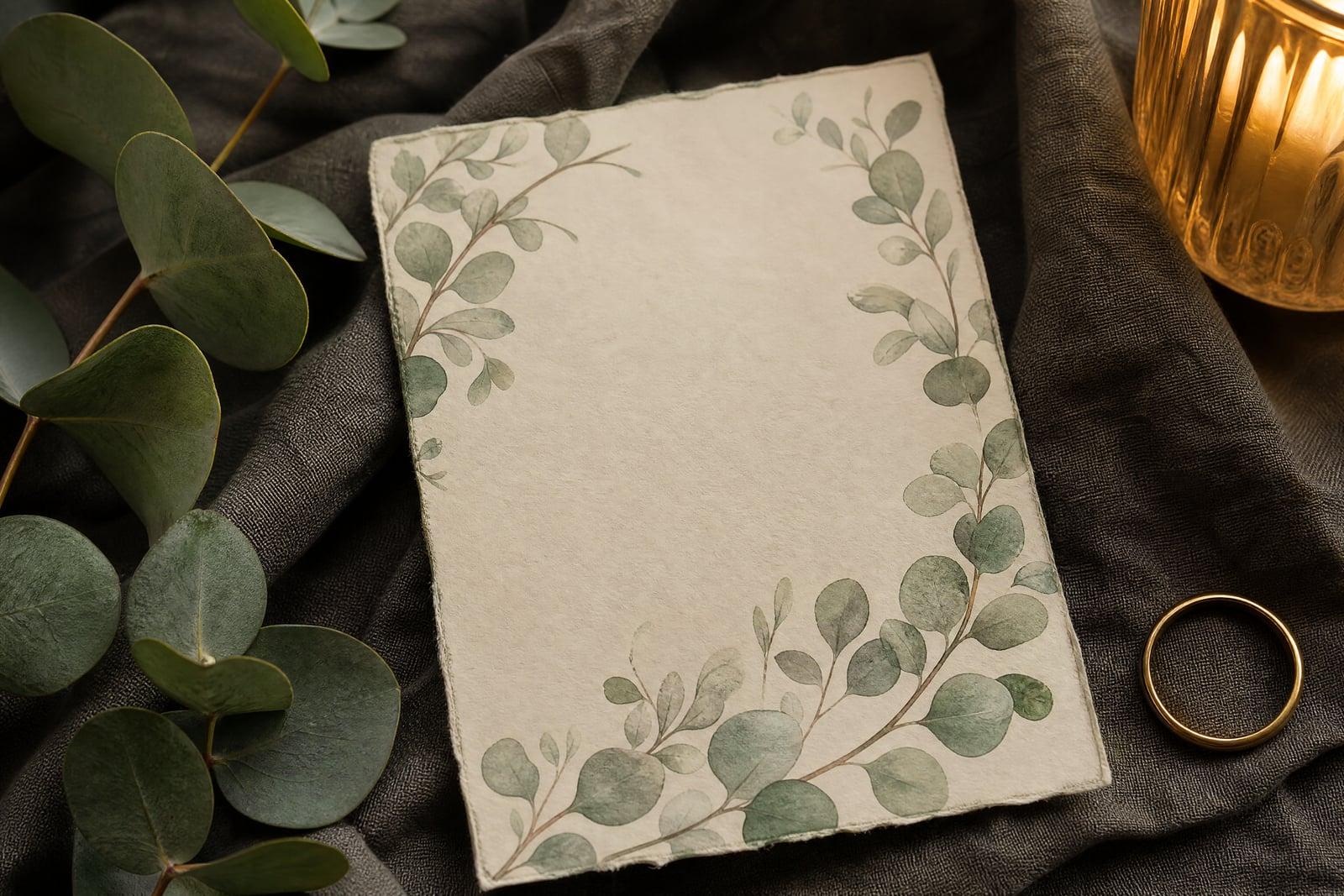
Invitation Maker designs invitations from a written description of your event. No upload needed: describe the occasion, the theme, and your colors, garden wedding in sage and cream, dinosaur fifth birthday, autumn baby shower, then generate. The result is finished invitation artwork you can print at home, order as cards, or send digitally in a group chat. It looks custom because it is.
What is the Invitation Maker?
Invitation Maker is a text-to-design tool for event stationery. You tell it the celebration, the aesthetic, and the wording you want featured, and it composes a complete invitation: artwork, borders, and space for your details, styled to the occasion. Formal engraved-look wedding suites and playful confetti birthday cards come out of the same brief box, steered entirely by your description.
Stationery shops solve this with catalogs, which is exactly the limitation: your invitation is also two hundred other couples' invitation. Designing from scratch means wrestling layout software the week you are least free. Describing the event instead takes a minute, and the design carries your specific details, the olive branch motif, the exact dusty blue, rather than the nearest template. Proof any lettering carefully, and put critical details like the date in your message too.
Invitation Maker features
Styled to the occasion
A black-tie fortieth, a woodland baby shower, and a housewarming taco night get completely different treatments. The design language follows the event instead of forcing one template mood on all of them.
Your wording featured
Put names and key phrases in quotes and they are set into the design. Check spelling on every draft, especially names, and regenerate any draft where a letter drifts.
Print or send digital
The same artwork works as a printed card, a mailed flat invite, or an image dropped straight into the family group chat. One design covers guests in both camps.
Matched event set
Once the invitation lands, generate coordinating pieces in the same described style: a save-the-date, a thank-you card, a welcome sign. The whole event ends up visually related.
How to use the Invitation Maker
- 1
Describe the event
Give the occasion, the theme, the palette, and the names in quotes. Rustic barn wedding, eucalyptus and cream, covers everything the design needs.
- 2
Pick the mood
Decide between formal and playful before generating; it steers everything from typeface feel to ornament. When torn, generate one of each and let the couple or the kid vote.
- 3
Generate and proof
Read every word on the draft out loud, names and dates especially. Generated lettering is good but not infallible, and invitations are unforgiving about typos.
- 4
Download and share
Download the final design to print at home, upload to a card printer, or send digitally. Keep it in your library for the matching thank-you cards later.
Invitation Maker details
| Best for | Hosts who want custom invites without stationery-shop prices. |
|---|---|
| Category | Business & marketing |
| Powered by | Nano Banana 2 (Google) |
| Credits per image | 40 credits at 1K |
| Photos you upload | None, this tool works from your text idea |
| Aspect ratios | 3:4, 1:1 |
| Adjustable options | Event, Names / headline, Details line (date, place…) |
| Included in plans | Premium, Pro |
What people make with the Invitation Maker
Weddings on a budget
A couple trimming costs can put the stationery budget toward the venue and still send invitations that look commissioned, matched to their exact palette and florals.
Kids birthday parties
A parent organizing a space-themed seventh birthday generates the invite during a lunch break and has it in the class group chat by pickup time.
Baby and bridal showers
A host planning a shower around a specific theme, boho pampas, vintage tea party, gets artwork that commits to the theme fully instead of gesturing at it with clip art.
Dinner parties and housewarmings
Casual gatherings feel more intentional with a real invite. A supper club or housewarming card in the host's style sets expectations that a plain text message never does.
Invitation Maker FAQ
Can the Invitation Maker include our names and event wording?
Yes. Put names and featured phrases in quotes in your description and they are designed into the artwork. Proofread each draft closely, since generated lettering can occasionally slip on unusual names, and always include full details in your message or envelope insert.
Is print quality good enough for real cards?
Yes for typical invitation sizes, printed at home or through a card-printing service. For oversized formats, run the design through the image upscaler first so fine ornament detail stays crisp.
Can I make matching pieces for the whole event?
Yes, reuse the same description wording and ask for the next piece: save-the-date, menu card, thank-you note, welcome sign. Keeping the brief identical is what keeps the set looking like a family.
How specific should my description be?
Very. The exact flower, the exact shade, the exact mood all improve the result. Garden wedding is fine; garden wedding with olive branches, dusty blue and terracotta, relaxed Mediterranean feel, is a design brief.
Can I sell invitations I design with this?
Yes. Images you generate are yours to use commercially, so party planners and stationery sellers can create client invitations and sell finished designs without an extra license.
Related tools
Pricing
Choose the perfect plan to unlock more creativity with premium AI-powered image generation.
Standard
Perfect for creators and content makers
- 1,500 Credits per month
- High-quality AI image generation
- Text-to-image & image-to-image
- Premium templates library
- Priority support
Premium
For professionals and power creators
- 4,000 Credits per month
- Ultra high-quality generations
- Advanced AI models & styles
- Priority processing & support
- Commercial usage rights
Pro
Most advanced models for premium visuals
- 10,000 Credits per month
- All models incl. Nano Banana PRO
- All resolutions (1K, 2K & 4K)
- Premium-quality generation & smart edits
- Priority processing & support
Need more credits?
All plans include the option to purchase additional credit packs when you need extra generating power. Scale your creativity without limits.
Payments are securely processed by Stripe, our merchant of record. Subscriptions renew automatically at the listed price until you cancel; cancel anytime in your account settings. By continuing you agree to our Terms, Privacy Policy and Refund & Cancellation Policy. Need help? Contact support@nanobananai.ai.