Style transforms
Oil Painting Converter for photos that deserve a frame
Turn any photo into a rich oil painting with visible brushwork and gallery lighting.
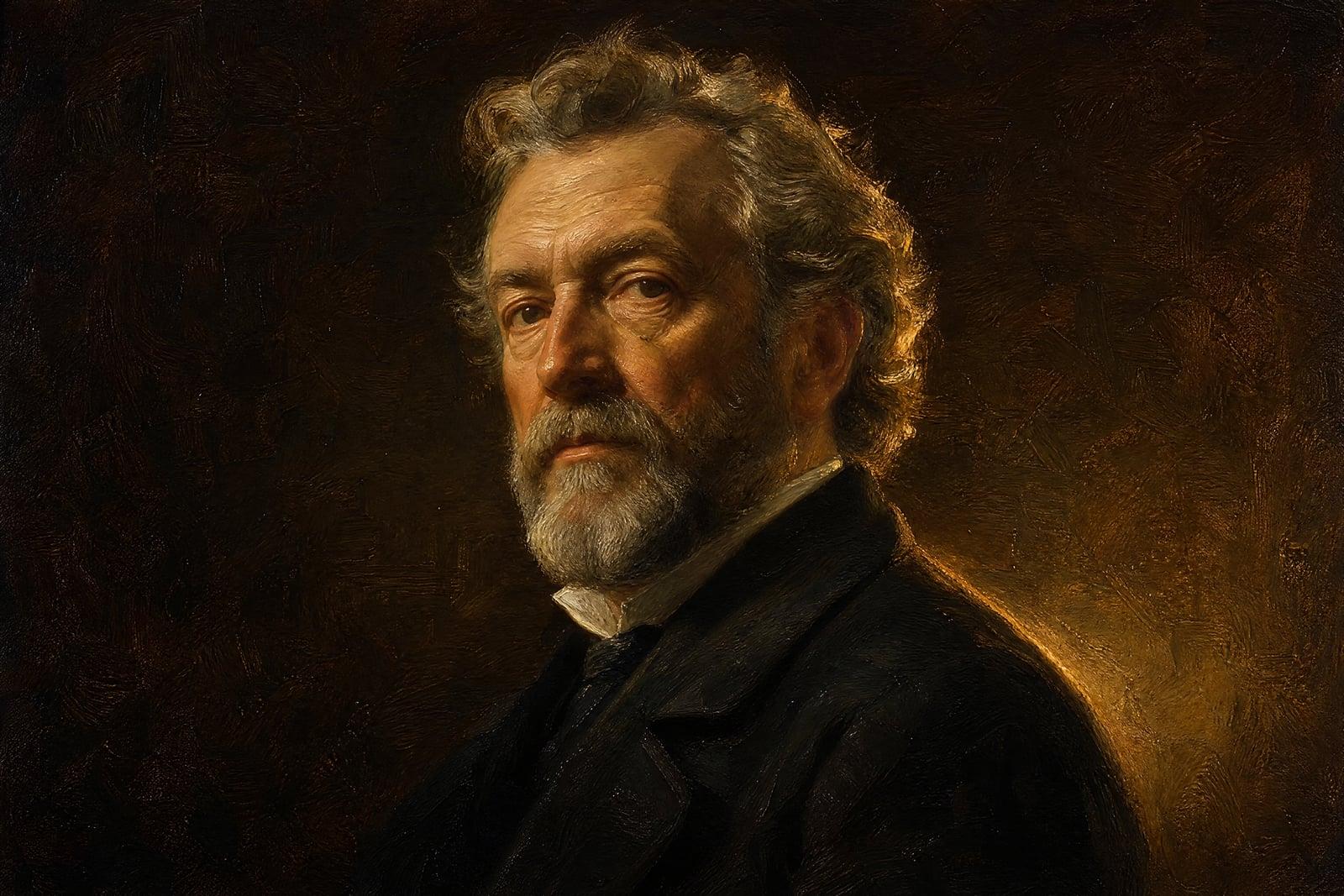
Oil Painting Converter turns a photo you upload into a classical oil painting. Brushstrokes have direction and thickness, shadows go deep and warm, and the whole image takes on the varnished glow of a gallery piece. It works on portraits, pets, landscapes, and still lifes. Upload one photo, generate, and get a painting that looks like it has hung somewhere important.
What is the Oil Painting Converter?
You upload one photo and the converter repaints it in oils. You can lean traditional, a dark portrait with dramatic side light in the old-master manner, or go brighter and more contemporary. The composition of your photo stays; the surface becomes paint, with impasto highlights, blended shadows, and canvas texture underneath. Results land in your library at a quality that holds up printed and framed.
Oil paint is about depth. Real canvases build color in layers, so shadows stay warm instead of turning grey, and highlights sit physically on top of the surface. Photo filters flatten all of that into a texture overlay. The converter models the layering and chooses where strokes follow a jawline or a tree branch, which is why the output reads as painted rather than processed.
Oil Painting Converter features
Classical portrait treatment
Portraits pick up the conventions of the genre: warm dark backgrounds, directional light on the face, and careful brushwork around the eyes. Grandma in a cardigan comes out looking quietly aristocratic.
Brushwork with direction
Strokes follow the forms in your photo, curving along cheekbones and streaking with the grain of wood or sky. Zoomed in, the surface looks laid down by hand rather than stamped on.
Likeness survives the paint
Faces stay convincingly the person. The medium softens pores and stray hairs the way a portrait painter would, but expression and features hold, so the painting works as a real portrait, not an approximation.
Frame-ready in minutes
From upload to a printable painting takes about a minute, and variations are quick. A commissioned oil portrait costs hundreds and takes weeks; this covers the wall in an afternoon.
How to use the Oil Painting Converter
- 1
Upload your photo
Strong, directional light in the source photo makes the best oils. A portrait lit from a window beats a flat flash selfie by a wide margin.
- 2
Pick the mood
Ask for dark and classical or lighter and modern, and name a palette if you have one. For portraits, requesting a plain dark background gives the most gallery-like result.
- 3
Generate
The painting renders quickly. Judge it at full size; oil texture shows in the highlights and brush direction, and thumbnails hide both.
- 4
Download or refine
Save the painting or nudge the description and rerun it. Trying one dramatic version and one brighter version of the same photo is a good habit.
Oil Painting Converter details
| Best for | People who want a framed classical portrait without commissioning one |
|---|---|
| Category | Style transforms |
| Powered by | Nano Banana (Google) |
| Credits per image | 20 credits at 1K |
| Photos you upload | Your photo |
| Aspect ratios | Follows the input image |
| Adjustable options | None, one-click result |
| Included in plans | Standard, Premium, Pro |
What people make with the Oil Painting Converter
Anniversary and family gifts
A parent portrait or a painting of the grandparents made from an old photo is the kind of gift that gets hung the same day it arrives. Print it on canvas for the full effect.
Pet portraits with gravitas
Dogs in oil look magnificent, especially in the classical style with a dark background and warm light. The stately-pet treatment also makes a genuinely funny yet frameable gift for dog people.
Office and profile presence
Consultants, authors, and academics use a painted portrait anywhere a photo feels too casual: book jackets, speaker bios, or the stretch of office wall that sits behind them on video calls.
Memorial pieces
An oil painting made from a favorite photo of someone who has passed is a gentle, dignified way to keep them present. The painted medium softens what a raw photo can make sharp.
Oil Painting Converter FAQ
What does the Oil Painting Converter do with my photo?
It repaints the photo in oils: layered brushstrokes, canvas texture, deepened shadows, and the warm finish of a varnished painting. Composition and subject stay the same, so the result is your photo as a painting rather than a new scene.
Which photos convert best?
Photos with directional light and a clear subject. Window-lit portraits, golden-hour landscapes, and simple still lifes are ideal. Harsh flash photos flatten the shadows that oil painting depends on, though the converter still recovers a decent result from them.
Will it still look like the person in the photo?
Yes. The paint handling smooths fine detail, as a real portrait painter would, but the likeness holds. For the strongest resemblance, use a photo where the face is large in the frame and evenly visible.
Can I print it on canvas and sell it?
Yes. Your generated paintings are yours, including for commercial use, so canvas prints, client commissions, and shop listings are all allowed. Download the full-size file and order a test print before fulfilling a big order.
Oil painting or watercolor, which suits my photo?
Oil suits drama: deep shadow, rich color, formal portraits, and pets with presence. Watercolor suits airy subjects like florals and beach light. If your photo has strong shadows and a bold subject, start with oil. Both take under a minute, so trying each is realistic.
Related tools
Pricing
Choose the perfect plan to unlock more creativity with premium AI-powered image generation.
Standard
Perfect for creators and content makers
- 1,500 Credits per month
- High-quality AI image generation
- Text-to-image & image-to-image
- Premium templates library
- Priority support
Premium
For professionals and power creators
- 4,000 Credits per month
- Ultra high-quality generations
- Advanced AI models & styles
- Priority processing & support
- Commercial usage rights
Pro
Most advanced models for premium visuals
- 10,000 Credits per month
- All models incl. Nano Banana PRO
- All resolutions (1K, 2K & 4K)
- Premium-quality generation & smart edits
- Priority processing & support
Need more credits?
All plans include the option to purchase additional credit packs when you need extra generating power. Scale your creativity without limits.
Payments are securely processed by Stripe, our merchant of record. Subscriptions renew automatically at the listed price until you cancel; cancel anytime in your account settings. By continuing you agree to our Terms, Privacy Policy and Refund & Cancellation Policy. Need help? Contact support@nanobananai.ai.