Portraits & people
Historical Portrait: your face, five centuries of options
Upload one photo and see yourself as a viking, a samurai, or a 1920s icon.
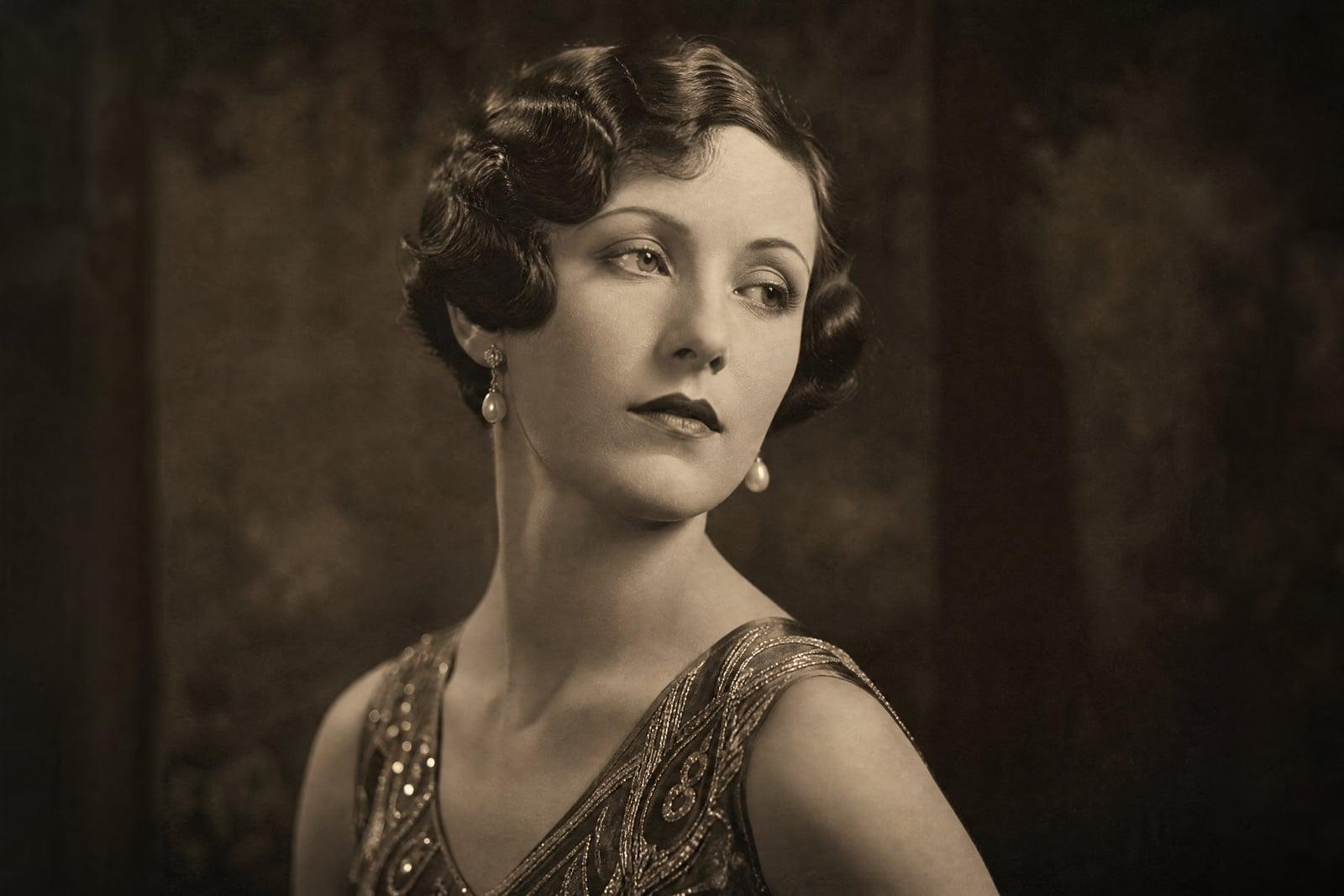
Historical Portrait places you in another century. Upload one photo, pick an era, viking age, feudal Japan, Renaissance court, the 1920s, the Wild West, and generate a portrait of yourself in period costume, setting, and photographic (or painterly) style. Your face stays yours; everything around it changes epoch. Each era renders in its own medium, from oil-on-canvas nobility to sepia tintype outlaws, and results collect in your library.
What is the Historical Portrait?
The tool takes your photo and rebuilds it as an artifact of the era you choose: the clothing, the backdrop, the lighting, and above all the medium itself. A 1920s portrait comes out as moody silver-gelatin studio photography; a Renaissance one as varnished oil paint; a viking one as a windswept cinematic scene. You pick the century, generate, and step through history one portrait at a time.
Era authenticity is what separates this from a costume filter. Real period portraits have specific photographic grain, lighting conventions, and posing habits, nobody smiled in an 1860s daguerreotype, and pasting a modern selfie face into old costume ignores all of it. The tool adjusts the whole image to the period, tonality and texture included, while keeping your features recognizable underneath the era's conventions.
Historical Portrait features
Dozens of eras
Viking longhouses, samurai courts, Regency ballrooms, 1920s jazz clubs, 1950s diners, frontier towns. Name any period and place and the costume, setting, and mood follow.
Period-true rendering
Each era arrives in its native medium: oil paint for nobility, sepia tintype for the frontier, soft monochrome for the twenties. The image texture sells the time travel.
You, recognizably
Under the armor, powdered wig, or finger waves, the face is still clearly yours. Friends should do a double take, then laugh, in that order.
A gallery across time
Run the same photo through six eras in one sitting and line the results up. The series format, one person across the centuries, is the most shared way to use this.
How to use the Historical Portrait
- 1
Upload your photo
A clear, front-facing photo with even light works across every era. Neutral expressions adapt best, since most historical portrait conventions were unsmiling.
- 2
Choose an era
Pick from classics like viking, samurai, or 1920s, or name your own: "Venetian masquerade, 1700s" is a perfectly good instruction.
- 3
Generate the portrait
The tool builds the costume, setting, and period-correct medium around your face. Each era renders differently, so expect paint, grain, or sepia as appropriate.
- 4
Collect more centuries
Rerun the same photo through other eras and build a timeline of yourself. Download favorites individually for posting or printing as a set.
Historical Portrait details
| Best for | Anyone curious which century their face belongs in. |
|---|---|
| Category | Portraits & people |
| Powered by | Nano Banana (Google) |
| Credits per image | 20 credits at 1K |
| Photos you upload | Your photo |
| Aspect ratios | 3:4, 1:1 |
| Adjustable options | Era |
| Included in plans | Standard, Premium, Pro |
What people make with the Historical Portrait
The eras series post
One face, eight centuries, one carousel post. The format invites everyone in the comments to guess which era suits you best, and then to make their own.
Family history projects
Someone tracing their ancestry to Edo-period Japan or viking-age Norway can see themselves in their ancestors' world. It makes a genealogy hobby suddenly visual and personal.
History classrooms
A teacher who shows the class their own portrait as a Roman senator has the room's attention. Era portraits turn costume-day energy into something every lesson can open with.
Themed events and gifts
Gatsby parties, Renaissance faires, and western-themed birthdays all benefit from invitations featuring the host in period dress. Guests take the dress code far more seriously.
Historical Portrait FAQ
Which eras can the Historical Portrait do?
Any era you can name. Viking age, feudal Japan, ancient Rome, the Renaissance, Regency England, the 1920s, and the Old West are popular starting points, but typed requests like "Byzantine mosaic" or "1970s polaroid" work too. Each renders in a period-appropriate style.
Will I still look like me in a different century?
Yes. Your facial features carry through the costume, hairstyle, and rendering style of the era. Heavy period elements like helmets or powdered wigs change the frame around your face, not the face itself. Regenerate if any era pushes the likeness too far.
Why do some eras come out as paintings instead of photos?
Because that is what portraits were then. Eras before photography render as period-appropriate paintings or engravings, and photographic eras match their actual technology: daguerreotype stiffness, sepia tintypes, silver-gelatin studio work. The medium is part of the authenticity.
Is this historically accurate enough for a school project?
Costume and setting follow the era's broad visual conventions well, which suits engagement-focused uses like classroom hooks and event posters. For scholarly accuracy, treat results as illustrative rather than documentary; details like specific armor construction are evocative, not curated by a historian.
Can I do portraits of friends and family in eras too?
Yes, with their consent and photos you are allowed to use. A grandparent as a Renaissance noble is a favorite gift print. The same source-photo rules apply: clear face, even light, and the era does the rest.
Related tools
Pricing
Choose the perfect plan to unlock more creativity with premium AI-powered image generation.
Standard
Perfect for creators and content makers
- 1,500 Credits per month
- High-quality AI image generation
- Text-to-image & image-to-image
- Premium templates library
- Priority support
Premium
For professionals and power creators
- 4,000 Credits per month
- Ultra high-quality generations
- Advanced AI models & styles
- Priority processing & support
- Commercial usage rights
Pro
Most advanced models for premium visuals
- 10,000 Credits per month
- All models incl. Nano Banana PRO
- All resolutions (1K, 2K & 4K)
- Premium-quality generation & smart edits
- Priority processing & support
Need more credits?
All plans include the option to purchase additional credit packs when you need extra generating power. Scale your creativity without limits.
Payments are securely processed by Stripe, our merchant of record. Subscriptions renew automatically at the listed price until you cancel; cancel anytime in your account settings. By continuing you agree to our Terms, Privacy Policy and Refund & Cancellation Policy. Need help? Contact support@nanobananai.ai.