Style transforms
Synthwave Style: bathe your photo in retro 80s neon
Restyles photos with neon grids, sunset gradients, and chrome-era glow.
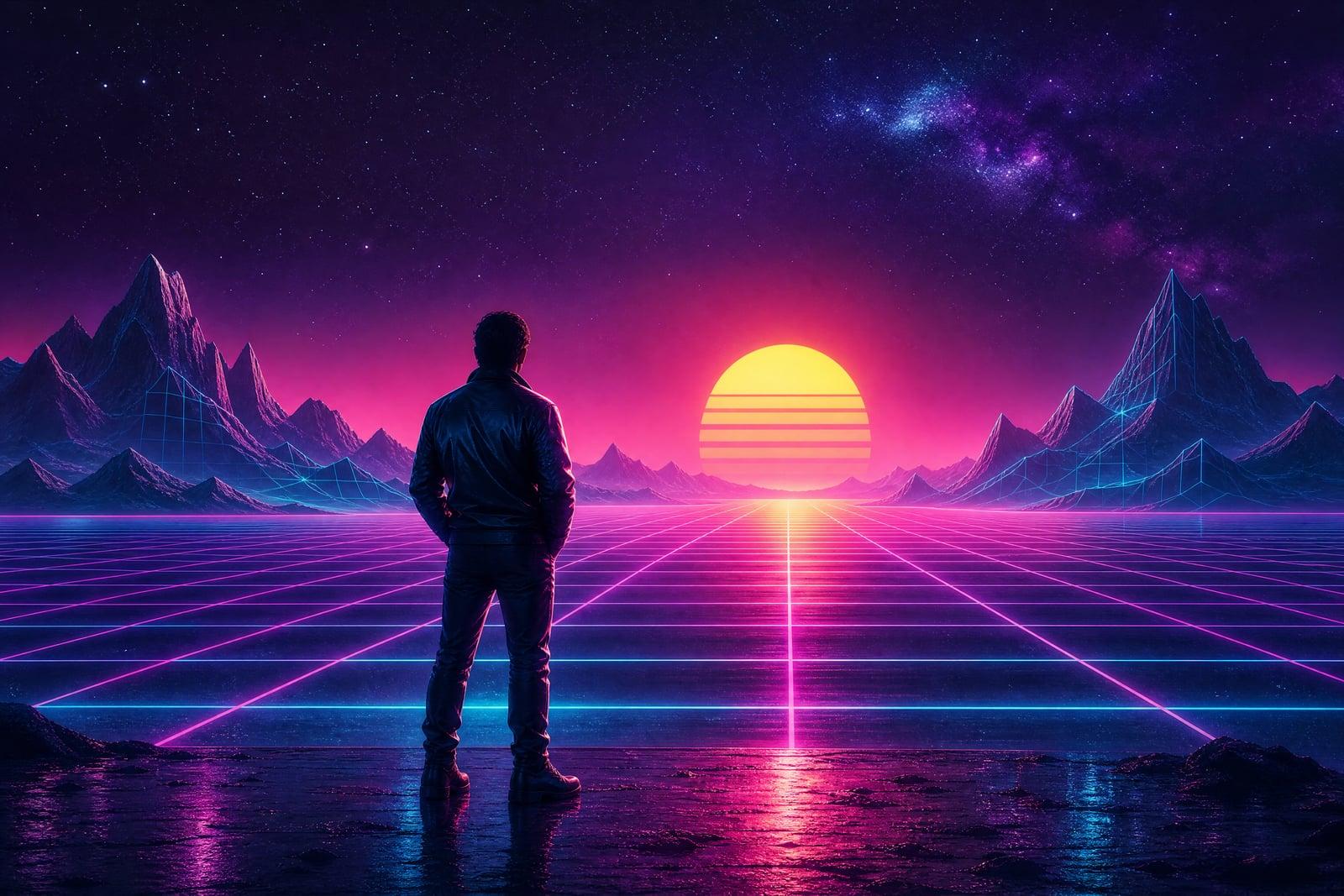
Synthwave Style restyles your photo in retro-futuristic 80s neon: magenta and cyan glow, gridline horizons, chrome reflections, and a haze that belongs on a cassette insert. Upload one image, portrait, car, skyline, whatever, and generate. The finished piece lands in your library, and each rerun dials the sunset and grid a different way.
What is the Synthwave Style?
Synthwave Style is a photo restyler on Nano Banana AI built around the retrowave aesthetic: the neon grids, gradient suns, and VHS glow of 80s-inspired album art and arcade cabinets. You upload a single photo and generate. The tool relights your subject in magenta, cyan, and violet, drops in synthwave environmental cues, and adds the soft bloom that makes everything feel like midnight in 1986.
The style is easy to fake badly. Slapping a purple gradient on a photo misses what makes retrowave work: light sources that make sense, glow that wraps around the subject, grid perspective that matches the camera angle, and film grain sitting on top of everything at the right strength. The tool rebuilds the lighting rather than tinting it, so your face or your car looks lit by neon instead of dipped in it.
Synthwave Style features
Rebuilt neon lighting
Magenta and cyan light actually wraps your subject, with believable rim glow and reflections. Portraits look like they were shot under real neon rather than color-graded after the fact in a hurry.
Retrowave scene elements
Grid horizons, gradient suns, palm silhouettes, and chrome haze get composed around your subject where the framing allows. Each element is matched to your photo's perspective so the scene hangs together.
Cars and skylines love it
The style was practically invented for coupes and city nights. A phone photo of your car becomes retro poster art with reflective streaks along the body lines and a horizon that belongs in an arcade.
Mood dial via reruns
Regenerations swing between hot pink sunset energy and cooler blue midnight tones. A few passes usually covers the whole retrowave mood spectrum, and comparing versions in the library takes under a minute.
How to use the Synthwave Style
- 1
Upload your photo
Portraits, cars, and skylines take the neon best. Night shots and clean silhouettes give the glow something to grab; harsh midday sun fights it.
- 2
Generate the retro pass
The tool relights your image in synthwave color and adds era-appropriate scenery. Check how the glow wraps your subject; that is the quality tell.
- 3
Rerun for the vibe
Alternate runs push warmer sunset or cooler midnight palettes. Regenerating is fast, so chase the exact cassette-cover mood you have in mind.
- 4
Download and use
Save your pick from the library. Synthwave frames work especially well as desktop wallpapers, playlist covers, and profile banners, anywhere the neon palette can glow against a dark interface.
Synthwave Style details
| Best for | Music fans, gamers, and car owners chasing the 80s neon look. |
|---|---|
| Category | Style transforms |
| Powered by | Nano Banana (Google) |
| Credits per image | 20 credits at 1K |
| Photos you upload | Your photo |
| Aspect ratios | Follows the input image |
| Adjustable options | None, one-click result |
| Included in plans | Standard, Premium, Pro |
What people make with the Synthwave Style
Playlist and mix covers
A synthwave self-portrait or car shot is the natural cover for that retro playlist you keep adding to. The neon palette reads instantly at thumbnail size in any music app's dark mode.
Car enthusiast posts
Owners restyle their coupe or classic into 80s poster art for forums and social media. Chrome glow along the body lines flatters basically every car ever made, including the ones still on payments.
Gamer profile kits
A matching synthwave avatar and banner gives a Twitch or Discord profile one coherent aesthetic instead of a mismatched collage. Viewers clock the vibe before they read a single channel description word.
Retro party invites
An 80s-themed birthday deserves an invitation with a gridline sunset behind the guest of honor. Restyle a photo of the birthday person and the party theme basically sells itself from the envelope.
Synthwave Style FAQ
What exactly is the synthwave style?
Synthwave, also called retrowave, is a retro-futuristic aesthetic inspired by 80s film posters, arcade art, and synth album covers. Its signatures are neon magenta and cyan lighting, grid horizons, gradient suns, chrome text-era haze, and soft VHS glow. This tool applies that whole visual package to your photo.
Is Synthwave Style the same as a vaporwave filter?
They are cousins, not twins. Vaporwave leans into pastel pinks, glitch collage, and ironic 90s internet imagery. Synthwave is more cinematic: darker backdrops, neon rim light, grids, and sunset gradients. This tool targets the synthwave end, though reruns sometimes drift pleasantly pastel.
Will the neon relight still keep my face looking like me?
Yes. The tool changes lighting and environment, not identity. Your features stay recognizable under the magenta and cyan glow, the same way a face stays yours under real club lighting. Extremely dark source photos give it less to work with, so start with a reasonably lit shot.
What photos should I avoid uploading?
Bright midday outdoor shots with flat light convert least convincingly, since the neon has to fight the sun. Busy group photos also dilute the effect. One subject, some darkness or dusk in the original, and the retro lighting slots right in.
Can I use synthwave images for my music or channel art?
Yes, everything you generate is yours to use commercially, including single covers, channel banners, and merch. Keep your uploads to photos you own or have permission to use and you are fully in the clear.
Related tools
Pricing
Choose the perfect plan to unlock more creativity with premium AI-powered image generation.
Standard
Perfect for creators and content makers
- 1,500 Credits per month
- High-quality AI image generation
- Text-to-image & image-to-image
- Premium templates library
- Priority support
Premium
For professionals and power creators
- 4,000 Credits per month
- Ultra high-quality generations
- Advanced AI models & styles
- Priority processing & support
- Commercial usage rights
Pro
Most advanced models for premium visuals
- 10,000 Credits per month
- All models incl. Nano Banana PRO
- All resolutions (1K, 2K & 4K)
- Premium-quality generation & smart edits
- Priority processing & support
Need more credits?
All plans include the option to purchase additional credit packs when you need extra generating power. Scale your creativity without limits.
Payments are securely processed by Stripe, our merchant of record. Subscriptions renew automatically at the listed price until you cancel; cancel anytime in your account settings. By continuing you agree to our Terms, Privacy Policy and Refund & Cancellation Policy. Need help? Contact support@nanobananai.ai.