Style transforms
Neon Sign Maker: turn any idea into a glowing sign
Designs realistic glowing neon signs from a word or idea, for bars, streams, weddings, and wall art.
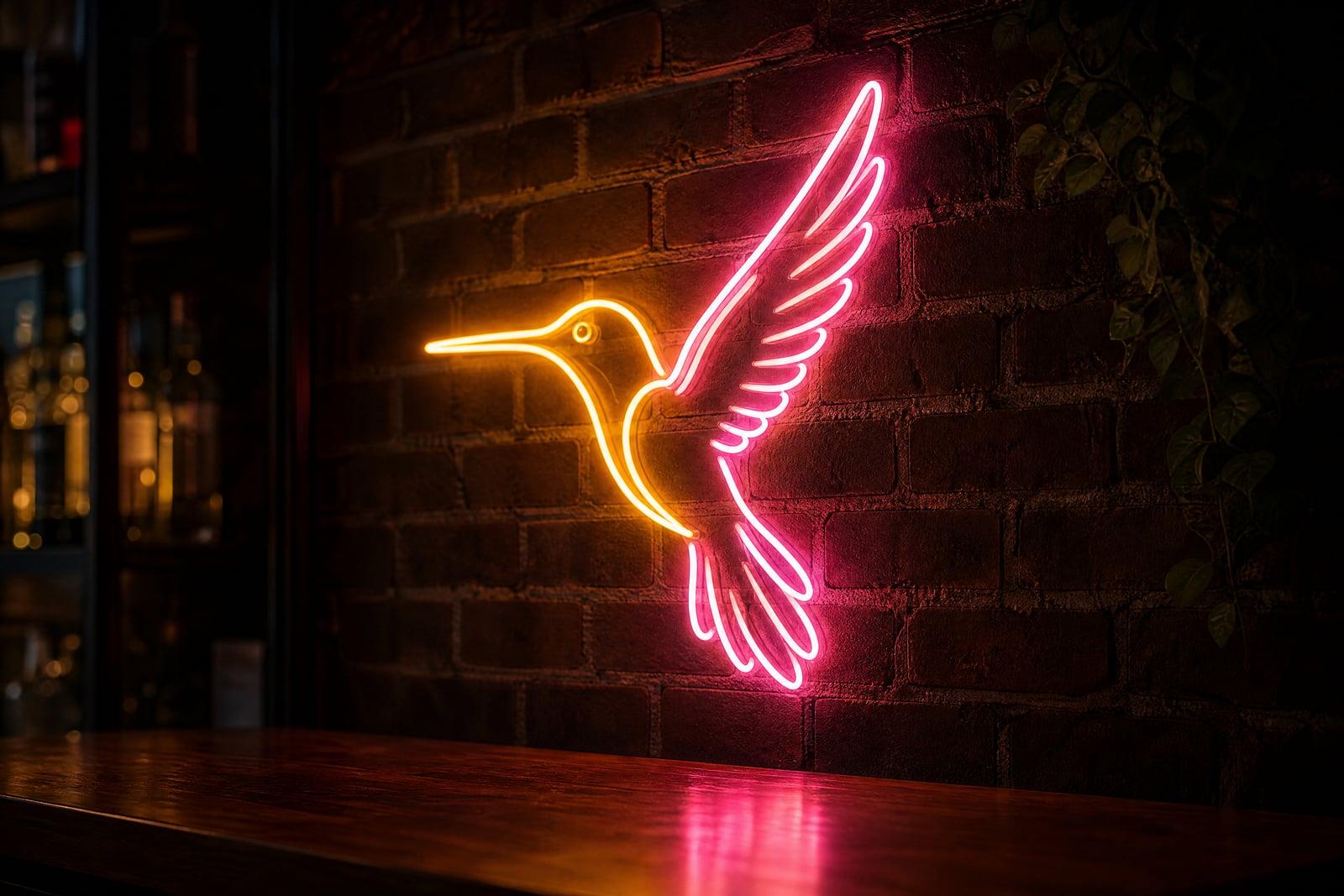
Neon Sign Maker turns a word, name, or subject into a glowing neon sign rendered with believable glass tubing and light spill. You do not need a photo: type what the sign should say or depict, optionally add a reference image, and generate. The tool bends the tubes, picks the glow, and mounts it all on a wall. Results save to your library.
What is the Neon Sign Maker?
Describe the sign, a phrase in cursive, a flamingo, your podcast name with a lightning bolt, and generate. The tool designs the tube path the way a sign shop would: continuous bends, consistent stroke width, a mounting backplate, and the soft double glow of gas-filled glass. Add a reference image if you want it to follow an existing shape or logo sketch.
Faking neon convincingly is a lighting problem. Real signs glow from the core outward, tint the wall behind them, reflect in nearby surfaces, and show slight color falloff along each tube. Flat text effects miss all of that. The tool renders the physics, so your sign looks photographed in a dark bar rather than typed into a graphics app.
Neon Sign Maker features
Believable glass and glow
Tubes read as real glass with hot cores, colored halos, and wall tint behind the sign. The glow behaves like light instead of an outline effect. Even the mounting wires show up where a fabricator would put them.
Text or pictures
Signs can be a word in flowing script, a shape like a cocktail glass or a cat, or both combined, matching what custom sign shops actually sell. Mixing the two gives the classic diner look.
Reference image support
Upload a sketch or logo as an optional reference and the tool bends the tubing to follow it. Handy for previewing a real sign before ordering one. The tube layout stays faithful to the shapes you gave it.
Quick restyles
Rerun to switch colors, script styles, and backdrops. Pink cursive on exposed brick and ice-blue block letters on black are one regeneration apart. Keeping several versions side by side makes the final choice quick.
How to use the Neon Sign Maker
- 1
Describe your sign
Type the wording or subject plus a mood, like a script-font "open late" in warm pink. Naming a lettering style and color gets you close on the first try.
- 2
Add a reference if needed
Upload a logo or sketch when the sign must follow an existing shape. Skip this step for pure text signs.
- 3
Generate the sign
The tool renders the tubes, glow, and wall in one pass. Check letter legibility first; neon script can get loopy.
- 4
Refine and download
Rerun with tweaks to color or wording until it feels right, then download from your library for printing or mockups.
Neon Sign Maker details
| Best for | Owners, couples, and streamers who need a glowing sign design |
|---|---|
| Category | Style transforms |
| Powered by | Nano Banana 2 (Google) |
| Credits per image | 40 credits at 1K |
| Photos you upload | Reference image (optional) (optional) |
| Aspect ratios | 1:1, 4:3, 16:9 |
| Adjustable options | What should the sign show? |
| Included in plans | Premium, Pro |
What people make with the Neon Sign Maker
Bar and cafe concepts
Owners mock up a sign above the actual counter idea before paying a fabricator. Seeing the phrase glowing on a wall settles the debate fast. It also helps the fabricator quote the job accurately.
Wedding and event signage
Render the couple's names in glowing script for save-the-dates, backdrops, and welcome screens, with a look no cardboard cutout can match. Wedding guests will assume you rented the real thing.
Stream overlays and channel art
A neon version of your handle gives late-night streams an identity. It fits gaming and music channels especially well against dark scenes. Viewers learn to spot your glow in a crowded category page.
Poster and wall art
Neon phrases make moody prints for bedrooms and studios. Generate the sign you would never spend hundreds fabricating and print it instead. A matched pair of signs makes a bedroom wall look deliberate.
Neon Sign Maker FAQ
Do I need a photo to use the Neon Sign Maker?
No. It is a text-to-image tool: describe the wording or subject and generate. A reference image is optional and only needed when the sign should follow an existing logo or sketch. Everything else, tube layout, glow, background, is designed for you.
Can the sign show a picture instead of words?
Yes. Neon shapes like animals, hearts, cocktail glasses, and lightning bolts render as well as lettering, and you can combine a shape with a word underneath, the classic sign-shop layout. Simple, recognizable silhouettes translate into tubing most convincingly.
Can I control the neon colors?
Yes, name the colors in your description: warm pink, ice blue, sunset orange, classic red. Rerunning with a different color takes a moment, so testing a few palettes against the same wording is painless. Two-color combinations usually read best.
Can I use a generated neon sign as my logo?
You can. Images you generate are yours, including for commercial use, so shopfront mockups, channel branding, and merch are all fair game. For a fabricated physical sign, hand the image to a sign maker as the design brief.
Why does my sign text look garbled?
Long phrases and unusual spellings can twist in neon script. Keep wording short, three or four words at most, ask for clear lettering, and regenerate. Block-letter styles hold complex words better than cursive. A quick rerun usually fixes one bad letter.
Related tools
Pricing
Choose the perfect plan to unlock more creativity with premium AI-powered image generation.
Standard
Perfect for creators and content makers
- 1,500 Credits per month
- High-quality AI image generation
- Text-to-image & image-to-image
- Premium templates library
- Priority support
Premium
For professionals and power creators
- 4,000 Credits per month
- Ultra high-quality generations
- Advanced AI models & styles
- Priority processing & support
- Commercial usage rights
Pro
Most advanced models for premium visuals
- 10,000 Credits per month
- All models incl. Nano Banana PRO
- All resolutions (1K, 2K & 4K)
- Premium-quality generation & smart edits
- Priority processing & support
Need more credits?
All plans include the option to purchase additional credit packs when you need extra generating power. Scale your creativity without limits.
Payments are securely processed by Stripe, our merchant of record. Subscriptions renew automatically at the listed price until you cancel; cancel anytime in your account settings. By continuing you agree to our Terms, Privacy Policy and Refund & Cancellation Policy. Need help? Contact support@nanobananai.ai.