Style transforms
Graffiti Style: your portrait as spray-painted street art
Repaints a photo as large-scale graffiti on a city wall, for bold avatars, posters, and music art.
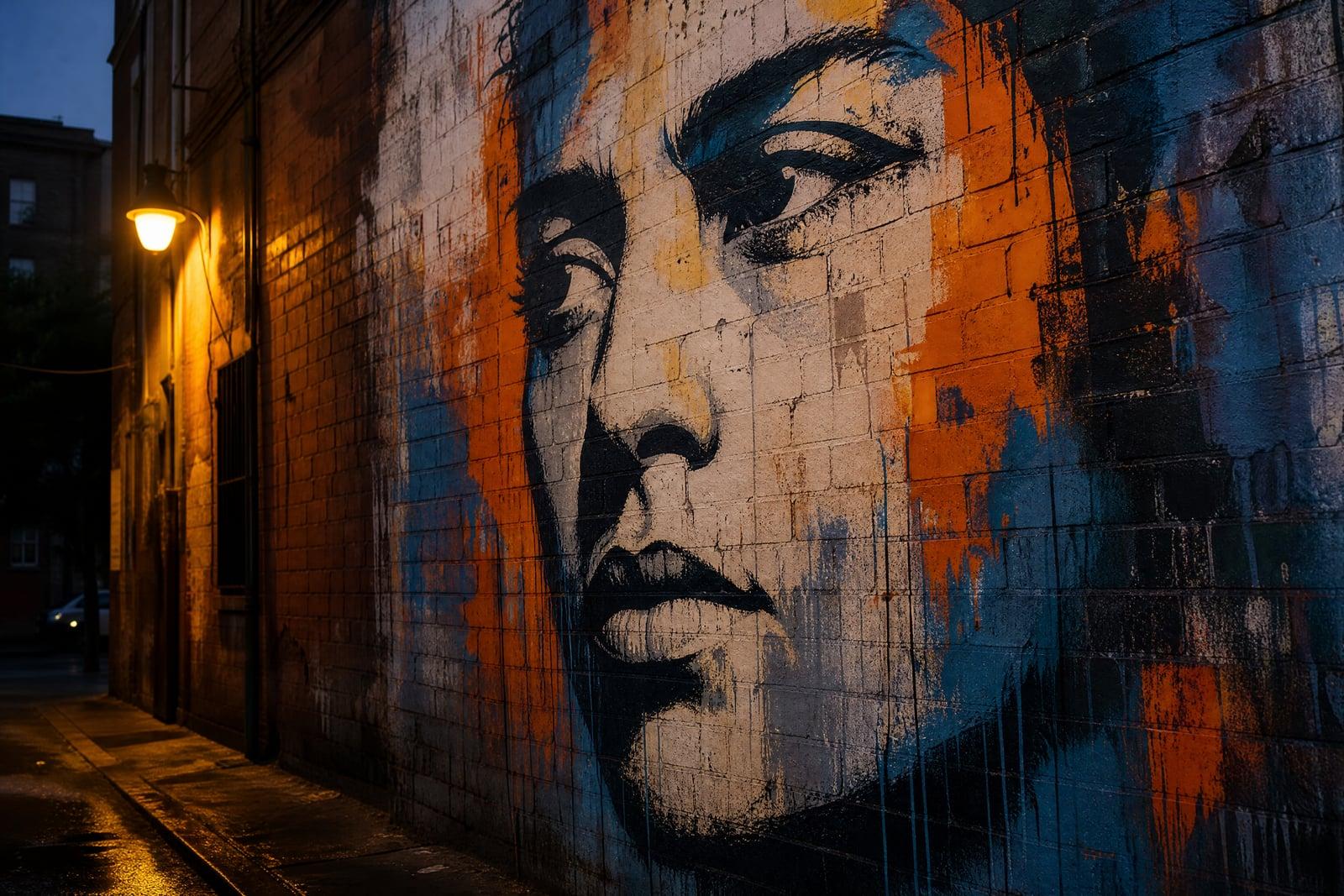
Graffiti Style turns a photo you upload into bold street art sprayed across a city wall. Upload one image and generate; the tool repaints you as a large-scale mural with layered spray paint, hard stencil edges, drips, and brick or concrete texture showing through. It works on portraits, pets, and objects, and finished walls save straight to your library.
What is the Graffiti Style?
You upload a photo and the tool stages it as a finished mural: your face scaled up across a wall, rendered in spray-paint fills, stencil cuts, and highlight flicks, then photographed like documentation of real street art. No cans, ladders, or legal gray areas involved. Rerunning gives you the same subject on a different wall with a different palette.
Street art has physics that filters miss: paint behaves differently on brick than on smooth concrete, drips obey gravity, colors overlap in layers with hard edges where stencils sat. The tool renders those material details and keeps your likeness readable at mural scale, which is its own trick, since graffiti simplifies faces into confident shapes and high-contrast planes.
Graffiti Style features
Real wall texture
Brick pores, concrete stains, and old paint layers show through the artwork. The mural sits on the surface the way actual spray paint does. Even the drips interact with the mortar lines.
Bold stencil likeness
Faces get simplified into high-contrast planes and clean cuts while staying recognizable, the same trade real street artists make when they scale a portrait up to two stories. The likeness survives the simplification.
Layered spray effects
Drips, overspray halos, and color layering give the piece depth. It looks like an artist spent an afternoon building it up coat by coat. Every layer sits where a can could actually reach.
Fresh walls on demand
Rerun to move the piece to a new wall, alley, or underpass with a different palette. Same face, different city corner. Testing five locations takes minutes and no train ticket.
How to use the Graffiti Style
- 1
Upload your photo
High-contrast portraits make the strongest murals. A confident expression scales up well; subtle smirks can vanish into the stencil style.
- 2
Generate the mural
The tool paints your subject onto a wall and frames it like street photography. Check that the face reads from a distance.
- 3
Rerun for wall and palette
Regenerate to switch surfaces and color schemes. A three-color stencil on brick and a full-color piece on concrete are very different artworks.
- 4
Download and use it big
Save from your library. This style is built for large formats: posters, banners, cover art, and phone wallpapers with attitude.
Graffiti Style details
| Best for | Musicians and anyone who wants portraits with street energy |
|---|---|
| Category | Style transforms |
| Powered by | Nano Banana (Google) |
| Credits per image | 20 credits at 1K |
| Photos you upload | Your photo |
| Aspect ratios | 1:1, 4:3, 16:9 |
| Adjustable options | None, one-click result |
| Included in plans | Standard, Premium, Pro |
What people make with the Graffiti Style
Single and mixtape art
Rappers and producers mock up cover art by putting their face or a concept on a wall. It sets a tone before a designer ever gets involved. The rough texture reads great at streaming thumbnail size.
Statement wall prints
A graffiti portrait of your dog at mural scale, printed large, turns a plain apartment wall into the room people comment on. Guests ask for the artist and you get to shrug.
Social banners with edge
A spray-painted version of your portrait gives profile headers and channel banners an energy that a plain photo never delivers. It suits musicians, skaters, and anyone whose feed leans dark and loud.
Skate and streetwear mockups
Small brands test graphics by rendering designs as street art first. If it holds up on a wall, it will hold up on a deck or a hoodie. Mockups this quick change how often you experiment.
Graffiti Style FAQ
What does Graffiti Style do to my photo?
It repaints your photo as large-scale street art on a wall: spray-paint fills, stencil edges, drips, and real brick or concrete texture underneath. You upload one image, generate, and get back what looks like a photographed mural of your subject.
Will my face still be recognizable as graffiti?
Yes. The style simplifies features into bold, high-contrast shapes, and the tool keeps the proportions and landmarks that make you identifiable. Photos with strong light and shadow convert best because they already have the contrast the style needs.
Can I pick the wall or background?
You can steer it by regenerating. Different passes place the piece on brick, concrete, shutters, or underpass walls with different palettes. Run a few and keep the wall whose mood matches the subject. Daylight walls and night walls carry very different moods.
Is it legal to use these images?
Yes, entirely. No real walls are painted; the mural exists only as a generated image, and everything you create is yours to use, including commercially on covers, posters, and merch. Using it as inspiration for a real commissioned mural is also fine.
What photos convert badly to street art?
Flat, evenly lit photos with weak contrast, since the stencil style needs strong lights and darks to carve shapes from. Busy group shots also muddy at mural scale. One subject, hard light, simple background: that is the recipe.
Related tools
Pricing
Choose the perfect plan to unlock more creativity with premium AI-powered image generation.
Standard
Perfect for creators and content makers
- 1,500 Credits per month
- High-quality AI image generation
- Text-to-image & image-to-image
- Premium templates library
- Priority support
Premium
For professionals and power creators
- 4,000 Credits per month
- Ultra high-quality generations
- Advanced AI models & styles
- Priority processing & support
- Commercial usage rights
Pro
Most advanced models for premium visuals
- 10,000 Credits per month
- All models incl. Nano Banana PRO
- All resolutions (1K, 2K & 4K)
- Premium-quality generation & smart edits
- Priority processing & support
Need more credits?
All plans include the option to purchase additional credit packs when you need extra generating power. Scale your creativity without limits.
Payments are securely processed by Stripe, our merchant of record. Subscriptions renew automatically at the listed price until you cancel; cancel anytime in your account settings. By continuing you agree to our Terms, Privacy Policy and Refund & Cancellation Policy. Need help? Contact support@nanobananai.ai.