Portraits & people
AI Makeup Try-On: see the full look before you buy it
Preview complete makeup looks on your own photo, from soft glam to bold editorial.
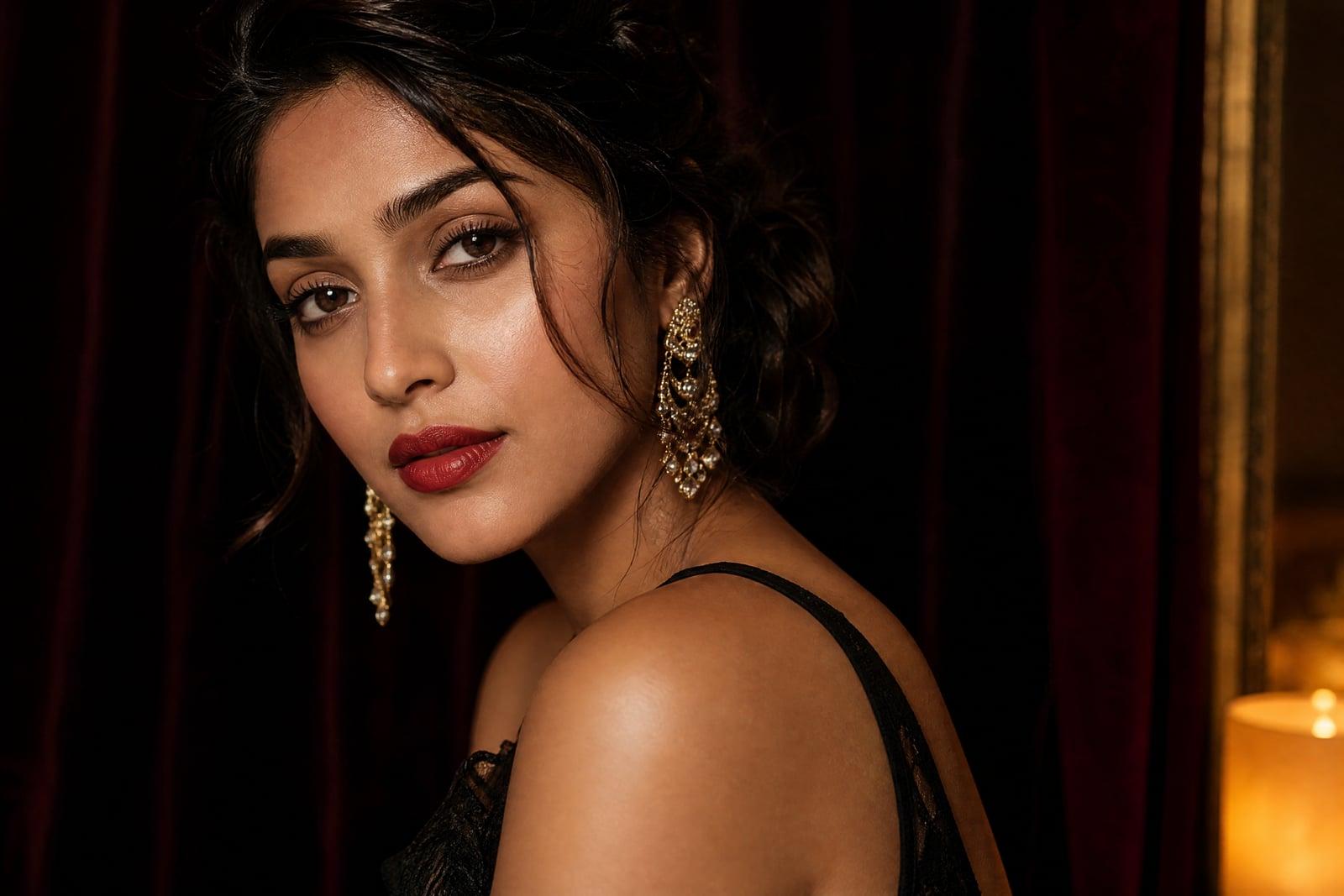
AI Makeup Try-On applies a complete makeup look to a photo of you, so you can judge it on your actual face rather than on a model's. Upload one clear selfie, describe the look, soft glam, red lip with winged liner, clean no-makeup makeup, and generate. The application follows your real features, and every version is saved for comparison.
What is the AI Makeup Try-On?
You upload a bare-faced or lightly made-up selfie and describe the look you want to test. The tool renders the full application: base, brows, eyes, lips, blush, matched to your face shape and skin tone. It takes moments per look, so auditioning five directions for a wedding or a shoot is one sitting instead of five counter visits.
Makeup is notoriously hard to judge from swatches because everything depends on the face wearing it. A red that sings on one undertone goes flat on another; a liner shape flatters one eye and fights another. The tool applies looks to your specific undertone, eye shape and lip line, which is the information a product photo can never give you.
AI Makeup Try-On features
Matched to your undertone
Shades render against your actual skin tone, so you learn whether that orange-red or cool berry genuinely suits you. This answers the question swatches on a stranger's wrist cannot.
Full looks, not stickers
Base, contour, brows, eyes and lips are applied as one coherent look with realistic texture. Nothing floats on top of the photo like the sticker layers of old filter apps.
Any style you can name
Soft glam, editorial graphic liner, 60s cut crease, barely-there office makeup. Describe it in plain words and the tool interprets it on your features.
Compare looks honestly
Because your face, angle and lighting stay constant across versions, the only variable is the makeup. Lining up four candidate looks for an event makes the decision quick.
How to use the AI Makeup Try-On
- 1
Upload a clear selfie
Bare-faced or minimal makeup, facing the camera, in natural light. The cleaner the canvas, the more accurately each look renders.
- 2
Describe the look
Name the style, occasion or specific elements: smoky eye with nude lip, bridal soft glam, graphic liner. Specific words get specific results.
- 3
Generate the preview
The full application renders on your face in moments. Check how the shades sit against your skin tone and eye shape.
- 4
Iterate and save favorites
Adjust one element at a time, warmer lip, softer liner, and rerun. Download the winner as a reference for yourself or your makeup artist.
AI Makeup Try-On details
| Best for | Anyone choosing makeup for an event or a purchase |
|---|---|
| Category | Portraits & people |
| Powered by | Nano Banana (Google) |
| Credits per image | 20 credits at 1K |
| Photos you upload | Your photo |
| Aspect ratios | 1:1, 3:4 |
| Adjustable options | Makeup look |
| Included in plans | Standard, Premium, Pro |
What people make with the AI Makeup Try-On
Wedding makeup trials
Brides can audition four directions on their own face before the paid trial, then walk in with a reference photo. The trial session becomes refinement instead of discovery.
Buying shades online
Ordering foundation or a bold lipstick unseen is a coin flip. Previewing the shade family on your photo first turns returns and regret into a rarity.
Learning what suits you
Beginners can test whether warm or cool palettes, thin or bold brows, subtle or dramatic liner flatter their features, without buying a single product to find out.
Content and portfolio ideas
Makeup artists and beauty creators can prototype looks on a client's photo before an appointment, or storyboard a tutorial series without booking a model for the planning stage.
AI Makeup Try-On FAQ
How realistic is the AI Makeup Try-On compared to real application?
Realistic enough to make buying and booking decisions. Shades render against your true undertone and the application follows your eye and lip shapes. Finish details like glitter particle size can vary from the physical product, so treat it as a very good preview rather than a lab match.
Do I need to upload a bare-faced photo?
It helps. A clean or minimally made-up face gives the tool an honest canvas, so the previewed look is not stacking on top of existing liner or lipstick. Natural light and a straight-on angle improve accuracy further.
Can I test one specific element, like just a lip color?
Yes. Describe only what you want changed, a brick-red matte lip, say, and keep the rest neutral. Testing single elements one run at a time is the best way to isolate what actually suits your face.
Can I bring the result to a real makeup artist?
Yes, and artists appreciate it. A photo of the desired look on your own face communicates far more than a magazine tear of a model with different features. Download your favorite and bring it to the appointment.
Is my selfie kept private?
Yes. Your photo is used to generate your previews and lives in your private library with the results. Nothing is shared anywhere, and you can delete uploads and looks whenever you choose.
Related tools
Pricing
Choose the perfect plan to unlock more creativity with premium AI-powered image generation.
Standard
Perfect for creators and content makers
- 1,500 Credits per month
- High-quality AI image generation
- Text-to-image & image-to-image
- Premium templates library
- Priority support
Premium
For professionals and power creators
- 4,000 Credits per month
- Ultra high-quality generations
- Advanced AI models & styles
- Priority processing & support
- Commercial usage rights
Pro
Most advanced models for premium visuals
- 10,000 Credits per month
- All models incl. Nano Banana PRO
- All resolutions (1K, 2K & 4K)
- Premium-quality generation & smart edits
- Priority processing & support
Need more credits?
All plans include the option to purchase additional credit packs when you need extra generating power. Scale your creativity without limits.
Payments are securely processed by Stripe, our merchant of record. Subscriptions renew automatically at the listed price until you cancel; cancel anytime in your account settings. By continuing you agree to our Terms, Privacy Policy and Refund & Cancellation Policy. Need help? Contact support@nanobananai.ai.