Portraits & people
AI Outfit Changer: try any look before you buy it
Type an outfit, upload one photo, and see how it actually looks on you.
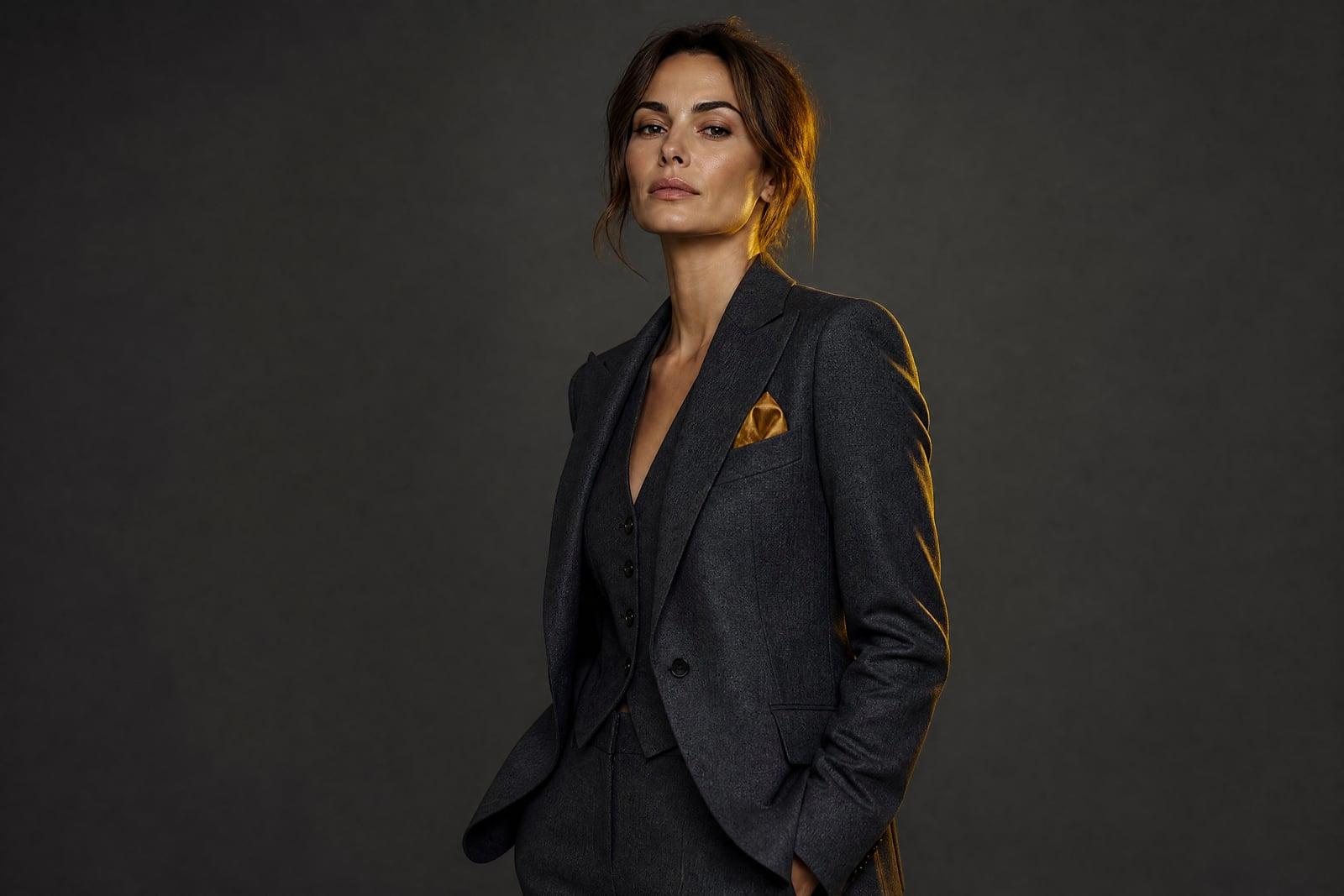
AI Outfit Changer swaps the clothes in your photo for any outfit you can describe. Upload one clear picture of yourself, type what you want to wear (a charcoal suit, a red summer dress, a bomber jacket over a hoodie), and generate. Your face, hair, and pose stay the same; only the clothing changes. Each result lands in your library, ready to download or rerun with a new description.
What is the AI Outfit Changer?
The tool takes one photo of you and a written description of an outfit, then redraws the clothing while leaving everything else alone. You do not need product photos of the clothes or a second reference image. A plain sentence works: "olive linen blazer with white trousers" is enough. Generate, compare the result against your original, and rerun with a tweaked description until the look lands.
Swapping clothes convincingly is hard to fake by hand. Fabric has to drape over your actual shoulders and waist, sleeves have to follow your arm position, and the new garment has to sit in the same light as the rest of the photo. The tool handles the draping, the shadows, and the skin boundaries at collars and cuffs, which are exactly the spots where manual edits fall apart.
AI Outfit Changer features
Your face stays yours
Only the clothing changes. Your face, hairstyle, body position, and the background of the original shot carry through, so the result reads as a real photo of you in a different outfit.
Outfits from plain text
No shopping links or garment photos required. Describe the outfit in ordinary words, from "navy interview suit" to "90s grunge with a flannel shirt", and the tool dresses you accordingly.
Realistic fit and drape
Jackets sit on your shoulders, dresses follow your posture, and fabric folds where fabric should fold. The lighting on the new clothes matches the light in your original photo.
Cheap to experiment
Each variation takes moments to generate, so you can run a suit, a dress, and three jacket colors in one sitting and pick the version worth downloading.
How to use the AI Outfit Changer
- 1
Upload your photo
Pick a clear, well-lit shot where your full torso is visible and your current clothes are not heavily obscured by bags, coats, or crossed arms.
- 2
Describe the outfit
Write what you want to wear. Specific beats vague: name the garment, color, and style, like "cream knit sweater with high-waisted jeans".
- 3
Generate
The tool redraws your clothing in the described outfit while keeping your face, pose, and background. Results appear in under a minute.
- 4
Download or refine
Happy with the look, download it. Not quite right, adjust one detail in the description (sleeve length, color, formality) and rerun.
AI Outfit Changer details
| Best for | Anyone deciding what to wear before spending money on it. |
|---|---|
| Category | Portraits & people |
| Powered by | Nano Banana (Google) |
| Credits per image | 20 credits at 1K |
| Photos you upload | Your photo |
| Aspect ratios | Follows the input image |
| Adjustable options | Describe the outfit |
| Included in plans | Standard, Premium, Pro |
What people make with the AI Outfit Changer
Shop with more confidence
Before ordering a style you have never worn, generate yourself in it. Seeing a double-breasted blazer on your own frame answers the question a product page cannot.
Interview and event prep
Test a suit against a smart-casual option for the same interview photo. Deciding between two levels of formality is much easier when you can compare them side by side.
Dating profile refresh
Your best photo might have your worst outfit. Keep the good smile and the good lighting, and swap the tired t-shirt for something that matches the impression you want.
Content and styling ideas
Stylists and fashion creators can mock up looks on a client photo before pulling a single garment, then share the generated options as a visual shortlist.
AI Outfit Changer FAQ
How does the AI Outfit Changer keep my face the same?
The tool edits only the clothing region of your photo. Your face, hair, and pose are preserved from the original image rather than regenerated, so you stay recognizable. Small details can shift between runs, and regenerating usually fixes anything that looks off.
Do I need a photo of the outfit I want to try?
No. The outfit comes entirely from your text description. Name the garment type, color, and vibe and the tool renders it on you. If you have a very specific piece in mind, describe its distinctive details, like "cropped black leather jacket with silver zips".
What kind of photo works best?
A sharp, front-facing photo with even lighting and your torso fully visible. Baggy layers, crossed arms, and busy patterns give the tool less to work with. A phone photo against a plain wall is ideal, and full-body shots let you change trousers and shoes too.
Can I change just part of the outfit?
Yes. Mention only what you want changed and describe the rest as it is. Asking for "same jeans, but a beige trench coat instead of the hoodie" keeps the lower half untouched while the coat is redrawn.
Can I use the images commercially?
Yes. Images you generate are yours to use, including for commercial projects like lookbooks, styling proposals, or social content. Your uploads are used only to generate your images and sit in your private library, where you can delete them whenever you like.
Related tools
Pricing
Choose the perfect plan to unlock more creativity with premium AI-powered image generation.
Standard
Perfect for creators and content makers
- 1,500 Credits per month
- High-quality AI image generation
- Text-to-image & image-to-image
- Premium templates library
- Priority support
Premium
For professionals and power creators
- 4,000 Credits per month
- Ultra high-quality generations
- Advanced AI models & styles
- Priority processing & support
- Commercial usage rights
Pro
Most advanced models for premium visuals
- 10,000 Credits per month
- All models incl. Nano Banana PRO
- All resolutions (1K, 2K & 4K)
- Premium-quality generation & smart edits
- Priority processing & support
Need more credits?
All plans include the option to purchase additional credit packs when you need extra generating power. Scale your creativity without limits.
Payments are securely processed by Stripe, our merchant of record. Subscriptions renew automatically at the listed price until you cancel; cancel anytime in your account settings. By continuing you agree to our Terms, Privacy Policy and Refund & Cancellation Policy. Need help? Contact support@nanobananai.ai.