Portraits & people
Beard Style Try-On: see the beard before the three-week itch
Preview a full beard, stubble, goatee or clean shave on your own photo.
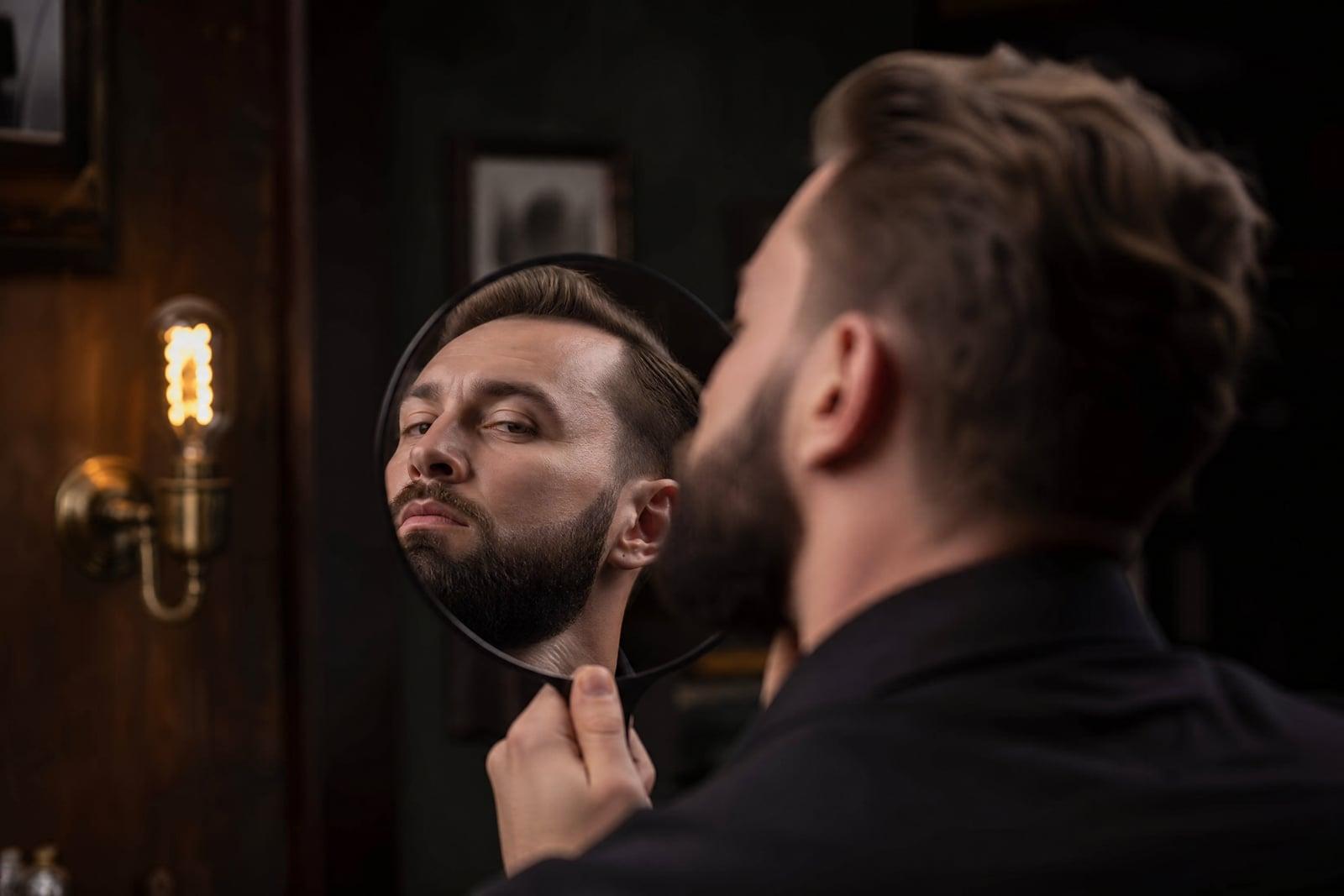
Beard Style Try-On renders any facial hair style onto a photo of you: full beard, heavy stubble, goatee, mustache, or the clean-shaven version of your current bearded self. Upload one clear photo, name the style, and generate. The tool shapes the hair to your jaw and matches your natural color, so the preview answers the real question of whether the look suits your face.
What is the Beard Style Try-On?
You upload a front-facing photo and pick a facial hair style, or its removal. The generator renders it with realistic density, your natural hair color and a groomed line that follows your actual jaw. Each preview takes moments, and running the full menu from stubble to lumberjack fills your library with an honest comparison set.
Growing a beard to test it costs weeks of awkward in-between, and shaving one off to check is instantly irreversible. Facial hair also changes perceived face shape: a full beard squares a round jaw, a goatee lengthens a wide one. The tool renders those shape effects on your real bone structure, which is the information a barber can only describe in words.
Beard Style Try-On features
Every length and shape
Five o'clock shadow, corporate stubble, boxed beard, full lumberjack, goatee, mustache alone. If a barber has a name for it, you can preview it on your own jaw.
Your color and density
The rendered beard matches your natural hair color and plausible growth density, including the patchy truth where applicable. Honest previews beat flattering fantasies here.
Shave previews too
Currently bearded and wondering what is underneath? The tool works in reverse, rendering your clean-shaven face so the big shave stops being a leap of faith.
Jaw-aware shaping
Beard lines follow your actual jaw and cheekbones, so you see how each style reshapes your face: squarer, longer, sharper. That reshaping is usually the real decision factor.
How to use the Beard Style Try-On
- 1
Upload your photo
A sharp, front-facing photo with your jawline visible and even lighting. If you currently have a beard, the tool can restyle or remove it.
- 2
Pick a style
Choose the facial hair you are considering, from light stubble to a full beard, or clean shave. Trying the extremes first frames the decision fastest.
- 3
Generate the preview
The style renders onto your jaw in moments with your natural color. Look specifically at how it changes your face shape.
- 4
Compare and commit
Run several styles and view them side by side in your library. The winner becomes your reference photo for the barber, or your permission slip to shave.
Beard Style Try-On details
| Best for | Men deciding between a beard, stubble or the razor |
|---|---|
| Category | Portraits & people |
| Powered by | Nano Banana (Google) |
| Credits per image | 20 credits at 1K |
| Photos you upload | Your photo |
| Aspect ratios | 1:1, 3:4 |
| Adjustable options | Facial hair |
| Included in plans | Standard, Premium, Pro |
What people make with the Beard Style Try-On
Before the big shave
Men who have worn a beard for years genuinely forget their own chin. Previewing the clean-shaven face first prevents the classic morning-of-the-wedding shaving regret.
Committing to the grow
A full beard takes six to twelve weeks of patchy limbo. Seeing the destination on your own face first is what makes surviving week three psychologically possible.
A brief for the barber
Instead of describing a fade-into-stubble situation with hand gestures, show your barber a photo of you already wearing it. The appointment gets shorter and the result gets closer.
Job interview calibration
Switching between corporate stubble and clean-shaven for an interview season? Preview both against your suit photo and pick the one that reads right for the industry.
Beard Style Try-On FAQ
How realistic is the Beard Style Try-On?
Realistic enough to decide with. The beard renders in your natural color with believable density and a line that follows your real jaw, so the face-shape effect, the thing that actually decides beard questions, is accurate. Individual hair growth quirks may differ when you grow it for real.
Can it show me clean-shaven if I already have a beard?
Yes, removal is one of its most used tricks. Upload your current bearded photo and generate the shaved version. Long-term beard wearers often find this preview more valuable than any addition, since the underlying chin is a genuine mystery.
Which beard styles can I preview?
Effectively all of them: stubble at various lengths, goatee, van dyke, boxed beard, full beard, mustache alone, and grooming variations of each. You can also adjust the density and tidiness of a style you already wear.
What photo should I use?
Front-facing, sharp, with your jawline clearly visible and even light on both sides of your face. Avoid tilted angles and heavy shadow under the chin, since the jaw is exactly where the tool needs accurate information.
Is my photo private, and can I keep the results?
Yes and yes. Uploads and previews stay in your private library, deletable anytime, and the images you generate are yours. Most people keep the winning style saved as a permanent barber reference.
Related tools
Pricing
Choose the perfect plan to unlock more creativity with premium AI-powered image generation.
Standard
Perfect for creators and content makers
- 1,500 Credits per month
- High-quality AI image generation
- Text-to-image & image-to-image
- Premium templates library
- Priority support
Premium
For professionals and power creators
- 4,000 Credits per month
- Ultra high-quality generations
- Advanced AI models & styles
- Priority processing & support
- Commercial usage rights
Pro
Most advanced models for premium visuals
- 10,000 Credits per month
- All models incl. Nano Banana PRO
- All resolutions (1K, 2K & 4K)
- Premium-quality generation & smart edits
- Priority processing & support
Need more credits?
All plans include the option to purchase additional credit packs when you need extra generating power. Scale your creativity without limits.
Payments are securely processed by Stripe, our merchant of record. Subscriptions renew automatically at the listed price until you cancel; cancel anytime in your account settings. By continuing you agree to our Terms, Privacy Policy and Refund & Cancellation Policy. Need help? Contact support@nanobananai.ai.