Portraits & people
Expression Changer: rescue the photo where you blinked
Open closed eyes or change the expression in a photo: smile, laugh or serious.
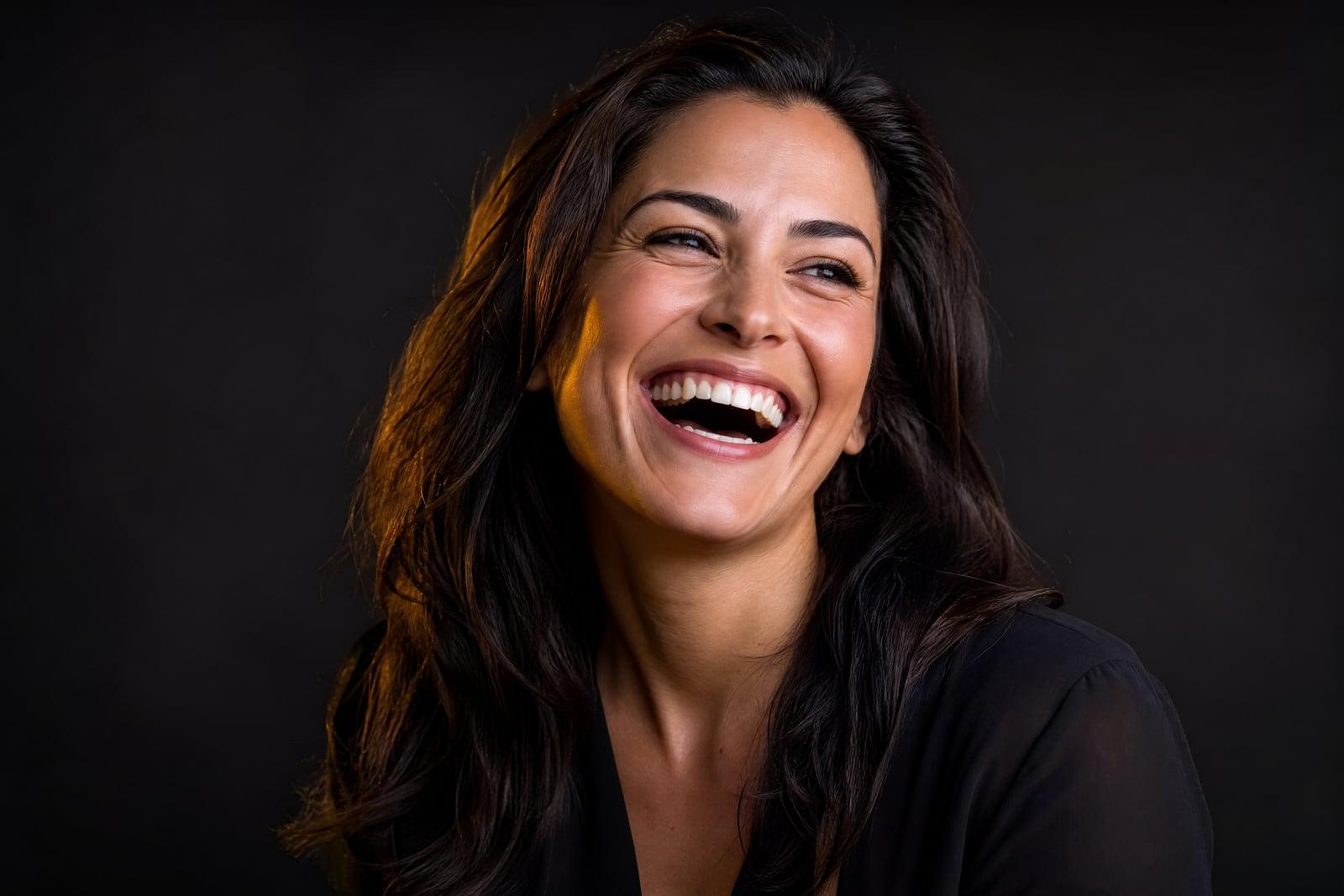
The Expression Changer edits the expression in an existing photo: it opens blinked eyes, turns a flat mouth into a natural smile, or swaps a grin for a serious look when the occasion demands one. Upload the photo, say what should change, and generate. Everything else in the image stays put, and the edited face remains unmistakably the same person.
What is the Expression Changer?
You upload a photo where the expression is the problem, closed eyes, a mid-sentence mouth, a scowl in an otherwise great shot, and describe the fix. The tool re-renders just the expressive parts of the face while leaving identity, pose, lighting and background untouched. The edit takes moments and the original stays safe in your library alongside every version.
Expressions are woven through the whole face, which is why crude edits look haunted. A real smile lifts cheeks and narrows eyes; genuinely open eyes catch light in a specific way. The tool adjusts all of those cues together so the new expression is anatomically coherent, and it keeps the mouth and eyes recognizably yours rather than pasting in generic ones.
Expression Changer features
Blink repair
Closed and half-closed eyes open naturally, with catchlights matched to the scene's lighting. The one group photo where everyone else nailed it becomes usable after all.
Whole-face expressions
An added smile lifts the cheeks and warms the eyes the way real smiles do. Mouth-only edits are what make photos look wrong, and the tool avoids them by design.
Everything else untouched
Hair, pose, clothing, background and lighting stay exactly as shot. The edit is confined to the expression, so the photo remains an honest record of the moment.
Range of moods
Soft smile, open laugh, neutral, serious, surprised. The same photo can be steered to whichever mood the destination needs, a resume or a birthday post.
How to use the Expression Changer
- 1
Upload the photo
Choose the shot that is great except for the face: the blink, the grimace, the mid-chew moment. Higher resolution gives cleaner edits.
- 2
Describe the fix
Say what you want: open the eyes, add a gentle smile, make it serious. Modest changes read as most natural.
- 3
Generate
The tool re-renders the expression in moments while leaving the rest of the image alone. The result lands next to the original in your library.
- 4
Compare against the original
Flip between versions to check the edit feels like the same instant. If the smile reads too strong, rerun with a softer request.
Expression Changer details
| Best for | Anyone with a great photo ruined by one expression |
|---|---|
| Category | Portraits & people |
| Powered by | Nano Banana (Google) |
| Credits per image | 20 credits at 1K |
| Photos you upload | Your photo |
| Aspect ratios | Follows the input image |
| Adjustable options | New expression |
| Included in plans | Standard, Premium, Pro |
What people make with the Expression Changer
The one group photo
Eleven people finally look good simultaneously and one person blinked. Opening those eyes rescues the photo that will otherwise be renegotiated for another hour.
Wedding and event saves
The only frame with grandma in it caught her mid-sneeze. Photographers and families can recover irreplaceable moments where a reshoot is simply not possible.
Profile photo tuning
The photo with perfect light and background has a too-stern face. A modest warm smile converts it into the LinkedIn or dating photo it almost was.
Kids and pets adjacent chaos
Children rarely blink, smile and face the camera in the same second. Parents can fix one child's expression in the frame where the other two behaved.
Expression Changer FAQ
Can the Expression Changer really open closed eyes convincingly?
Yes, this is its core job. The eyes are rendered open with your own eye shape and color, and catchlights are matched to the light in the scene. Zoomed in, the result should look like the frame taken half a second earlier.
Will the edited photo still look like the same person?
Yes. The tool changes the expression, not the identity. Your features stay intact, and the surrounding photo, hair, pose, lighting, background, is left untouched, so the edit reads as the same moment with better timing.
What expression changes can I ask for?
Opening eyes, adding a smile from subtle to full laugh, neutralizing a grimace, or making a cheerful shot look serious for formal use. Small, specific requests produce the most believable results.
Does it work on group photos?
Yes, and group shots are the most common use. You can target the one person who blinked while everyone else stays exactly as photographed. Fixing multiple faces is a matter of running the edit for each one.
Is the original photo safe, and who sees my uploads?
The original is never overwritten; every edit is saved as a new version in your private library. Uploads are used only to generate your edits, nobody else sees them, and you can delete anything whenever you like.
Related tools
Pricing
Choose the perfect plan to unlock more creativity with premium AI-powered image generation.
Standard
Perfect for creators and content makers
- 1,500 Credits per month
- High-quality AI image generation
- Text-to-image & image-to-image
- Premium templates library
- Priority support
Premium
For professionals and power creators
- 4,000 Credits per month
- Ultra high-quality generations
- Advanced AI models & styles
- Priority processing & support
- Commercial usage rights
Pro
Most advanced models for premium visuals
- 10,000 Credits per month
- All models incl. Nano Banana PRO
- All resolutions (1K, 2K & 4K)
- Premium-quality generation & smart edits
- Priority processing & support
Need more credits?
All plans include the option to purchase additional credit packs when you need extra generating power. Scale your creativity without limits.
Payments are securely processed by Stripe, our merchant of record. Subscriptions renew automatically at the listed price until you cancel; cancel anytime in your account settings. By continuing you agree to our Terms, Privacy Policy and Refund & Cancellation Policy. Need help? Contact support@nanobananai.ai.