Portraits & people
Passport Photo Maker: an ID-style photo without the booth
Turn any selfie into a clean, white-background ID-style photo at home.
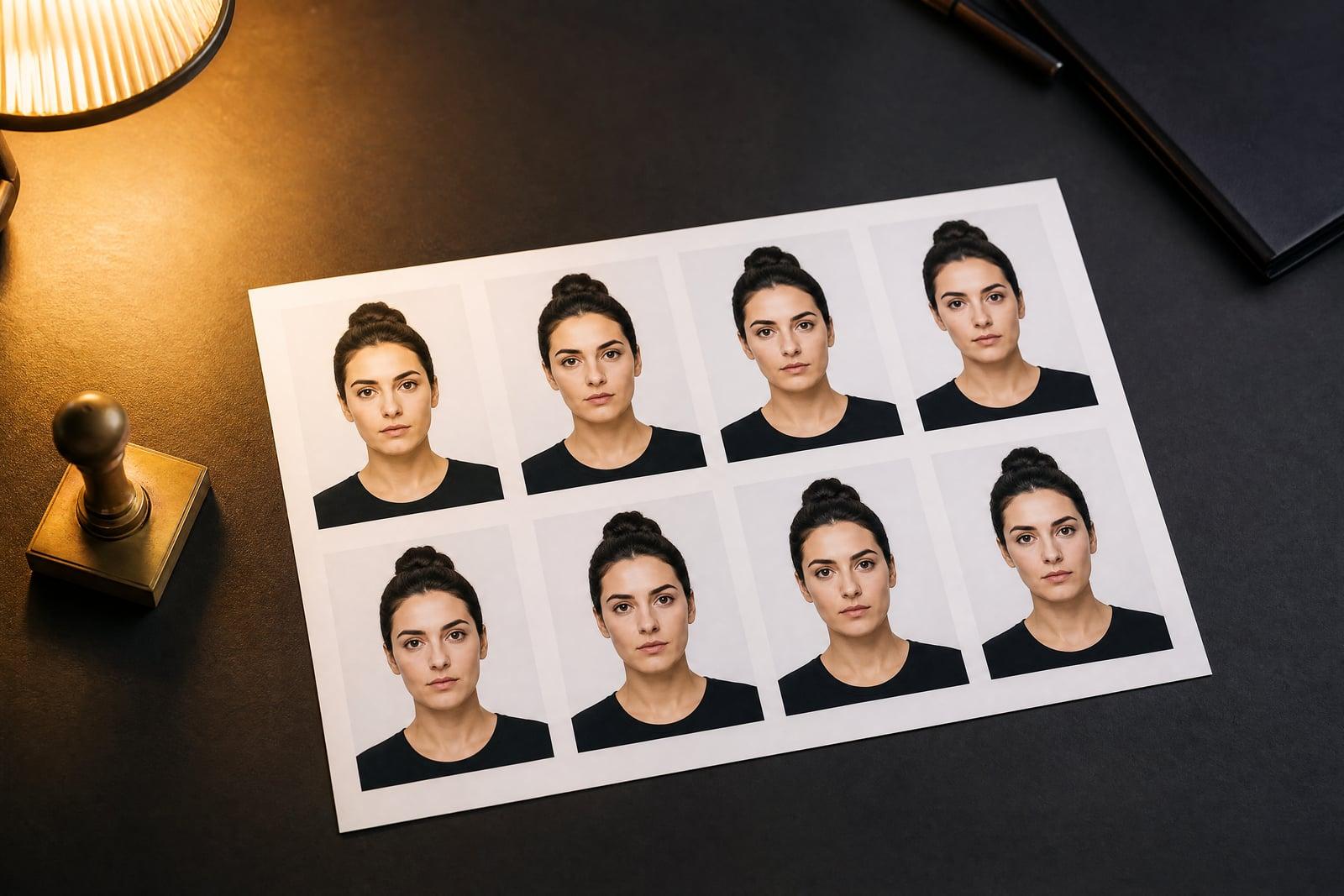
The Passport Photo Maker turns an ordinary selfie into an ID-style photo: plain white background, even lighting, neutral expression, head framed the way document photos demand. Upload one photo and generate; the tool handles the background swap, lighting correction and framing. It suits visa-style prints and profile documents, though official biometric rules vary by country and are worth checking.
What is the Passport Photo Maker?
You upload a selfie, the tool rebuilds it to ID conventions, and the result lands in your library. The background becomes uniform white, shadows on the face even out, the head is centered and sized like a document photo, and stray hair or tilted framing gets corrected. What took a drugstore booth and exact change now takes a phone photo taken against any wall.
Document photos are strict in boring, specific ways: no shadows behind the head, no smile in many countries, eyes open and level, precise head-size ratios. Home attempts usually fail on lighting, since a ceiling bulb throws shadows a booth would not. The tool corrects light and background together, which are the two most common rejection reasons for homemade attempts.
Passport Photo Maker features
True white background
The background is replaced with clean, uniform white, with no shadow halo behind the head. That single fix eliminates the most common rejection reason for photos taken at home.
Document framing built in
Head centered, eyes level, shoulders squared, with proportions in line with common ID conventions. You do not need to measure your own face against a diagram.
Even, shadow-free lighting
Uneven kitchen lighting is corrected to the flat, even illumination document photos require. Both sides of the face come out equally lit, as a booth flash would render them.
Expression cleanup
The tool steers the output toward the neutral, mouth-closed, eyes-open expression most documents require, even if your source selfie carries a slight smile.
How to use the Passport Photo Maker
- 1
Upload a selfie
Face the camera straight on at eye level, in daylight if possible, glasses off. Any background is fine, since it will be replaced.
- 2
Generate the photo
The tool swaps in the white background, evens the lighting and frames your head to document proportions in a few moments.
- 3
Check the requirements
Compare the result against the exact specifications of the document you need, since size and biometric rules differ by country and agency.
- 4
Download and print
Download the final image and print it at your chosen size, or use it digitally for applications and profiles that ask for an ID-style photo.
Passport Photo Maker details
| Best for | Anyone needing an ID-style photo without a booth run |
|---|---|
| Category | Portraits & people |
| Powered by | Nano Banana 2 (Google) |
| Credits per image | 40 credits at 1K |
| Photos you upload | Your photo |
| Aspect ratios | 3:4, 1:1 |
| Adjustable options | Attire |
| Included in plans | Premium, Pro |
What people make with the Passport Photo Maker
Visa application sprints
Some visa portals want an ID-style photo uploaded tonight, not after a trip to a photo counter. A selfie against the hallway wall becomes a compliant-looking file in minutes.
Kids and squirmy subjects
Getting a toddler to sit still in a booth is a known impossibility. Parents can take twenty phone photos at home, pick the one calm frame and convert it.
Work badges and memberships
Office badges, gym cards and club memberships all want the same white-background head shot. Generate one good version and reuse it for every form that asks.
Online profile documents
Freelance marketplaces and verification systems often request a neutral ID-style photo. A clean generated version looks considerably better than a cropped vacation picture.
Passport Photo Maker FAQ
Will a Passport Photo Maker photo be accepted for my actual passport?
It depends on your country. The tool produces photos that follow common ID conventions, white background, neutral expression, correct framing, but official biometric requirements differ and some agencies require photos taken by approved providers. Check your local rules before submitting for an official document.
What kind of selfie should I start with?
Straight on, eye level, face fully visible, no glasses or hat, taken in decent light. Whatever is behind you gets swapped for plain white, so the setting is irrelevant. Hold the phone at arm's length or have someone else take it to avoid distortion.
Does it fix lighting and shadows?
Yes. Uneven light and face shadows are corrected toward the flat, even illumination document photos expect, and background shadows disappear with the background swap. Lighting is the most common flaw in home photos, so this is most of the tool's value.
Can I use it for visas, badges and online verification?
Yes, that is the sweet spot: visa-style prints, work badges, membership cards and profile verification photos. For those uses the clean white-background format is exactly what reviewers want to see, and the image you generate is yours to submit.
Is my photo stored anywhere public?
No. Your upload and the generated photos live in your private library, which only you can access, and you can delete them whenever you like. Nothing is shared or published by the tool.
Related tools
Pricing
Choose the perfect plan to unlock more creativity with premium AI-powered image generation.
Standard
Perfect for creators and content makers
- 1,500 Credits per month
- High-quality AI image generation
- Text-to-image & image-to-image
- Premium templates library
- Priority support
Premium
For professionals and power creators
- 4,000 Credits per month
- Ultra high-quality generations
- Advanced AI models & styles
- Priority processing & support
- Commercial usage rights
Pro
Most advanced models for premium visuals
- 10,000 Credits per month
- All models incl. Nano Banana PRO
- All resolutions (1K, 2K & 4K)
- Premium-quality generation & smart edits
- Priority processing & support
Need more credits?
All plans include the option to purchase additional credit packs when you need extra generating power. Scale your creativity without limits.
Payments are securely processed by Stripe, our merchant of record. Subscriptions renew automatically at the listed price until you cancel; cancel anytime in your account settings. By continuing you agree to our Terms, Privacy Policy and Refund & Cancellation Policy. Need help? Contact support@nanobananai.ai.