Portraits & people
AI Avatar Generator: a profile picture that is actually you
One photo becomes a stylized avatar for your gaming, Discord and social accounts.
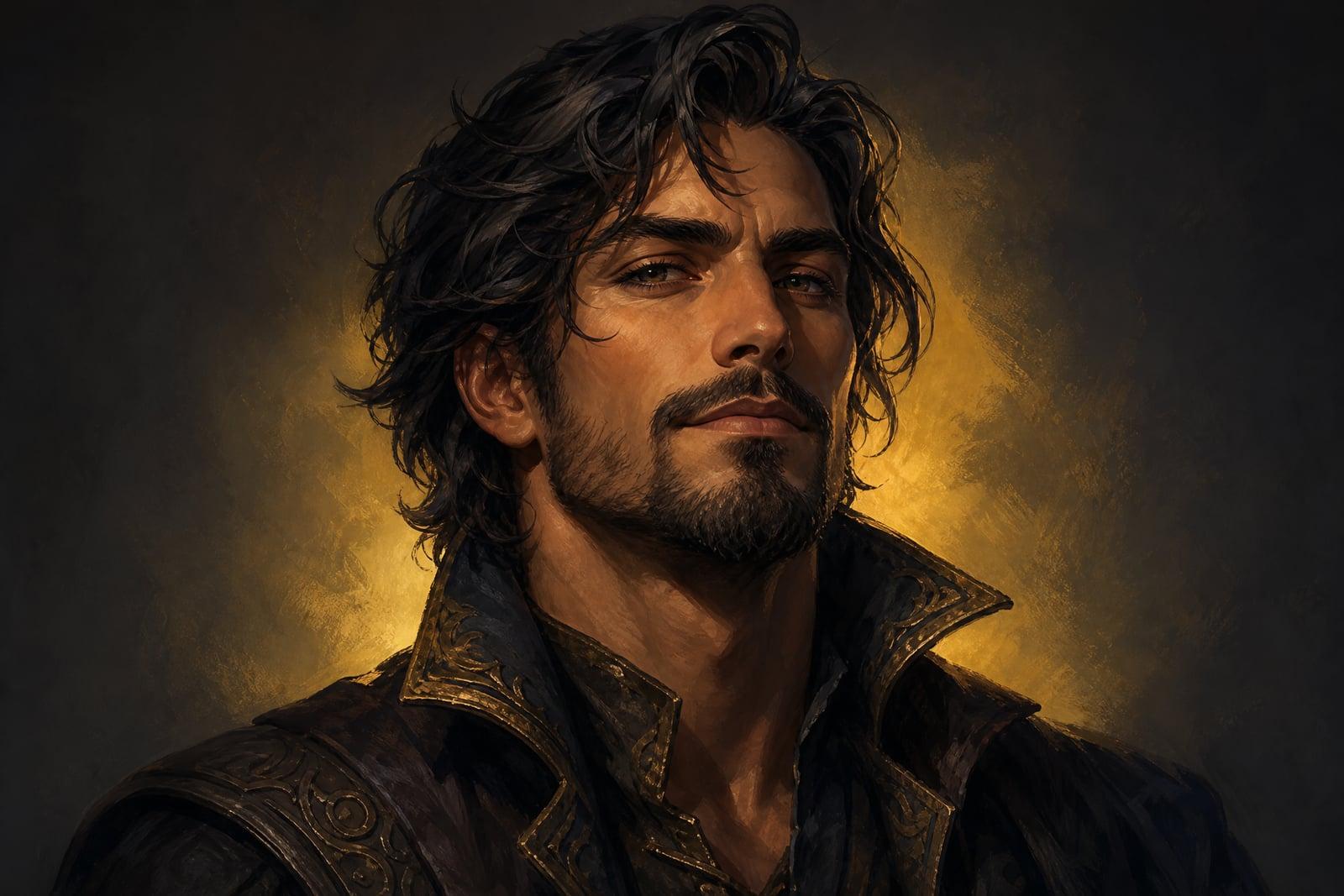
The AI Avatar Generator builds a stylized avatar from a single photo of you. Upload a selfie, pick an art direction like fantasy warrior, cyberpunk or clean cartoon, and generate. The result keeps your recognizable features but redraws you in the chosen style, framed to survive tiny profile circles. Every version is saved to your library, and trying a second style takes about a minute.
What is the AI Avatar Generator?
An avatar generator sits between a plain photo and a commissioned artwork. You upload one picture, choose a style, and the tool redraws you as a character in that world. There are no sliders for nose width like an RPG character creator. Your actual face drives the output, which is why the avatar reads as you rather than a generic preset.
Drawing a likeness is the hard part of any avatar. Artists charge real money because getting someone's eyes and smile right in a stylized medium takes skill. The tool carries your proportions and expression into the new style for you, and it balances recognizability against the exaggeration the style demands, from oversized anime eyes to heavy cartoon linework.
AI Avatar Generator features
Recognizably you
The avatar keeps the geometry of your face, so friends on Discord know it is you even when you are drawn as a space pirate. Glasses, freckles and hair color carry over into the artwork.
Many art directions
Cartoon, fantasy, cyberpunk, painterly and more. Describe the direction you want and the generator redraws your portrait to match. Running the same selfie through three styles is a normal way to shop for a favorite.
Profile-crop friendly
Avatars come out composed head-and-shoulders with the face centered, so they survive the small circular crops on Discord, Steam and Slack without losing your eyes or chin.
Quick to iterate
Generation takes moments and every attempt is saved. Change one word in the style description, rerun, and compare. Most people land on their keeper within three or four tries.
How to use the AI Avatar Generator
- 1
Upload your photo
Use a clear, front-facing photo where your face fills a good part of the frame. Solo shots work best because the generator focuses on one person.
- 2
Choose a style
Pick the direction for your avatar: cartoon, fantasy, cyberpunk or painterly. Start with the style closest to the communities where you plan to use it.
- 3
Generate
The tool redraws you in that style within a few moments and saves the avatar to your library with profile-friendly framing already applied.
- 4
Download or rerun
Download the version you like, or rerun with a tweaked style description. Older versions stay in your library, so you can rotate avatars seasonally without redoing anything.
AI Avatar Generator details
| Best for | Gamers and creators who want a custom profile picture |
|---|---|
| Category | Portraits & people |
| Powered by | Nano Banana (Google) |
| Credits per image | 20 credits at 1K |
| Photos you upload | Your photo |
| Aspect ratios | 1:1 |
| Adjustable options | Avatar style, extra instructions |
| Included in plans | Standard, Premium, Pro |
What people make with the AI Avatar Generator
Gaming profiles
Steam, Xbox and PSN accounts with a custom avatar read as a real person. A stylized version of your actual face is far more memorable in a clan roster than a default icon.
Discord servers
Moderators and regulars get recognized by avatar first. A drawn version of you keeps that recognition while giving you some distance from posting your raw photo in public servers.
Streaming and content
A consistent avatar across Twitch panels, YouTube comments and community posts becomes a small brand. Generate one strong style and reuse it everywhere your audience sees you.
Work chat, tastefully
Slack and Teams allow a little personality. An illustrated avatar shows character while staying more office-appropriate than a beach selfie, and it is still clearly you in the meeting invite.
AI Avatar Generator FAQ
Does the AI Avatar Generator work with any photo?
It works best with a clear, front-facing solo photo in decent light. Busy backgrounds are fine because the style replaces them anyway. Very dark shots, heavy filters or faces at extreme angles reduce the likeness, so pick the plainest good photo you have.
Will my avatar still look like me?
Yes, within the style you choose. Face shape, hairstyle, skin tone and accessories like glasses carry into the artwork. Heavier stylization trades some realism for character, so a cartoon avatar resembles you the way a good caricature does.
Can I use my avatar on Twitch or a monetized channel?
Yes. Avatars you generate are yours, including for commercial channels, merch mockups and monetized content. If a platform reviews profile art, generated images are treated like any other custom artwork you own.
What avatar styles can I make?
Anything you can describe: clean cartoon, dark fantasy, cyberpunk neon, watercolor, retro comic and plenty more. The style field is free-form, so you are not limited to a fixed preset list. Two or three words about the mood usually get you close.
Is my uploaded photo kept private?
Yes. The photo is used to generate your avatars and sits in your private library alongside the results. Nothing is published anywhere, and you can delete the upload and any generation whenever you want.
Related tools
Pricing
Choose the perfect plan to unlock more creativity with premium AI-powered image generation.
Standard
Perfect for creators and content makers
- 1,500 Credits per month
- High-quality AI image generation
- Text-to-image & image-to-image
- Premium templates library
- Priority support
Premium
For professionals and power creators
- 4,000 Credits per month
- Ultra high-quality generations
- Advanced AI models & styles
- Priority processing & support
- Commercial usage rights
Pro
Most advanced models for premium visuals
- 10,000 Credits per month
- All models incl. Nano Banana PRO
- All resolutions (1K, 2K & 4K)
- Premium-quality generation & smart edits
- Priority processing & support
Need more credits?
All plans include the option to purchase additional credit packs when you need extra generating power. Scale your creativity without limits.
Payments are securely processed by Stripe, our merchant of record. Subscriptions renew automatically at the listed price until you cancel; cancel anytime in your account settings. By continuing you agree to our Terms, Privacy Policy and Refund & Cancellation Policy. Need help? Contact support@nanobananai.ai.