Business & marketing
Home Exterior Redesign: preview a new facade on your house
See new paint, siding, or a full facade change on a photo of your actual house.
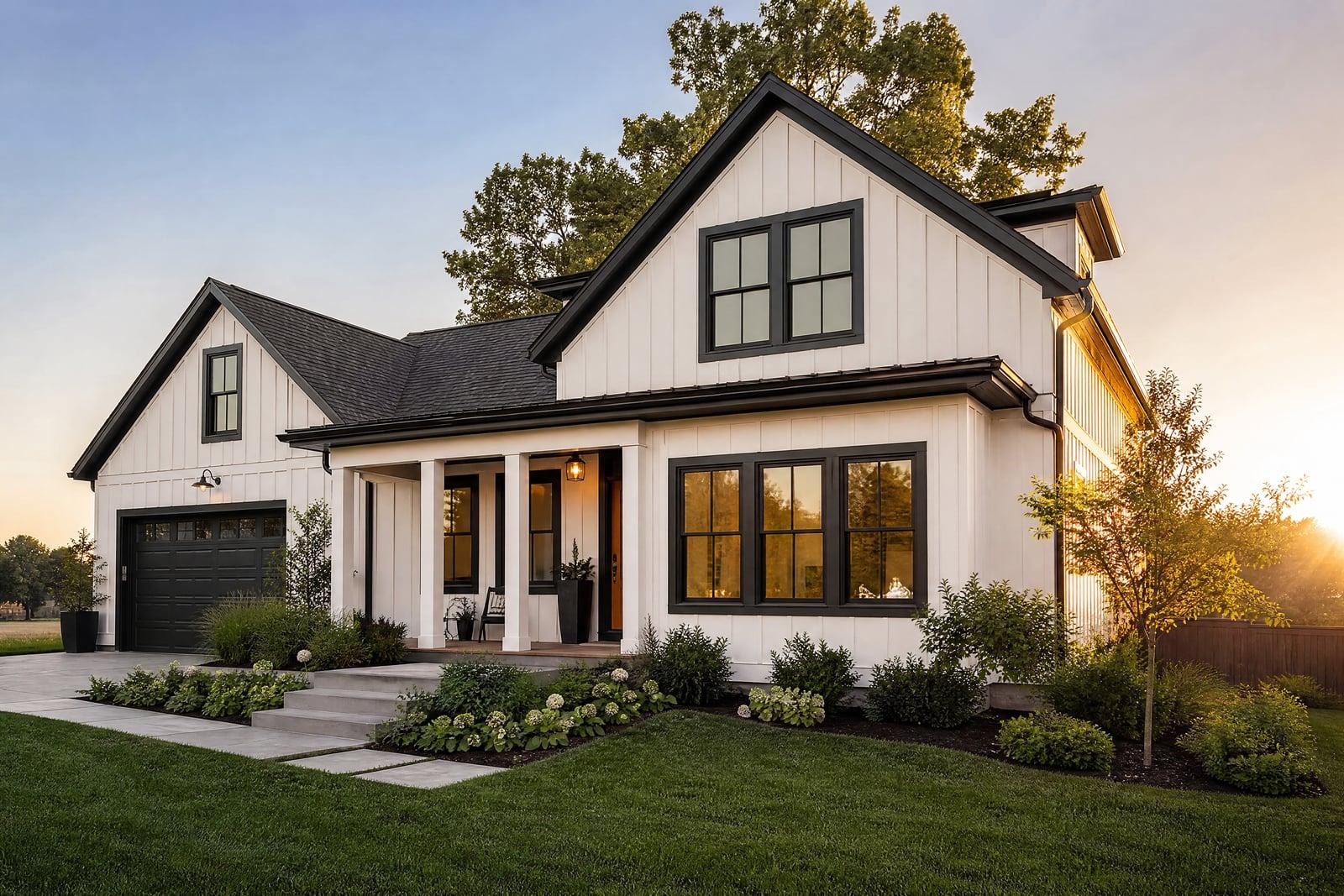
Home Exterior Redesign shows you a new look for your house on a photo of the real thing. Upload a shot of the front of your home, describe the change, new paint color, different siding, modern facade, updated trim, and generate. The house keeps its shape and setting while the finish changes, so the decision stops being theoretical.
What is the Home Exterior Redesign?
You photograph your house from the street, upload it, and describe the redesign. That can be as small as a door color or as large as a full facade style change. The generator repaints and refinishes the building in place, keeping the roofline, windows, driveway, and the tree that photobombs every picture right where they are.
Exterior changes are expensive and mostly irreversible, which is why paint swatches taped to siding feel so inadequate. A two-inch chip cannot tell you how sage green plays across forty feet of wall in full sun. Rendering the whole elevation answers the question at true scale, and testing a second and third color is just another generation.
Home Exterior Redesign features
Your actual house
Renders happen on your photo, so proportions, landscaping, and neighboring context stay real. You are judging the color on your own gables, not on some generic suburban model home.
Paint to full facade
The scope is up to you. Test one trim color, swap brick for render, or preview a farmhouse front on a dated ranch. Describe the change and the generator applies exactly that.
Materials look like materials
Cedar reads as cedar and stucco reads as stucco, with texture and light behaving accordingly. That material realism is what makes the preview trustworthy enough to base an actual purchase on.
Cheap second opinions
Generate the bold option you secretly want and the safe option your neighbor would pick, then show both around. Consensus arrives faster when everyone argues about the same two pictures.
How to use the Home Exterior Redesign
- 1
Photograph the front
Stand across the street and shoot the whole elevation in daylight, straight on or at a slight angle. Move cars that block the facade first.
- 2
Describe the change
Be concrete about surfaces and colors: white board and batten siding, black window trim, natural wood door. Name a style if you want a bigger jump.
- 3
Generate the preview
The redesigned house comes back on your original photo. Look at it at full size and check the areas you were unsure about.
- 4
Try alternatives
Rerun with different colors or scopes and keep the contenders in your library. Painters and contractors quote more accurately when you hand them a picture.
Home Exterior Redesign details
| Best for | Homeowners choosing exterior paint or planning a facade update. |
|---|---|
| Category | Business & marketing |
| Powered by | Nano Banana (Google) |
| Credits per image | 20 credits at 1K |
| Photos you upload | House photo |
| Aspect ratios | 4:3, 16:9 |
| Adjustable options | Exterior style, extra instructions |
| Included in plans | Standard, Premium, Pro |
What people make with the Home Exterior Redesign
Repaint decisions
A whole-house repaint costs real money and lasts a decade. Preview the shortlisted colors on your actual elevation before the crew is booked, and skip the year of quiet regret.
Pre-renovation planning
Bigger changes, new cladding, a modernized entry, a garage door upgrade, become discussable when the family can actually see them. Renders turn "trust me" into a picture on the kitchen table.
Flippers and investors
Before making an offer on a tired property, render the post-renovation exterior to gut-check the upside. The same image later doubles as pre-sale marketing while the actual work is still underway.
HOA and permit conversations
Boards and neighbors respond better to a realistic preview than to a paint code on a form. Attach the render to your application and cut out a round of confused objections.
Home Exterior Redesign FAQ
Can Home Exterior Redesign just change the paint color?
Yes, small scopes work well. Ask for one color change and the rest of the house stays as photographed. Many people start with paint, then get curious and test trim, doors, and siding in later runs.
How accurate are the colors?
Close enough to choose a direction, but screens shift color and so does afternoon sun. Use the render to pick your finalist, then confirm with a real sample pot on the wall before ordering forty gallons.
What photo should I upload?
A daylight shot of the full front elevation, taken from across the street, works best. Straight-on angles give the cleanest repaint. Move the bins and cars beforehand, since the generator keeps whatever objects the original photo shows.
Will it change my roof or windows?
Only if you ask. The tool follows your description, so a request for new siding leaves the roofline and window positions alone. If something drifts in a render, tighten the wording and run it again.
Can contractors or realtors use the images?
Yes, generated images are yours to use commercially. Contractors attach them to quotes, and agents use them to show a listing's potential, labeled as a visualization so buyers know it is a concept rather than a promise.
Related tools
Pricing
Choose the perfect plan to unlock more creativity with premium AI-powered image generation.
Standard
Perfect for creators and content makers
- 1,500 Credits per month
- High-quality AI image generation
- Text-to-image & image-to-image
- Premium templates library
- Priority support
Premium
For professionals and power creators
- 4,000 Credits per month
- Ultra high-quality generations
- Advanced AI models & styles
- Priority processing & support
- Commercial usage rights
Pro
Most advanced models for premium visuals
- 10,000 Credits per month
- All models incl. Nano Banana PRO
- All resolutions (1K, 2K & 4K)
- Premium-quality generation & smart edits
- Priority processing & support
Need more credits?
All plans include the option to purchase additional credit packs when you need extra generating power. Scale your creativity without limits.
Payments are securely processed by Stripe, our merchant of record. Subscriptions renew automatically at the listed price until you cancel; cancel anytime in your account settings. By continuing you agree to our Terms, Privacy Policy and Refund & Cancellation Policy. Need help? Contact support@nanobananai.ai.