Business & marketing
AI Landscape Design: see your yard redesigned before you dig
Upload a yard or garden photo and preview a full outdoor redesign in the style you want.
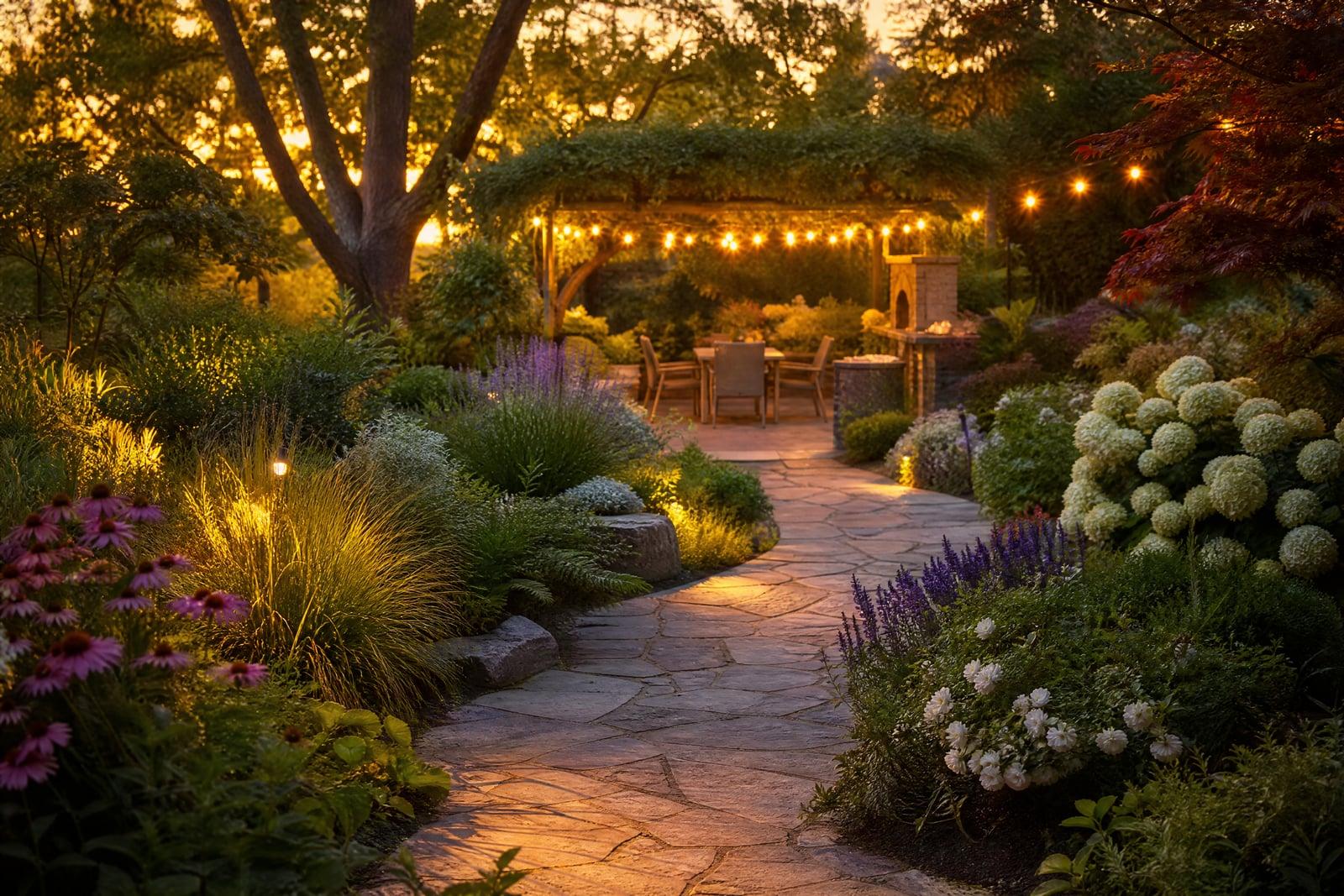
AI Landscape Design redesigns a photo of your yard or garden into the outdoor space you keep imagining. Upload a picture of the area, describe what you want, native planting, a paver patio, a tidy lawn with defined beds, and generate. The result shows your actual property with the new design in place, at the real proportions of your lot.
What is the AI Landscape Design?
One photo of the yard is all the tool needs. Shoot the area you want to redesign, from the deck or the back fence, and describe the direction: low-maintenance gravel garden, cottage borders, modern outdoor living with a fire pit. The generator keeps your house, fences, and mature trees in place and reworks the plantable space between them.
Garden plans on paper demand imagination that most of us do not have, and landscaping mistakes are slow to fix because plants take years to grow. A rendered preview shows the layout, the proportions of hardscape to green, and how the design sits against your house. It is much cheaper to dislike a picture than a finished patio.
AI Landscape Design features
Designs on your real yard
The render uses your photo, so slopes, fence lines, and the shade cast by the neighbor's oak all stay true. What you preview is what your lot can actually hold.
Style range
Japanese garden, desert xeriscape, English borders, family lawn with play space: name the direction and the tool composes planting and hardscape to match it. Mixing ideas in one description works too.
Hardscape and planting together
Paths, patios, raised beds, and greenery are designed as one scene rather than dropped in separately, so materials and plant choices agree with each other the way a landscape architect's plan would.
Fast revision loops
Move the patio, lose the pond, add more evergreens: each revision is a quick rerun instead of a redraw. Most people explore five or six directions before showing anyone else.
How to use the AI Landscape Design
- 1
Photograph the yard
Shoot in daylight from where you most often view the space, like the back door. Include the ground area you want redesigned and a bit of the house for scale.
- 2
Describe the design
Name a style and your practical wants: shade seating, a veggie bed, less lawn. Mention what stays, like the big maple, so the design works around it.
- 3
Generate the redesign
Review the rendered yard at full size. Check that paths lead somewhere sensible and that the planting density matches the maintenance you honestly intend to do.
- 4
Iterate and share
Rerun variations until one feels right, then download it. A picture gets you far more useful quotes from landscapers than a verbal description ever does.
AI Landscape Design details
| Best for | Homeowners planning a yard redesign before committing to landscaping work. |
|---|---|
| Category | Business & marketing |
| Powered by | Nano Banana (Google) |
| Credits per image | 20 credits at 1K |
| Photos you upload | Yard / garden photo |
| Aspect ratios | 4:3, 16:9 |
| Adjustable options | Garden style, extra instructions |
| Included in plans | Standard, Premium, Pro |
What people make with the AI Landscape Design
Backyard makeovers
The patchy lawn you avoid photographing can become a plan you are excited about. Preview a full redesign before spring, then phase the real work over a summer or two.
New-build blank slates
New construction often comes with bare dirt and a single builder-grade shrub. Rendering a full design for the empty lot gives you a target and a sensible order to plant in.
Curb appeal before selling
Front yard presentation moves sale prices more than most sellers expect. Render a tidied, replanted front garden to guide a pre-listing weekend of work, or show buyers the potential in an underloved lot.
Landscaper client pitches
Pros can turn a site-visit photo into a rendered concept the same evening. Clients sign faster when the pitch shows their own yard transformed instead of a portfolio of other people's gardens.
AI Landscape Design FAQ
How does AI Landscape Design handle my existing trees and fences?
Structures and mature features stay in place by default, and you can mention anything that must not move. The tool redesigns the plantable and pavable space around them, which keeps the render honest about what your yard can become.
Can it design both front and back yards?
Yes, any outdoor space works: front gardens, backyards, side strips, courtyards, and balconies. Run each area as a separate photo and keep a consistent style across them if you want the whole property to read as one design.
Are the plants in the render real species?
The planting is generated to look right for the style rather than labeled by species. Use the render to set the look, then ask a local nursery to match plants that thrive in your climate zone.
What photo gives the best results?
A daylight shot covering the whole area you want designed, taken from a natural viewpoint like the patio door. Avoid extreme close-ups of single beds; the generator needs wider context to compose a coherent layout.
Is this useful before hiring a landscaper?
Very. Arriving with a rendered target focuses the first conversation, and quotes get more accurate when everyone is pricing the same picture. Some clients also discover their dream design is simpler and cheaper than they assumed.
Related tools
Pricing
Choose the perfect plan to unlock more creativity with premium AI-powered image generation.
Standard
Perfect for creators and content makers
- 1,500 Credits per month
- High-quality AI image generation
- Text-to-image & image-to-image
- Premium templates library
- Priority support
Premium
For professionals and power creators
- 4,000 Credits per month
- Ultra high-quality generations
- Advanced AI models & styles
- Priority processing & support
- Commercial usage rights
Pro
Most advanced models for premium visuals
- 10,000 Credits per month
- All models incl. Nano Banana PRO
- All resolutions (1K, 2K & 4K)
- Premium-quality generation & smart edits
- Priority processing & support
Need more credits?
All plans include the option to purchase additional credit packs when you need extra generating power. Scale your creativity without limits.
Payments are securely processed by Stripe, our merchant of record. Subscriptions renew automatically at the listed price until you cancel; cancel anytime in your account settings. By continuing you agree to our Terms, Privacy Policy and Refund & Cancellation Policy. Need help? Contact support@nanobananai.ai.