Style transforms
Vector Art Converter: redraw your photo as clean flat illustration
Turns photos into flat, bold, illustration-style art for avatars, sites, and branding.
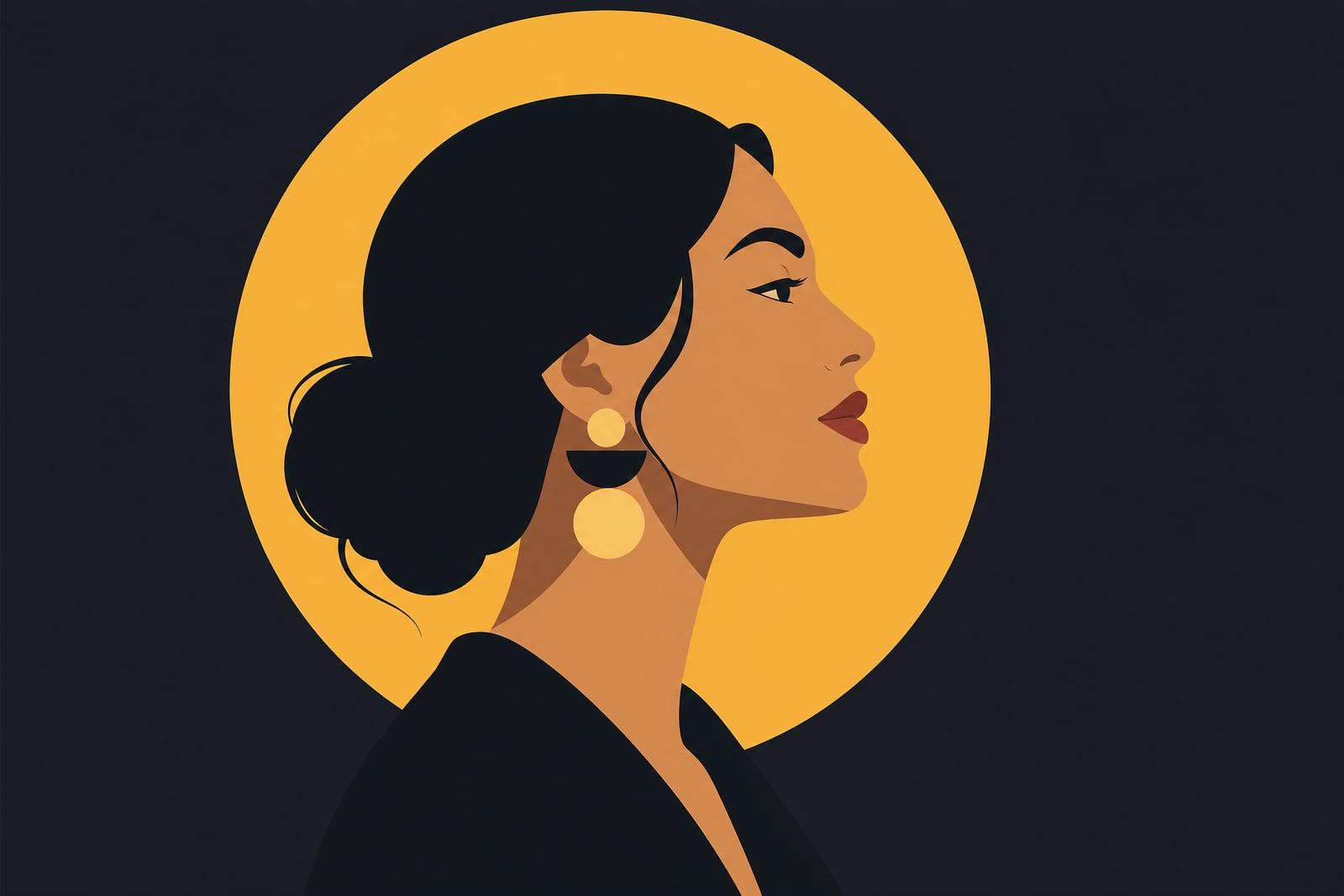
Vector Art Converter redraws your photo as a flat, clean illustration in the style of modern vector design. Upload one picture and the tool simplifies it into bold shapes, smooth outlines, and a tight color palette, the look you see on startup landing pages and app onboarding screens. The finished illustration is saved to your library for download or another pass.
What is the Vector Art Converter?
Vector Art Converter is a photo-to-illustration tool on Nano Banana AI. You upload a photo of a person, pet, product, or place, generate, and get back a flat illustration version: solid color fills, confident outlines, and simplified features. It suits profile pictures, website graphics, and any spot where a raw photo would feel too heavy. Output is a high-resolution image in the vector visual style.
The craft in flat illustration is deciding what to throw away. An illustrator flattens hundreds of skin tones into three, turns hair into two or three shapes, and keeps just enough of the jawline and glasses that the person is still unmistakably them. The converter makes those reductions automatically and keeps the palette consistent across the whole image, which is the part beginners usually get wrong.
Vector Art Converter features
Bold simplified shapes
Hair becomes two or three confident shapes, skin flattens into a small set of tones, and clothing folds turn into clean curves. The finished result reads as deliberately designed, not merely filtered.
Consistent color palettes
Each illustration uses a tight, coordinated palette, so a portrait drops neatly into a website, slide deck, or newsletter header without clashing against the brand colors you already committed to.
Likeness through reduction
Glasses, beard lines, and face shape survive the flattening, so a vector portrait of your cofounder still reads as your cofounder at a glance, even shrunk down to a comment avatar.
Fits real design work
The flat style stays legible at favicon size and holds up at full hero-image width. Crisp edges also make manual background removal painless in any editor when you need a transparent version.
How to use the Vector Art Converter
- 1
Upload a photo
Front-lit photos with a plain background convert most cleanly. For portraits, face the camera; for products, shoot straight on so the flattened shapes stay true.
- 2
Generate the illustration
Run the conversion and check the shapes. Look at hair, glasses, and jawline first, since those carry most of the likeness in flat style.
- 3
Iterate on the palette
Regenerate to explore different palettes and simplification levels. Runs are quick, so trying a warmer or more muted version costs almost nothing.
- 4
Download and use
Grab the finished image from your library. It drops straight into slides, sites, and social profiles, and the flat edges crop cleanly at any size.
Vector Art Converter details
| Best for | Founders and freelancers who need illustration-style avatars and graphics. |
|---|---|
| Category | Style transforms |
| Powered by | Nano Banana (Google) |
| Credits per image | 20 credits at 1K |
| Photos you upload | Your photo |
| Aspect ratios | Follows the input image |
| Adjustable options | None, one-click result |
| Included in plans | Standard, Premium, Pro |
What people make with the Vector Art Converter
Team page portraits
Convert every headshot on your about page into matching flat illustrations. The set looks coordinated even when the source photos came from five different cameras, years apart, in wildly different lighting.
Personal branding
Freelancers use a vector self-portrait as a logo-adjacent avatar across their newsletter, invoices, and social profiles. It stays recognizable everywhere a photo would feel stiff or slightly too corporate for the work.
Presentation graphics
A flat illustration of your product or workspace fills a slide without the visual noise of a photograph. Palettes stay tight from one image to the next, so long decks keep a consistent look.
Pet avatars and gifts
A flat-style portrait of a cat or dog makes a sharp phone wallpaper or a gift print for the pet's co-parent. The simplified shapes capture personality better than a blurry camera roll shot ever will.
Vector Art Converter FAQ
What does the Vector Art Converter output, an image or an SVG file?
It outputs a high-resolution image drawn in the flat vector illustration style: solid fills, clean outlines, simplified shapes. It is not an editable SVG file with paths. For avatars, websites, decks, and prints, the image works exactly like any other graphic.
How is vector-style art different from a cartoon filter?
A cartoon filter smudges a photo until it looks painted. Vector-style conversion actually redraws the image: it commits to a small palette, replaces gradients with flat fills, and rebuilds features as deliberate shapes. The result looks like an illustrator made it, not like a photo wearing an effect.
Will the flat version still look like the person in the photo?
Yes, within the style. The converter keeps your features recognizable, especially face shape, hair, glasses, and facial hair, which carry most of the likeness once colors flatten. Extremely fine details like individual freckles are simplified away by design.
Can I use the illustrations for my business or clients?
Yes. Images you generate are yours to use commercially, including in client projects, marketing sites, and paid products. Agencies often batch-convert a whole team of headshots in one sitting so the about page shares one visual style across every person.
What happens to the photos I upload?
Uploads are used only to generate your illustrations and are stored in your private library alongside the results. Nothing gets published or shared anywhere. You can delete any upload or generated image from your account at any time, individually or all at once.
Related tools
Pricing
Choose the perfect plan to unlock more creativity with premium AI-powered image generation.
Standard
Perfect for creators and content makers
- 1,500 Credits per month
- High-quality AI image generation
- Text-to-image & image-to-image
- Premium templates library
- Priority support
Premium
For professionals and power creators
- 4,000 Credits per month
- Ultra high-quality generations
- Advanced AI models & styles
- Priority processing & support
- Commercial usage rights
Pro
Most advanced models for premium visuals
- 10,000 Credits per month
- All models incl. Nano Banana PRO
- All resolutions (1K, 2K & 4K)
- Premium-quality generation & smart edits
- Priority processing & support
Need more credits?
All plans include the option to purchase additional credit packs when you need extra generating power. Scale your creativity without limits.
Payments are securely processed by Stripe, our merchant of record. Subscriptions renew automatically at the listed price until you cancel; cancel anytime in your account settings. By continuing you agree to our Terms, Privacy Policy and Refund & Cancellation Policy. Need help? Contact support@nanobananai.ai.