Style transforms
Low Poly Art: rebuild your photo from clean geometric facets
Converts any photo into a faceted 3D-style render for posters, avatars, and wallpapers.
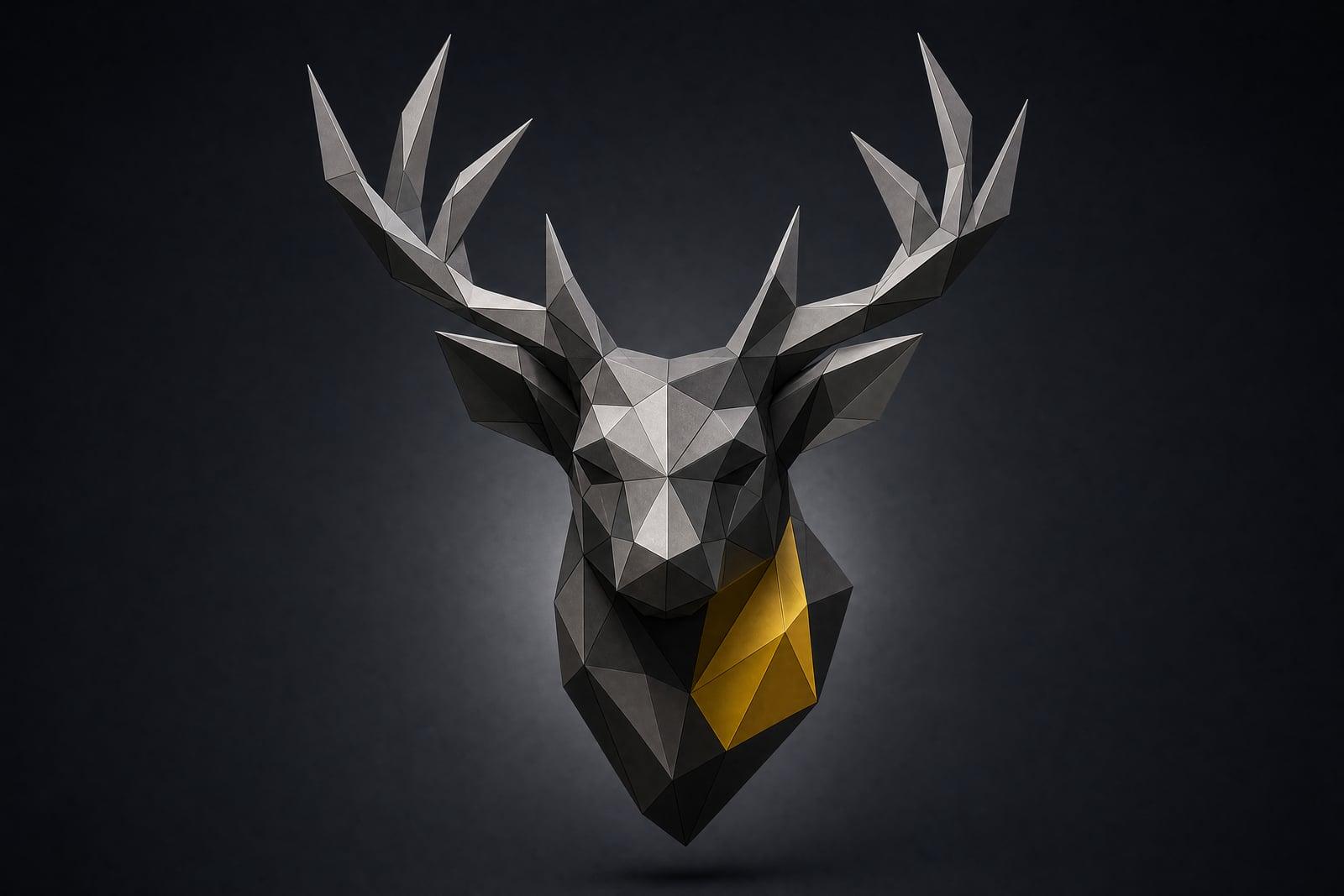
Low Poly Art converts your photo into a geometric 3D-style render made of flat triangular facets. Upload a single image, generate, and the tool rebuilds the subject as an angular sculpture with sharp edges and smooth color planes. The finished render lands in your library at full quality, and rerunning it with a different mood takes only a few seconds.
What is the Low Poly Art?
Low Poly Art is a style converter on Nano Banana AI. You give it one photo, a portrait, an animal, a car, a skyline, and it reinterprets the subject as a low-polygon 3D model: hundreds of flat triangles shaded like a modern game asset or a design-studio poster. There are no meshes to edit and no 3D software to learn. You upload, generate, and download the render.
Faceting an image well is harder than it looks. Put triangles in the wrong places and a face turns lumpy; make them too small and you just get a blurry photo. The tool concentrates detail where it matters, eyes, snouts, edges of the silhouette, and lets big calm planes carry cheeks, sky, and fur. That balance is what separates poster-grade low poly work from a cheap triangulation filter.
Low Poly Art features
Smart facet placement
Triangles cluster around eyes, muzzles, and silhouette edges while large calm planes fill quiet areas. A wolf portrait keeps its stare instead of dissolving into a random pile of triangles.
Poster-grade shading
Facets are lit like a rendered 3D model, with crisp highlights and soft gradients across planes. The output holds up printed at poster size or set as a desktop wallpaper.
Works on almost anything
Portraits, pets, cars, mountains, and buildings all facet well. Strong silhouettes give the cleanest results, which is why animal heads have become the classic subject of the whole low poly genre.
Quick style exploration
Each run takes seconds, so you can compare a dense high-detail mesh against a chunky minimalist one, then keep whichever version fits the poster, avatar, or wallpaper you are actually making.
How to use the Low Poly Art
- 1
Upload your image
Choose a photo with a strong silhouette and decent contrast. A head-and-shoulders portrait or a single animal against a plain background facets most cleanly.
- 2
Generate the render
Run the conversion and review the facet density. The default pass aims for a balanced mesh: detailed where the subject needs it, calm everywhere else.
- 3
Rerun for density
Want chunkier triangles or finer detail? Regenerate and compare. Variations are fast, and small changes in facet size change the whole mood of the piece.
- 4
Download or refine
Save your favorite from the library. If edges look noisy, try a tighter crop of the subject and generate again for a cleaner silhouette.
Low Poly Art details
| Best for | Gamers and designers who want geometric avatars and posters. |
|---|---|
| Category | Style transforms |
| Powered by | Nano Banana (Google) |
| Credits per image | 20 credits at 1K |
| Photos you upload | Your photo |
| Aspect ratios | Follows the input image |
| Adjustable options | None, one-click result |
| Included in plans | Standard, Premium, Pro |
What people make with the Low Poly Art
Gaming avatars
A low poly version of your face or your dog makes a distinctive Discord or Steam avatar. The angular style stays readable even at tiny thumbnail sizes where photos turn to mush.
Office and studio posters
Designers facet a founder portrait or a product shot into wall art for a studio or office. The geometric look signals tech without falling back on the same stock imagery everyone uses.
Phone and desktop wallpapers
A faceted mountain ridge from your last hike becomes a wallpaper that hides icon clutter well. The big flat planes give app icons room to breathe on both desktop and phone screens.
T-shirt and merch graphics
Low poly animal heads print beautifully on apparel because the style uses solid color regions instead of photographic gradients. Band merch, club shirts, and event tees all benefit from that screen-print friendliness.
Low Poly Art FAQ
What is Low Poly Art and how does the converter work?
Low poly is a 3D art style that builds subjects from a small number of flat triangular polygons. The converter takes your uploaded photo, finds the important edges and features, and redraws the whole image as shaded facets, like a stylized game model rendered as a poster.
Which photos turn into the best low poly renders?
Photos with one clear subject and a strong outline: portraits, animal heads, cars, single buildings. Good lighting helps the facet shading look intentional. Flat, low-contrast snapshots or crowded scenes tend to produce a mushy mesh, so crop to your subject first.
Will a low poly portrait still look like me?
Yes, the tool keeps your features recognizable. It preserves face shape, hairline, and expression while abstracting skin into flat planes. The result is clearly stylized rather than photographic, which is exactly why it works as an avatar.
Can I use low poly images commercially, like on merch?
Yes. Everything you generate is yours to use, including on t-shirts, posters, and client work. Solid color facets also survive screen printing better than photo gradients do, which makes the style a practical merch choice.
How long does a conversion take?
A single render takes seconds, and regenerating variations is quick and cheap. Most people run three or four passes with different facet densities, compare them side by side in the library, and keep the one that matches their project before downloading.
Related tools
Pricing
Choose the perfect plan to unlock more creativity with premium AI-powered image generation.
Standard
Perfect for creators and content makers
- 1,500 Credits per month
- High-quality AI image generation
- Text-to-image & image-to-image
- Premium templates library
- Priority support
Premium
For professionals and power creators
- 4,000 Credits per month
- Ultra high-quality generations
- Advanced AI models & styles
- Priority processing & support
- Commercial usage rights
Pro
Most advanced models for premium visuals
- 10,000 Credits per month
- All models incl. Nano Banana PRO
- All resolutions (1K, 2K & 4K)
- Premium-quality generation & smart edits
- Priority processing & support
Need more credits?
All plans include the option to purchase additional credit packs when you need extra generating power. Scale your creativity without limits.
Payments are securely processed by Stripe, our merchant of record. Subscriptions renew automatically at the listed price until you cancel; cancel anytime in your account settings. By continuing you agree to our Terms, Privacy Policy and Refund & Cancellation Policy. Need help? Contact support@nanobananai.ai.